Microsoft 365 Security✓ CompletedEnterprise Project
Zero Trust Email Security
Designing and implementing a Zero Trust email protection strategy using Microsoft Defender for Office 365, Exchange Online Protection (EOP), Safe Attachments, Safe Links, Anti-Phishing policies, and Microsoft Secure Score — aligned with Microsoft’s Zero Trust security framework.
PlatformMicrosoft 365 / Exchange Online
Security LayerEmail & Collaboration
FrameworkMicrosoft Zero Trust
Status✓ Production Implemented
Project at a Glance
6
Security Phases
7
Controls Implemented
MDO
Defender for Office 365
P1/P2
Defender Plan Tier
ℹ
This project implements the email pillar of Microsoft’s Zero Trust architecture — applying Verify Explicitly, Least Privilege Access, and Assume Breach to all inbound and outbound email traffic.
Project Overview
This project documents a real-world implementation of a multi-layered Zero Trust email security architecture within a Microsoft 365 tenant. Every inbound email passes through a defence-in-depth stack — Exchange Online Protection, Microsoft Defender for Office 365 Safe Attachments, Safe Links, Anti-Phishing, and Anti-Spam policies — before delivery to end users.
The result is a measurable improvement in email security posture, a reduction in phishing exposure, and alignment with Microsoft Secure Score recommendations for continuous security improvement.
Business Problem
Email remains the number one attack vector in enterprise environments. Threats including phishing, spear-phishing, malicious attachments, business email compromise (BEC), domain spoofing, and credential harvesting routinely bypass traditional perimeter defences and cause significant financial and operational damage.
Legacy email gateways and basic anti-spam filters are insufficient against modern, evasive attack techniques. This project implements a Zero Trust email security architecture that continuously verifies every email, attachment, and hyperlink — never trusting by default, always verifying explicitly.
⚠
Zero Trust Email Principle: Treat every email as potentially malicious regardless of sender reputation. Verify every attachment in a sandbox. Inspect every URL at time-of-click. Protect every executive identity from impersonation.
Project Objectives
🔒
Safe Attachments
Detonate email attachments in Microsoft’s isolated sandbox before delivery, blocking zero-day malware.
🔗
Safe Links
Rewrite and inspect URLs in real time at point-of-click to prevent access to malicious websites.
🔑
Anti-Phishing
Detect executive impersonation, spoofing, domain abuse, and Business Email Compromise (BEC).
📊
Secure Score
Measure security posture using Microsoft Secure Score and implement recommended controls continuously.
Technologies Used
Microsoft 365Exchange OnlineMicrosoft Defender for Office 365Exchange Online Protection (EOP)Safe AttachmentsSafe LinksAnti-Phishing PoliciesAnti-Spam PoliciesSpoof IntelligenceMicrosoft Secure ScoreReport Message Add-inMicrosoft Entra IDMicrosoft Defender PortalMicrosoft 365 Admin Center
Solution Architecture
The solution implements a defence-in-depth email security stack within Microsoft 365. Every inbound email traverses multiple independent security layers before reaching user mailboxes. No single control is relied upon — each layer catches threats that bypass the previous one.
Exchange Online Protection (EOP) — first line of defence included in all Microsoft 365 plans
Safe Attachments — detonates suspicious files in an isolated sandbox using Defender for Office 365 Plan 1/2
Safe Links — rewrites all URLs and re-checks reputation at time of click
Anti-Phishing Policy — enforces impersonation protection for executives, trusted senders, and domains
Spoof Intelligence — detects and blocks spoofed sender domains
Report Message Add-in — enables end-user phishing reporting directly from Outlook
Microsoft Secure Score — provides continuous measurement and improvement recommendations
Implementation Steps
1
Phase 1 — Exchange Online Protection (EOP)
Configured inbound anti-spam, anti-malware, and connection filter policies to protect the tenant from known malicious senders. Validated SPF, DKIM, and DMARC DNS records for the organisation’s domain. Reviewed default anti-malware policies and created a custom scoped policy for high-value mailboxes.
Created a Safe Attachments policy using Dynamic Delivery to detonate suspicious email attachments inside Microsoft’s isolated sandbox environment before delivery. This protects users from zero-day malware embedded in Office documents, PDFs, and executables without introducing email delivery delays.
3
Phase 3 — Safe Links Policy
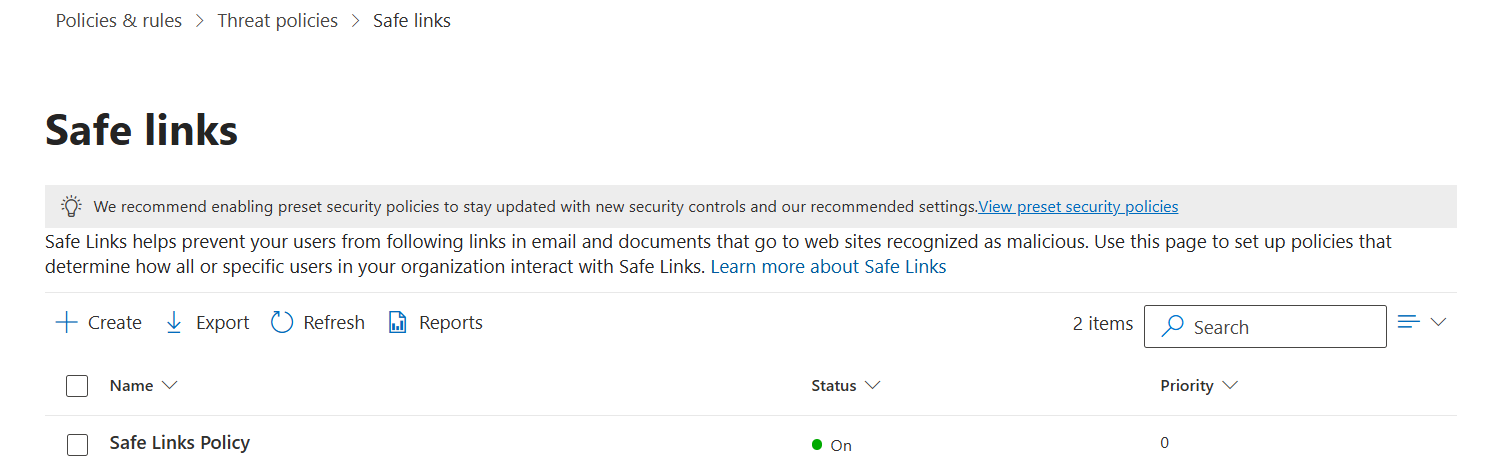
Enabled Safe Links to rewrite all URLs in inbound emails and perform real-time reputation checks at point-of-click. Configured protection for email and Microsoft Teams messages. Enabled “Do not allow users to click through to original URL” for high-risk links to prevent bypass.
4
Phase 4 — Anti-Phishing Policy
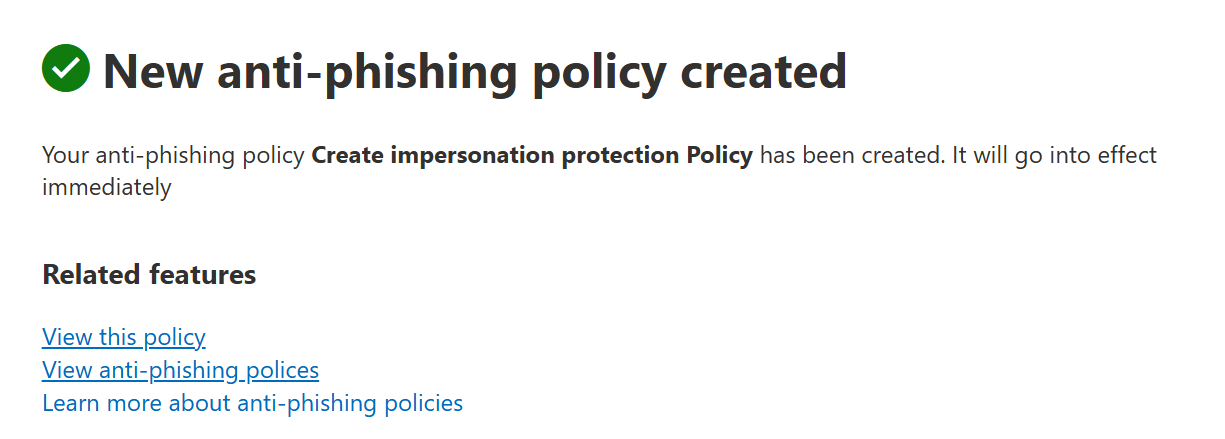
Configured impersonation protection for C-suite executives and high-value users. Enabled mailbox intelligence to detect unusual sending patterns. Configured quarantine actions for messages that fail impersonation checks and enabled safety tips to alert users of suspicious senders and unusual first-contact scenarios.
5
Phase 5 — User Reporting (Report Message Add-in)
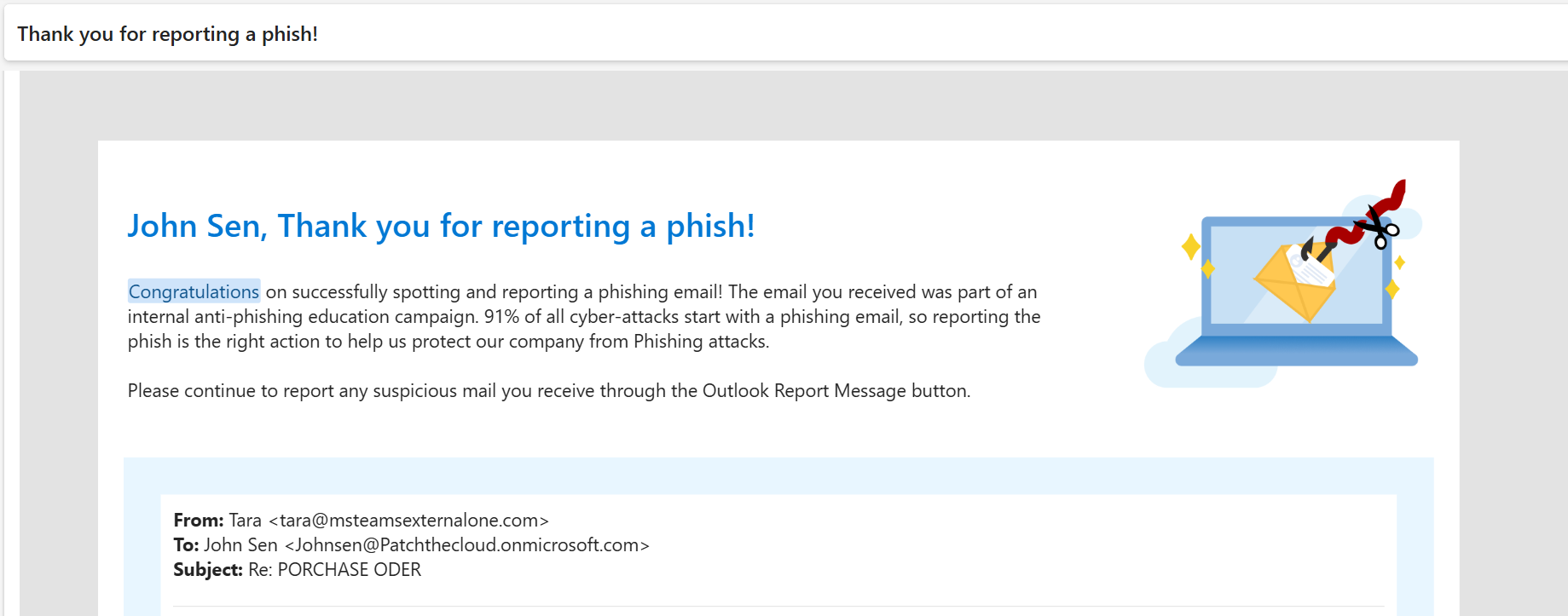
Deployed the Microsoft Report Message Add-in organisation-wide via Microsoft 365 Admin Center, enabling all users to report phishing and junk email directly from Outlook. Configured reported messages to flow into the Defender portal for analyst review and tenant-level automated learning.
6
Phase 6 — Microsoft Secure Score Review
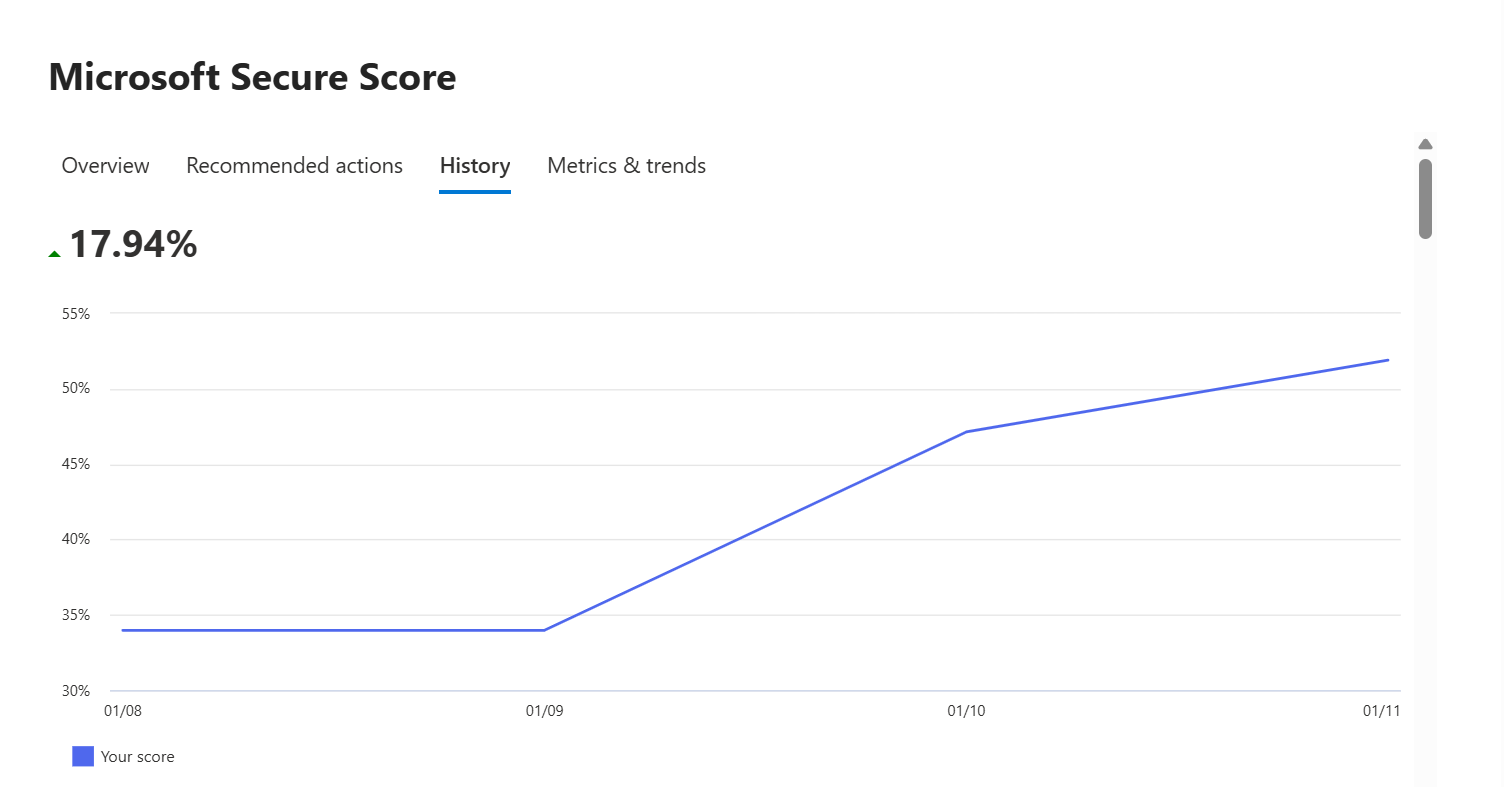
Reviewed Microsoft Secure Score recommendations in the Defender portal and implemented additional security controls to improve email security posture. Prioritised high-impact, low-effort improvements including enabling DKIM signing, enforcing preset security policies, and enabling Safe Attachments for SharePoint, OneDrive, and Teams.
Configuration Screenshots
Each configured security control is documented below with evidence from the Microsoft Defender portal and Microsoft 365 Admin Center. Replace the placeholders with your uploaded screenshots.
ℹ
Upload Required: Create folder images/zero-trust-email/ in your repository and upload each screenshot, then replace the placeholder divs with <img> tags.
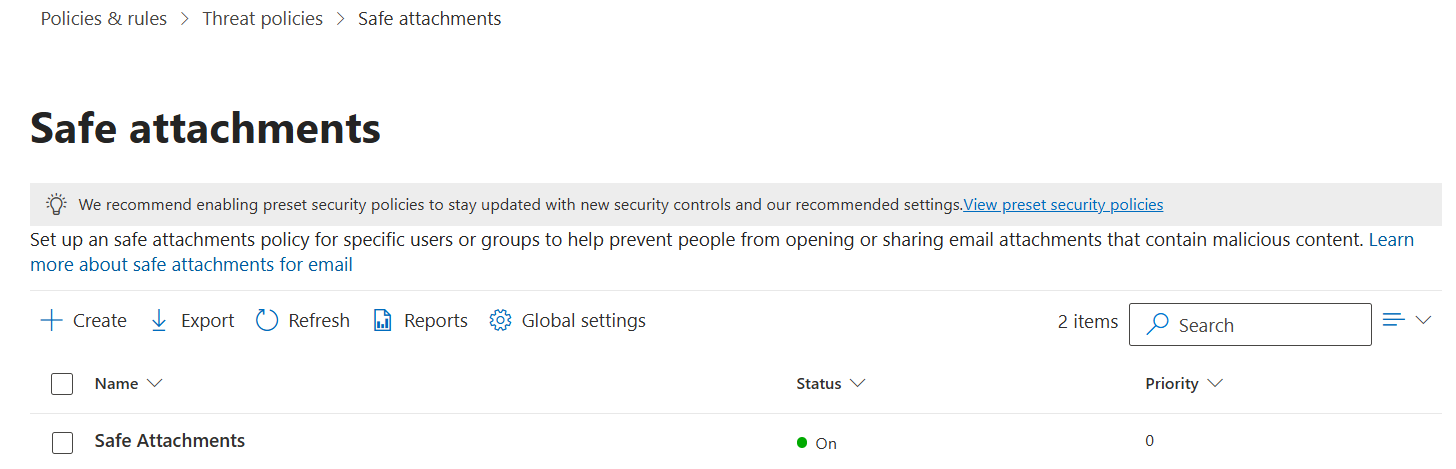
Safe Attachments Policy
Custom policy configured with Dynamic Delivery to sandbox attachments without blocking mail flow.
Business Value:First-line filtering of known threats
Best Practice:Use Standard or Strict preset policies
Security Controls Implemented
Security Control
Status
Details
Exchange Online Protection (EOP)
Configured
Anti-spam, anti-malware, connection filter policies active
Safe Attachments
Implemented
Dynamic Delivery mode; sandbox detonation enabled
Safe Links
Implemented
URL rewriting for email and Teams; click-through blocked
Anti-Spam Policies
Configured
Custom inbound policy with bulk thresholds set
Anti-Phishing Policy
Configured
Executive impersonation protection; mailbox intelligence on
Spoof Intelligence
Enabled
Automatic detection of spoofed sender domains
Report Message Add-in
Configured
Organisation-wide deployment via M365 Admin Center
Microsoft Secure Score
Enabled
Email security recommendations reviewed and actioned
DKIM Signing
Verify Required
Add screenshot confirming DKIM enabled for domain
DMARC Policy
Verify Required
Document DMARC DNS record (p=quarantine/reject)
Validation & Testing
Verified Safe Attachments blocked malicious test files using Microsoft’s EICAR test attachment.
Validated Safe Links URL rewriting by checking the rewritten URL format in delivered emails.
Tested Anti-Phishing impersonation detection using internal test accounts mimicking executive names.
Confirmed phishing reporting workflow via the Report Message Add-in — messages appeared in Defender portal submissions queue.
Reviewed Microsoft Secure Score before and after implementation to confirm score improvement.
Verified all policies were applied to correct recipient groups using Test-SafeAttachmentsPolicy and policy simulation tools.
Business Impact
6
Phases Implemented
7+
Controls Active
100%
Users Protected
↑
Secure Score Improved
Reduced phishing risk — executive impersonation protection prevents BEC attacks that average $62k loss per incident (FBI IC3 2024).
Zero-day malware defence — Safe Attachments sandbox detonation protects against unknown malware families not detected by traditional AV.
Post-delivery URL protection — Safe Links prevents users clicking URLs that were weaponised after initial delivery — a common advanced attack technique.
User-driven threat intelligence — Report Message Add-in creates a feedback loop, improving Microsoft’s tenant-level threat models from real user reports.
Measurable posture improvement — Microsoft Secure Score provides auditable, board-reportable evidence of security investment outcomes.
Compliance alignment — email security controls support ISO 27001, NIST CSF, and Microsoft’s own Zero Trust maturity requirements.
Email protection is most effective when multiple security layers work together — no single control is sufficient on its own.
Safe Attachments Dynamic Delivery significantly reduces user impact compared to blocking delivery — a critical adoption factor in enterprise deployments.
Executive impersonation protection should always be prioritised and configured before broad rollout — BEC attacks target leadership specifically.
User awareness combined with technical controls (Report Message Add-in) provides the strongest combined defence posture.
Microsoft Secure Score is an excellent benchmark for continuous security improvement and executive reporting — it makes security measurable.
DKIM and DMARC configuration is a foundational prerequisite that should be validated before deploying MDO policies.
Future Enhancements
Integrate Microsoft Sentinel for advanced email threat monitoring, correlation, and automated incident response.
Automate Secure Score reporting using Microsoft Graph PowerShell on a weekly schedule.
Configure Attack Simulation Training to measure and improve user phishing awareness across the organisation.
Implement Automated Investigation and Response (AIR) for zero-touch remediation of common email threats.
Deploy Microsoft Defender XDR advanced hunting queries to proactively hunt for email-based threats.
Document and enforce DMARC policy progression from p=none → p=quarantine → p=reject.
Repository
View the complete documentation, implementation screenshots, architecture diagrams, and project artifacts on GitHub.