Zero Trust Identity Perimeter
Enterprise-grade Zero Trust Identity implementation using Microsoft Entra ID Conditional Access, Privileged Identity Management, Identity Protection, MFA, and FIDO2 — deployed across 7 implementation phases with full Report-Only → Enforced evidence.
Project Overview
Objective
Implement the Identity pillar of Microsoft Zero Trust by replacing Security Defaults with a layered Conditional Access policy framework integrating Entra ID Protection risk signals.
Deployment Pattern
Every policy was first deployed in Report-Only mode, monitored via Sign-in Logs, validated for impact, then switched to Enabled (Enforced) — zero-disruption rollout.
Environment
Live Microsoft 365 tenant using Business Premium / E3 licensing. Entra ID P2 features (Identity Protection + PIM) required. All configurations validated with portal screenshots.
Core Principle
“Verify explicitly, use least privilege access, assume breach.” Applied across all identity-driven access decisions in the Microsoft 365 environment.
Business Problem
Modern enterprises face an identity-centric threat landscape. Without a structured Conditional Access framework, organisations rely entirely on password strength — a fundamentally insufficient control against modern credential-based attacks.
Solution Overview
This implementation replaces Microsoft Security Defaults with a layered Conditional Access policy framework, integrating Entra ID Protection signals to create an adaptive, risk-aware access control plane.
Key Design Decisions
- Security Defaults disabled in favour of granular Conditional Access policies
- All policies staged in Report-Only mode before enforcement (zero-disruption rollout)
- Microsoft Authenticator push notifications as the primary MFA method with number matching enabled
- FIDO2 security keys enabled for privileged accounts (phishing-resistant)
- PIM configured for Just-In-Time privileged access (zero standing access)
- Identity Protection integrated to feed real-time risk signals into Conditional Access
Architecture
👤 Identity Layer
Microsoft Entra ID as the identity provider with Entra ID P2 features. Centralised authentication method management replacing legacy per-user MFA settings.
🔓 Access Control Layer
5 Conditional Access policies covering baseline MFA, risk-based access, legacy auth blocking, named location policies, and authentication method requirements.
🤴 Intelligence Layer
Entra ID Protection processing 30+ trillion signals daily, feeding User Risk and Sign-in Risk scores directly into the Conditional Access policy engine.
👑 Privileged Access Layer
Privileged Identity Management converting all permanent Global Admin assignments to Eligible (JIT) assignments with MFA, justification, and optional approval workflow.
Lab Environment
| Component | Details |
|---|---|
| Tenant Type | Microsoft 365 Business Premium / E3 |
| Identity Provider | Microsoft Entra ID (Azure AD P2 features) |
| Licensing Required | Entra ID P2 (Identity Protection + PIM) |
| Admin Portal | entra.microsoft.com |
| PowerShell Module | Microsoft.Graph (v2.x) |
| Deployment Method | Azure Portal GUI + PowerShell validation |
| Evidence Format | Portal screenshots at each configuration stage |
Technologies Used
Implementation Phases
Every Conditional Access policy was first deployed in Report-Only mode, monitored via Sign-in Logs, validated for impact, and only then switched to Enabled (Enforced). This pattern is mandatory for enterprise deployments to prevent accidental lockouts.
Baseline MFA for All Users
Replace Security Defaults with a granular Conditional Access policy requiring MFA for all users across all cloud applications. Security Defaults are disabled first as both cannot be active simultaneously.
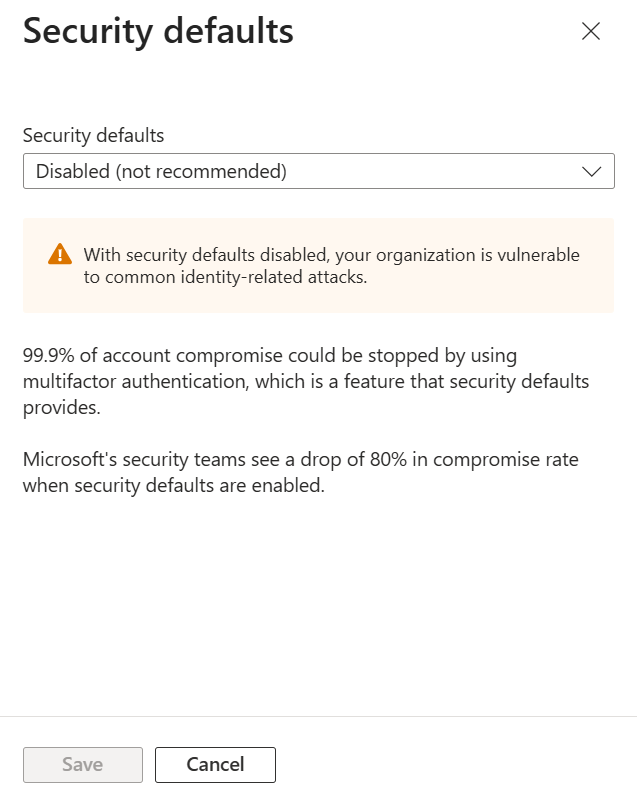
Security Defaults Disabled
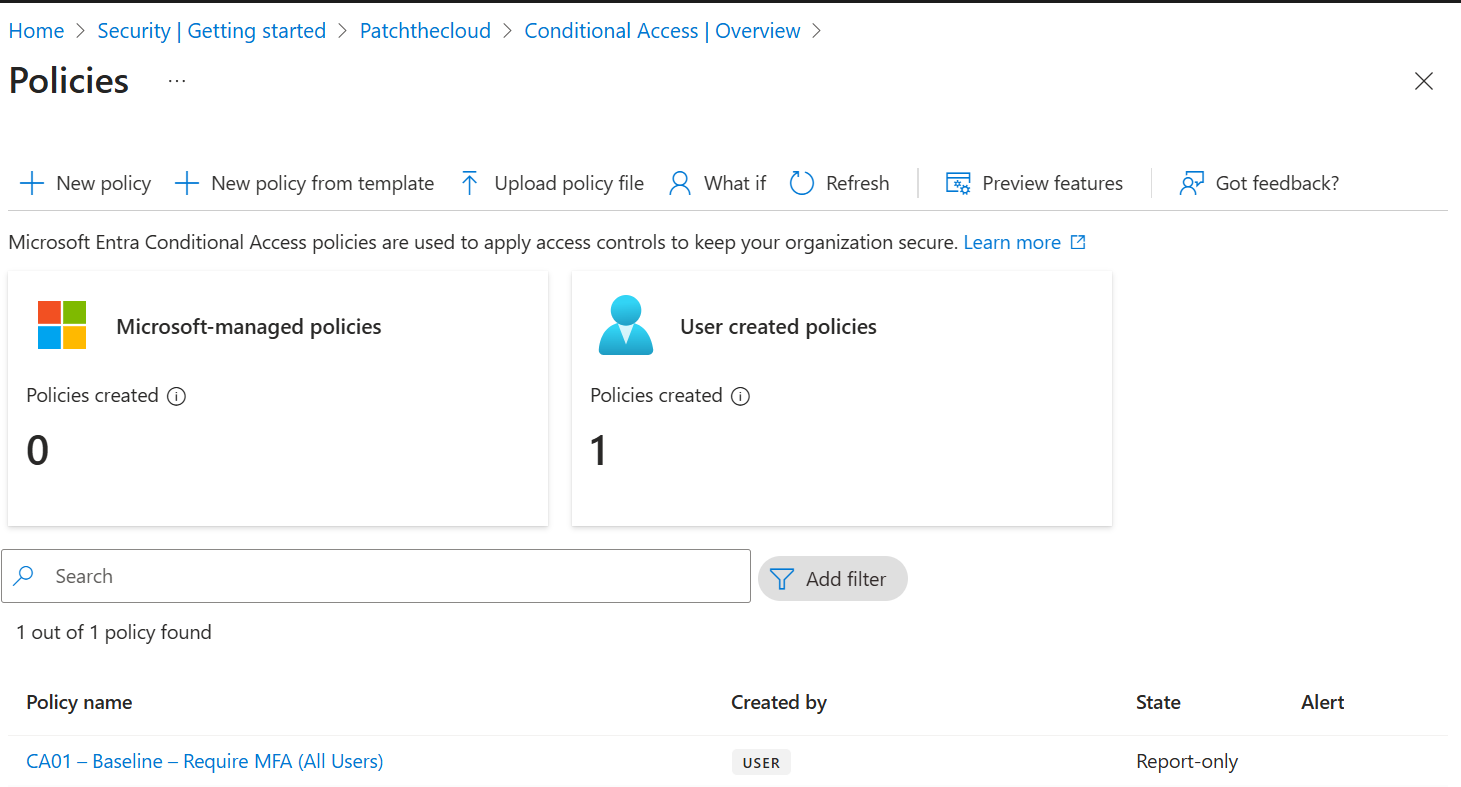
CA Policy — Report-Only Mode
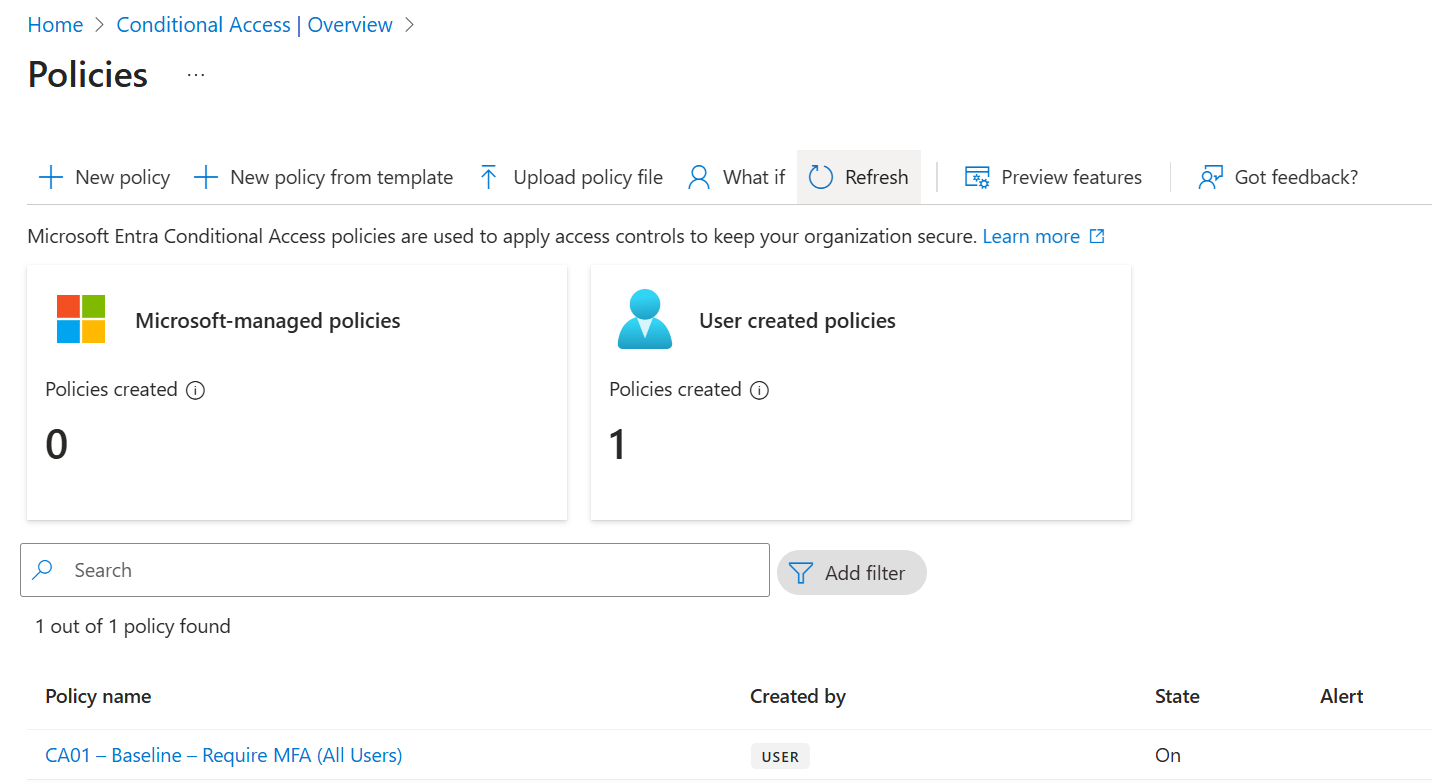
Baseline CA Policy Applied
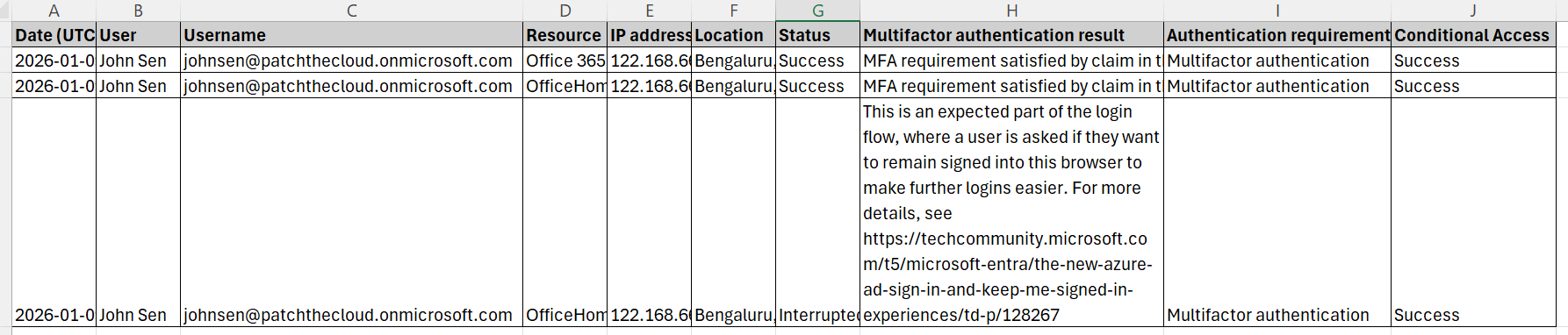
Baseline CA Policy Enforced
Risk-Based Access Policies
Integrate Microsoft Entra ID Protection risk signals into Conditional Access. Two policies: User Risk (High → Password change + MFA) and Sign-in Risk (Medium+ → MFA).

User Risk — Report-Only
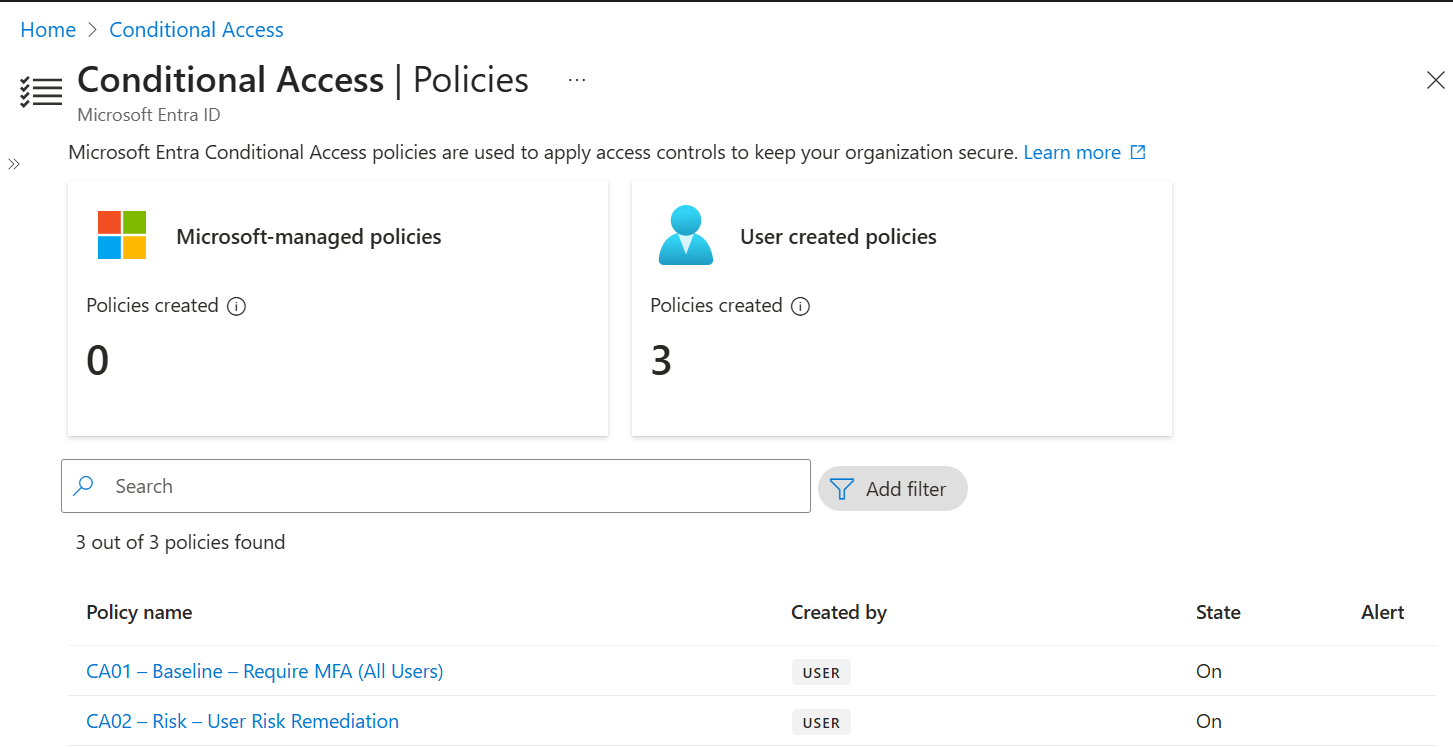
User Risk — Enforced
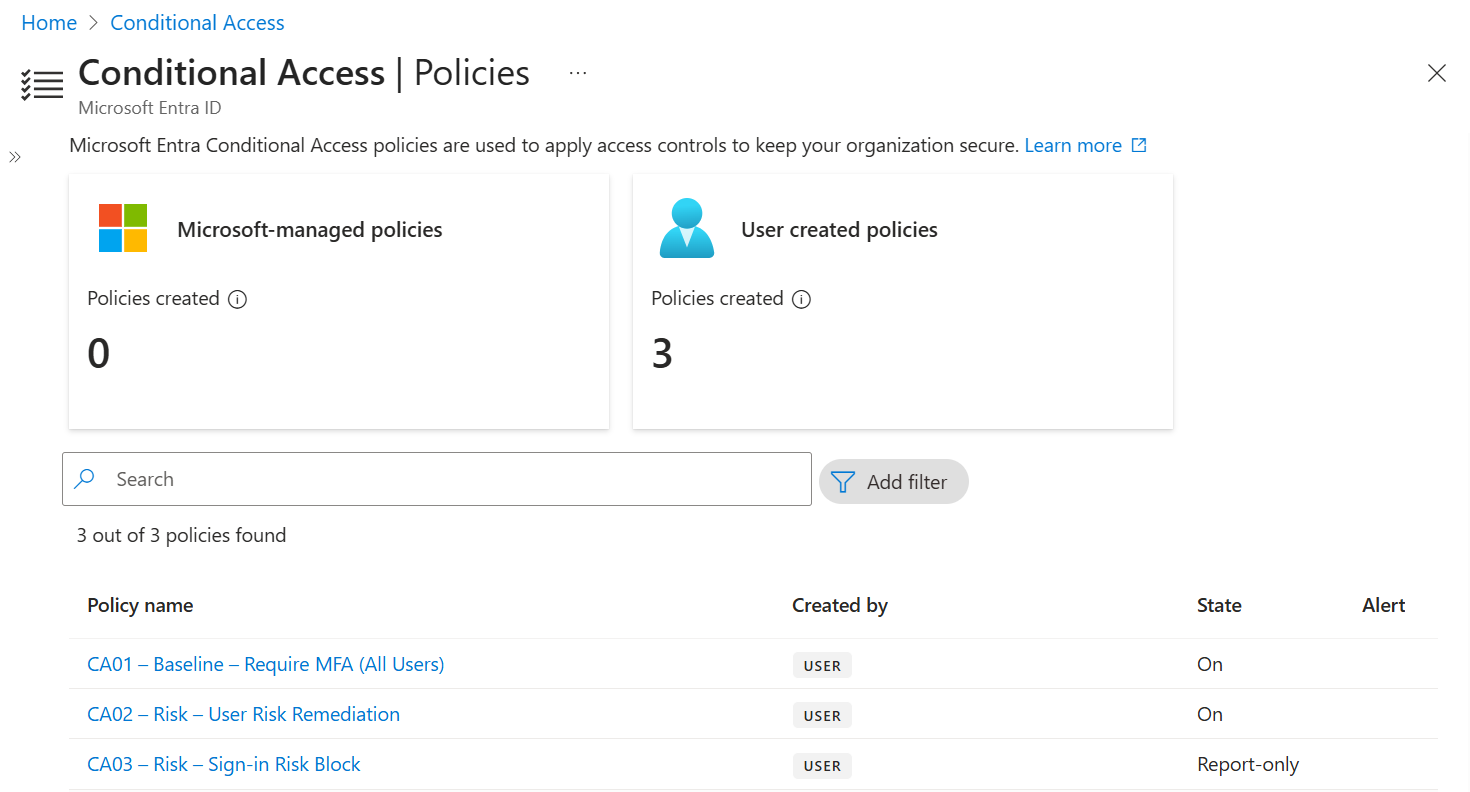
Sign-in Risk — Report-Only
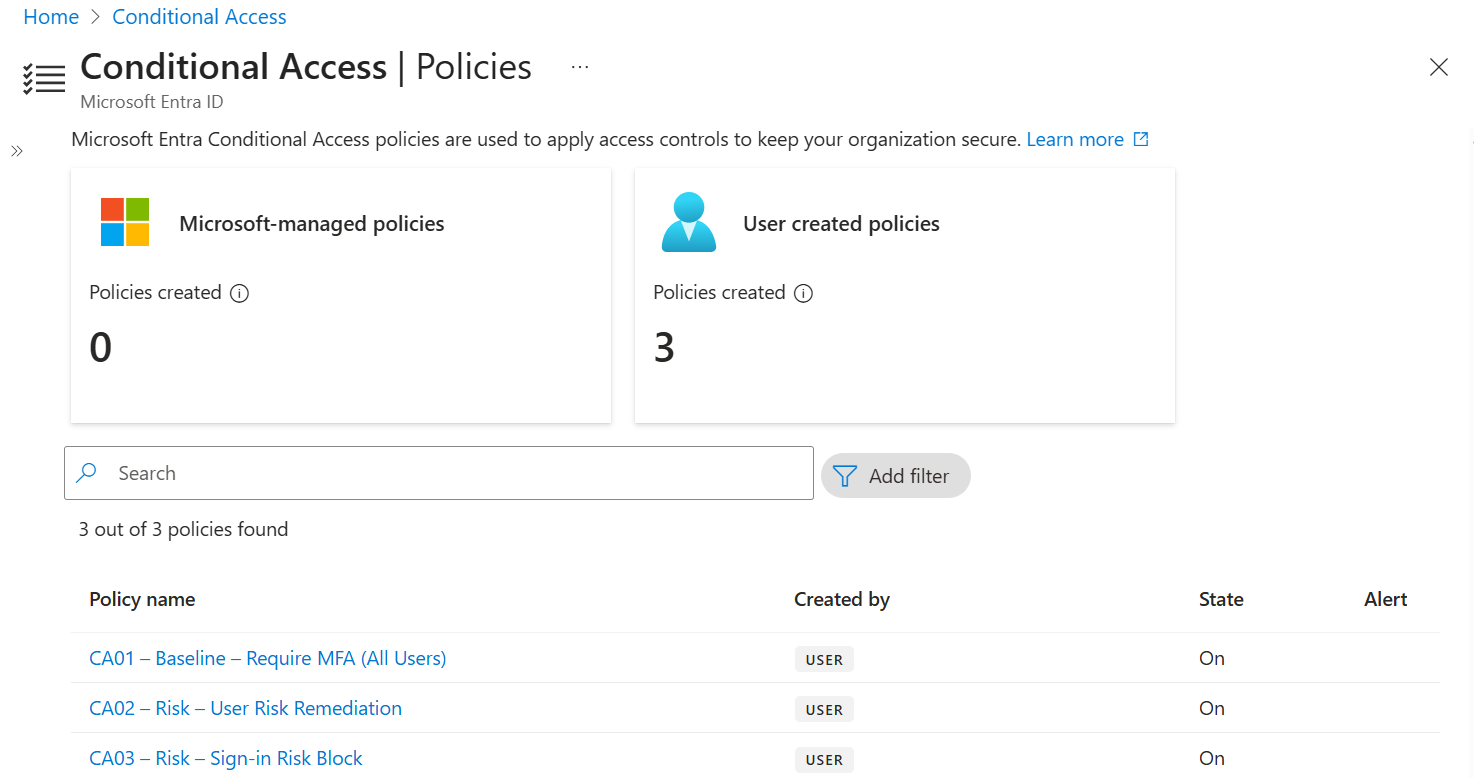
Sign-in Risk — Enforced
Block Legacy Authentication
Block all authentication requests using legacy protocols (Basic Auth, SMTP AUTH, POP3, IMAP, Exchange ActiveSync v14) that cannot support modern MFA controls. Run Report-Only for 14 days and migrate all affected users before enforcement.
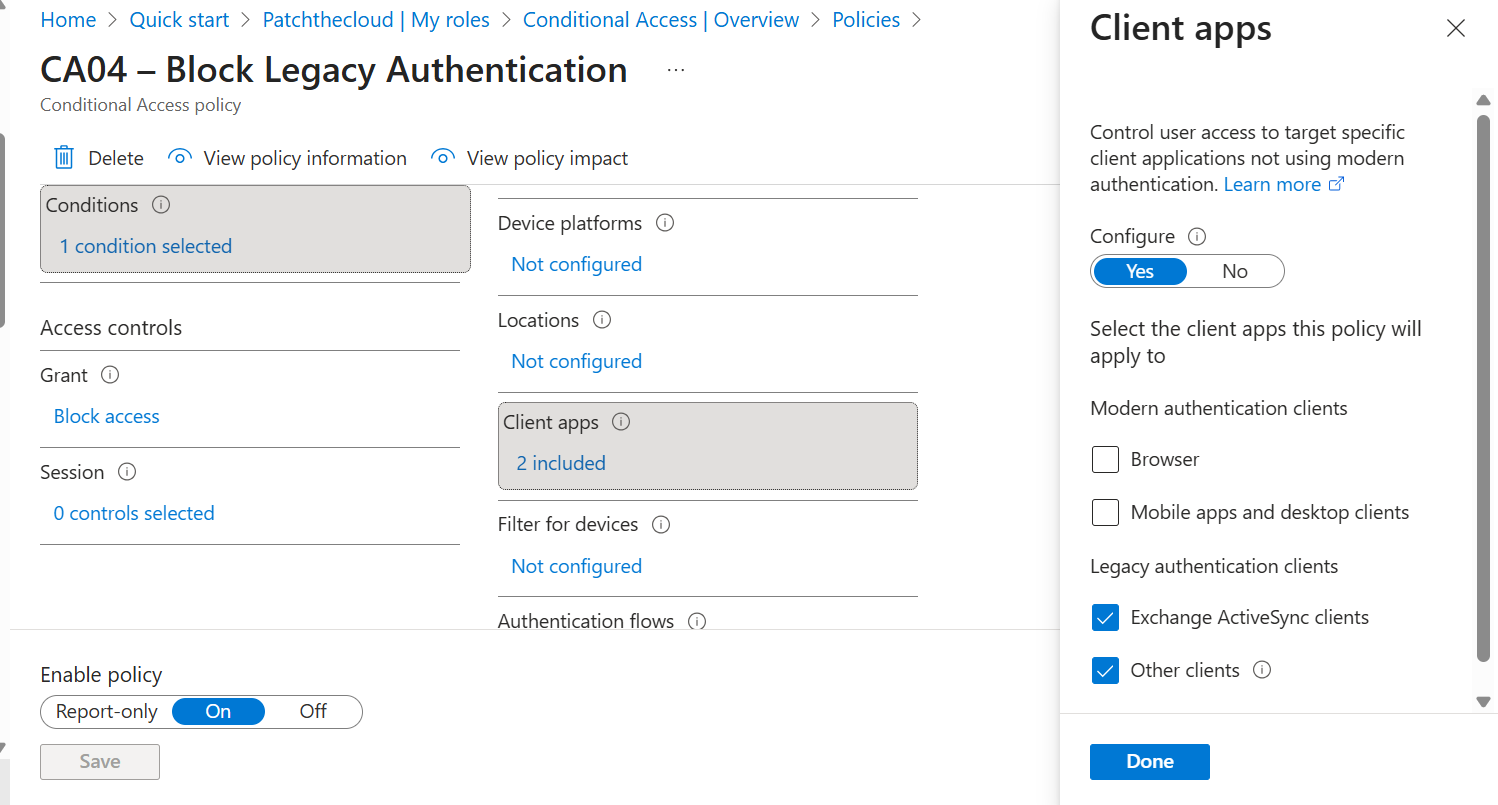
Policy Configuration
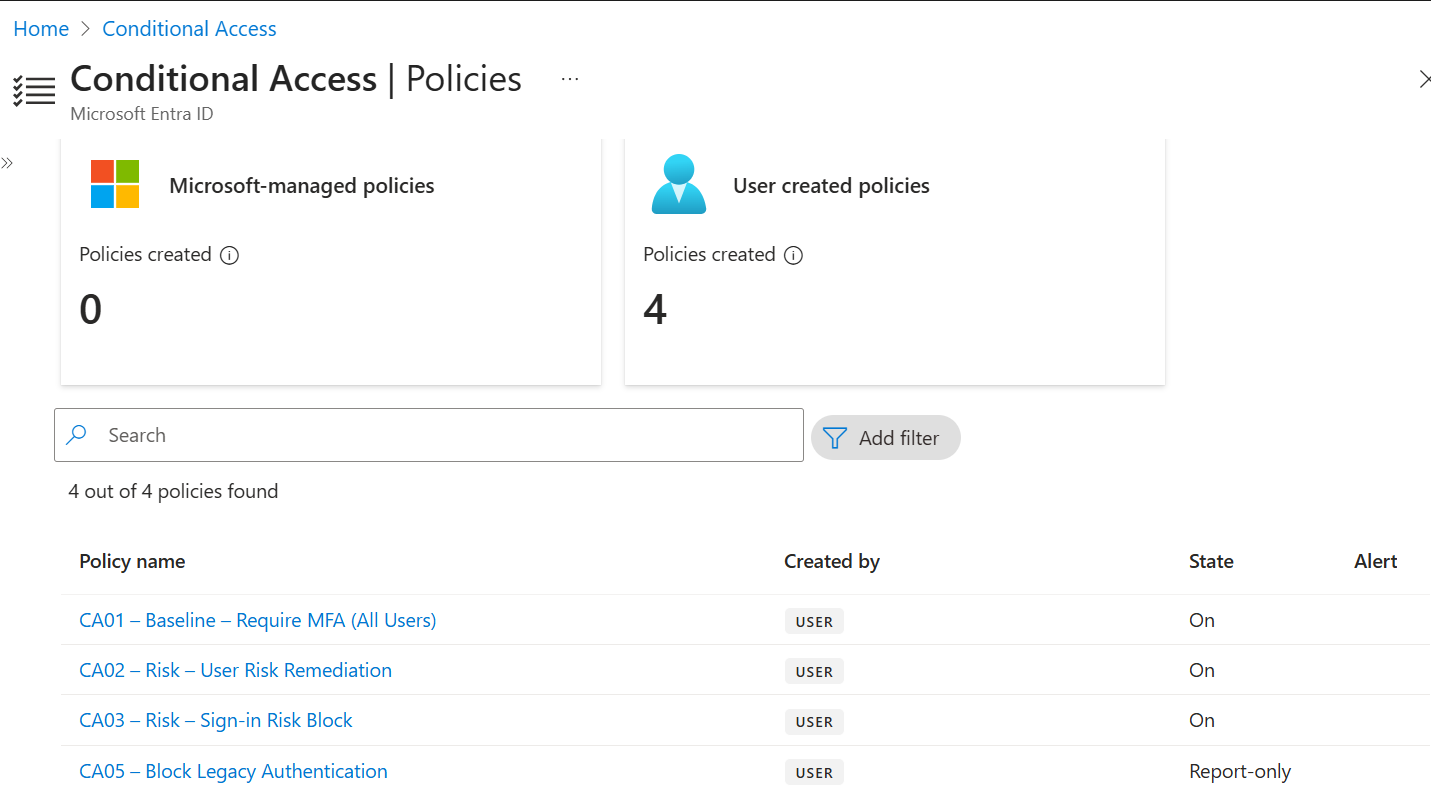
Report-Only Mode
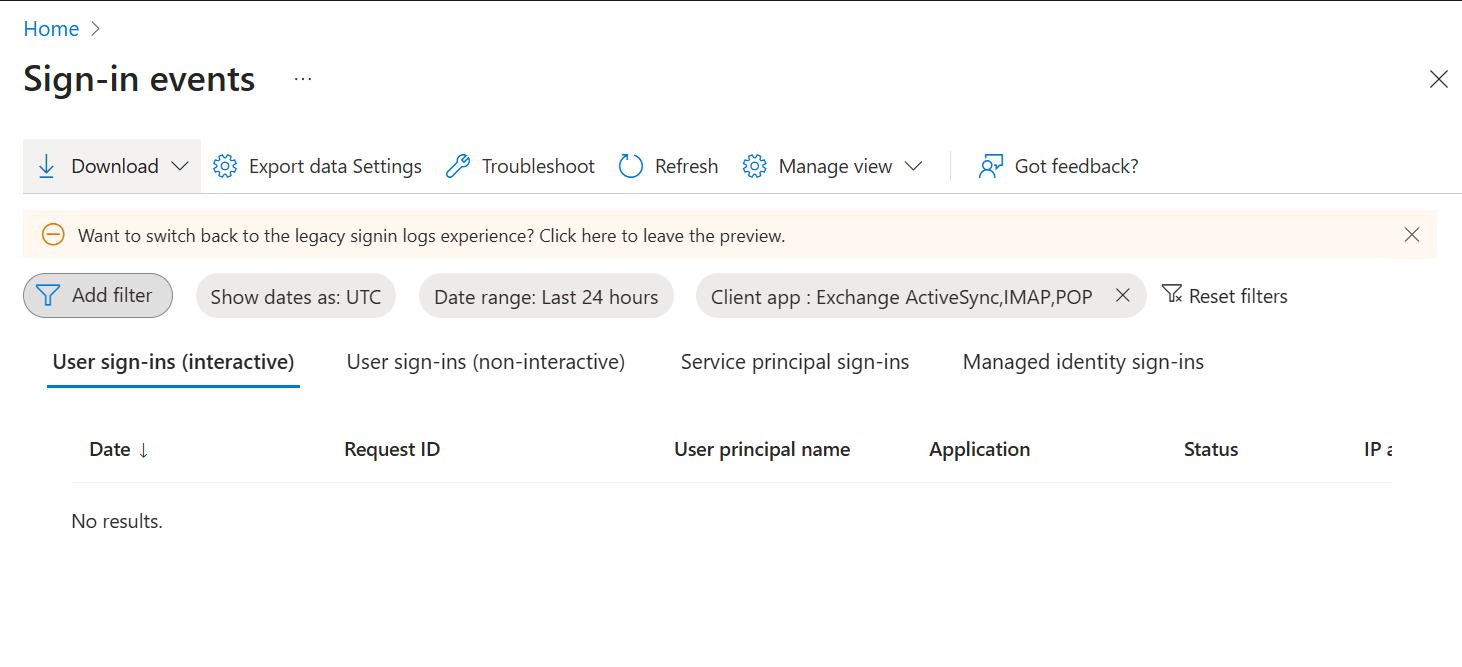
Enforcement Testing (Error 53003)
Trusted Network / Named Locations
Define trusted network locations (corporate IP ranges and country allowlists). The “Trusted” flag affects risk scoring — sign-ins from trusted IPs are not penalised by Entra ID Protection.
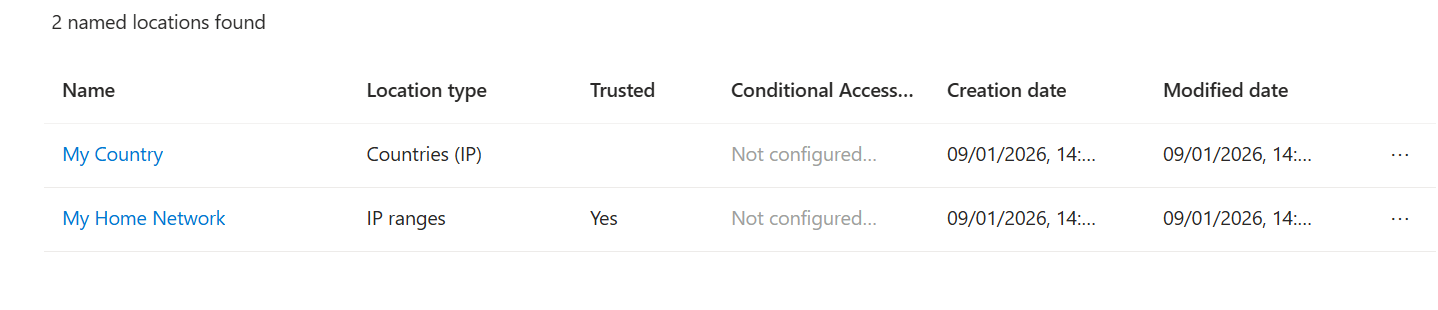
Named Locations Overview
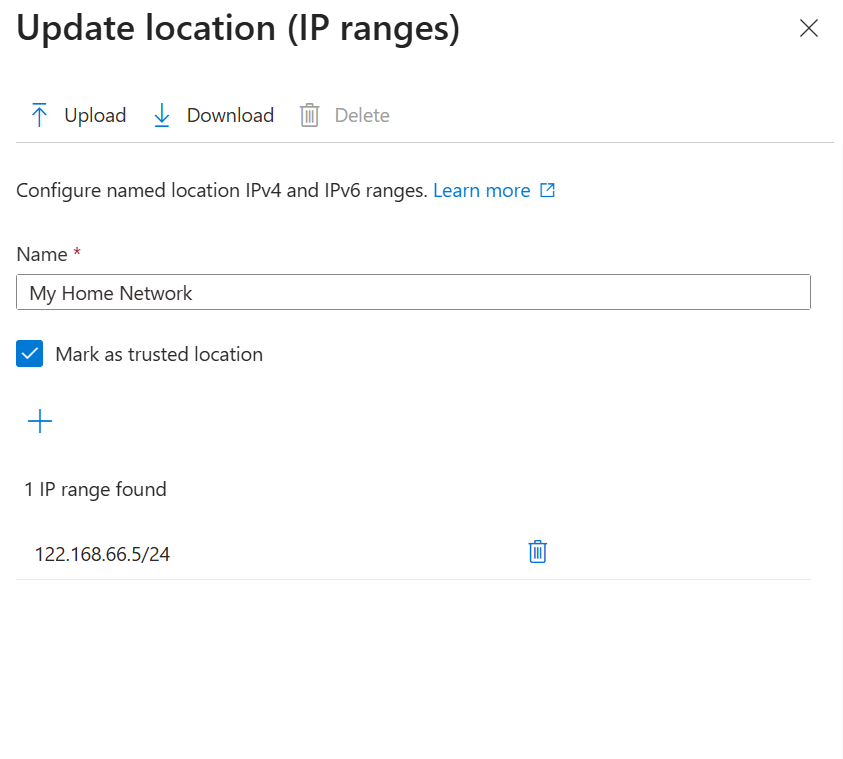
Trusted IP Range
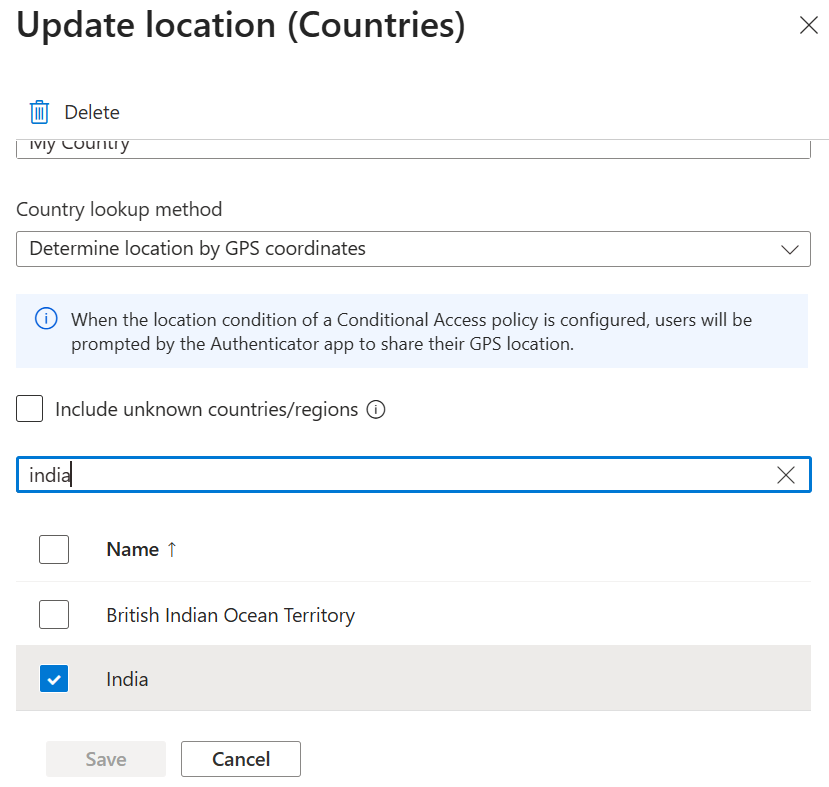
Country Allowlist
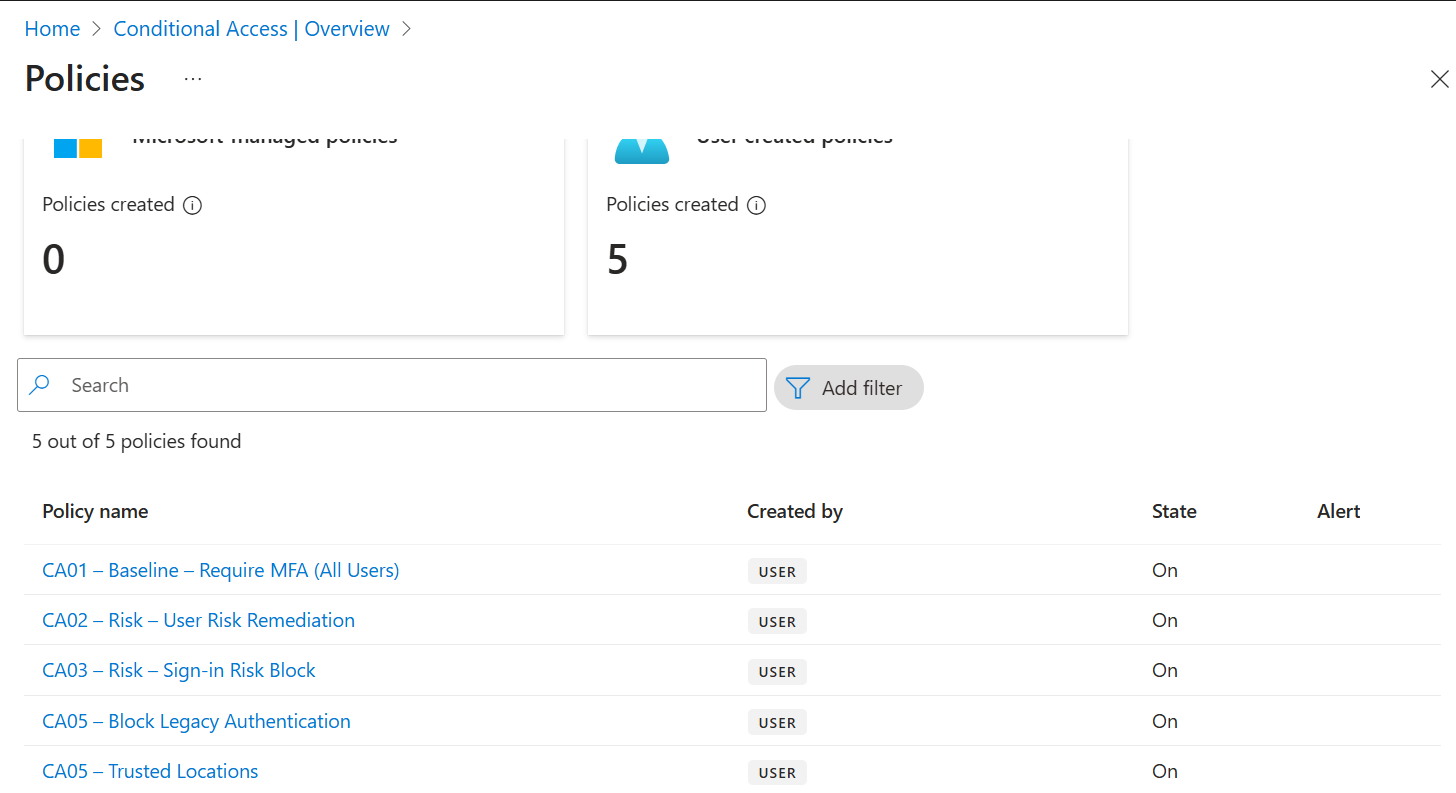
CA Policy Enforced
Authentication Methods Configuration
Configure the centralised Authentication Methods policy. Number matching enabled to prevent MFA fatigue attacks. FIDO2 enabled for phishing-resistant MFA. Replaces fragmented legacy per-user MFA settings.
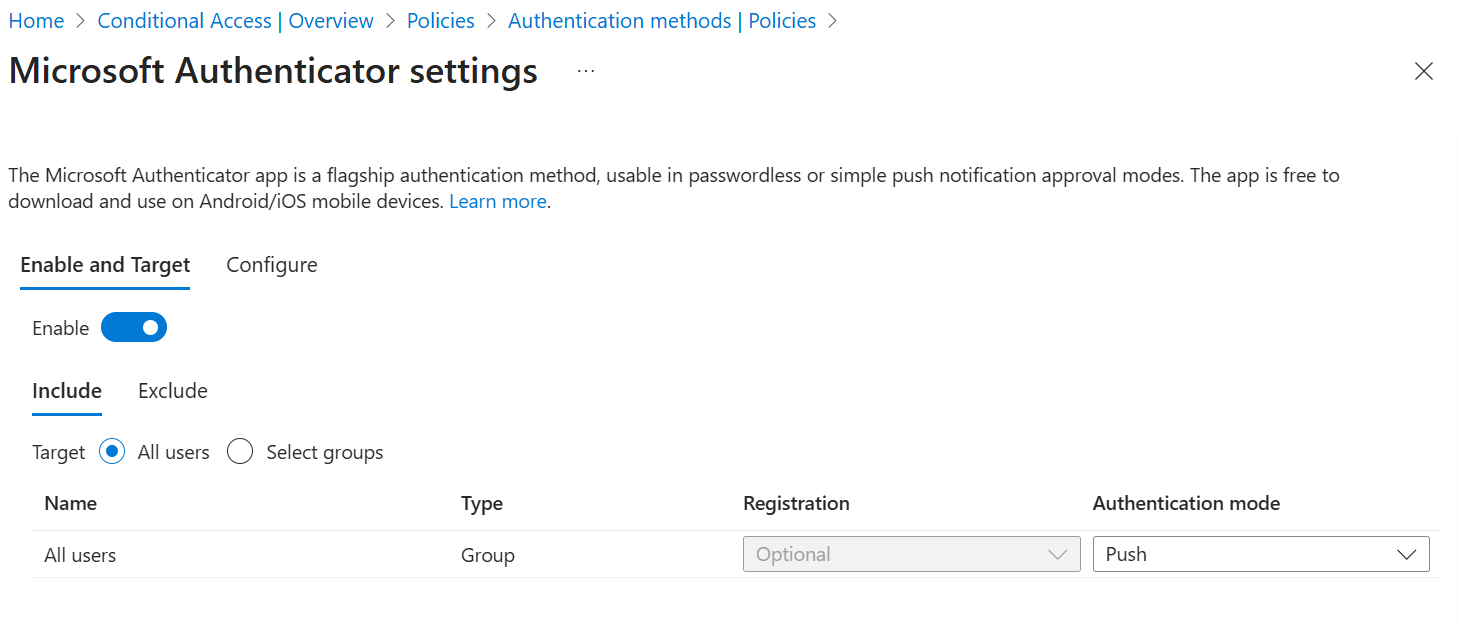
Authenticator Push + Number Matching
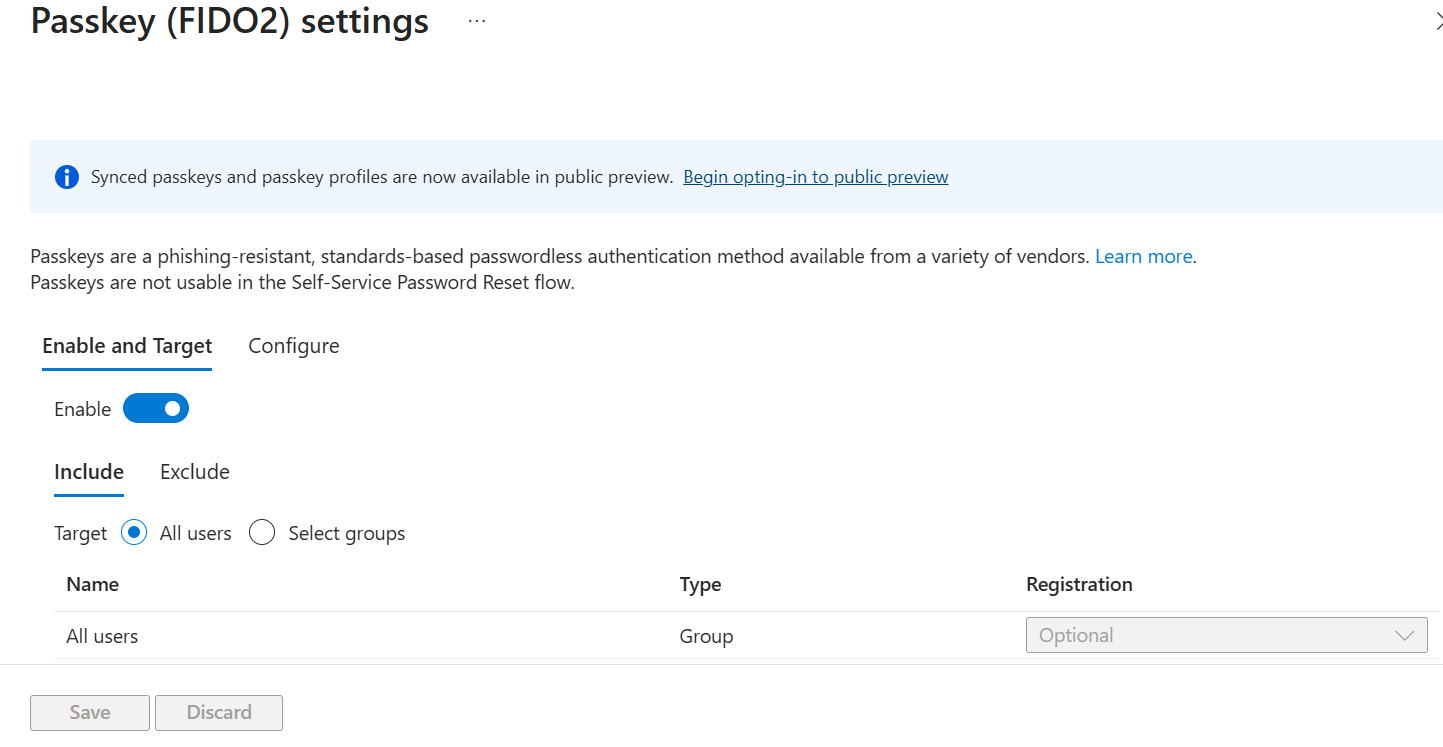
FIDO2 Security Keys
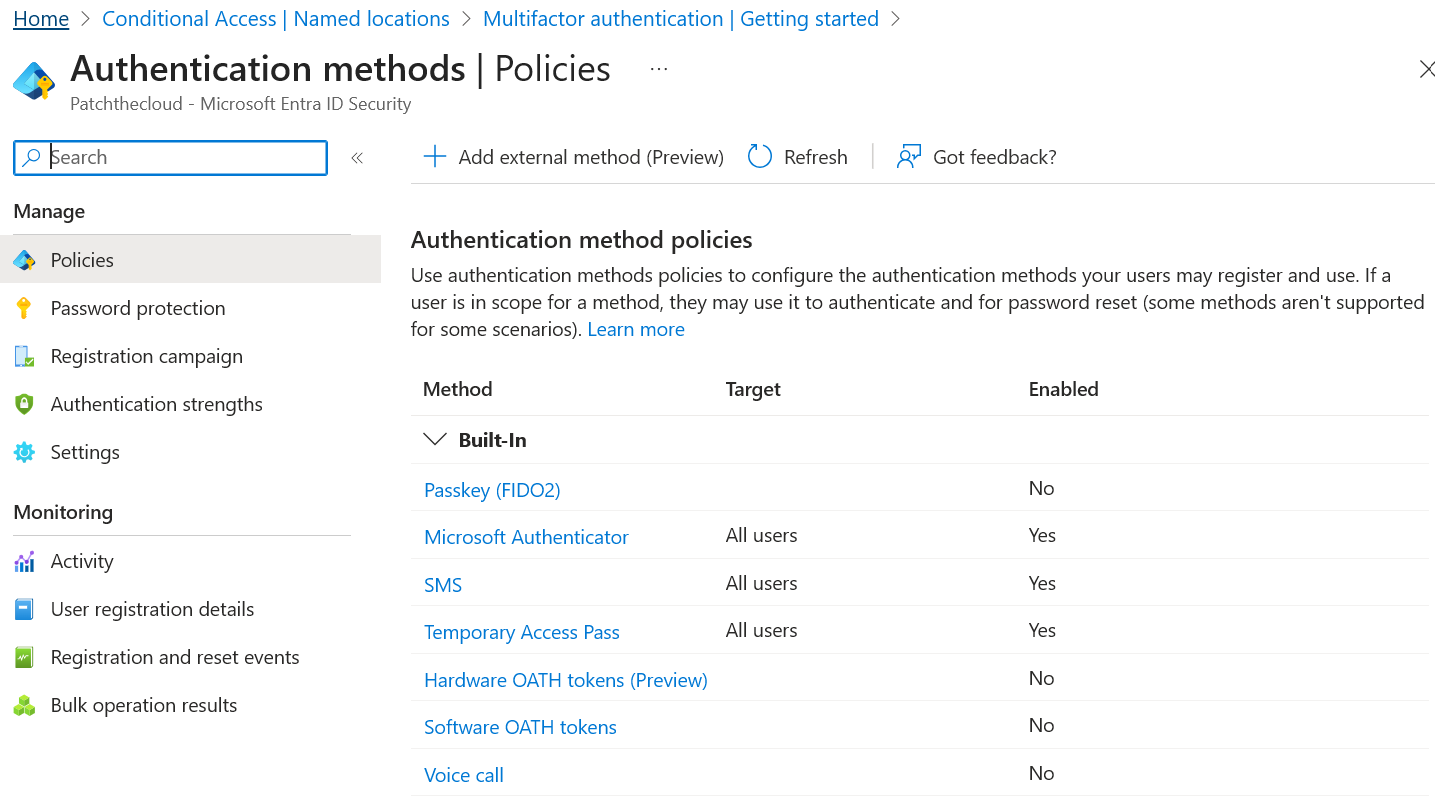
Auth Methods Overview
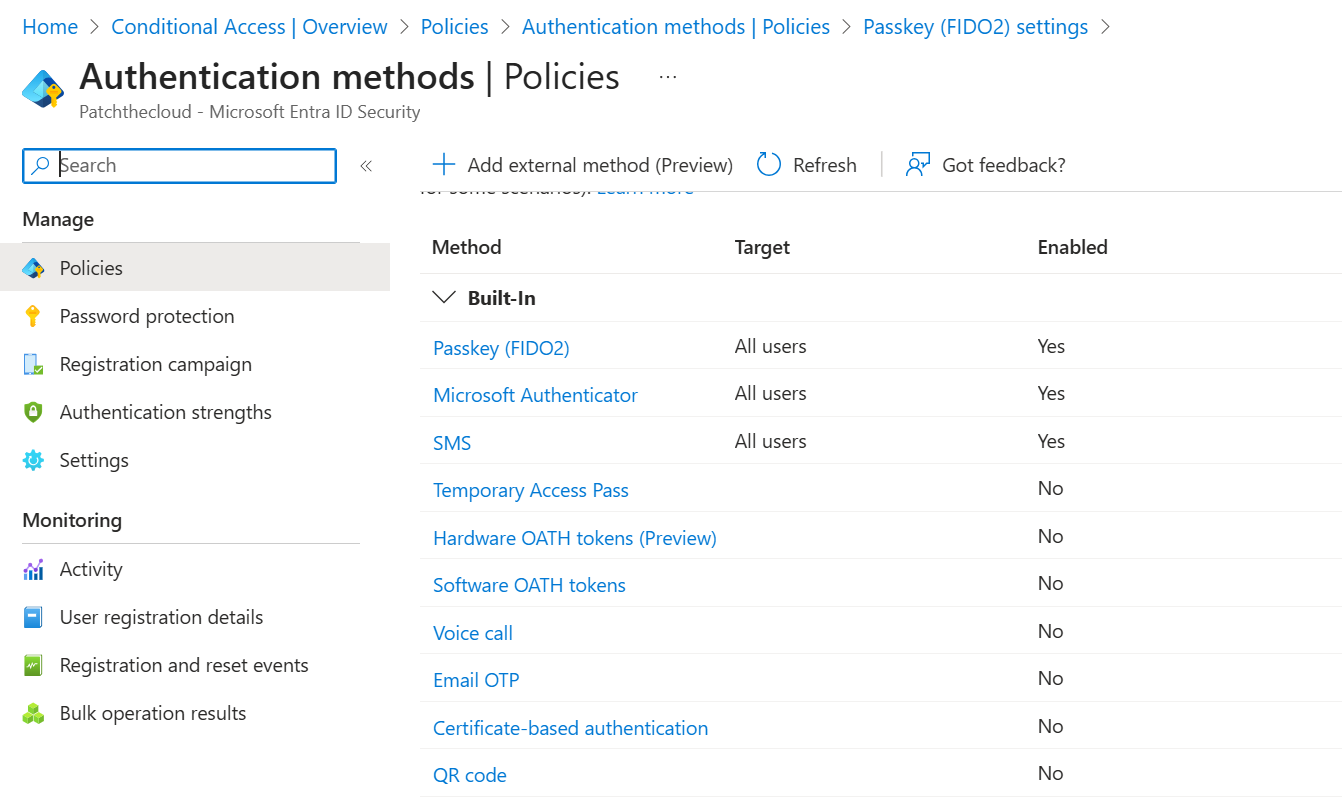
Final Configuration
Privileged Identity Management (PIM)
Eliminate standing privileged access. Administrators must request activation with justification, MFA verification, and optional approval — creating a full audit trail and a narrow time window.
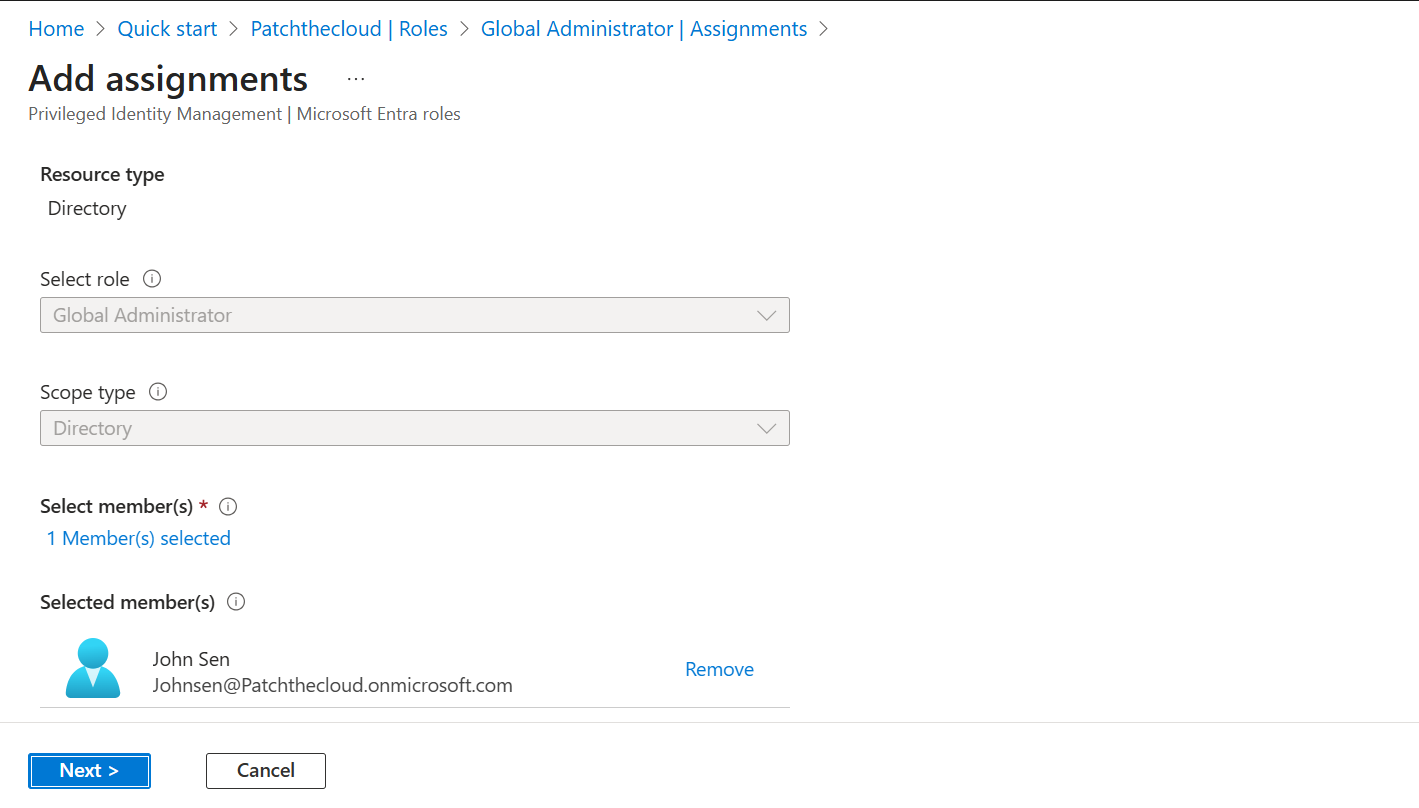
Add User as Eligible (not Active)
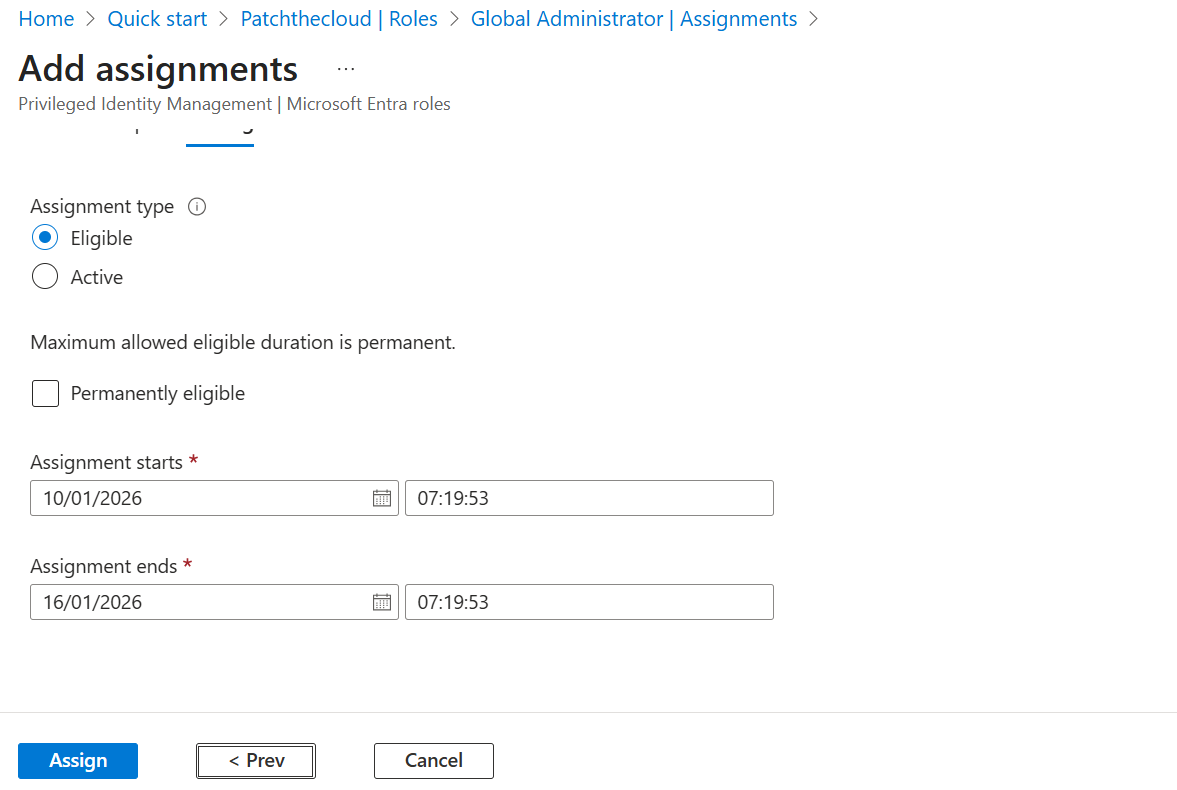
PIM Role Assignment Config
Entra ID Identity Protection
Validate that Microsoft Entra ID Protection is active and feeding risk signals into the Conditional Access engine. Identity Protection processes over 30 trillion signals daily to detect anomalous access patterns.
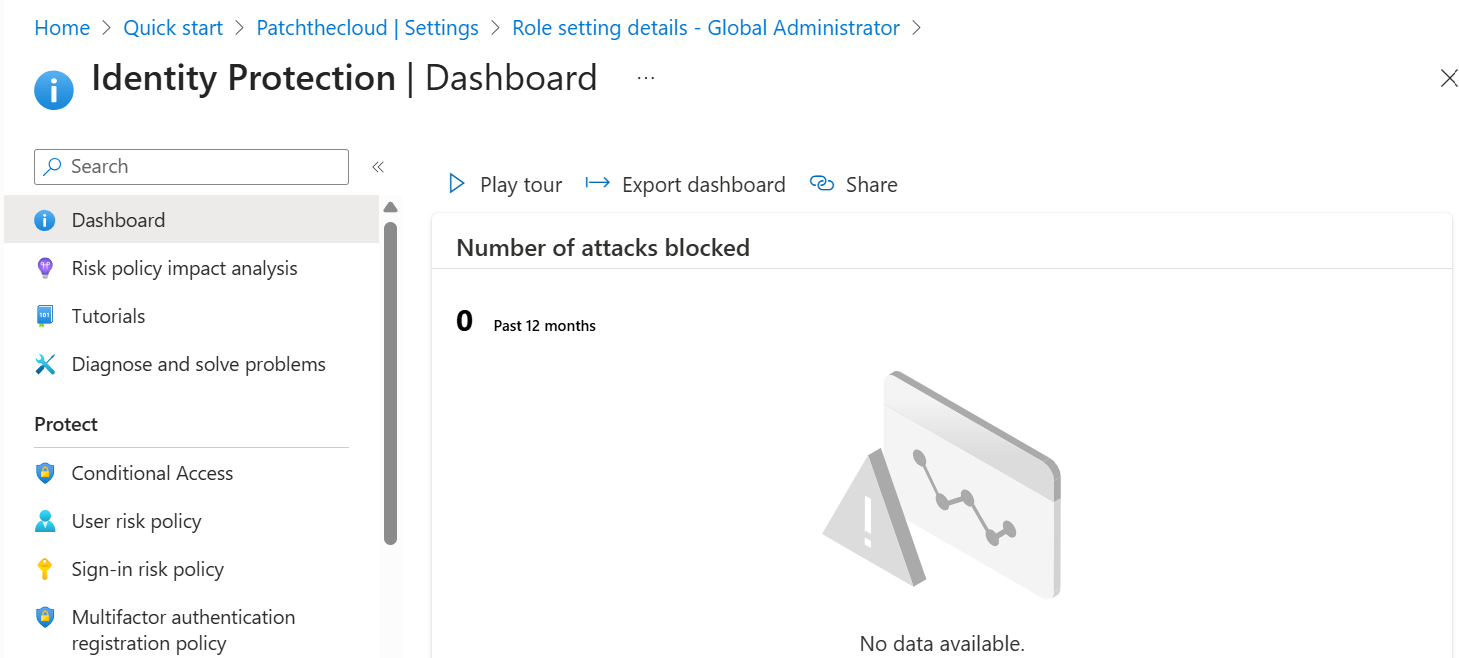
Identity Protection Active
PowerShell Scripts
All scripts use the Microsoft Graph PowerShell SDK (v2.x). Legacy AzureAD and MSOnline modules are deprecated and not used in this project.
| Script | Purpose |
|---|---|
| Get-MFAStatus.ps1 | Export MFA registration status for all users |
| Export-ConditionalAccessPolicies.ps1 | Export all CA policies to JSON for backup/documentation |
| New-NamedLocations.ps1 | Bulk-create Named Locations from a CSV |
| Get-PIMAssignments.ps1 | Report all PIM eligible and active role assignments |
# Install Microsoft Graph PowerShell SDK
Install-Module Microsoft.Graph -Scope CurrentUser -Force

# Verify installation
Get-Module Microsoft.Graph -ListAvailable | Select-Object Name, Version# Query Sign-in Logs for legacy auth attempts (post-enforcement)
Connect-MgGraph -Scopes "AuditLog.Read.All"
Get-MgAuditLogSignIn -Filter "clientAppUsed ne 'Browser' and clientAppUsed ne 'Mobile Apps and Desktop Clients'" |
Select-Object UserDisplayName, ClientAppUsed, Status, CreatedDateTime |
Where-Object { $_.Status.ErrorCode -eq 53003 }
# Error 53003 = "Access blocked by Conditional Access policies"Skills Demonstrated
Lessons Learned
Always use Report-Only before enforcement
This is non-negotiable in production. Even with thorough planning, unexpected legacy clients and service accounts will appear in logs during the observation period.
MFA registration must precede enforcement
Enforcing MFA before users have registered causes immediate lockouts. Communicate, run registration campaigns, and validate coverage before switching to Enabled.
Named Locations must be maintained
Trusted IP configurations become stale when offices relocate or ISPs change. Build a quarterly review process for Named Location IP ranges.
Number matching is a must
MFA fatigue attacks (push spam) are a real attack pattern post-credential compromise. Enabling number matching on Authenticator eliminates this vector with zero user friction.
PIM activation alerts are high value
Configure alerts on PIM role activation events. Any unexpected Global Admin activation outside business hours warrants immediate investigation.
Identity Protection improves over time
The risk engine learns your tenant's baseline. Initial false positives are normal — mark confirmed-safe sign-ins to train the model for your environment.
Business Value
| Outcome | Impact |
|---|---|
| 🔐 99%+ reduction in account compromise risk | MFA blocks the vast majority of credential-based attacks |
| 👑 Eliminated standing privileged access | PIM reduces blast radius to a time-bounded window |
| 🚫 Legacy authentication blocked | Closes the primary vector for password spray attacks |
| 🤖 Risk-adaptive access | Compromised accounts auto-challenged or blocked without human intervention |
| 📋 Compliance alignment | Supports NIST SP 800-207, ISO 27001 A.9, CIS Controls v8 |
| 📷 Audit-ready evidence | Full screenshot evidence at each phase satisfies internal & external audit |
| ✅ Zero service disruption | Report-Only → Enforced pattern ensured no user lockouts during rollout |