Microsoft Purview Data Lifecycle Management
Enterprise implementation of Microsoft Purview Data Lifecycle Management using Retention Policies, Retention Labels, Adaptive Scopes and Records Management to automate regulatory retention and secure data governance across Microsoft 365 workloads.
Project Overview
| Portfolio Position | Microsoft Purview Compliance Project |
|---|---|
| Technology | Microsoft Purview Data Lifecycle Management |
| Tenant | Patchthecloud.onmicrosoft.com |
| License | Microsoft 365 Business Premium |
| Implementation | Retention Policies + Retention Labels + Adaptive Scope |
| Status | Completed |
Business Problem
Modern organisations generate enormous volumes of business information across Exchange Online, SharePoint Online, Microsoft Teams and OneDrive. Without automated lifecycle governance, information continues growing indefinitely, increasing storage costs, regulatory exposure and legal risks.
A structured data lifecycle strategy ensures business records remain available for compliance requirements while automatically removing information that has exceeded its retention period.

Figure 1 — Microsoft Purview Compliance Portal

Figure 2 — Microsoft Purview Information Protection & Compliance Solutions
Business Requirements
- Implement organisation-wide retention governance.
- Automatically retain Microsoft 365 data for regulatory compliance.
- Support workload-specific retention across Exchange, SharePoint, Teams and OneDrive.
- Create item-level retention labels for Finance records.
- Publish labels dynamically using Adaptive Scopes.
- Automatically delete expired content after retention.
- Provide compliance evidence for audits.

Figure 3 — Microsoft Purview Data Lifecycle Management Navigation
Microsoft Solution
| Capability | Purpose |
|---|---|
| Retention Policies | Organisation-wide baseline retention |
| Retention Labels | Item-level lifecycle management |
| Adaptive Scopes | Dynamic targeting using Entra ID attributes |
| Records Management | Govern business records |
| Disposition Review | Approval workflow before deletion |
Enterprise Perspective
| Business Problem | Unmanaged Microsoft 365 data creates compliance, storage and governance risks. |
|---|---|
| Business Requirement | Automate data retention and deletion across Microsoft 365 workloads. |
| Microsoft Solution | Retention Policies combined with Retention Labels and Adaptive Scopes. |
| Configuration | 7-Year Retention Policy with Finance Retention Labels using Adaptive Scope. |
| Outcome | Automated lifecycle governance across Microsoft 365. |
Architecture Overview
Microsoft Purview Data Lifecycle Management centrally governs Microsoft 365 content throughout its lifecycle. Organisation-wide Retention Policies provide the baseline protection, while Retention Labels deliver granular, item-level governance for business records. Adaptive Scopes dynamically target users and workloads based on Entra ID attributes, eliminating manual administration.
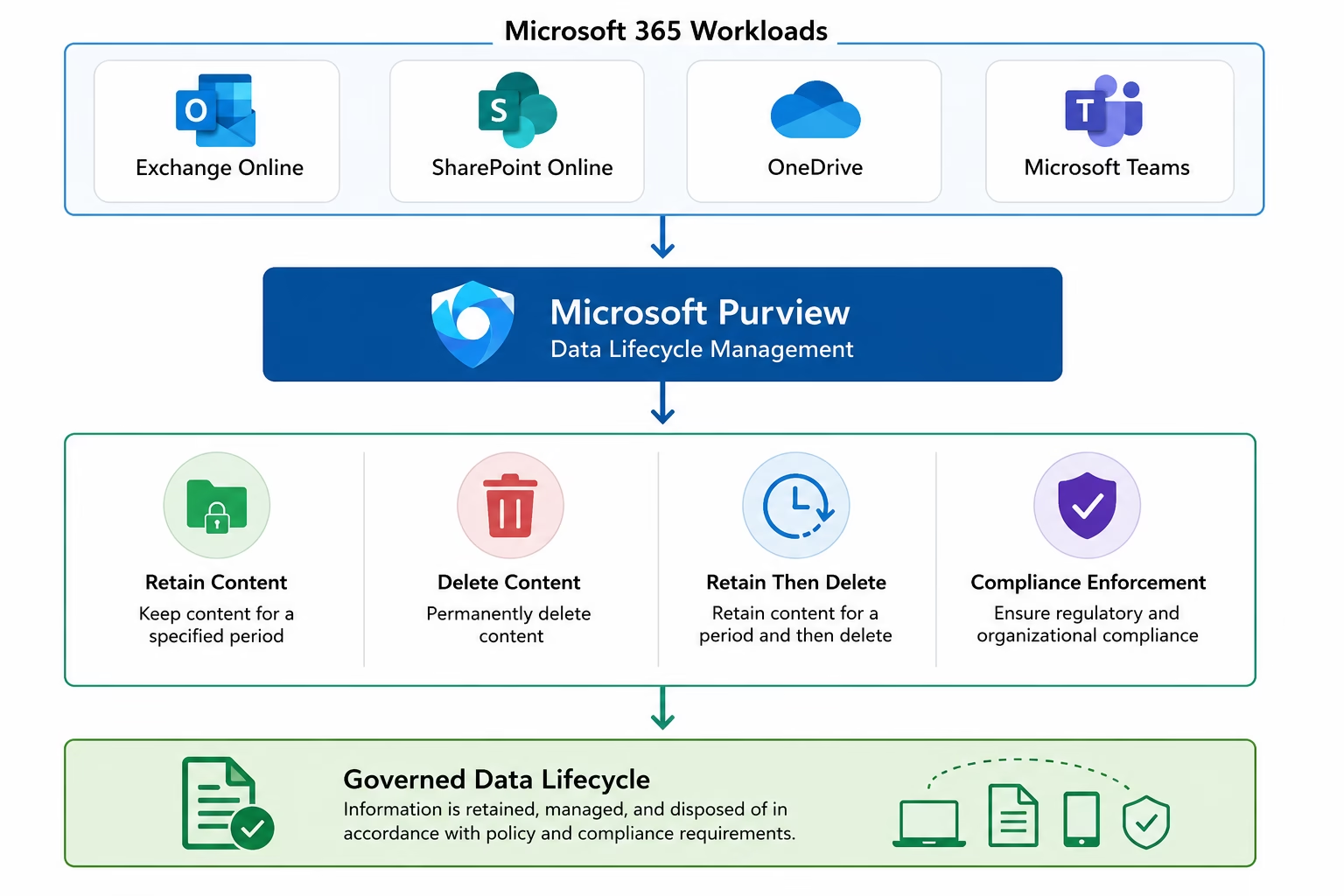
Figure 4 — Microsoft Purview Data Lifecycle Management Architecture
Implementation Summary
| Component | Configuration | Status |
|---|---|---|
| Retention Policy | MS102-Retention-Policy (7 Years) | ✔ Configured |
| Policy Scope | Static Scope | ✔ Configured |
| Retention Label | MS102-Finance-Record | ✔ Created |
| Adaptive Scope | Finance Users | ✔ Configured |
| Publishing Policy | Finance Label Policy | ✔ Published |
| Propagation | Enabled (Pending) | ✔ Expected |
Retention Policy Implementation
A baseline organisational Retention Policy was created to preserve Microsoft 365 data for seven years before automatic deletion. The policy uses a Static Scope, applying consistently across Exchange Online, SharePoint Online, Microsoft Teams, Microsoft 365 Groups and OneDrive.

Figure 5 — Creating Microsoft Purview Retention Policy
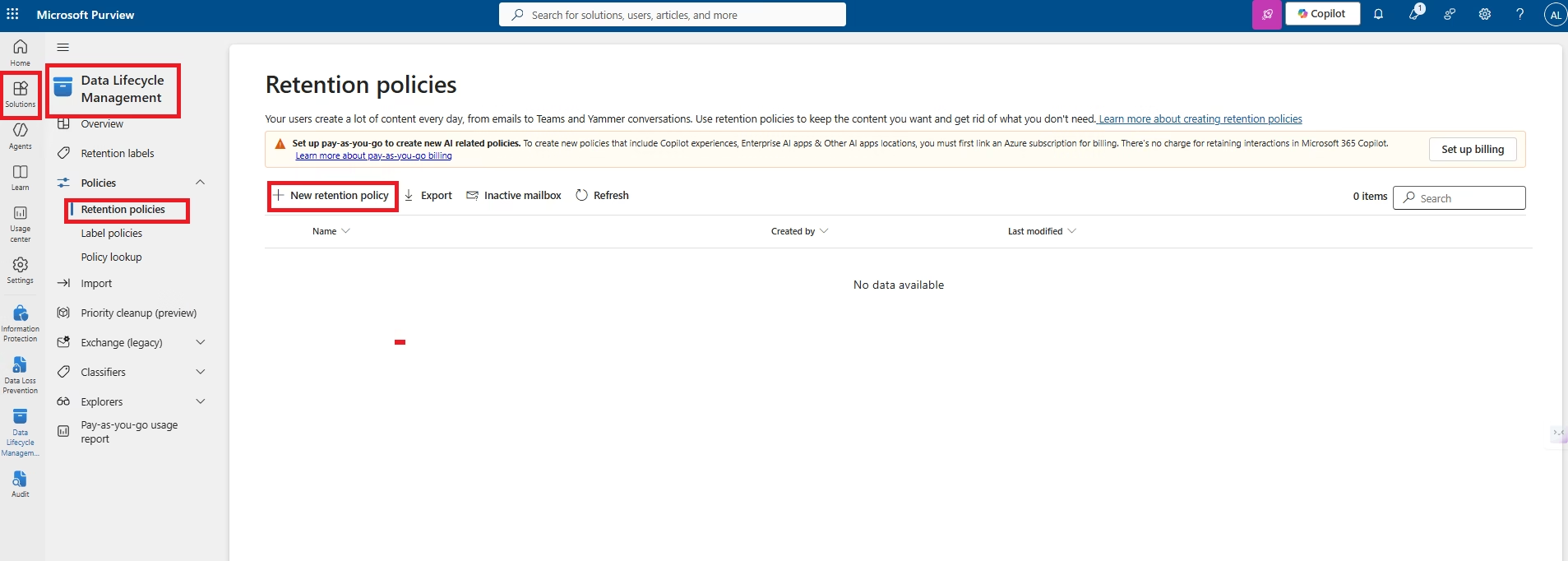
Figure 6 — Navigate to Data Lifecycle Management
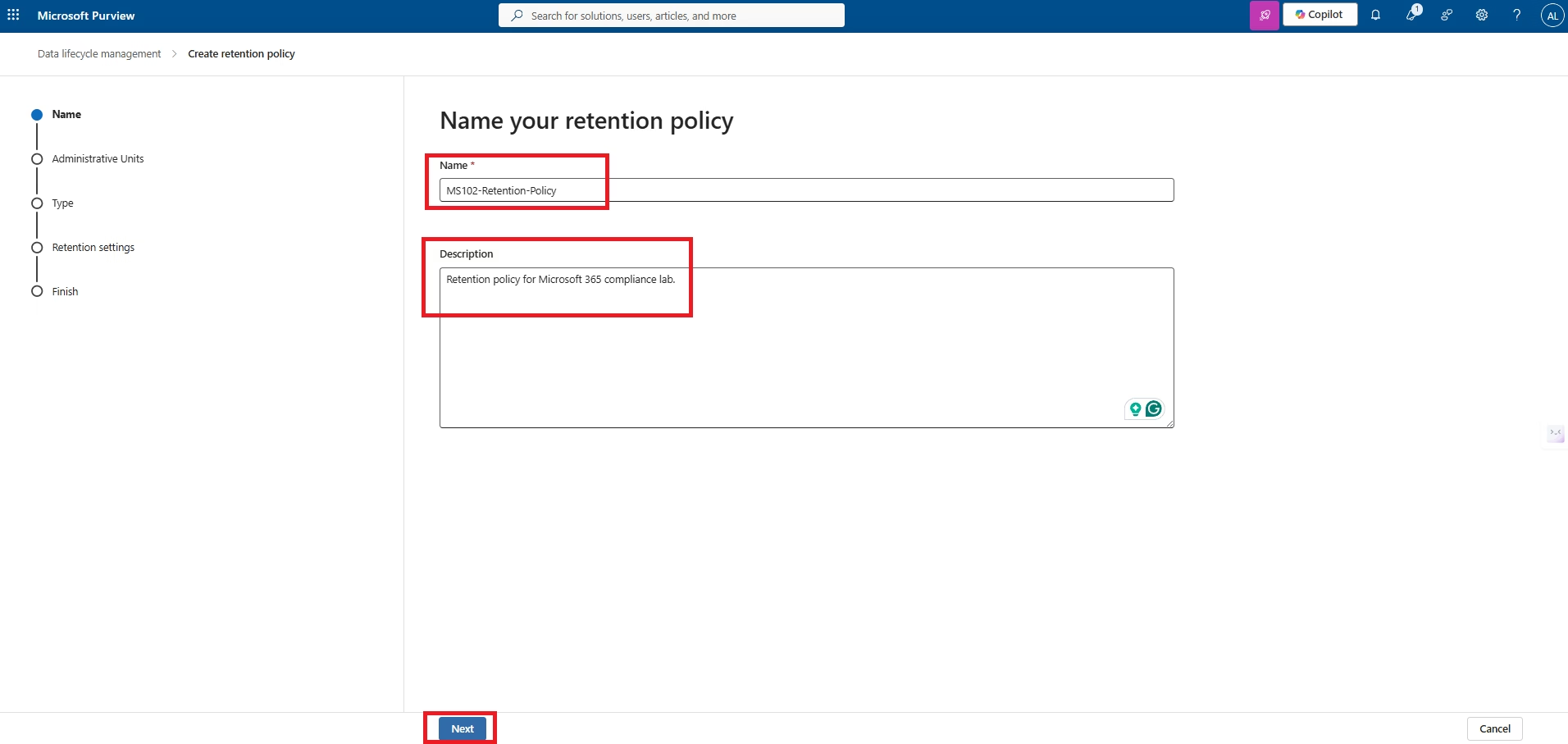
Figure 7 — Create Retention Policy Wizard
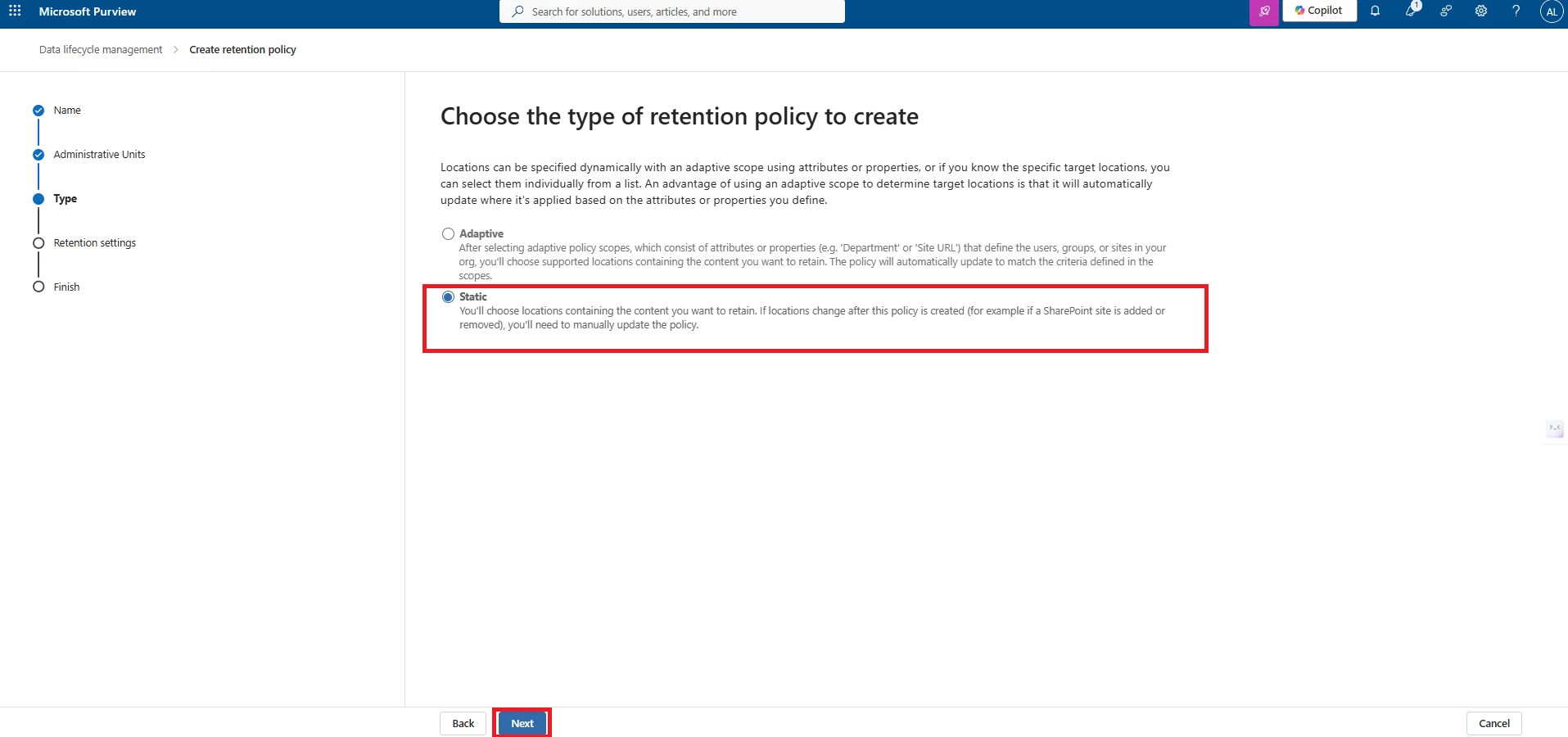
Figure 8 — Configure Policy Name and Scope
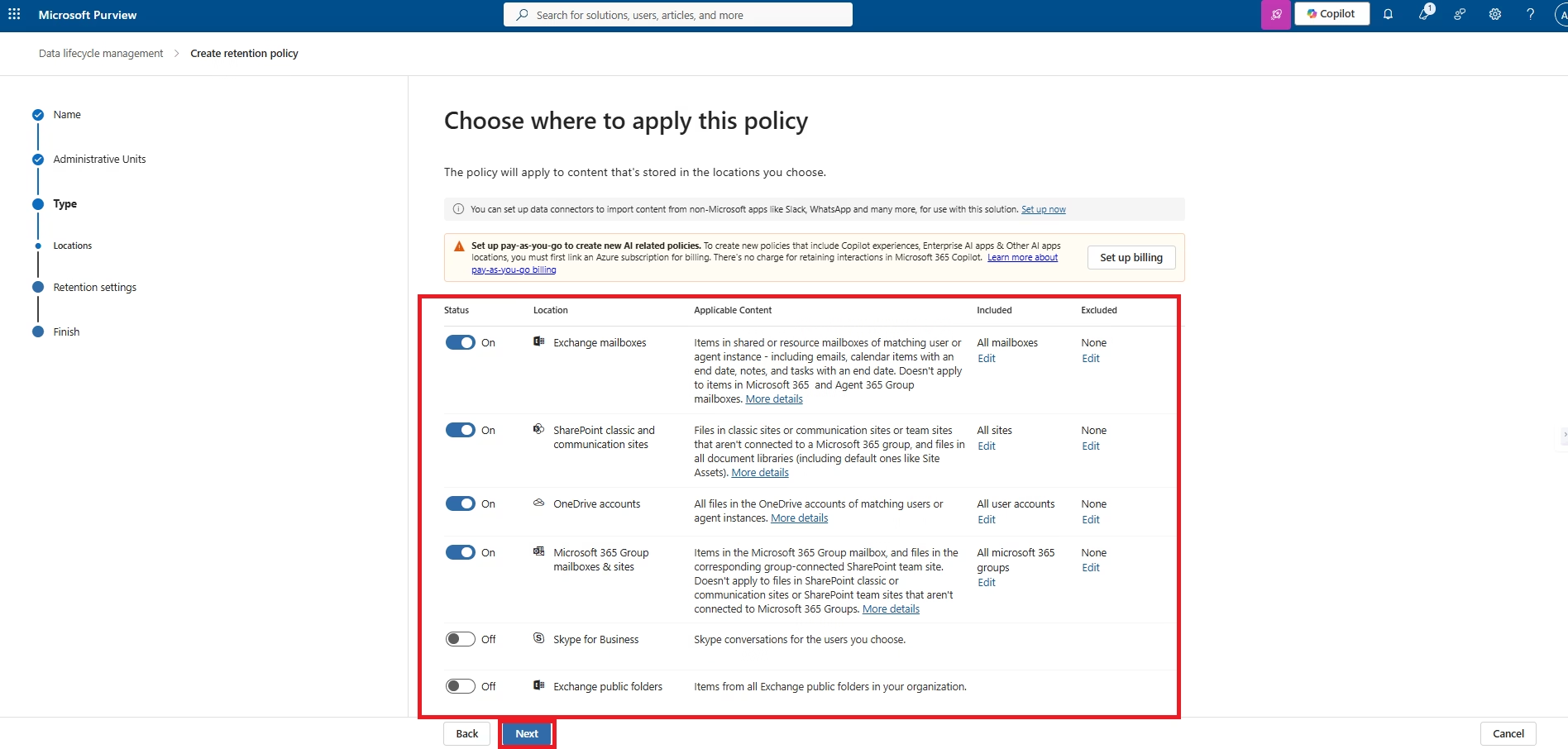
Figure 9 — Select Microsoft 365 Workloads
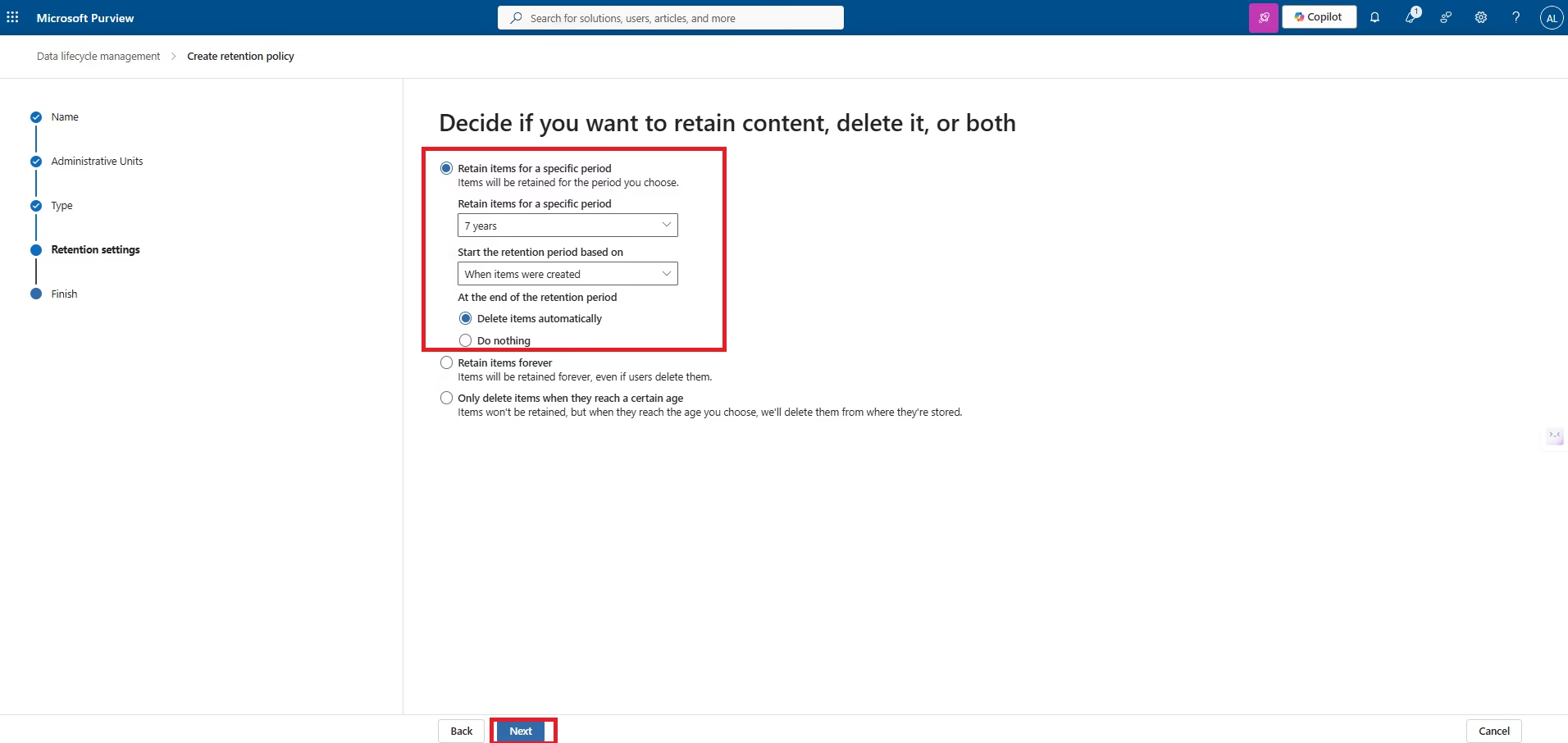
Figure 10 — Configure Seven-Year Retention
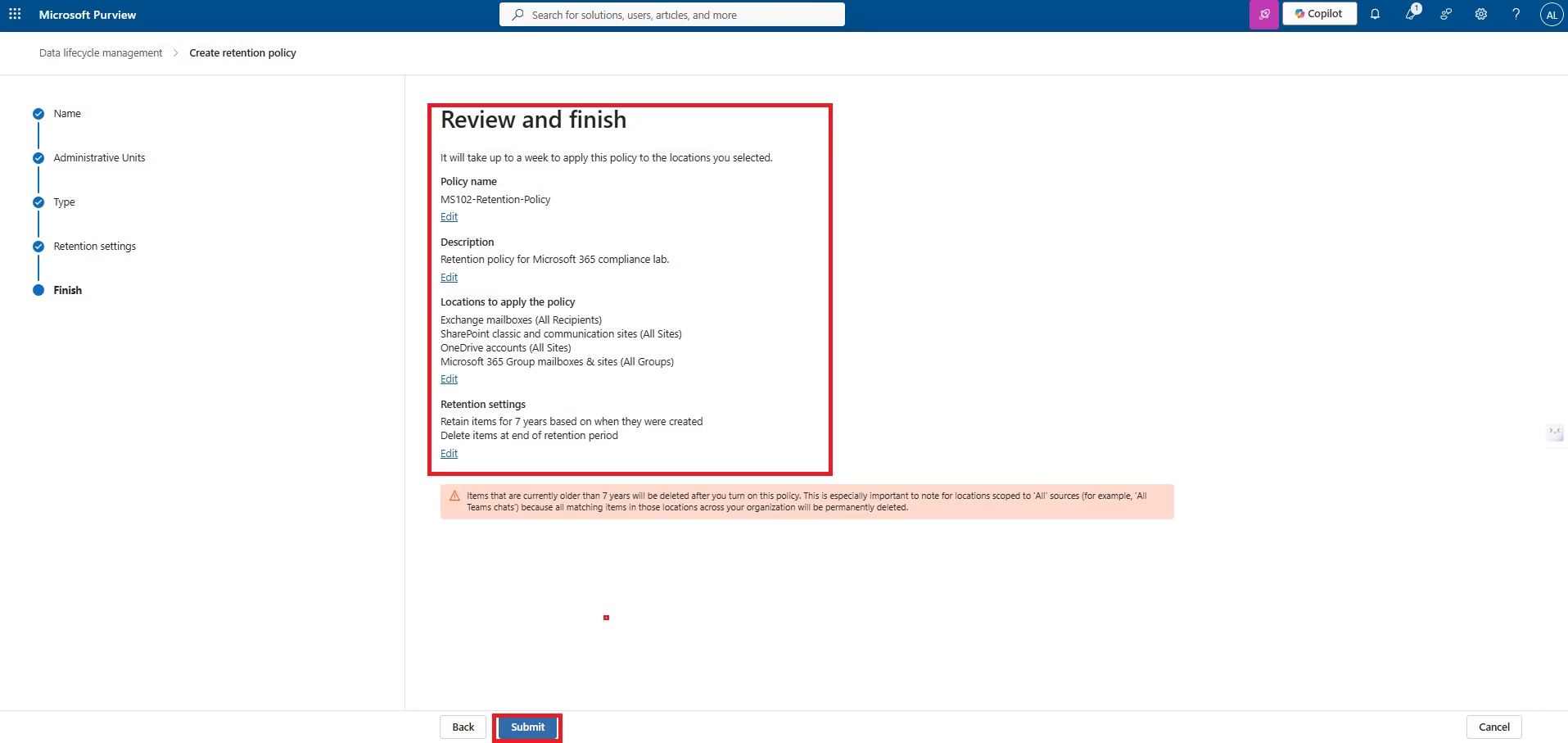
Figure 11 — Review and Publish Policy
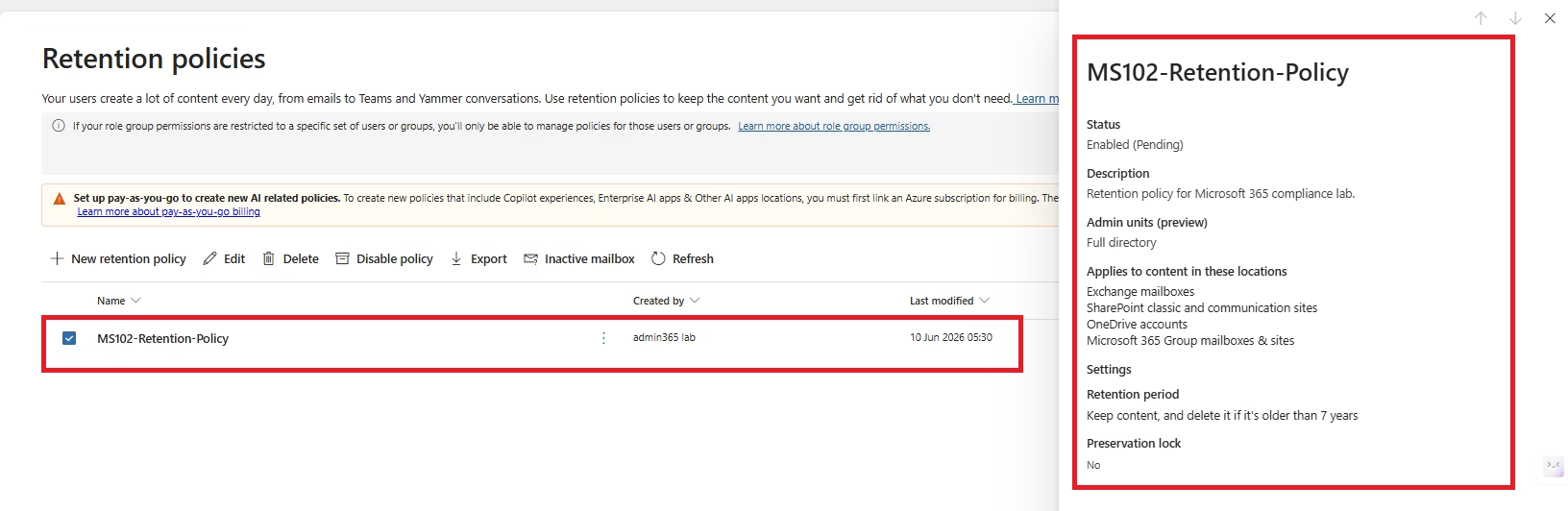
Figure 12 — Retention Policy Successfully Deployed
Retention Labels
While Retention Policies apply a baseline retention period across workloads, Retention Labels provide item-level lifecycle management. Labels can be manually applied by users or automatically assigned based on business requirements, ensuring critical business records receive different retention behaviour than general documents.
In this implementation, a Finance Retention Label was created to retain records for seven years before permanent deletion, demonstrating how Microsoft Purview supports regulatory compliance requirements.
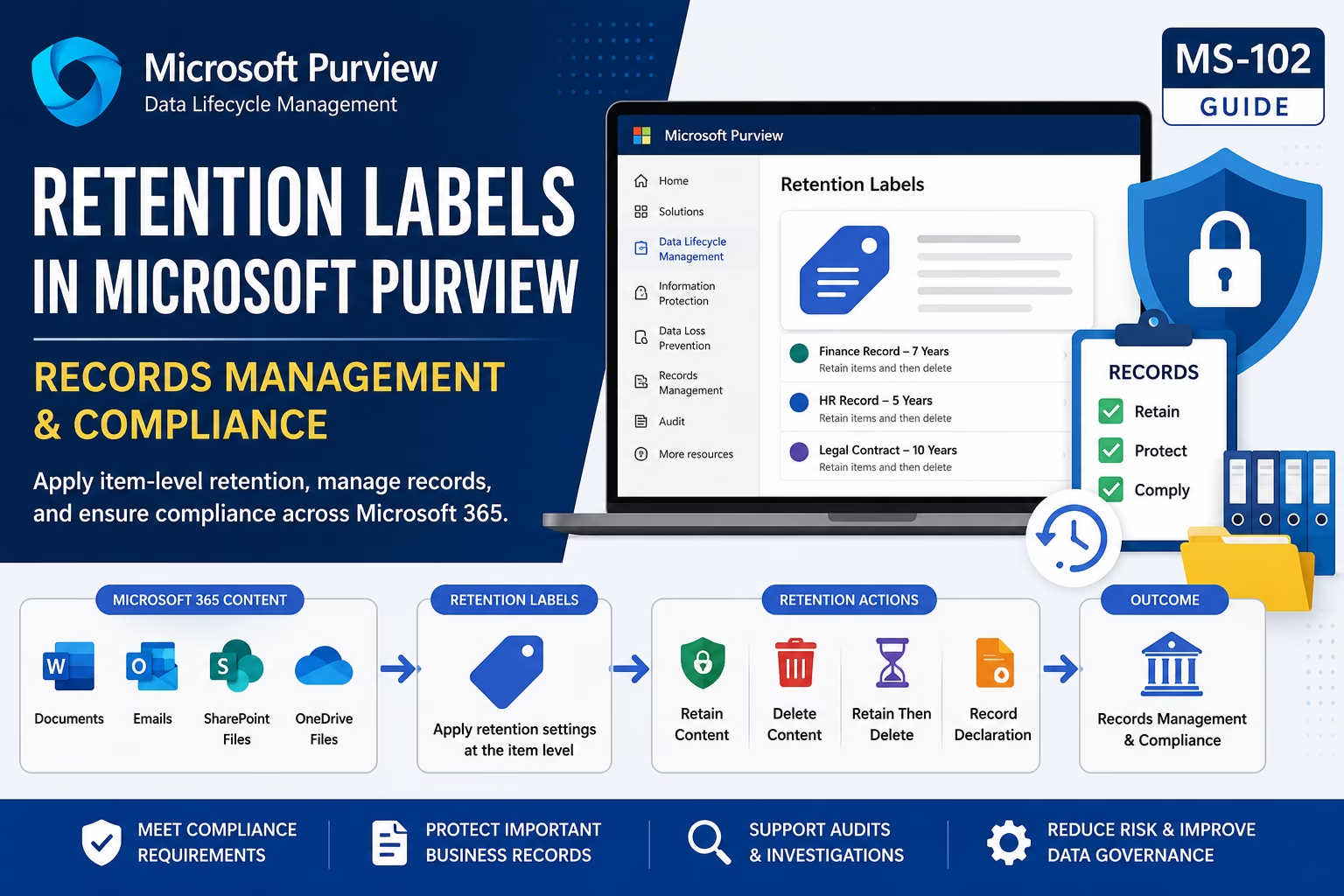
Figure 13 — Microsoft Purview Retention Labels
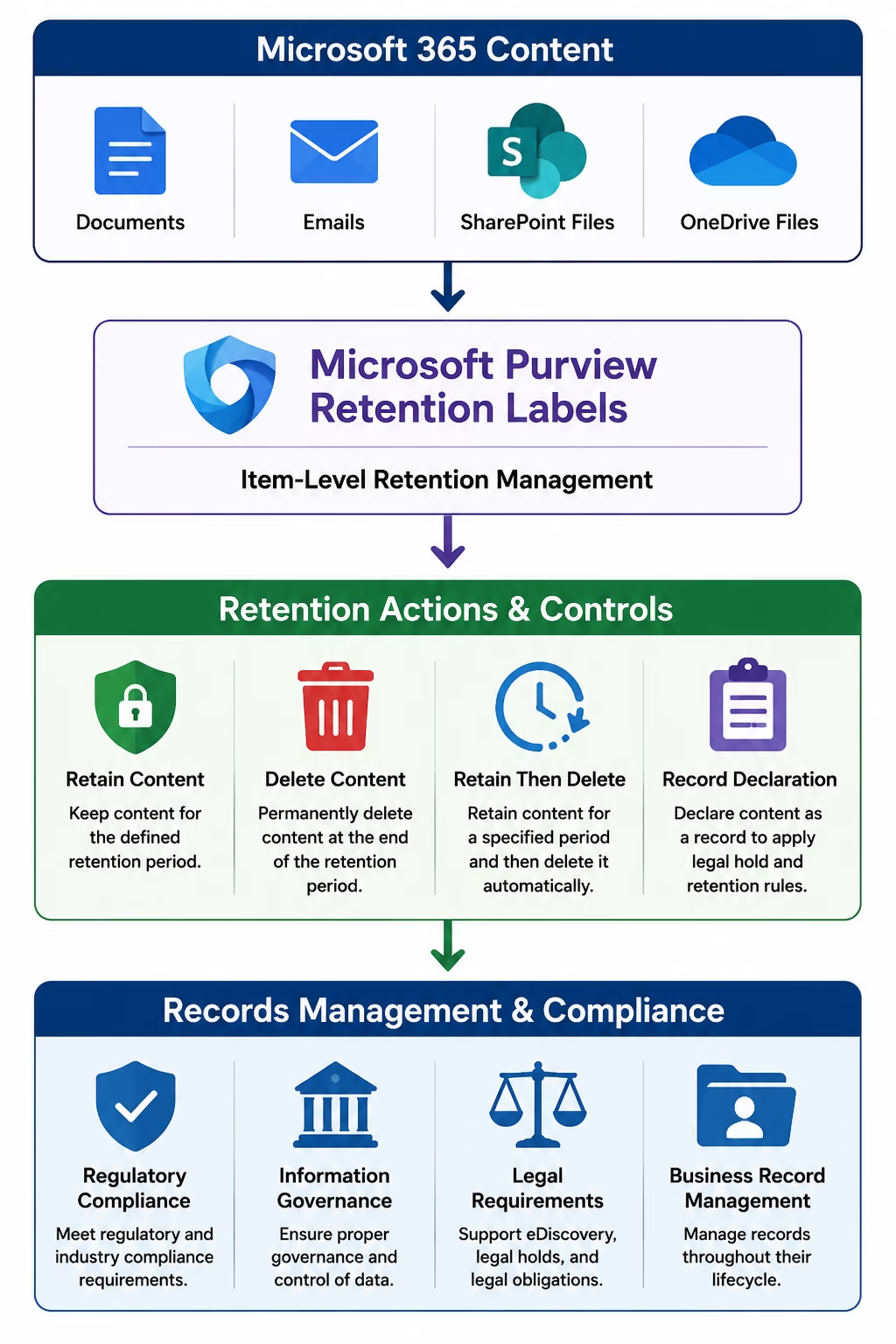
Figure 14 — Retention Label Architecture
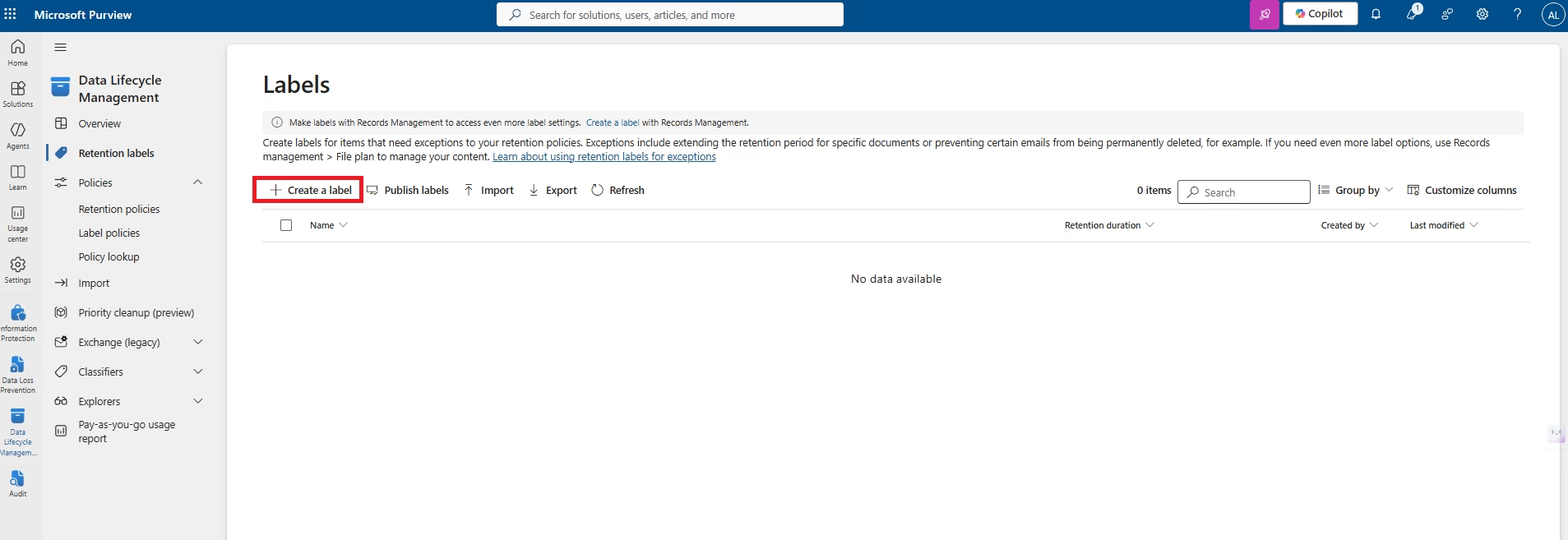
Figure 15 — Navigate to Retention Labels
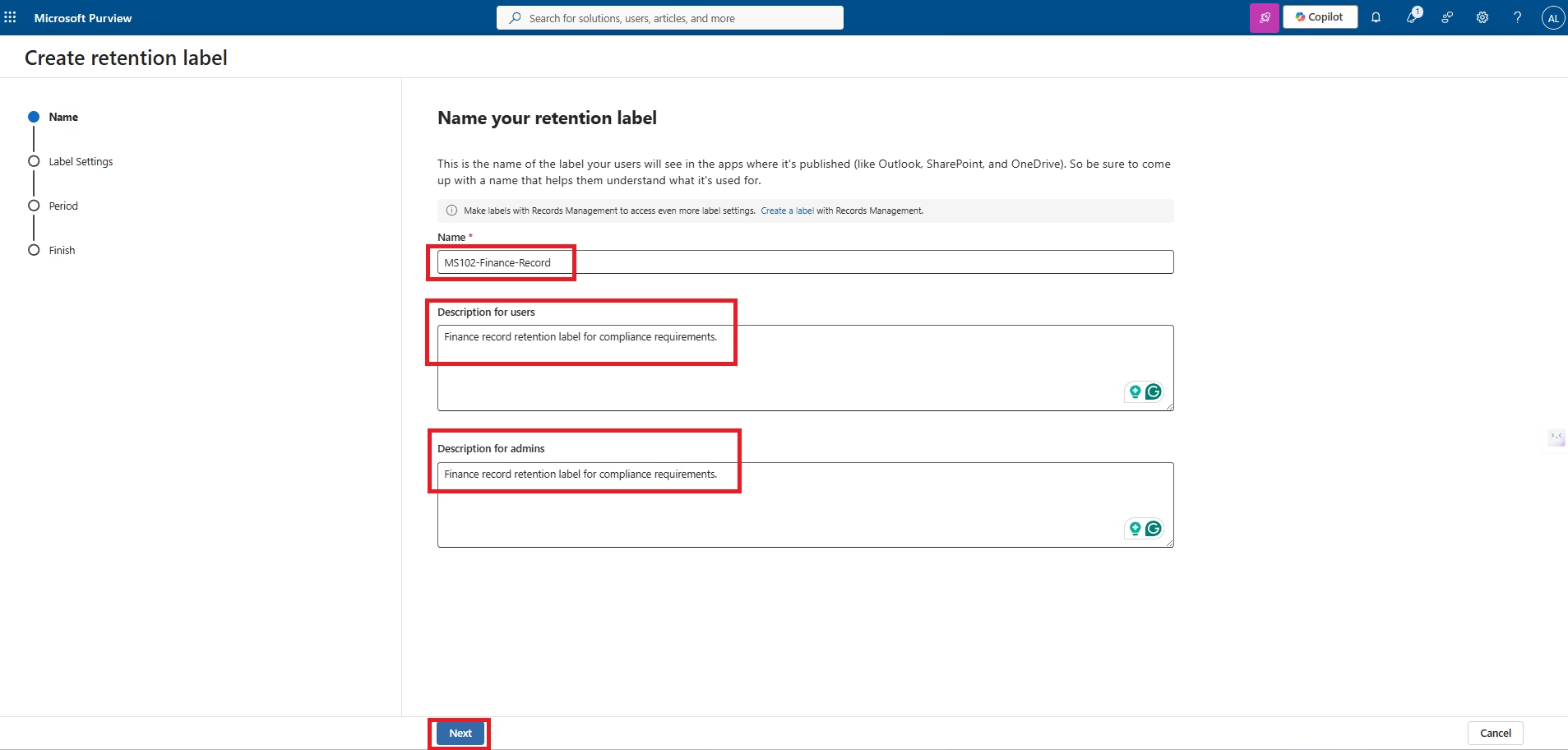
Figure 16 — Create Finance Retention Label
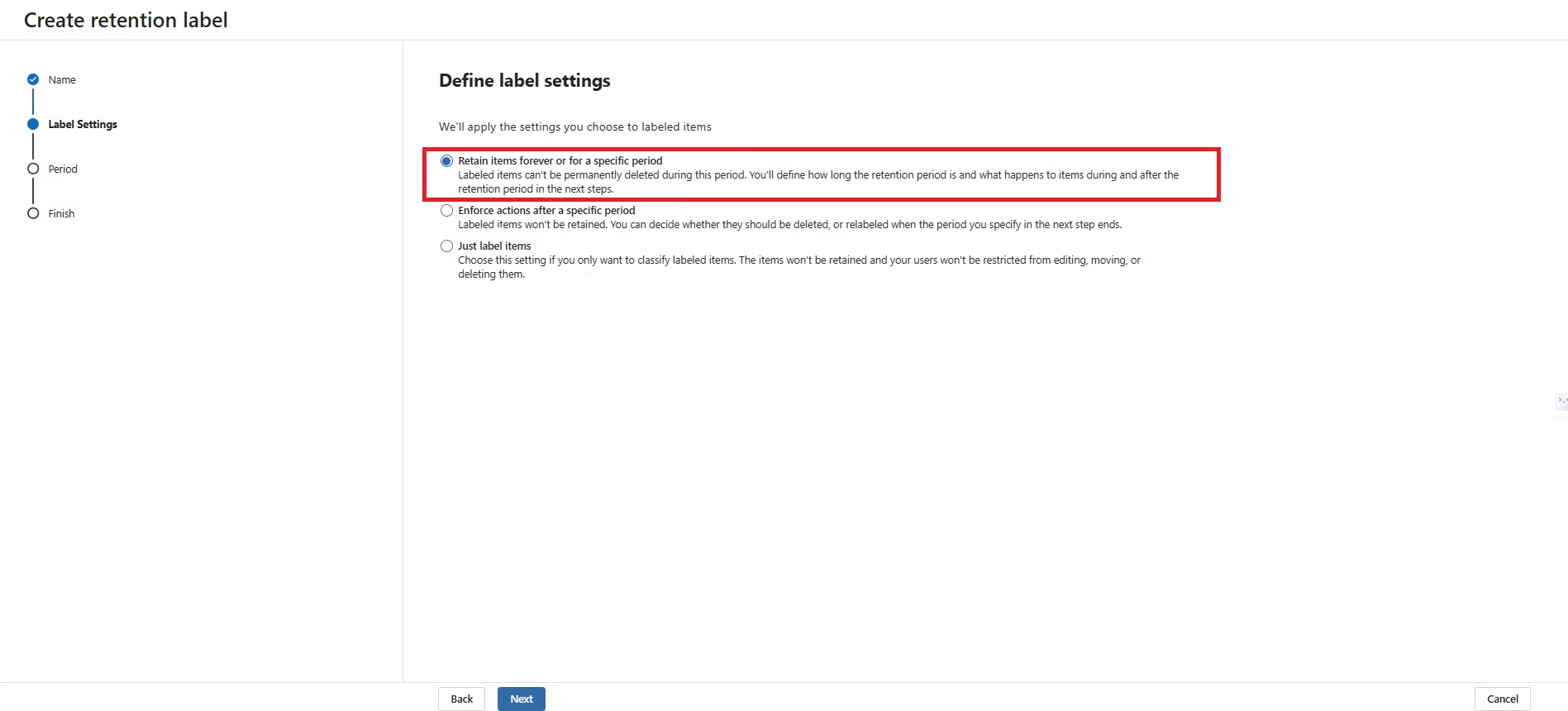
Figure 17 — Configure Retention Behaviour
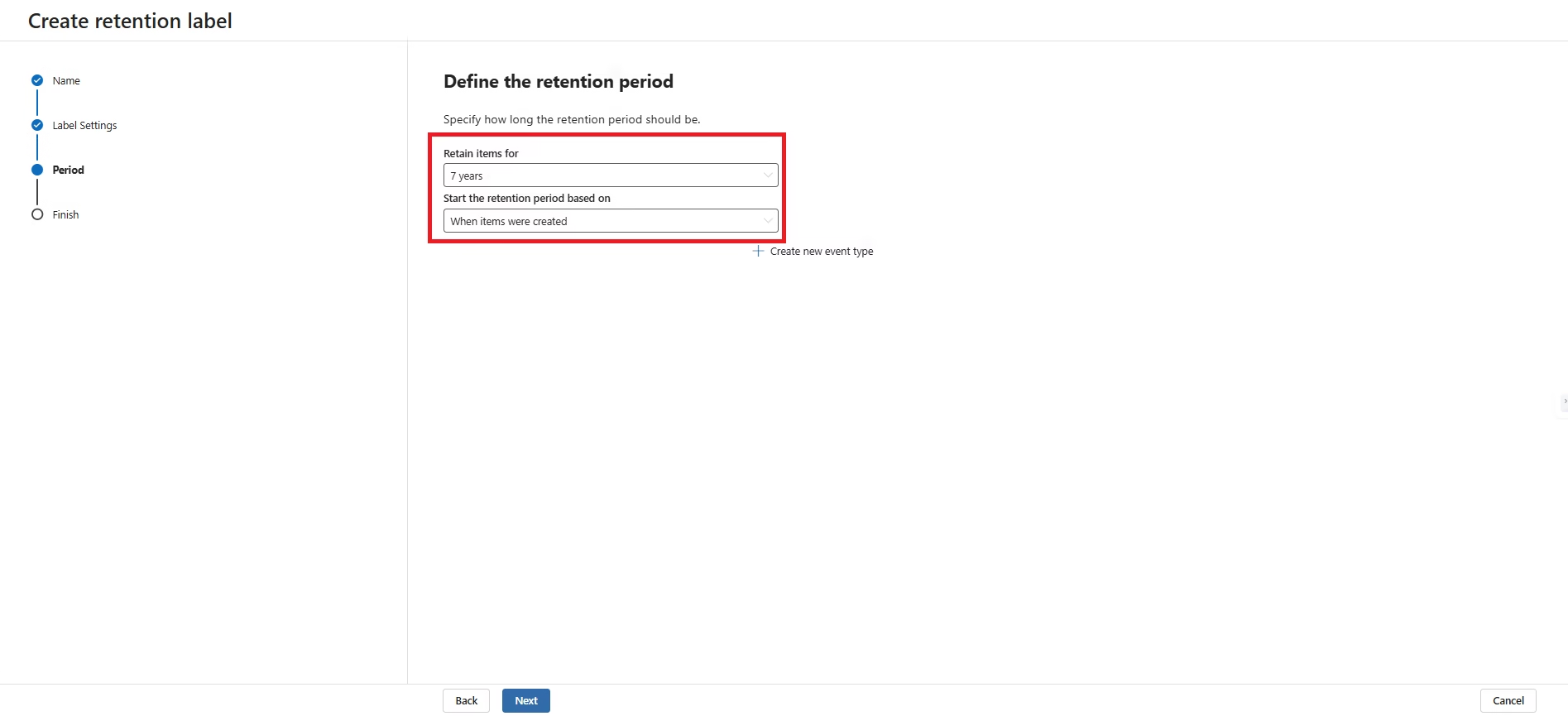
Figure 18 — Configure Seven-Year Retention Period
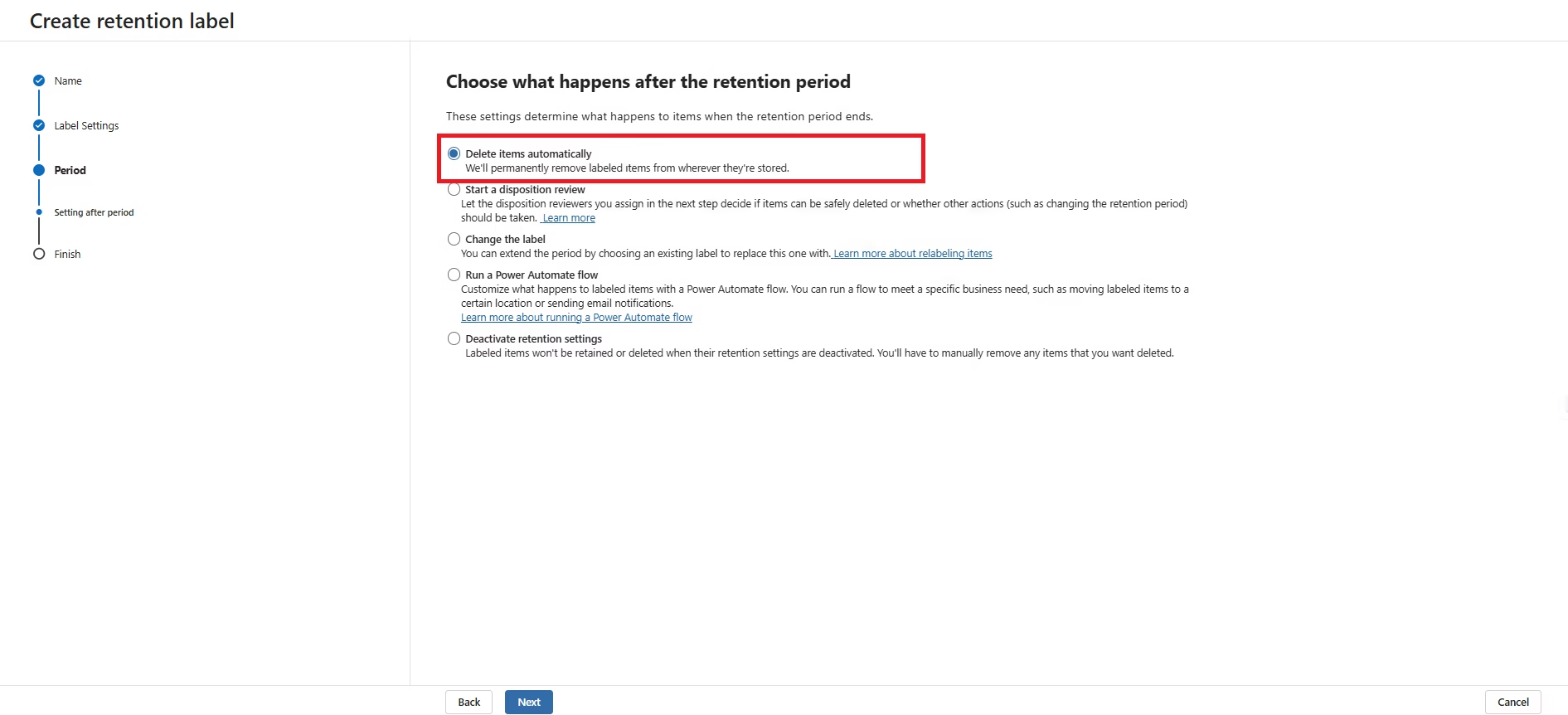
Figure 19 — Retain Content then Automatically Delete
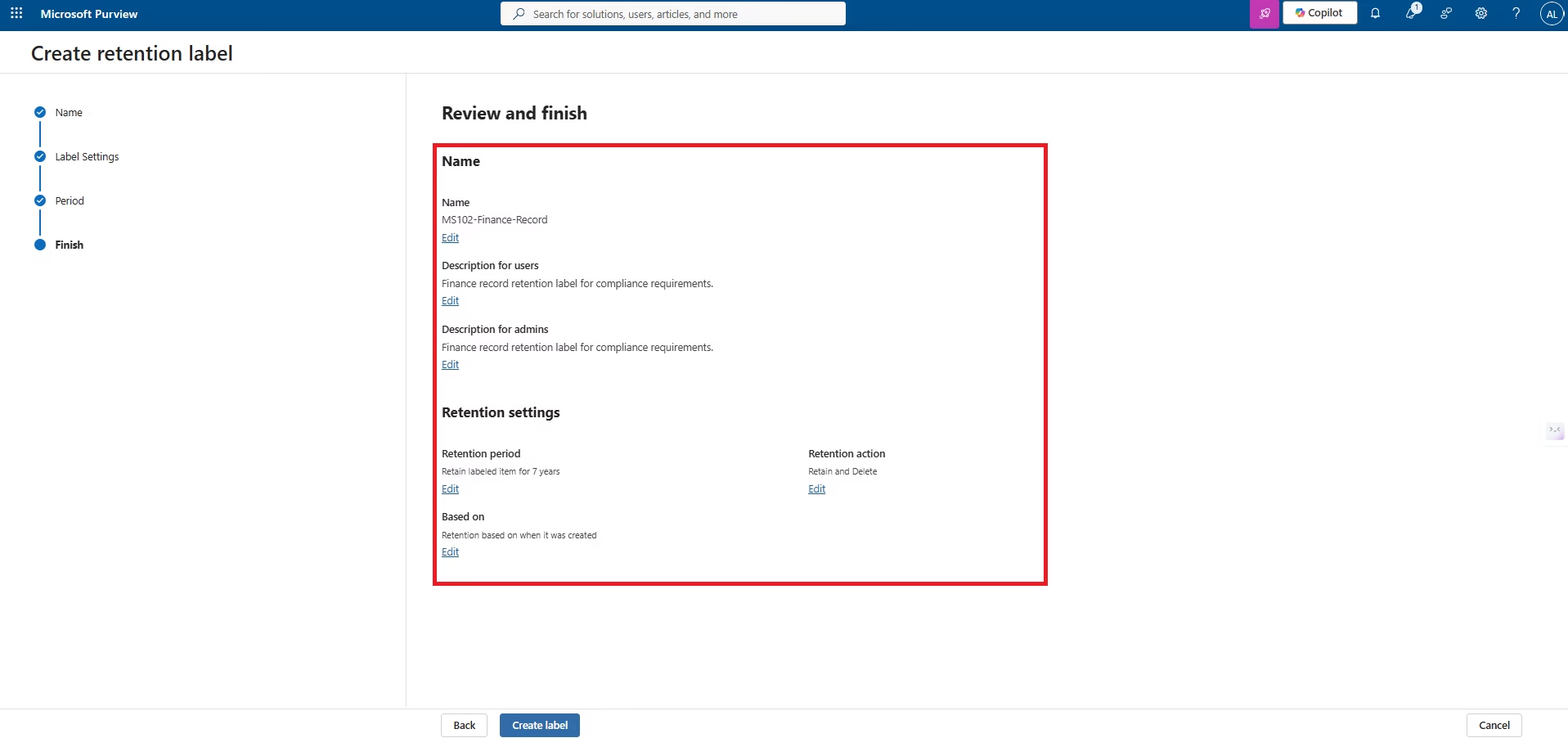
Figure 20 — Review Retention Label Configuration
Publishing Retention Labels
Creating a Retention Label alone does not make it available to users. Labels must be published through a Label Policy that defines where the label becomes visible. Microsoft Purview supports publishing labels to Exchange Online, SharePoint Online, Microsoft Teams, Microsoft 365 Groups and OneDrive.
For enterprise environments, Label Policies can target all users or dynamically assign labels using Adaptive Scopes, greatly reducing administrative effort as organisations grow.
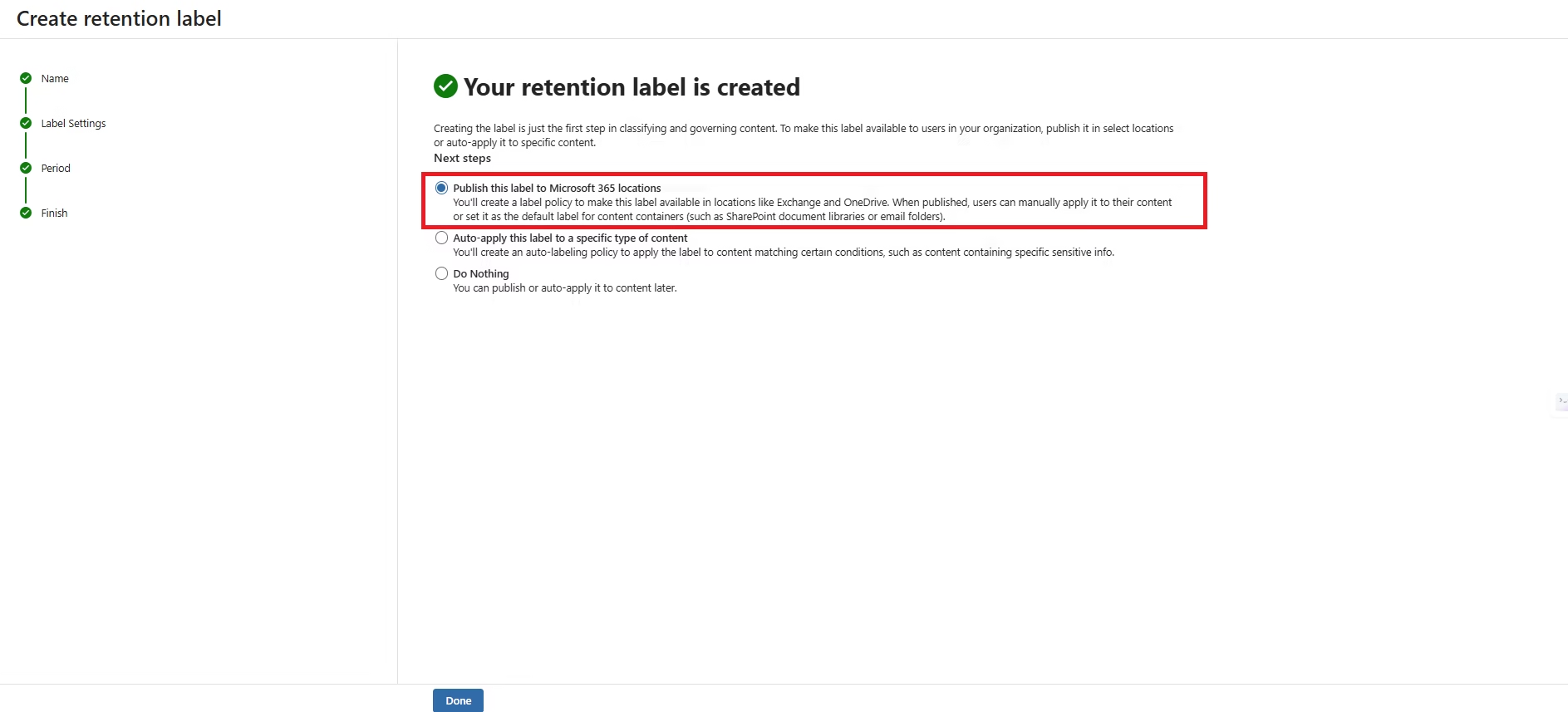
Figure 21 — Start Label Publishing Wizard
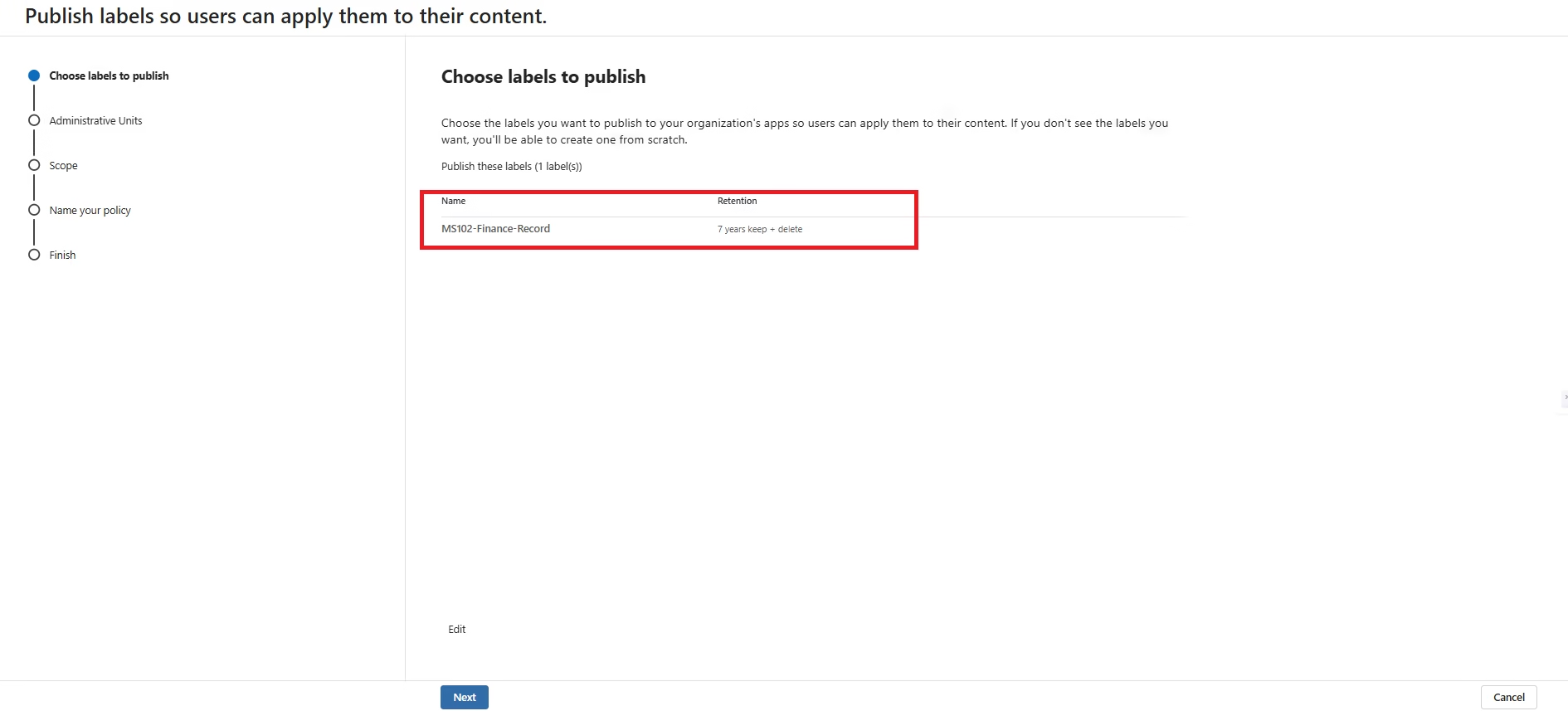
Figure 22 — Select Microsoft 365 Locations
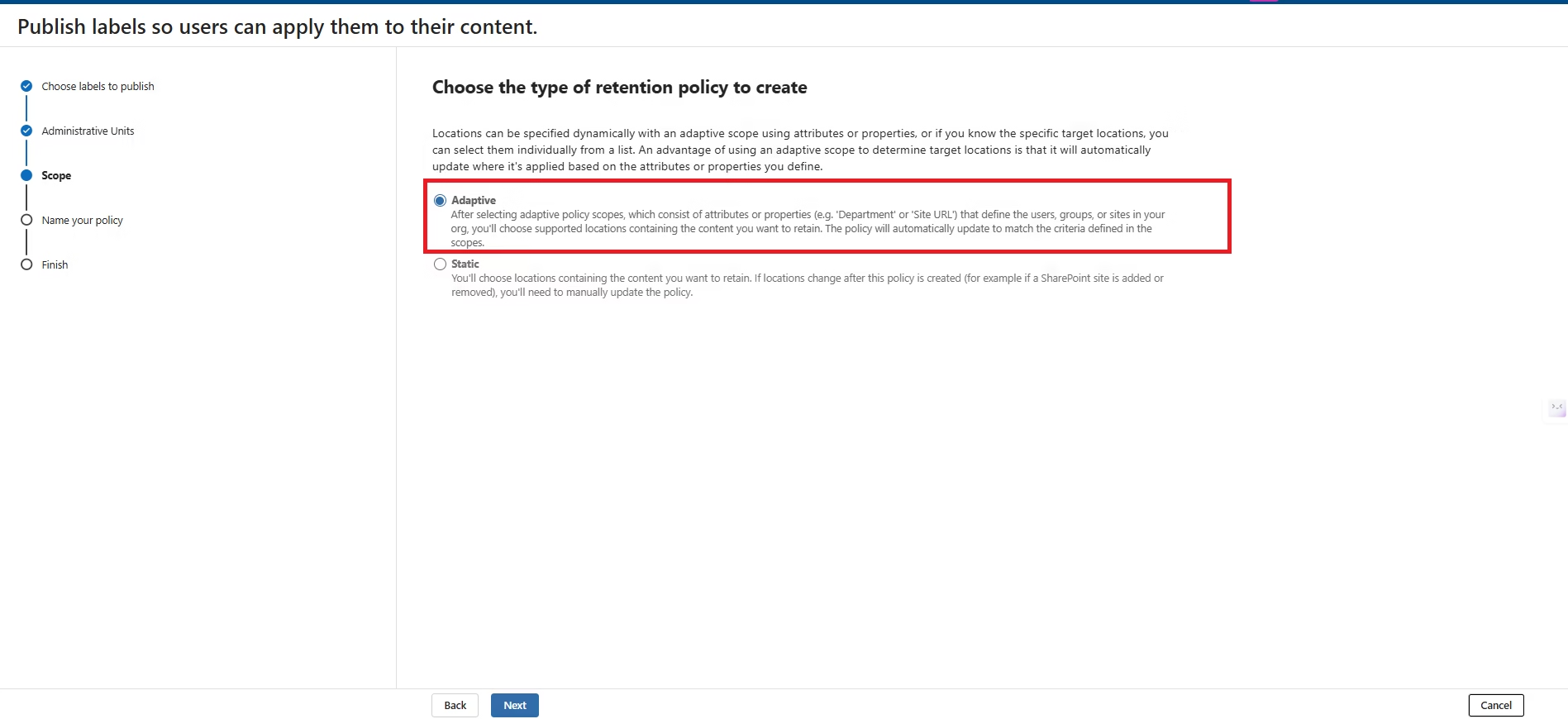
Figure 23 — Configure Adaptive Scope
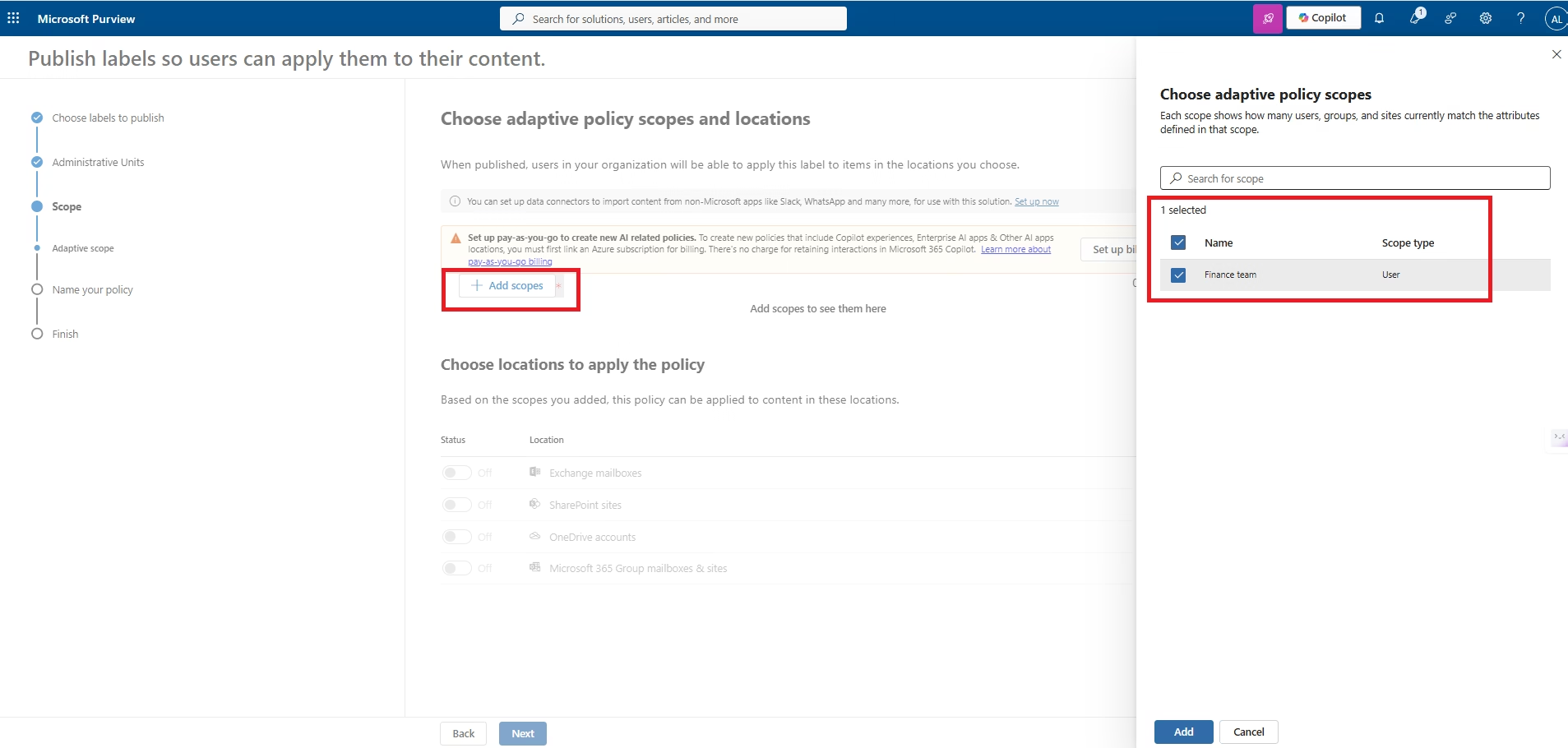
Figure 24 — Adaptive Scope Configuration Details
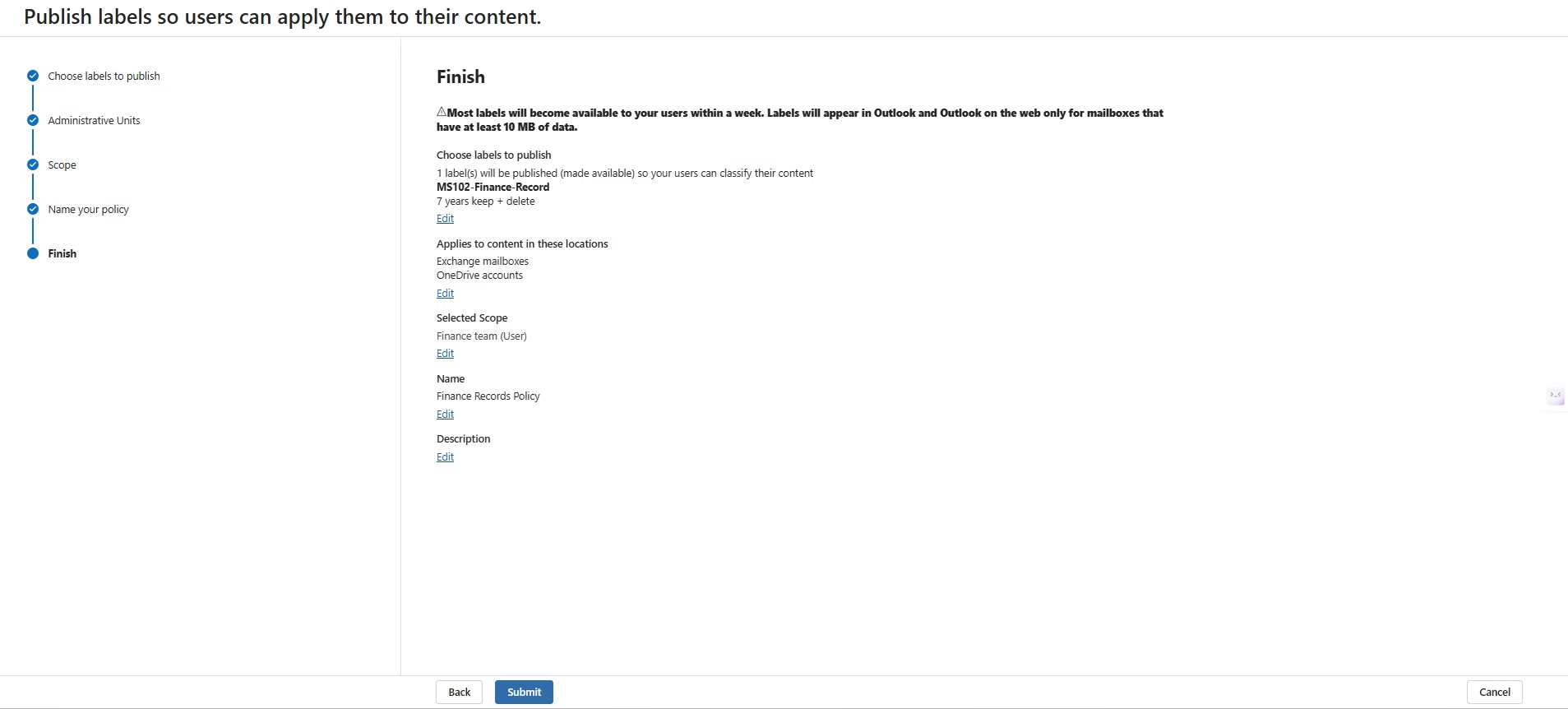
Figure 25 — Configure Label Policy Name
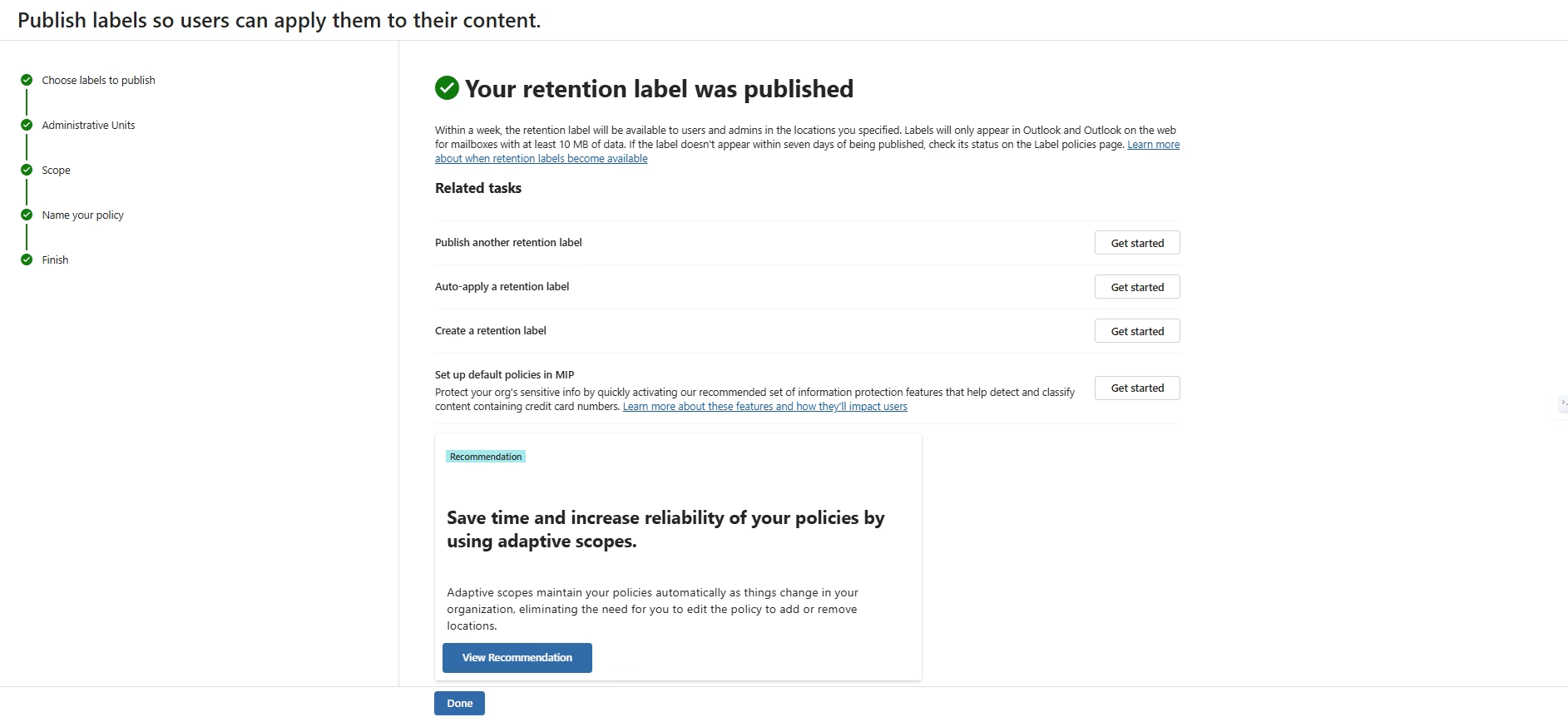
Figure 26 — Review and Publish Label Policy
Validation Results
The implementation was validated after policy deployment within Microsoft Purview. Retention Policies, Retention Labels and Label Publishing Policies were successfully created and configured. Microsoft notes that policy synchronization can take up to seven days depending on workload and service propagation.
| Validation Item | Status |
|---|---|
| Retention Policy Created | ✔ Success |
| Retention Label Created | ✔ Success |
| Label Publishing Policy | ✔ Success |
| Adaptive Scope Configured | ✔ Success |
| Exchange Online Coverage | ✔ Included |
| SharePoint Online Coverage | ✔ Included |
| Microsoft Teams Coverage | ✔ Included |
| OneDrive Coverage | ✔ Included |
| Policy Synchronisation | Pending Microsoft Service Replication |
Security & Compliance Controls
| Control | Implementation |
|---|---|
| Retention Policy | Seven-year retention across Microsoft 365 workloads |
| Retention Labels | Finance-specific record retention |
| Adaptive Scope | Dynamic assignment using Microsoft Entra ID attributes |
| Automatic Deletion | Content removed after retention period expires |
| Compliance | Supports organisational governance and regulatory requirements |
| Records Lifecycle | Retain → Review → Delete lifecycle automation |
Lessons Learned
- Retention Policies provide workload-level governance, while Retention Labels deliver granular item-level control.
- Publishing a Retention Label is mandatory before end users can apply it.
- Adaptive Scopes significantly reduce administrative overhead in large Microsoft 365 environments.
- Policy propagation is not immediate and may require several hours or days depending on workload.
- Retention Labels should align with organisational records management and compliance requirements.
- Testing should be performed using pilot users before enterprise-wide deployment.
Future Improvements
- Implement Event-based Retention.
- Enable Disposition Review workflows.
- Integrate Records Management for immutable business records.
- Create Auto-apply Retention Labels.
- Deploy Microsoft Purview File Plans.
- Implement PowerShell automation using Microsoft Graph.
- Integrate with Microsoft Purview Audit for compliance monitoring.
PowerShell Automation
| Script | Purpose |
|---|---|
| New-RetentionPolicy.ps1 | Create Microsoft Purview Retention Policies |
| New-RetentionLabel.ps1 | Create Retention Labels |
| Publish-RetentionLabels.ps1 | Publish Label Policies |
| Get-RetentionConfiguration.ps1 | Generate Compliance Reports |
References
- Microsoft Learn — Microsoft Purview Data Lifecycle Management
- Microsoft Learn — Retention Policies
- Microsoft Learn — Retention Labels
- Microsoft Learn — Adaptive Scopes
- Microsoft Learn — Microsoft Purview Records Management