Enterprise Overview
This project demonstrates the implementation of Microsoft Purview Information Protection within a Microsoft 365 enterprise environment. The objective is to establish a standardized data classification framework using Sensitivity Labels, publish those labels to users, apply encryption and access control, and automate classification using Sensitive Information Types (SITs).
The implementation forms the foundation for Microsoft Purview Data Loss Prevention, Microsoft Purview Audit, Microsoft Defender for Cloud Apps, and Microsoft Purview Data Lifecycle Management.
Business Problem
Organizations create thousands of documents, emails and collaboration files every day. Without centralized information protection:
- Users classify documents inconsistently.
- Sensitive files are accidentally shared externally.
- Financial and personal information remains unprotected.
- Regulatory compliance becomes difficult.
- Manual protection does not scale.
A standardized information classification model is required before implementing downstream security controls such as DLP.
Business Requirements
| Requirement | Purpose |
|---|---|
| Enterprise Classification | Standardize data classification across Microsoft 365 |
| Sensitivity Labels | Protect confidential information consistently |
| Encryption | Restrict document access to authorized users |
| Automatic Classification | Reduce human error through automation |
| Label Policies | Publish labels to users and workloads |
| Microsoft 365 Integration | Protect Exchange, SharePoint, OneDrive and Teams |
Microsoft Solution
| Capability | Description |
|---|---|
| Sensitivity Labels | Classify and protect Microsoft 365 content |
| Label Policies | Publish labels across Microsoft 365 workloads |
| Manual Labeling | User-driven document classification |
| Automatic Labeling | Detect Sensitive Information Types automatically |
| Encryption | Azure Rights Management protection |
| Content Marking | Headers, footers and watermarks |
| Microsoft 365 Integration | Exchange, SharePoint, OneDrive, Teams and Office Apps |
Enterprise Perspective
| Stage | Implementation |
|---|---|
| Business Problem | Unclassified enterprise information increases the risk of accidental data exposure. |
| Business Requirement | Implement enterprise-wide data classification with encryption and policy-based protection. |
| Microsoft Solution | Microsoft Purview Information Protection using Sensitivity Labels and Auto Labeling. |
| Configuration | Custom labels, label policies, manual labeling and automatic labeling configured. |
| Validation | Labels successfully published and available across Microsoft 365 applications. |
| Outcome | Enterprise information is consistently classified and protected before sharing. |
Architecture Overview
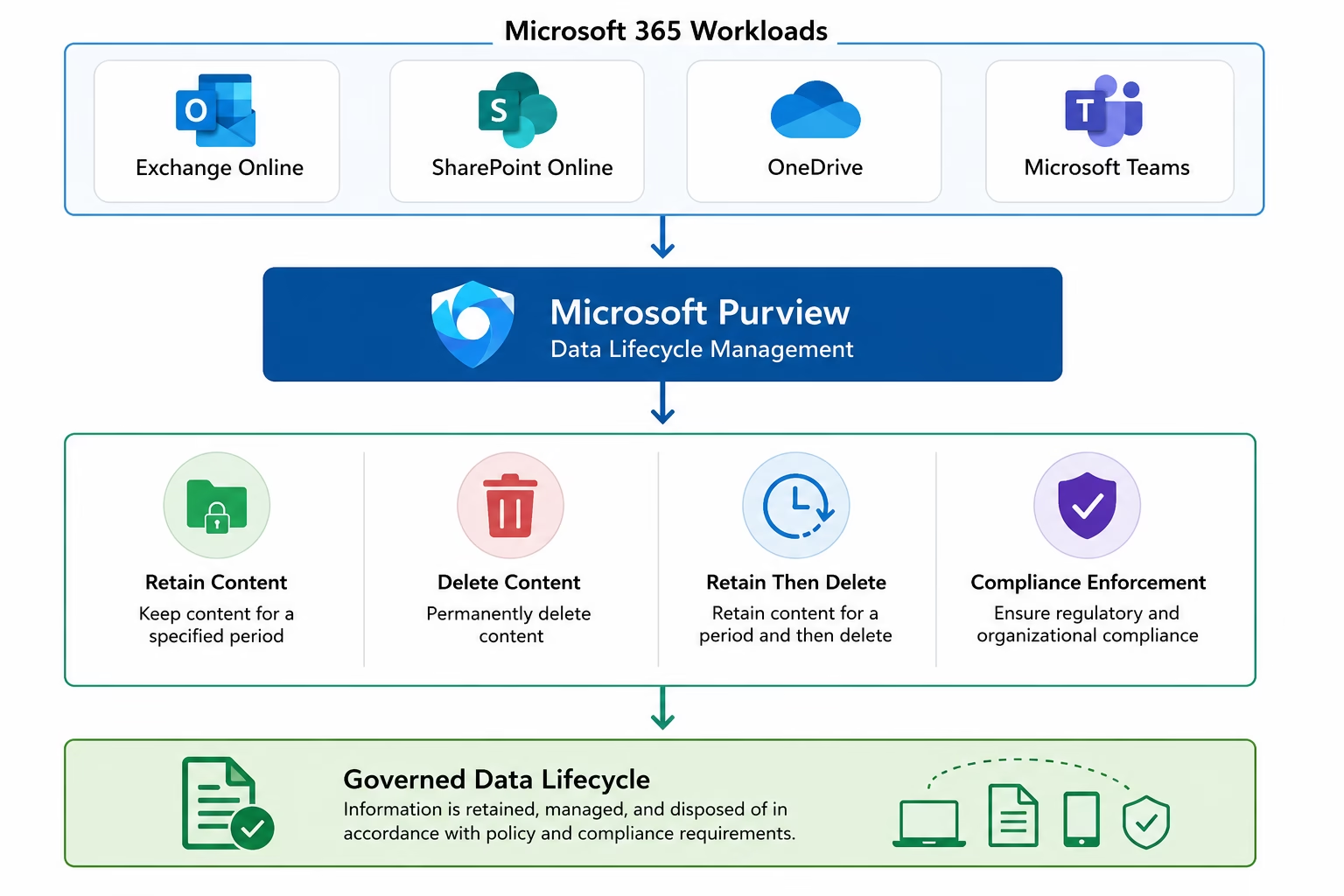
Enterprise Information Protection Architecture
Implementation Phase 1 – Microsoft Purview Overview
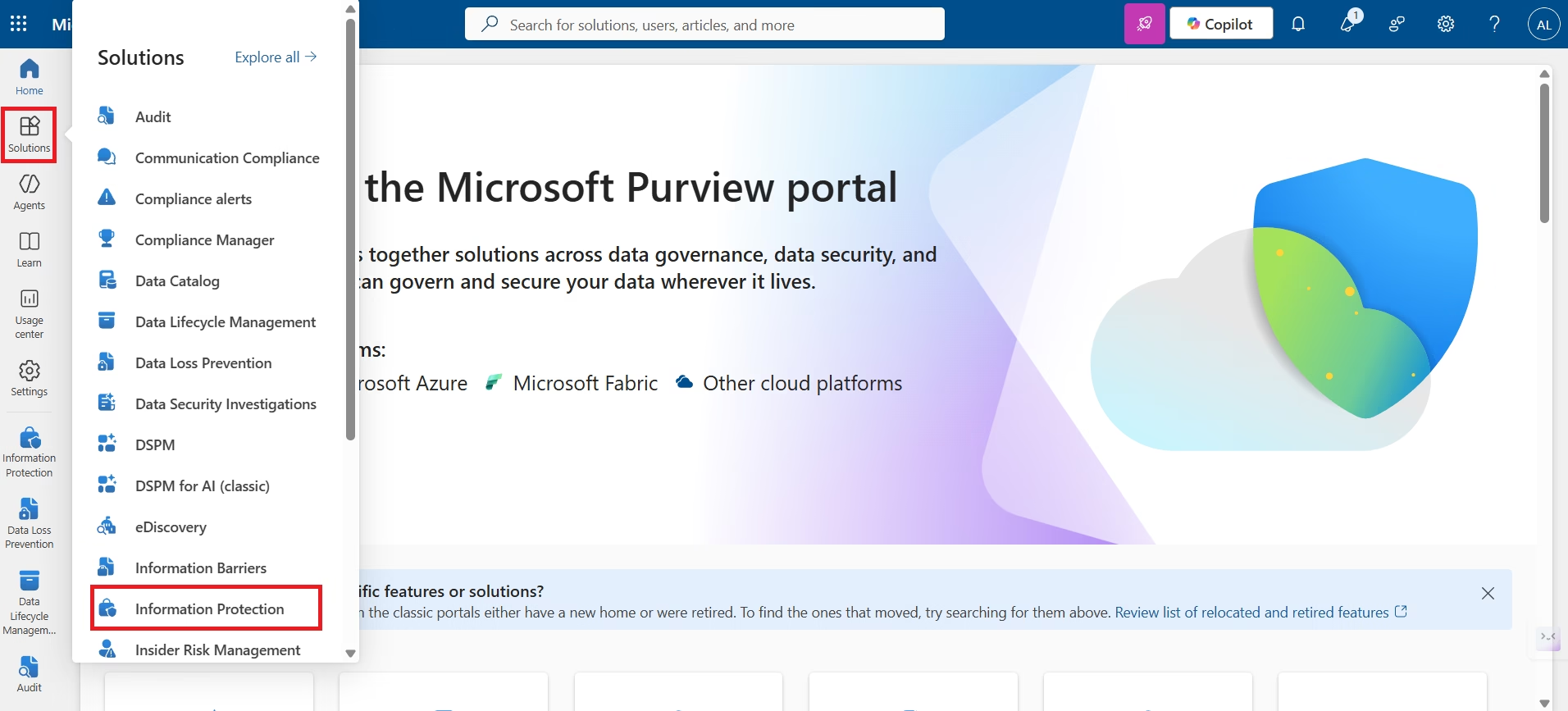
Microsoft Purview Information Protection provides a centralized platform for classifying, protecting and governing enterprise information across Microsoft 365 workloads. During this lab the Information Protection solution was accessed through the Microsoft Purview portal where Sensitivity Labels, Label Policies and Auto-labeling Policies were configured.
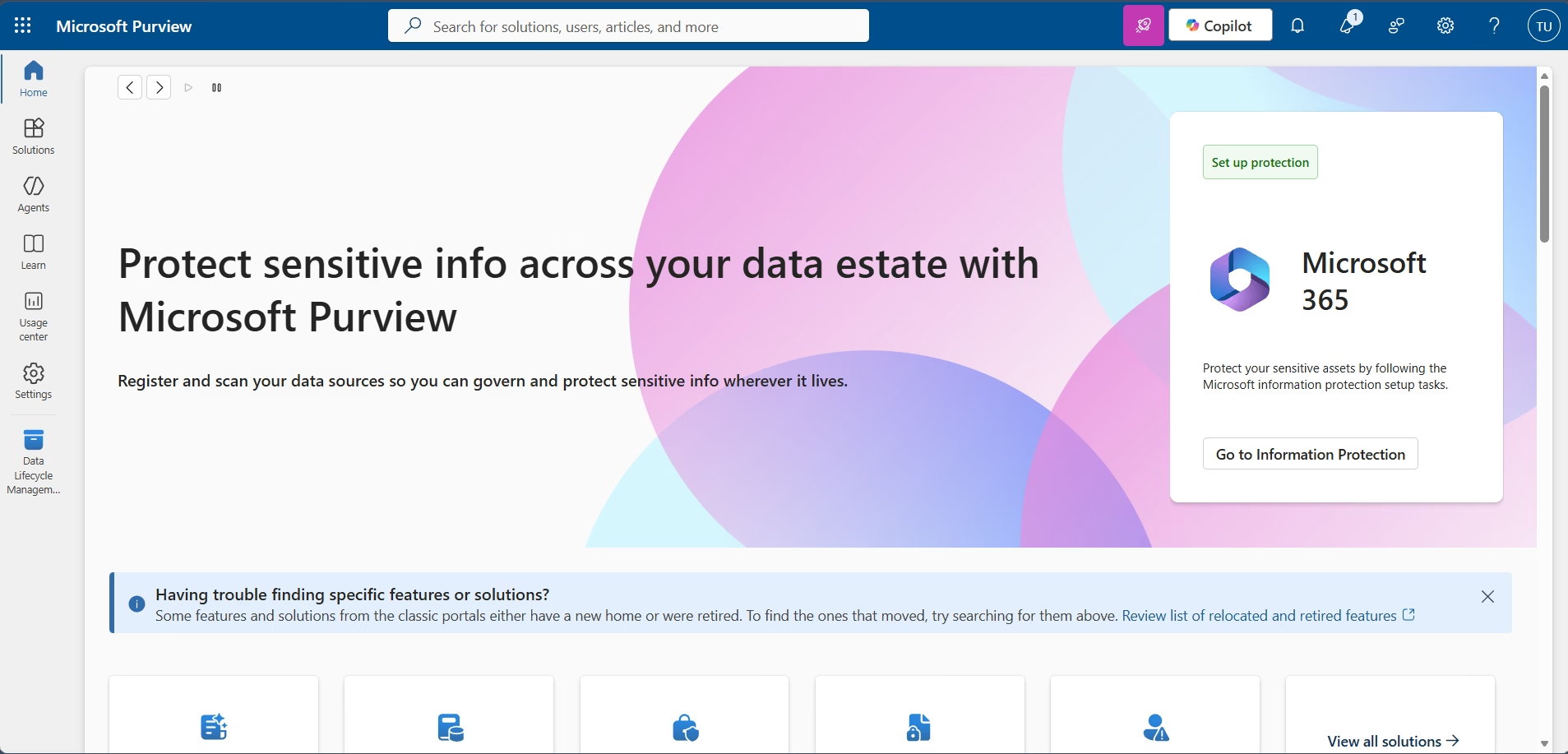
Microsoft Purview Compliance Portal
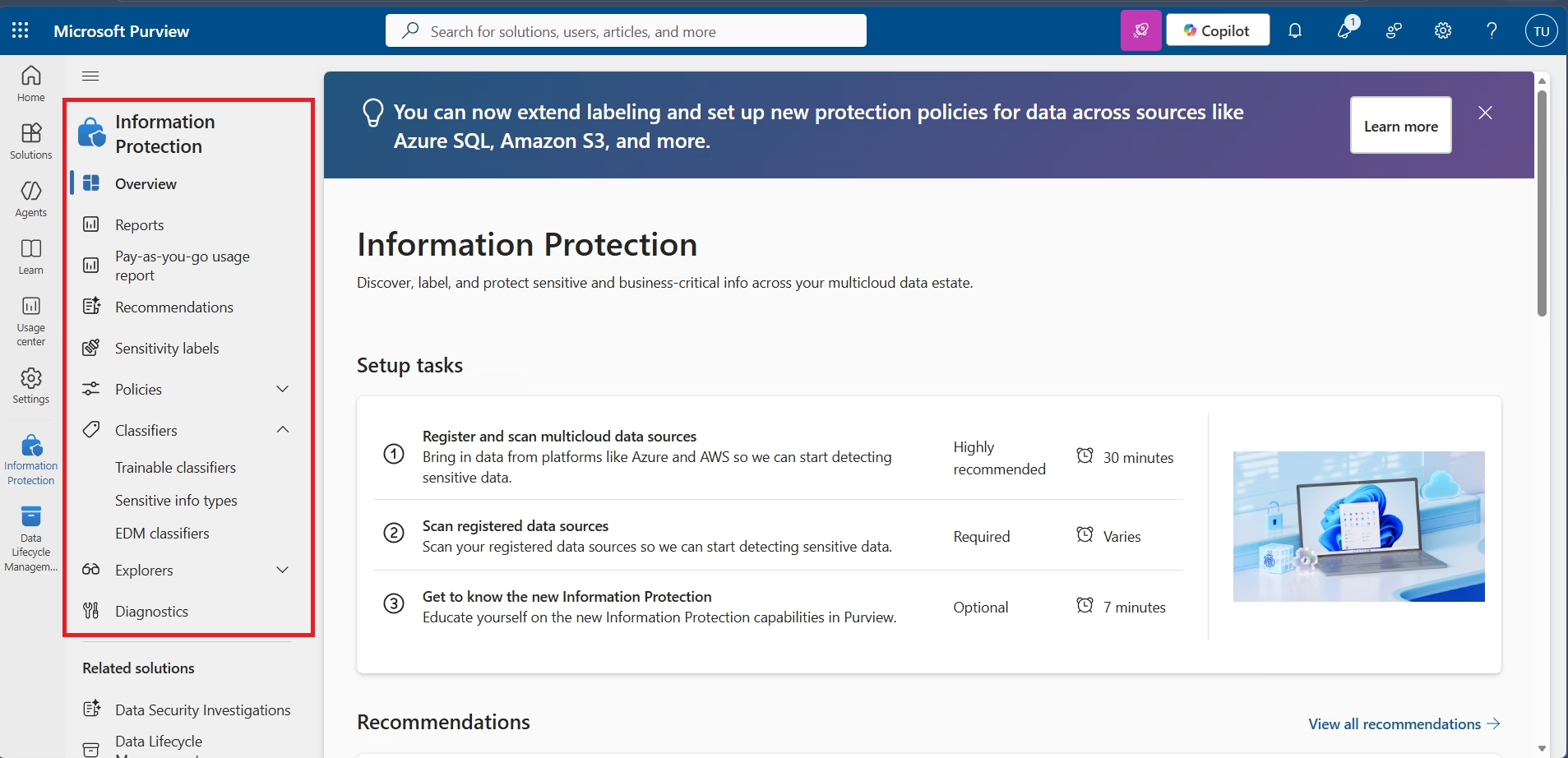
Information Protection Solution
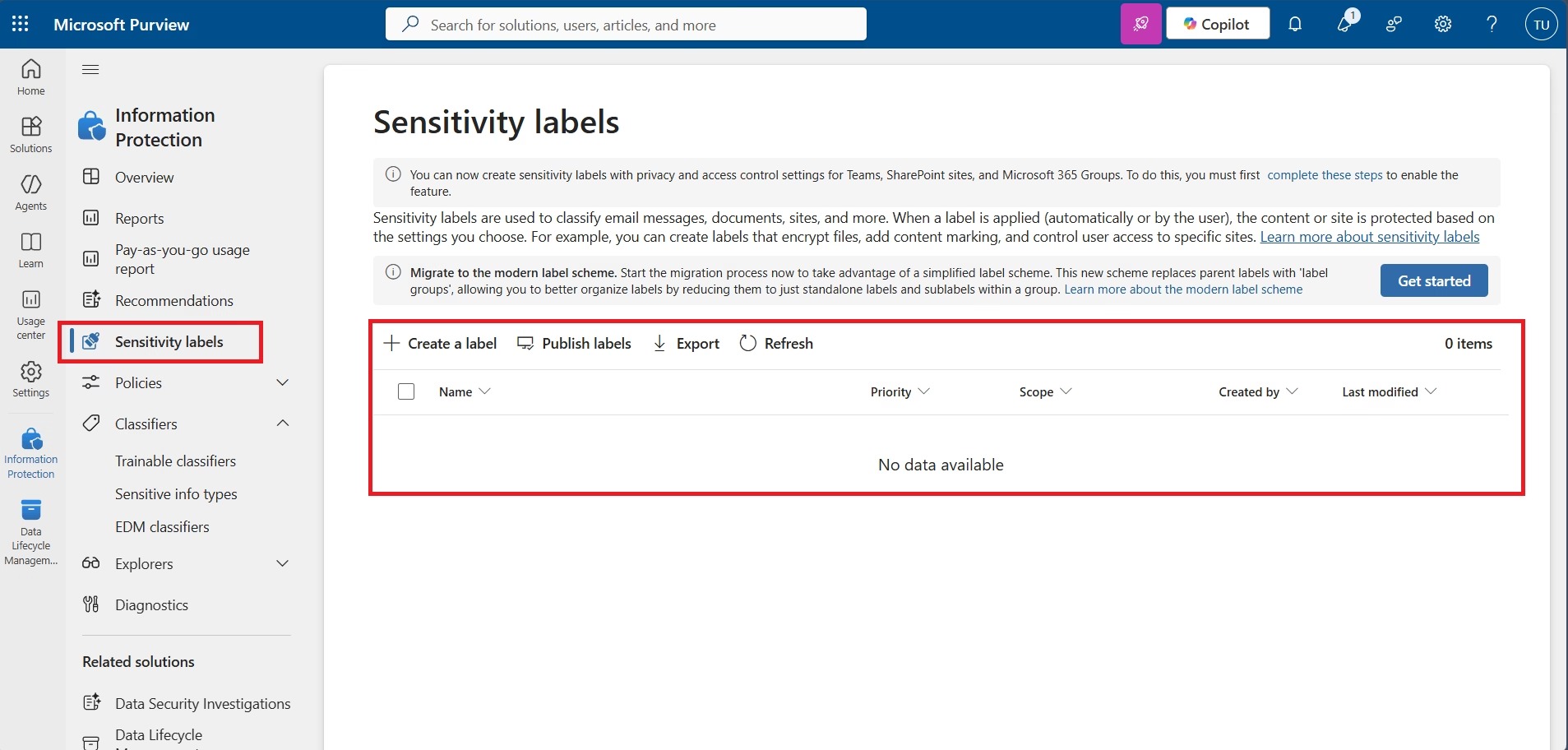
Sensitivity Labels Navigation
Implementation Phase 2 – Creating Enterprise Sensitivity Labels
Sensitivity Labels provide the foundation for Microsoft Information Protection. Labels classify enterprise information while optionally applying encryption, permissions, content marking and access control. In this implementation multiple enterprise labels were created for different business classifications.
| Label | Purpose |
|---|---|
| Public | Unrestricted Information |
| General | Internal Business Information |
| Confidential | Encrypted Business Data |
| Highly Confidential | Restricted Enterprise Data |
| Finance Confidential | Automatic Credit Card Protection |
Sensitivity Labels List
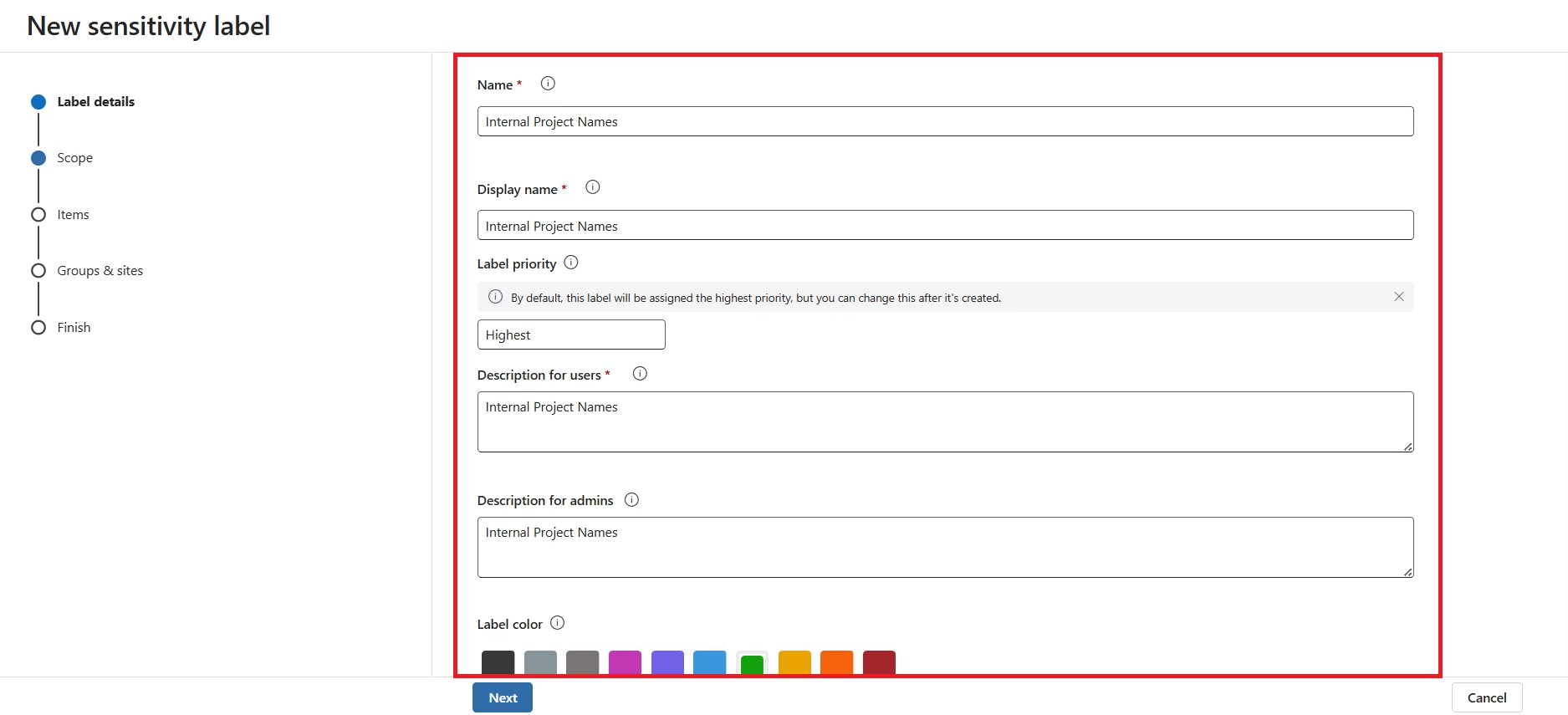
Create Label
Label Description
Label Scope Configuration
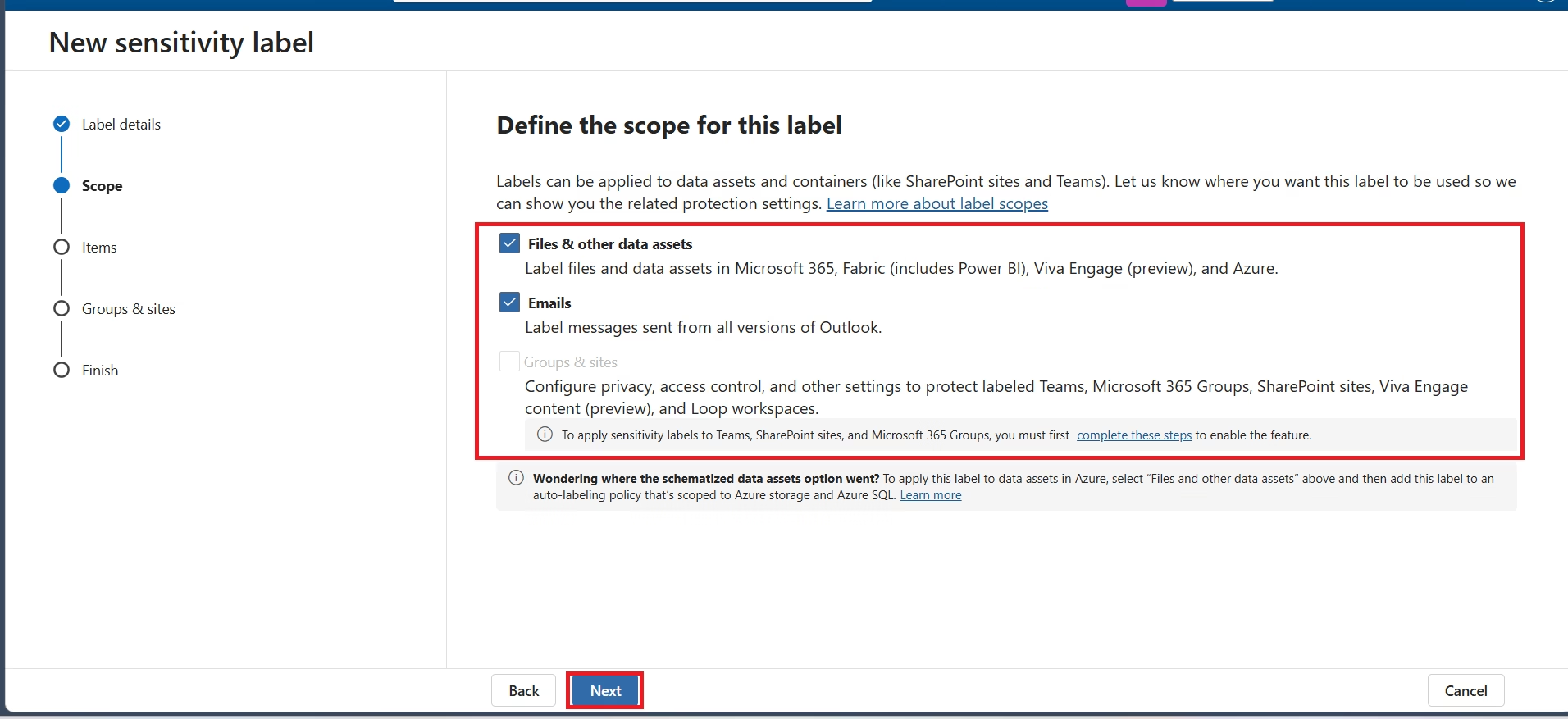
Each Sensitivity Label was configured to protect Files and Emails, allowing Microsoft 365 applications such as Word, Excel, PowerPoint, Outlook, SharePoint Online and OneDrive to recognize the label. The Groups & Sites scope was not configured in this foundational lab.
Files & Emails Scope
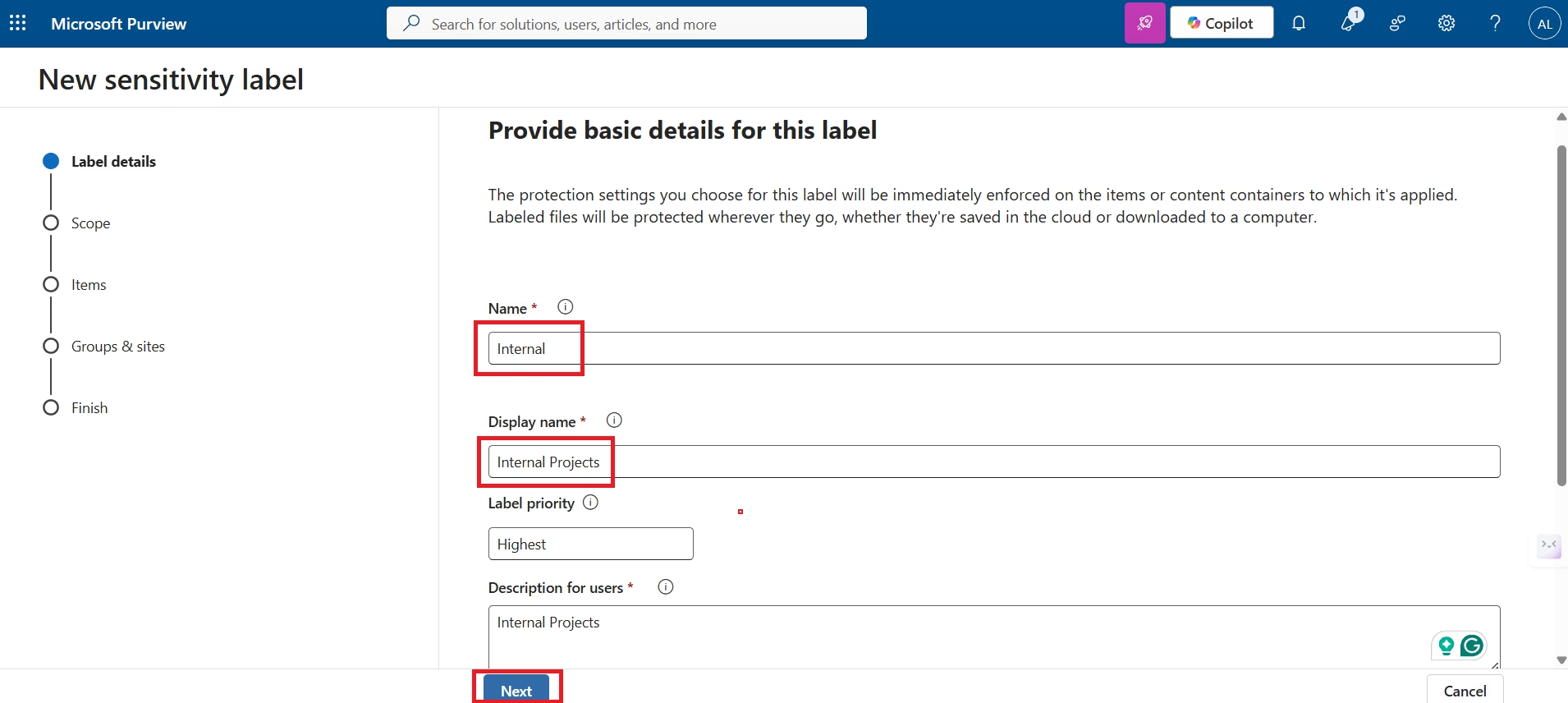
Basic Label Information
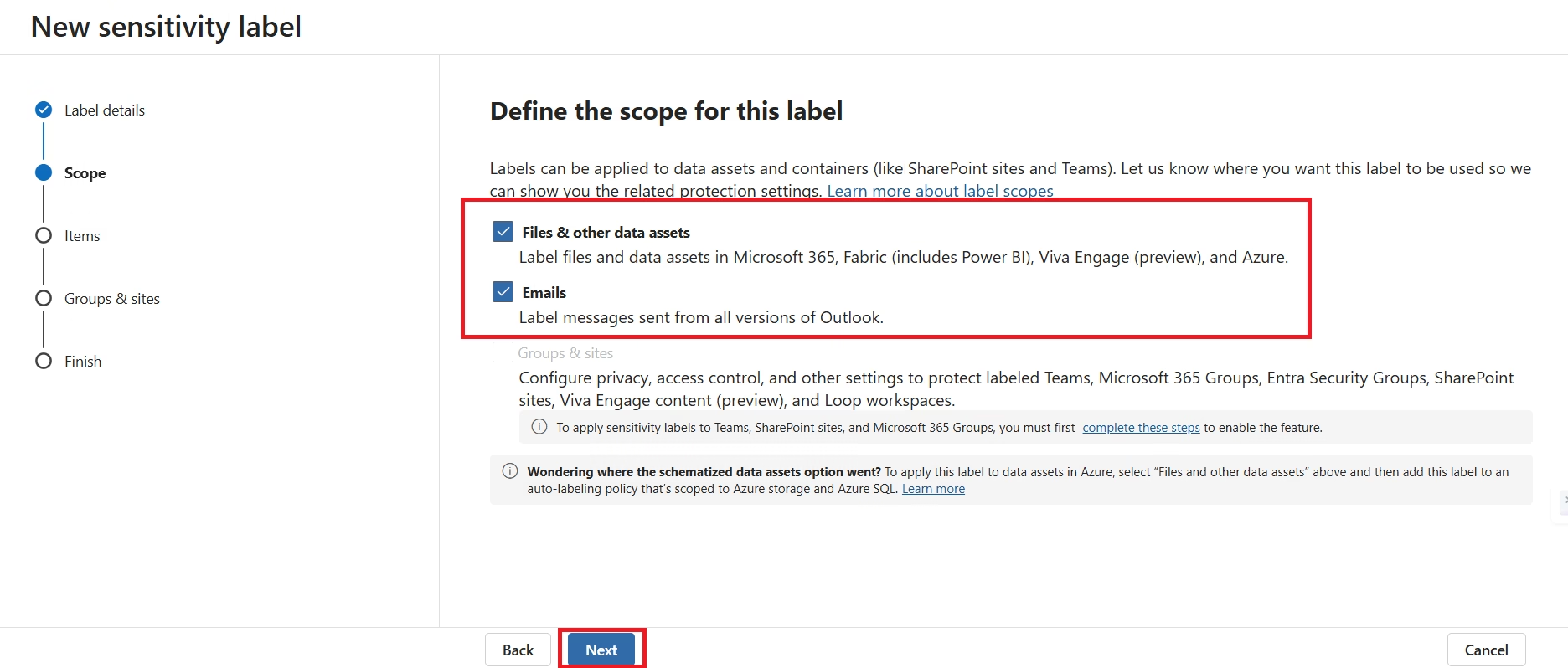
Scope Selection
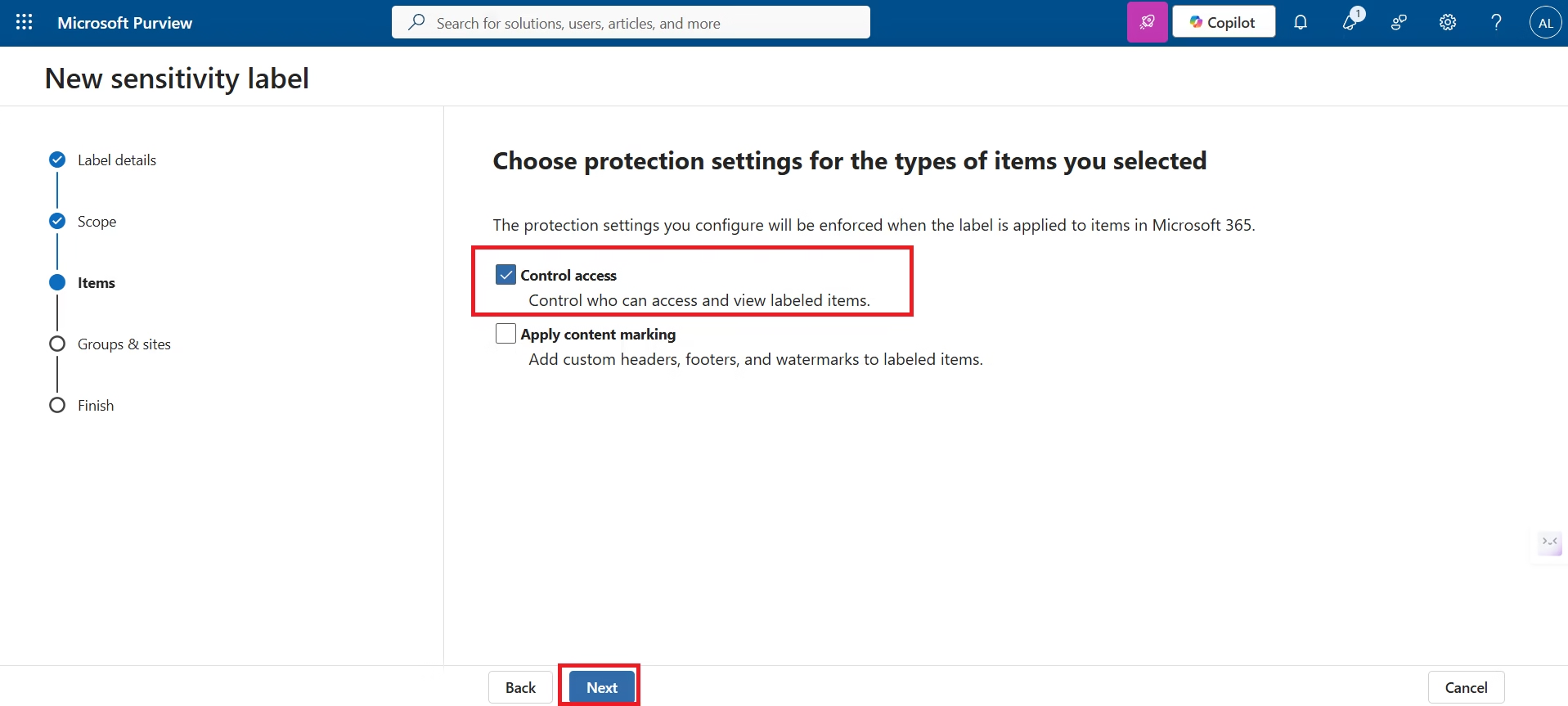
Protection Configuration
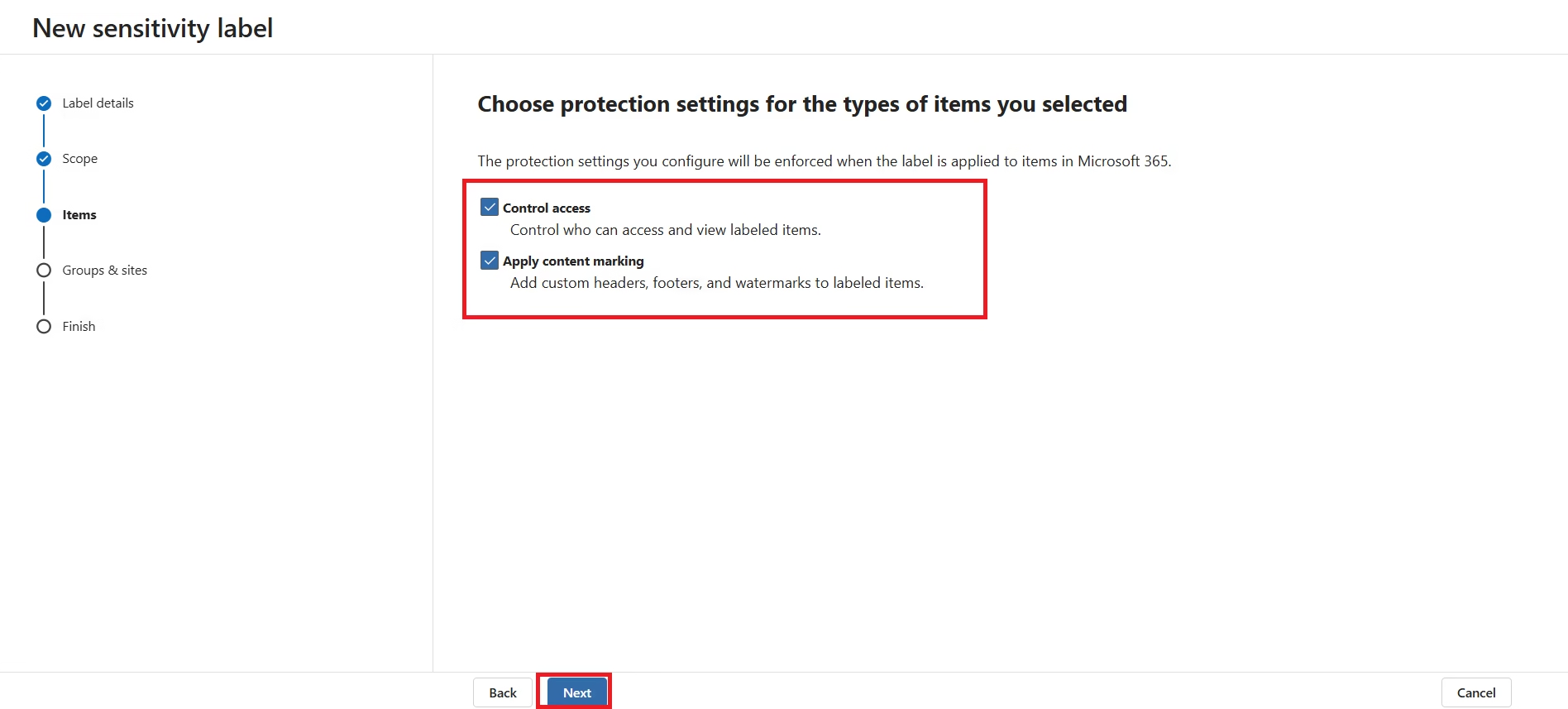
Microsoft Purview allows each Sensitivity Label to enforce encryption, assign permissions, restrict offline access and configure content markings such as headers, footers and watermarks. These settings ensure protection remains attached to the document regardless of where it is stored or shared.
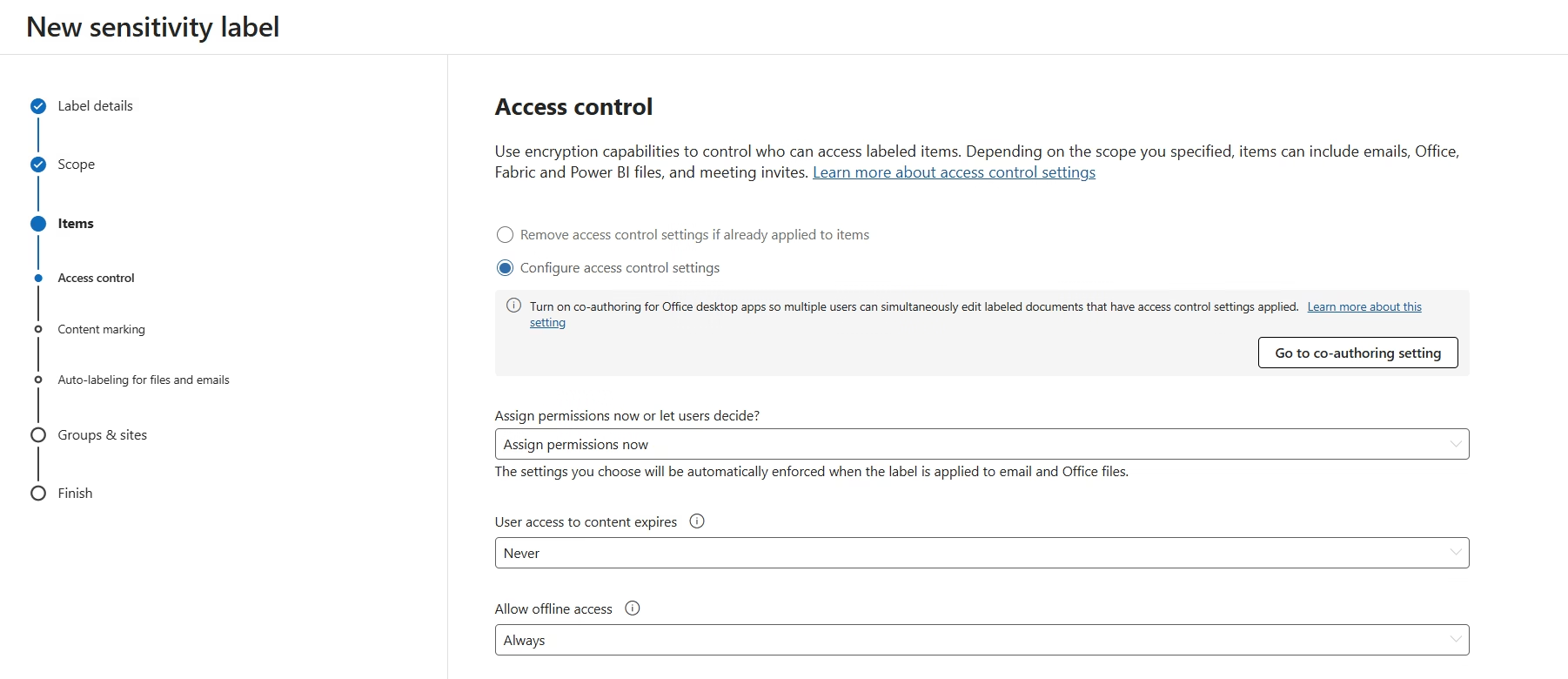
Protection Settings
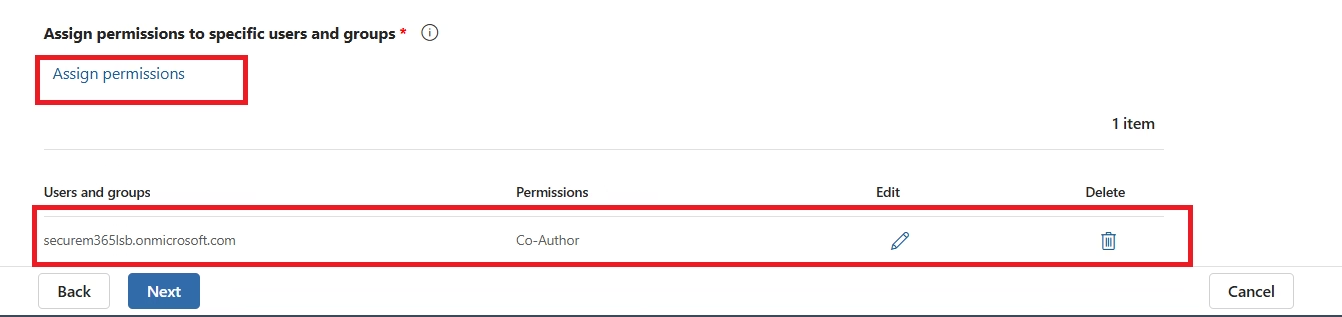
Access Control
Encryption Permissions
Implementation Phase 3 – Publishing Sensitivity Label Policies
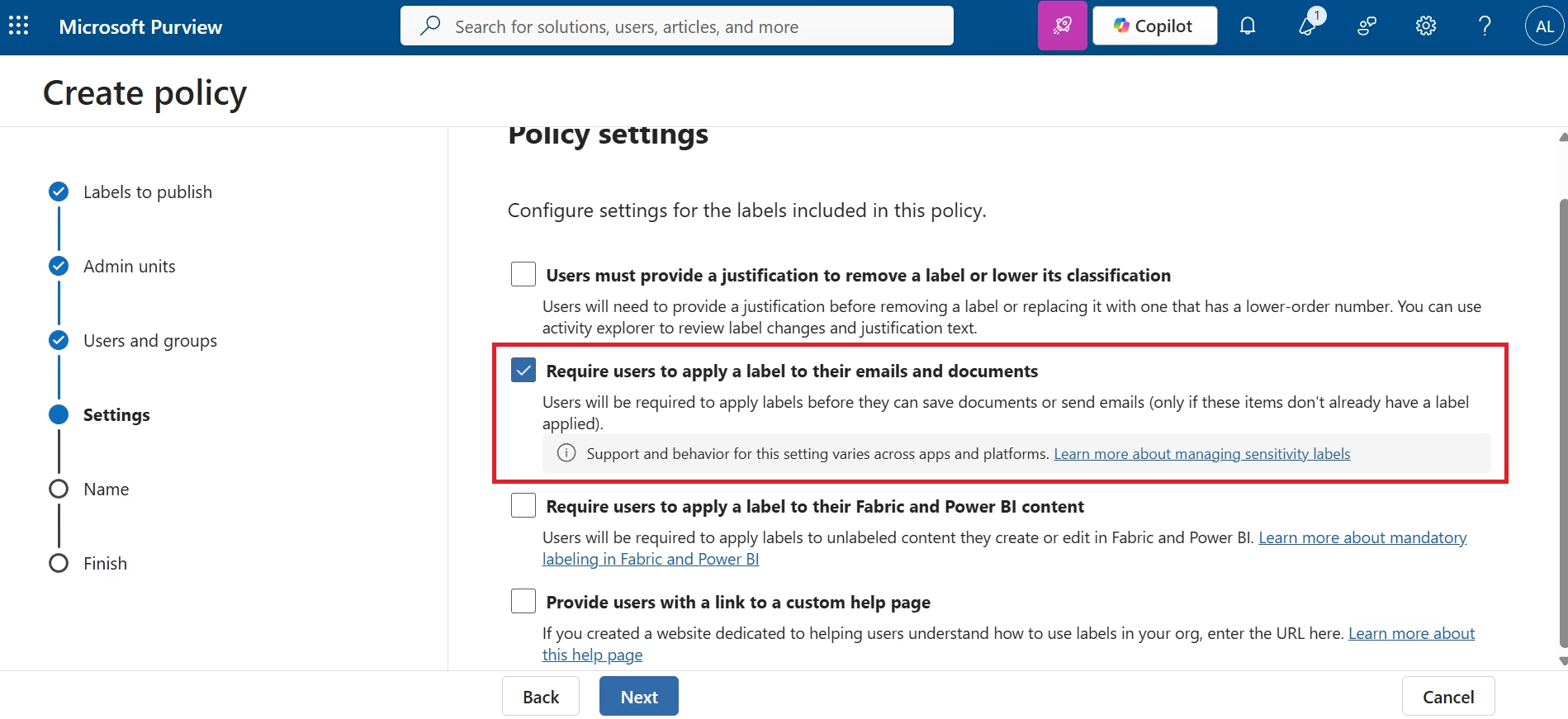
After creating the enterprise sensitivity labels, a Label Policy was configured to publish them to Microsoft 365 users. Publishing makes the labels available within Outlook, Word, Excel, PowerPoint, SharePoint, OneDrive and Teams. The policy synchronizes automatically across Microsoft 365 once published.
Create Label Policy
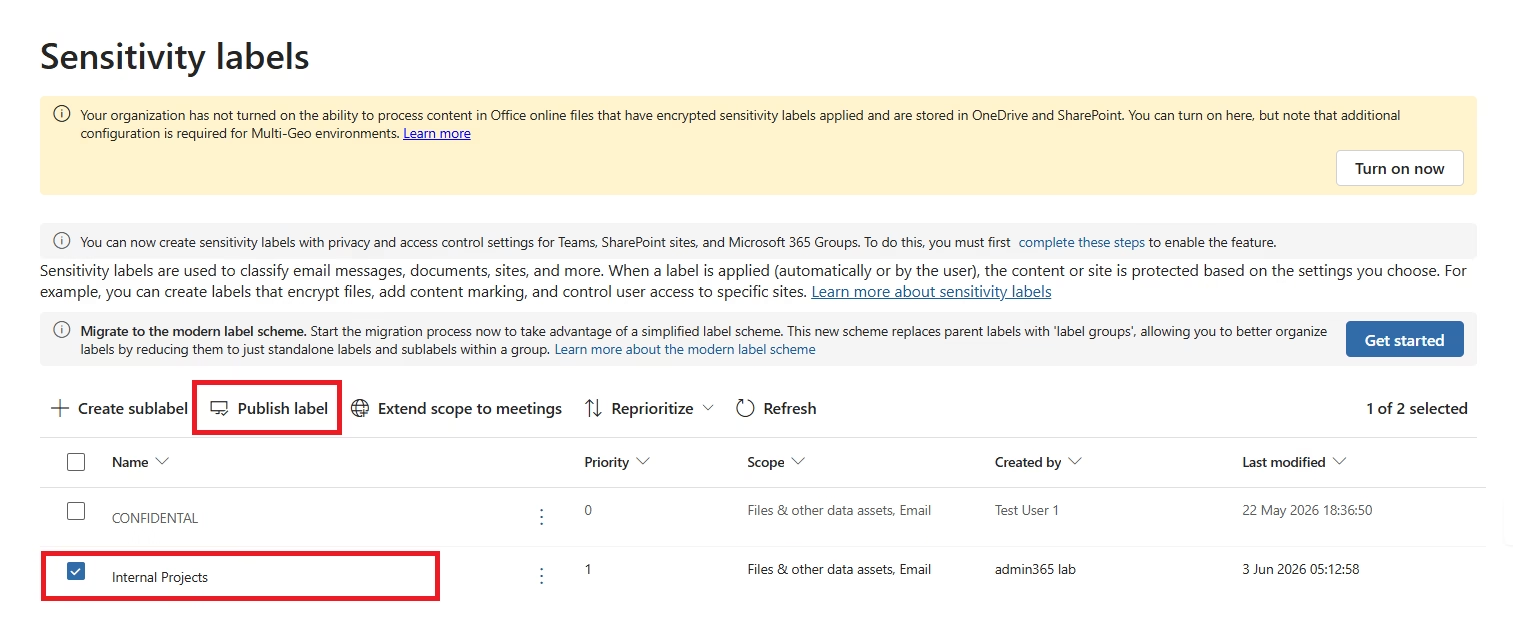
Select Labels
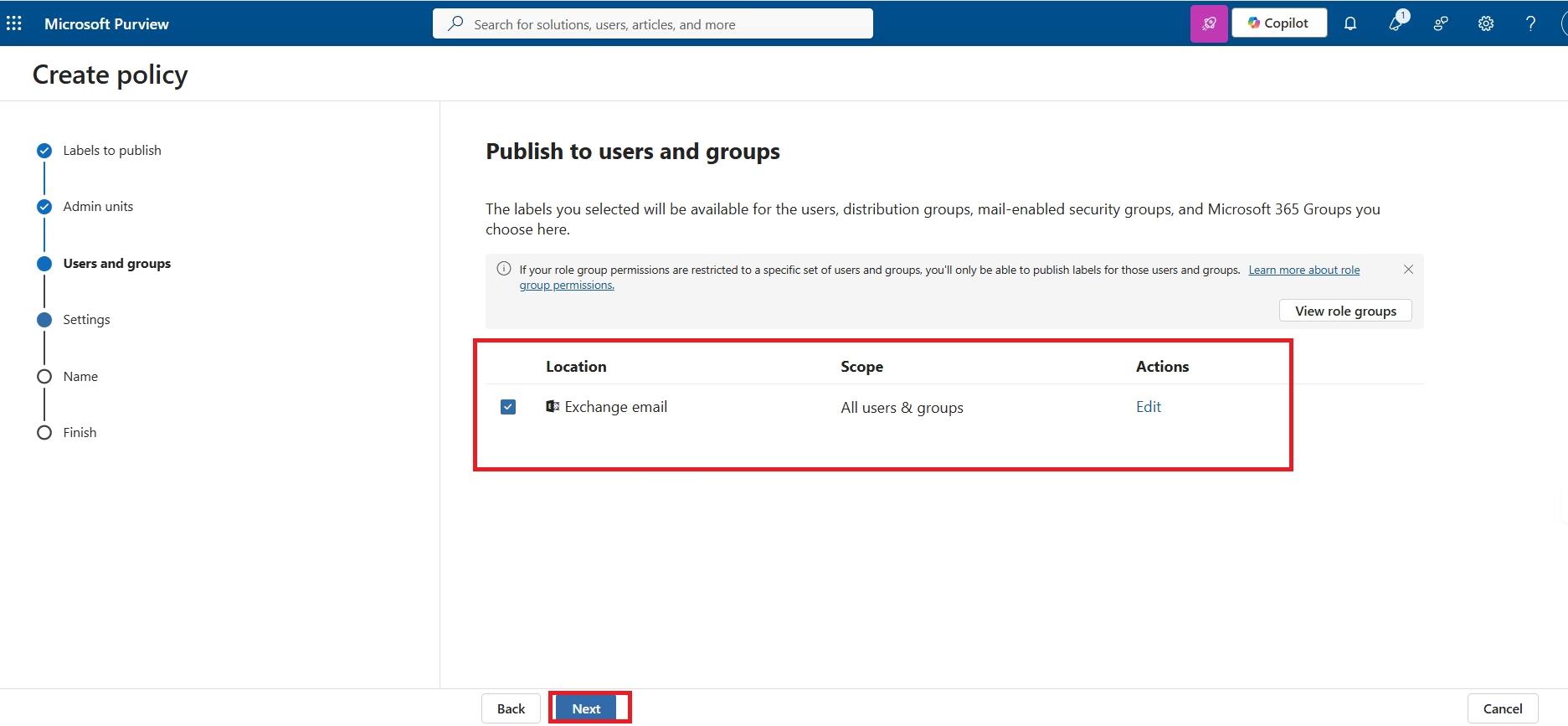
Assign Users
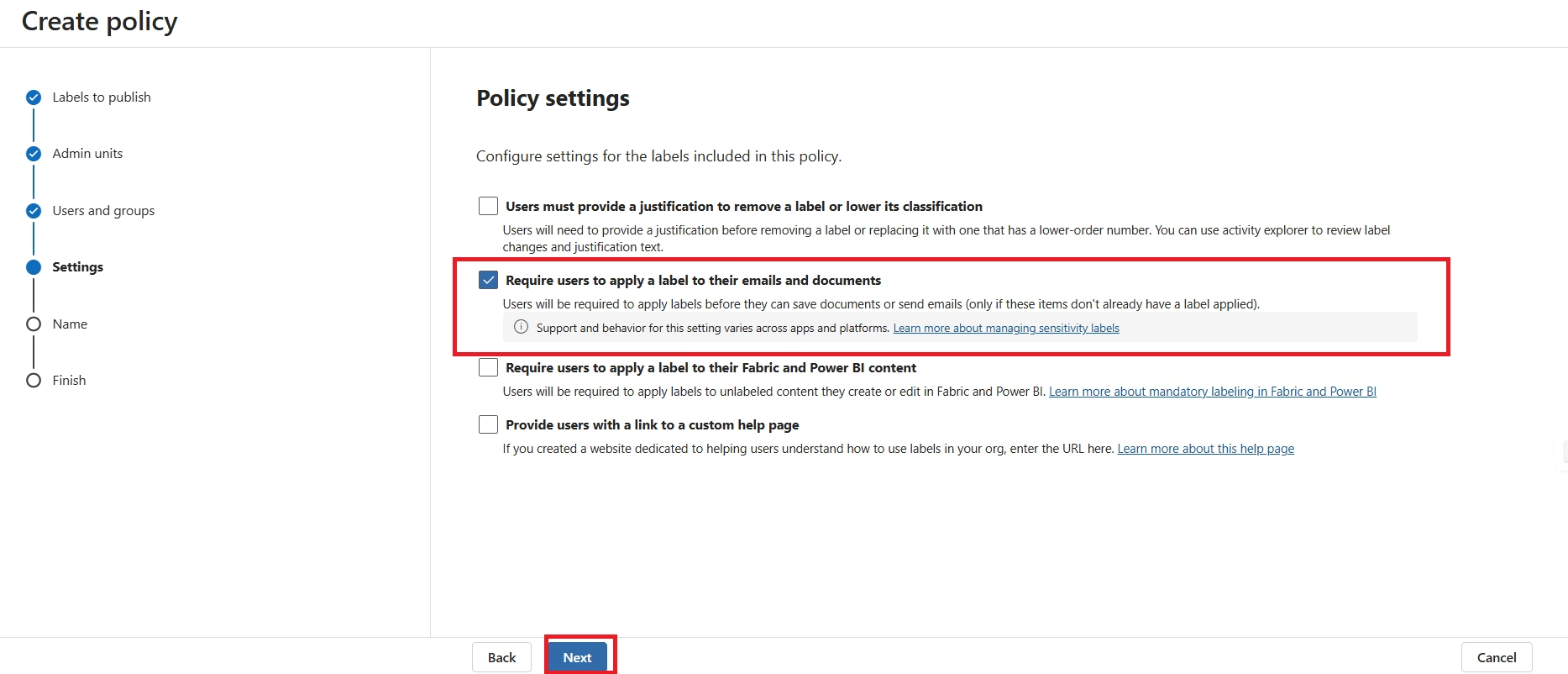
Policy Settings
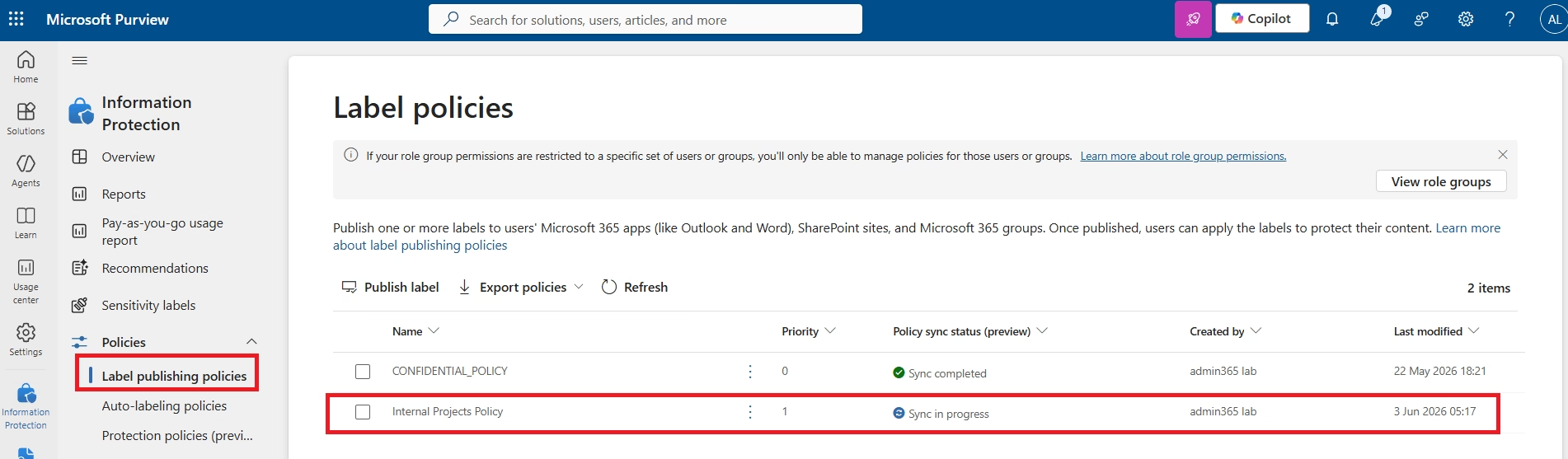
Policy Synchronization
Implementation Phase 4 – Manual Sensitivity Labels
Manual labeling enables users to classify documents themselves directly from Microsoft Office applications. This approach provides flexibility while still enforcing encryption, permissions and organizational classification standards.
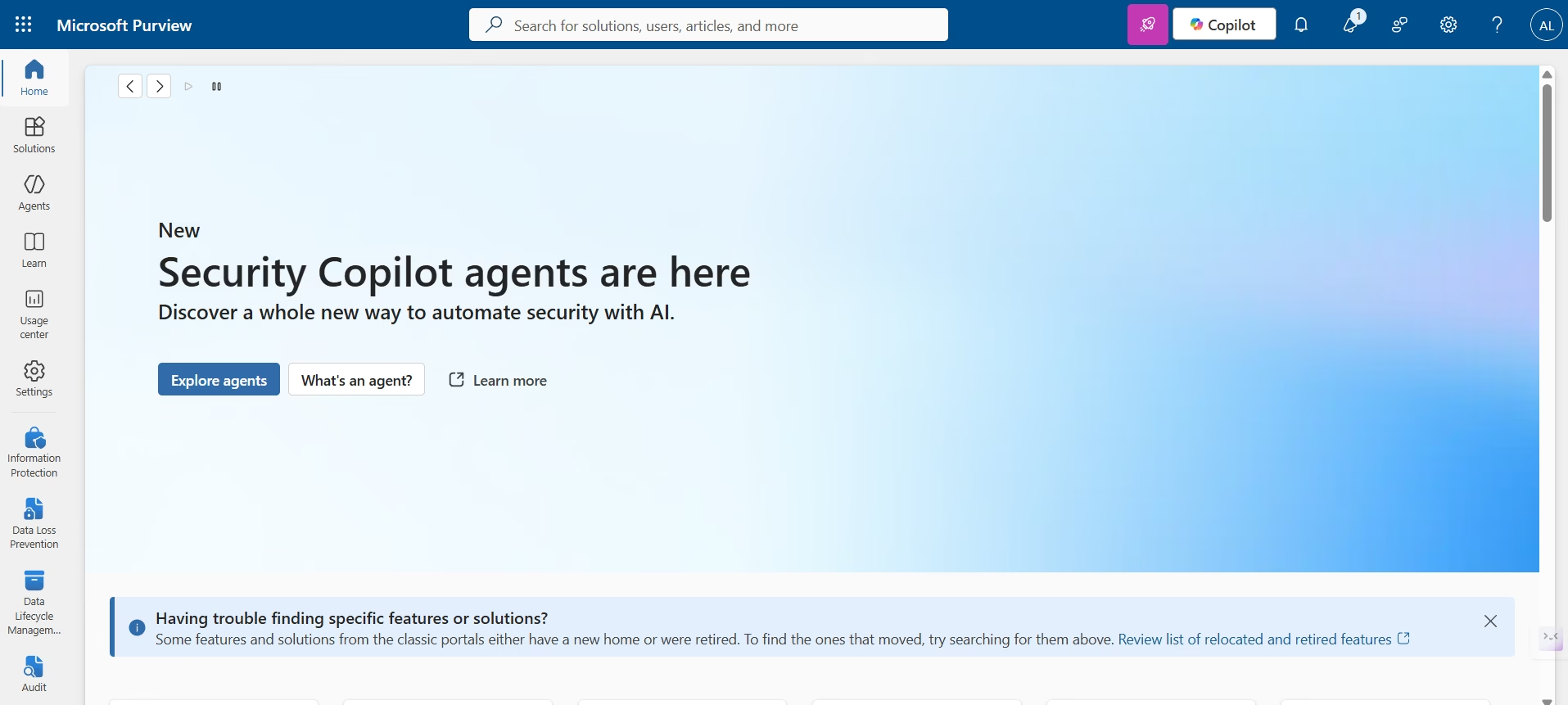
Purview Administration
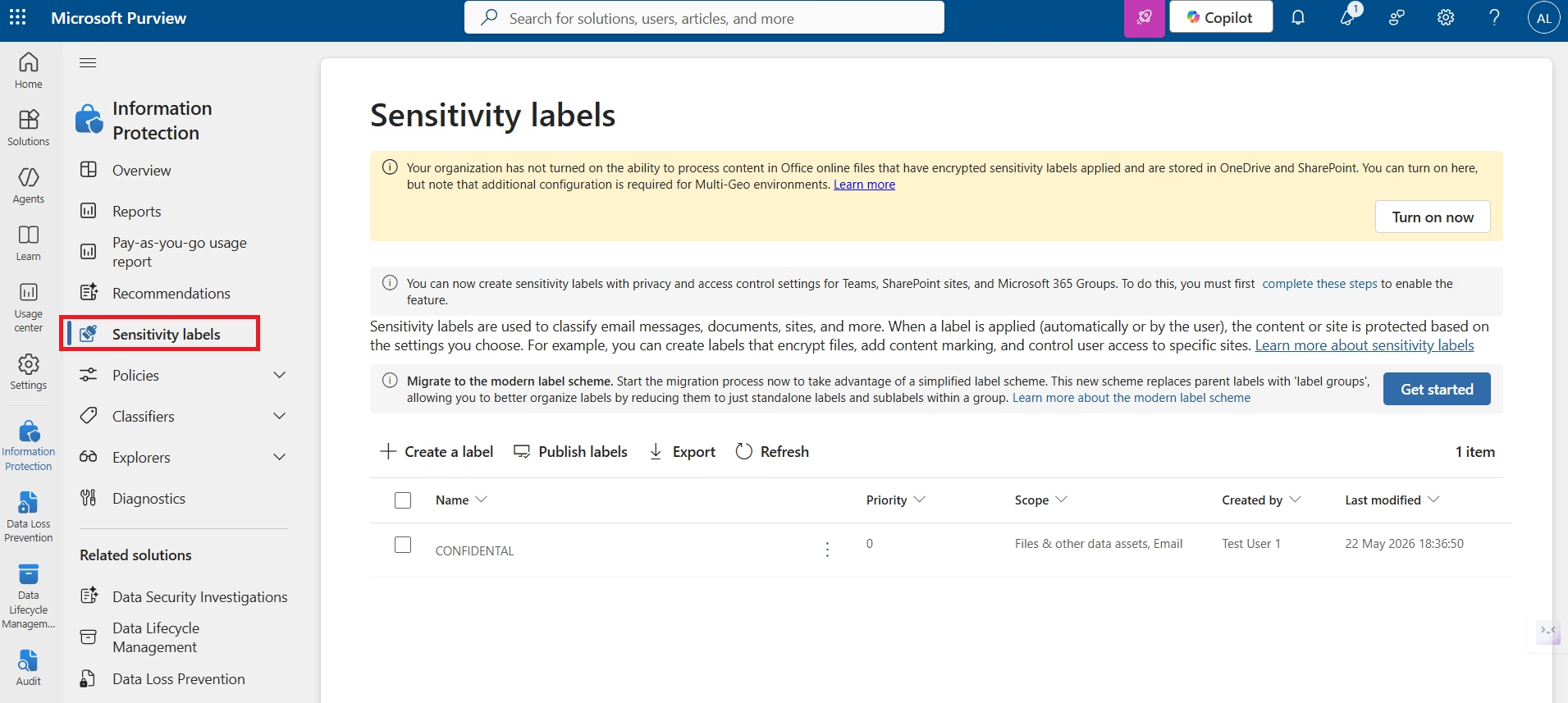
Sensitivity Labels Overview
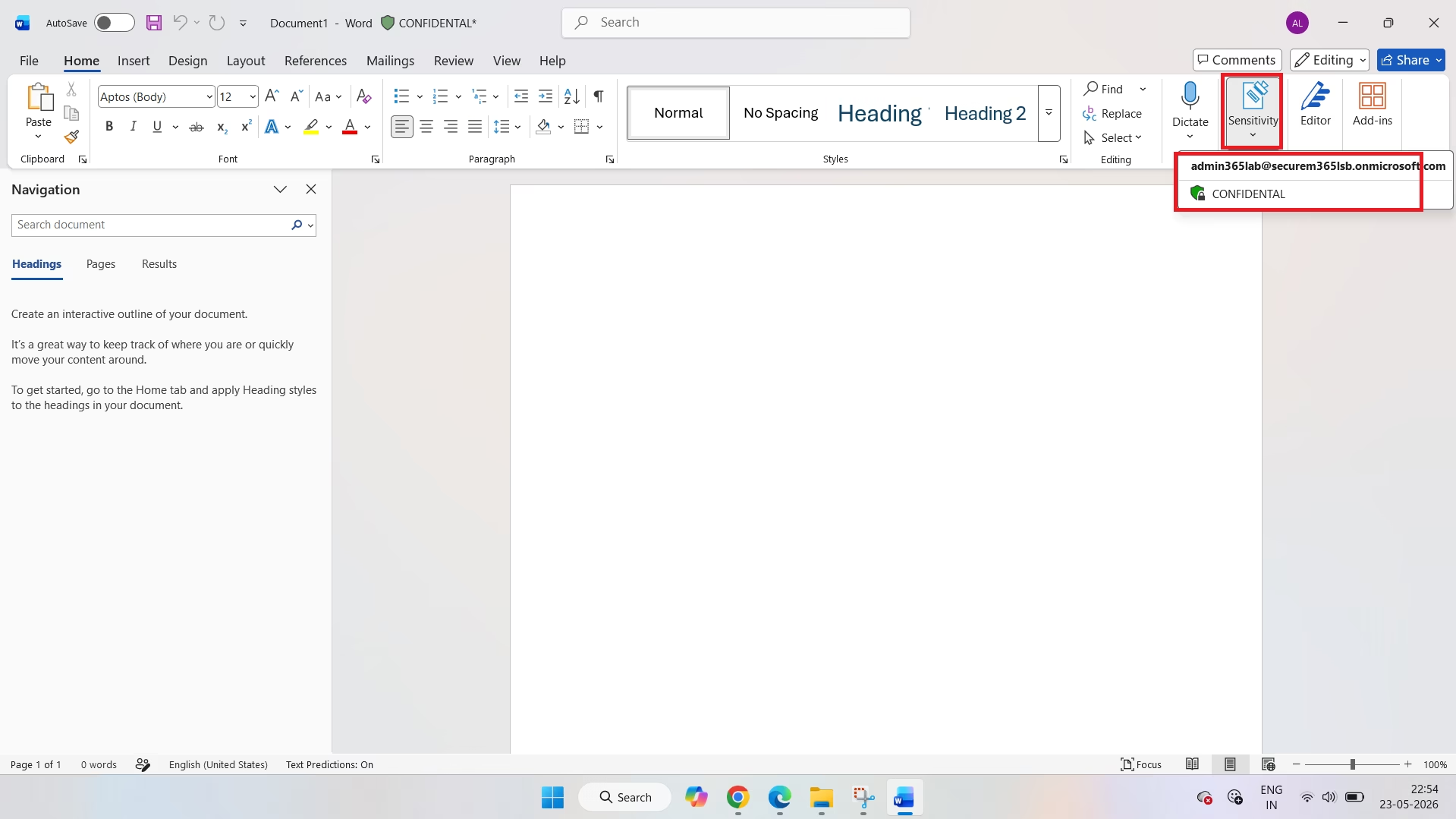
Manual Label Applied in Microsoft Word
Implementation Phase 5 – Automatic Sensitivity Labels
Automatic labeling removes the dependency on users manually selecting a classification. Microsoft Purview scans content for Sensitive Information Types (SITs) such as Credit Card Numbers and automatically applies the configured Sensitivity Label. This greatly reduces human error and improves compliance.
| Detection | Configured Action |
|---|---|
| Credit Card Number | Apply Finance Confidential Label |
| Encryption | Enabled |
| Label Publishing | Completed |
| Automatic Classification | Enabled |
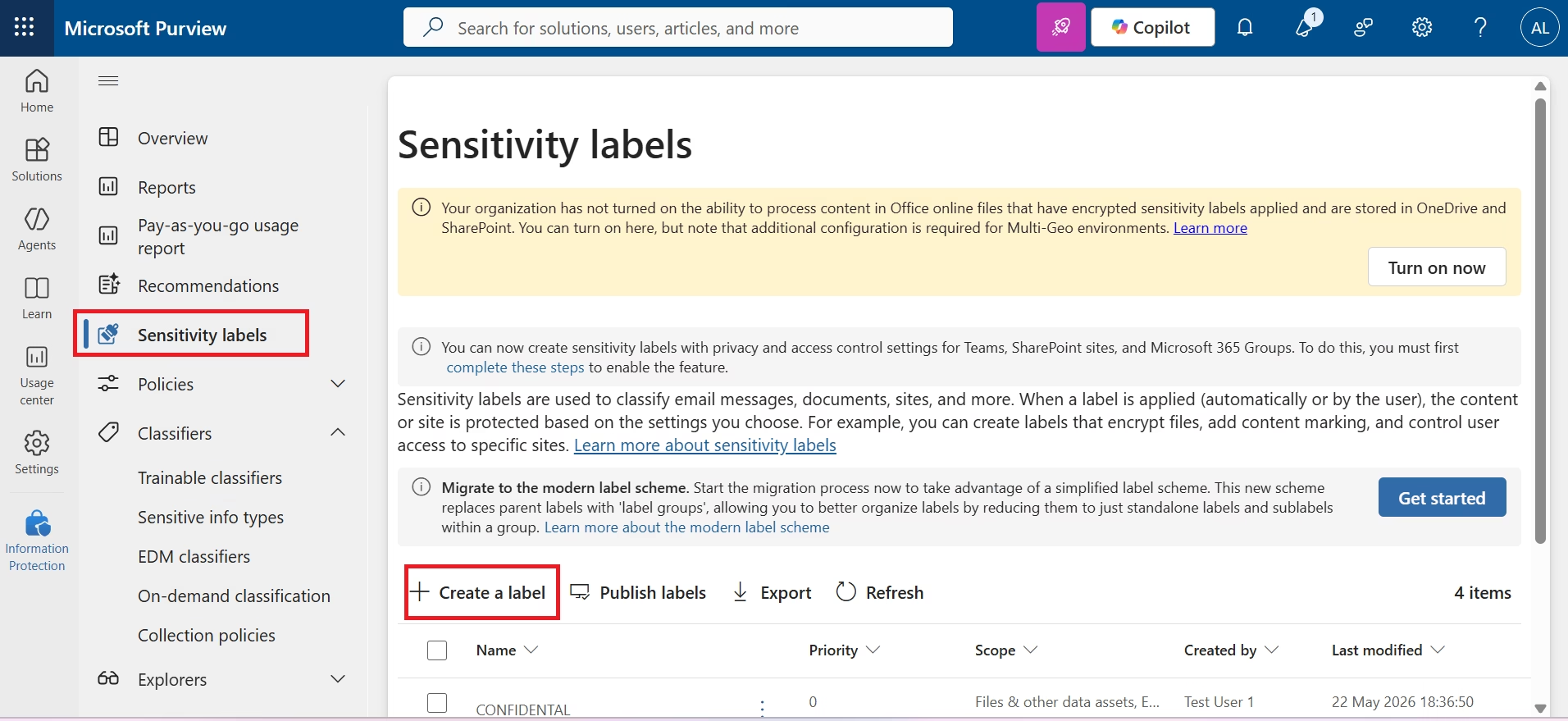
Create Auto Label Policy
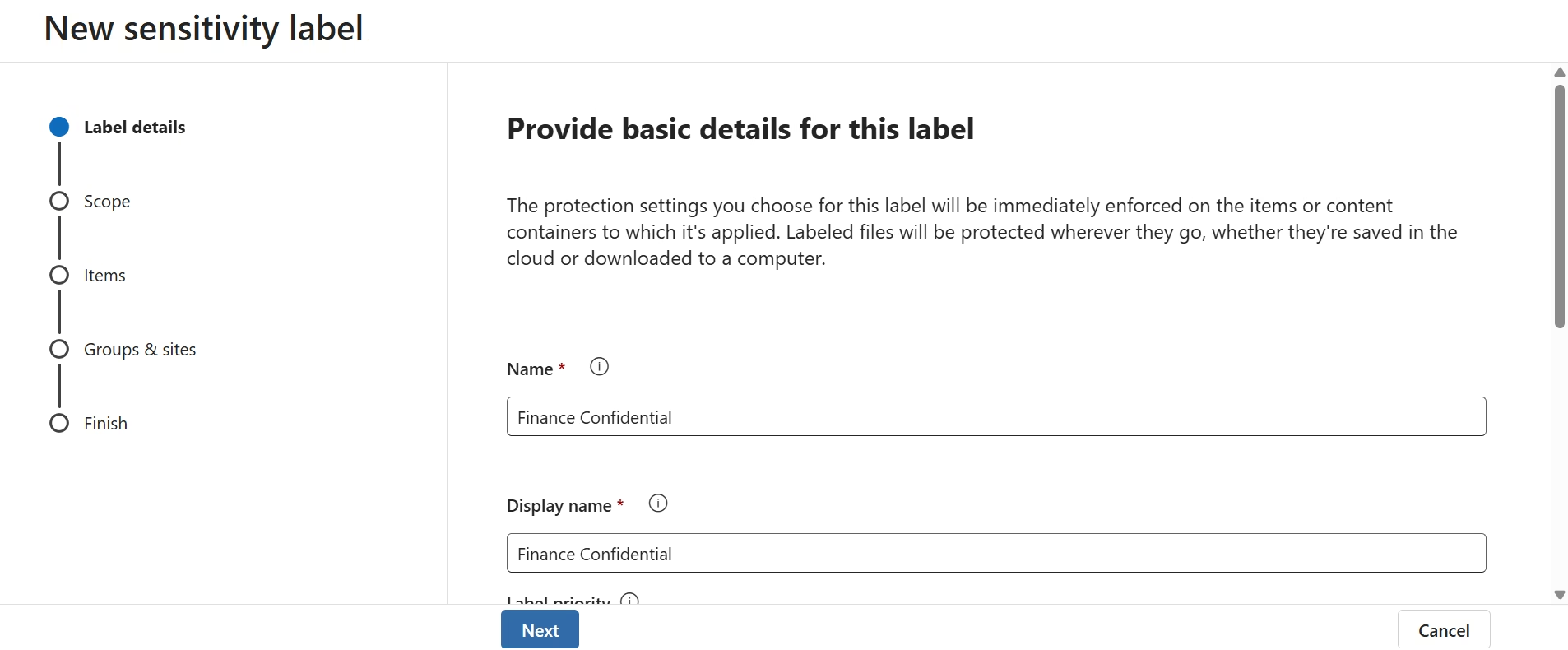
Scope Configuration
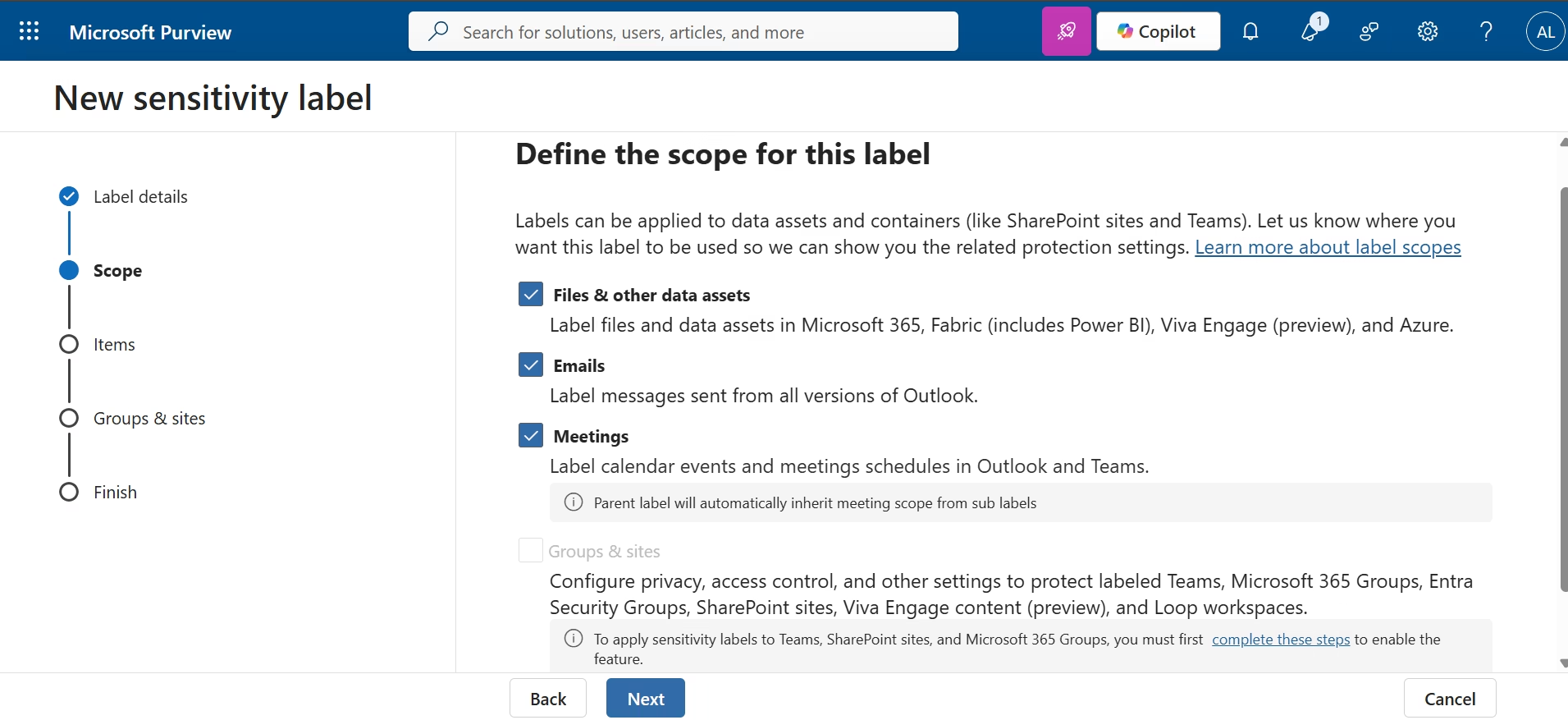
Enable Auto Labeling
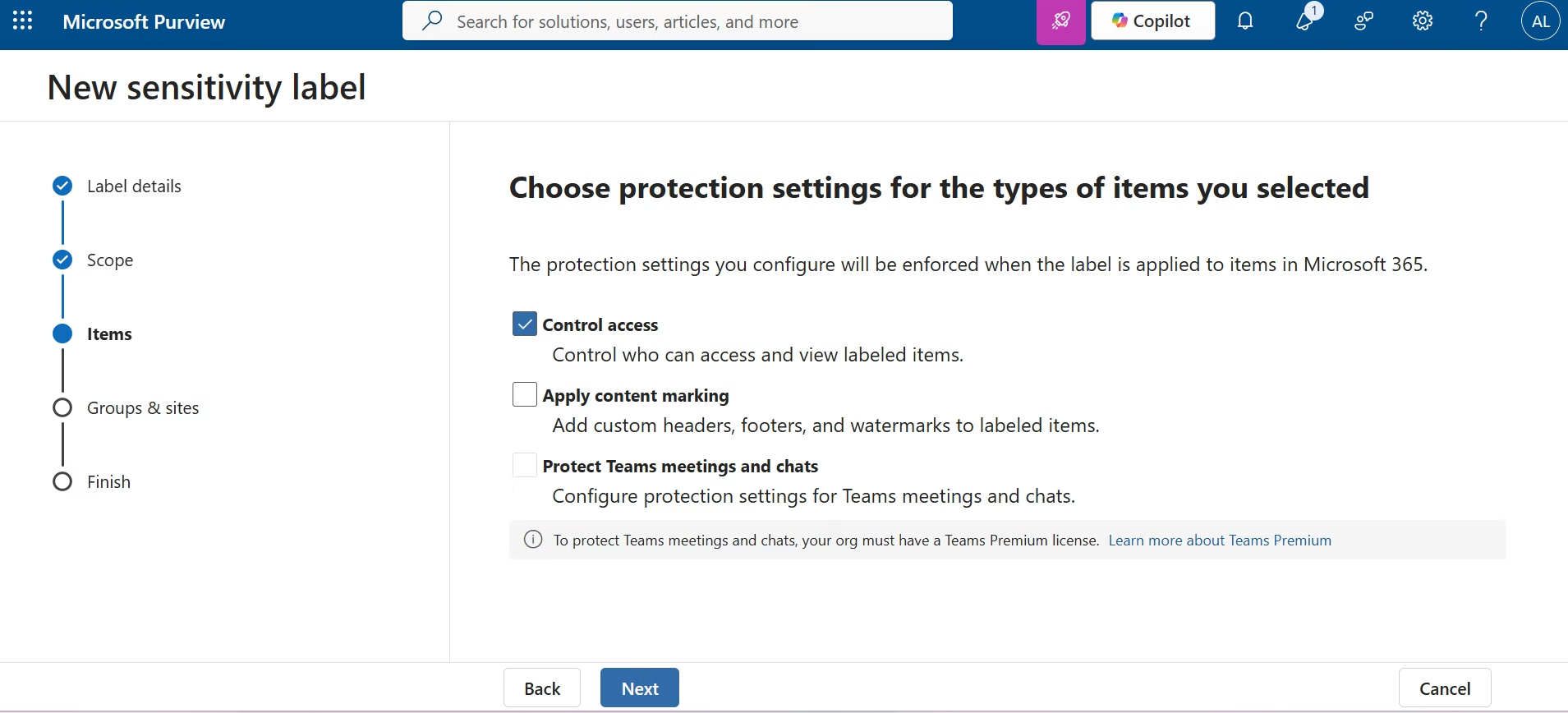
Detection Conditions
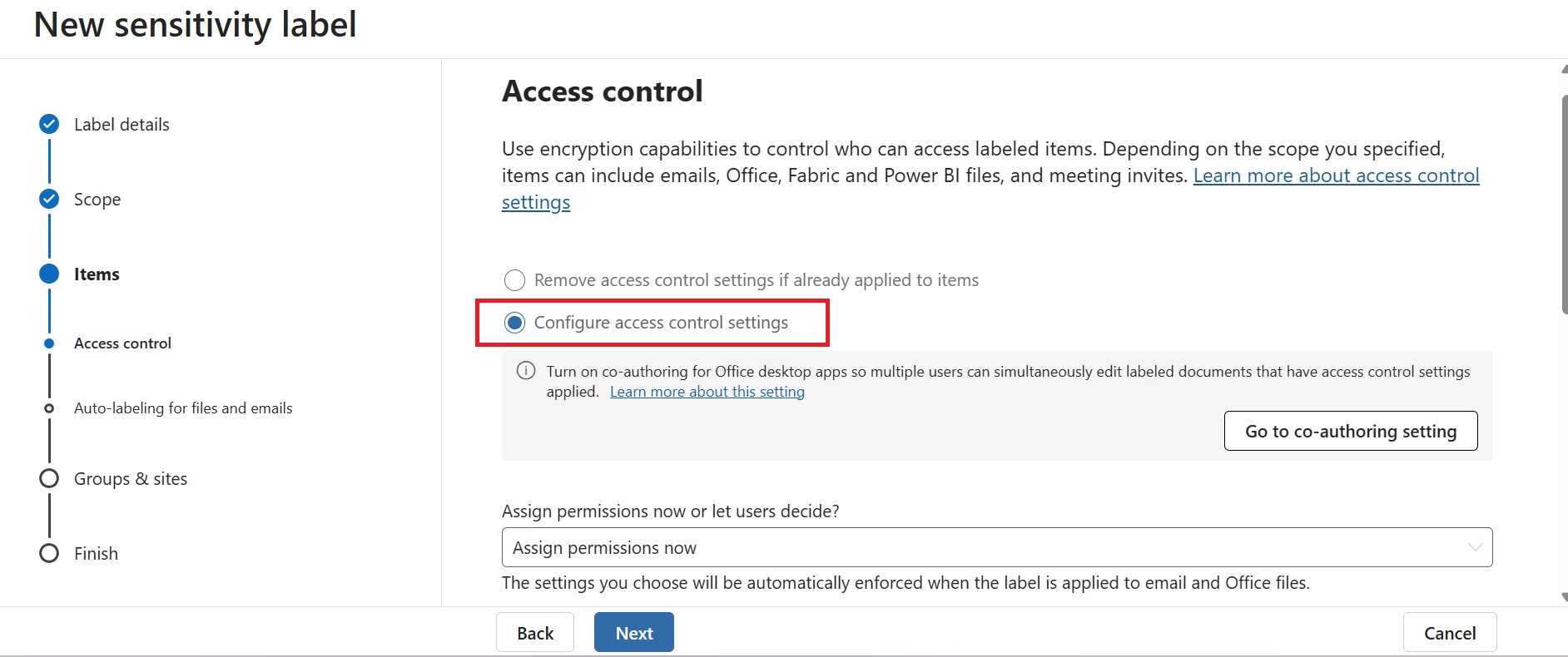
Sensitive Information Type
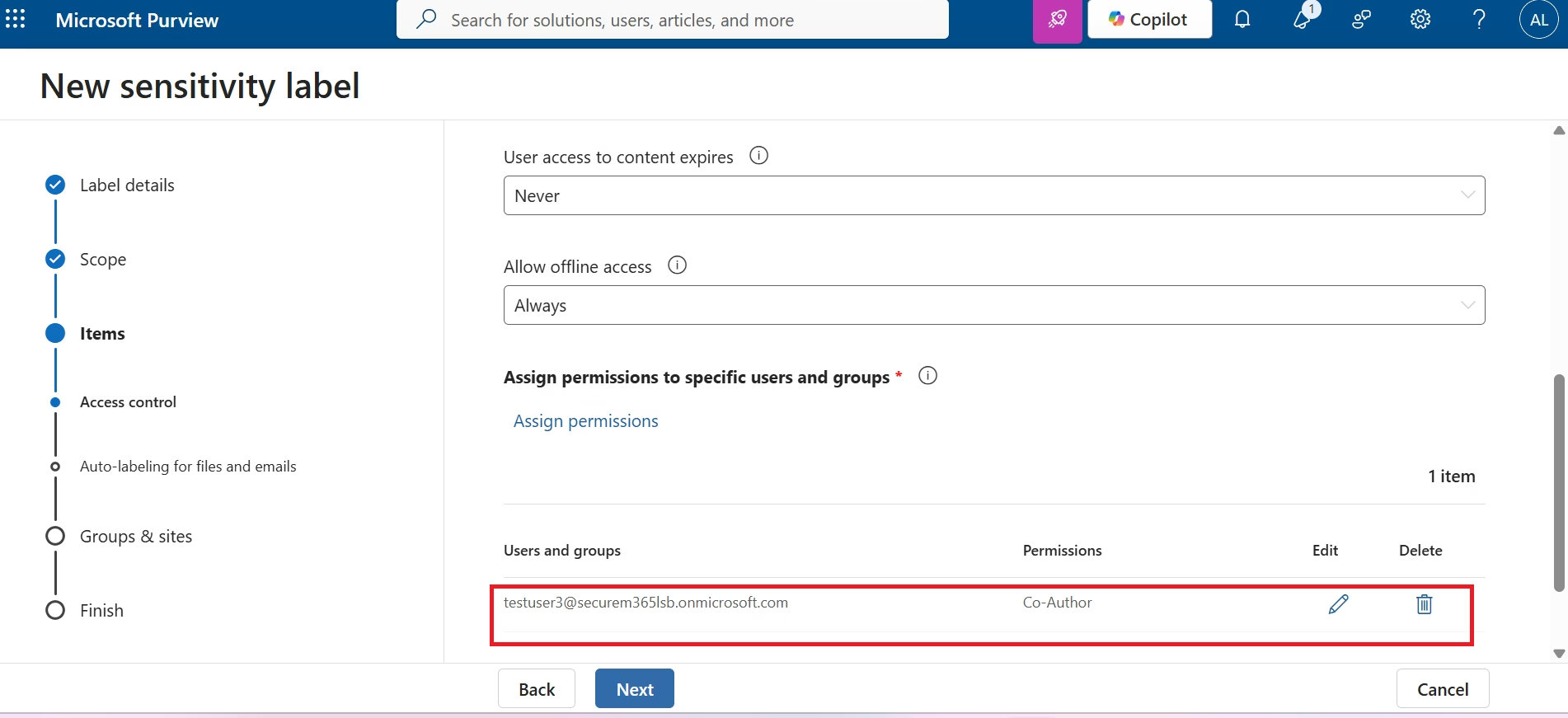
Credit Card Detection Configuration
Auto-Label Policy Validation
The automatic labeling policy was configured to detect Credit Card Numbers using Microsoft's built-in Sensitive Information Types (SITs). When the configured detection threshold is met, Microsoft Purview automatically applies the Finance Confidential Sensitivity Label. This minimizes user dependency while ensuring sensitive financial information is consistently protected.
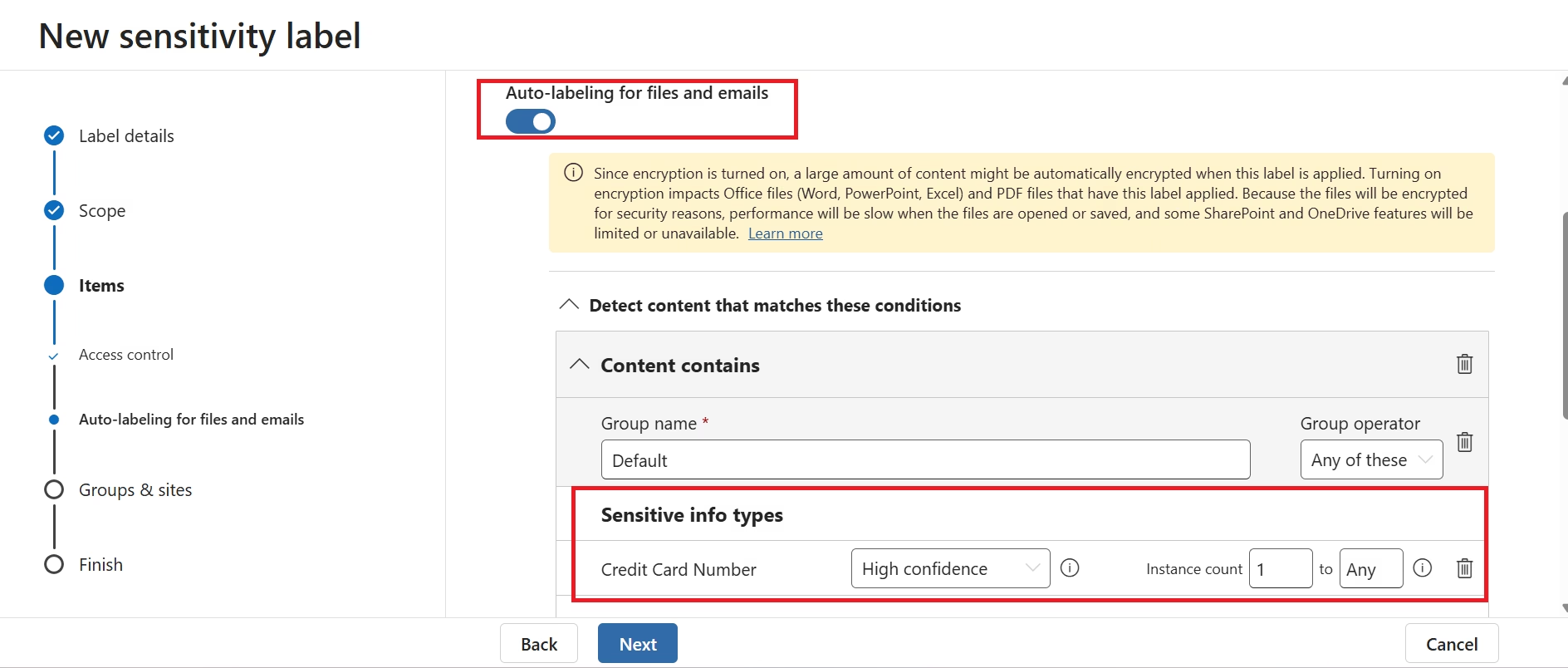
Review Auto-label Configuration
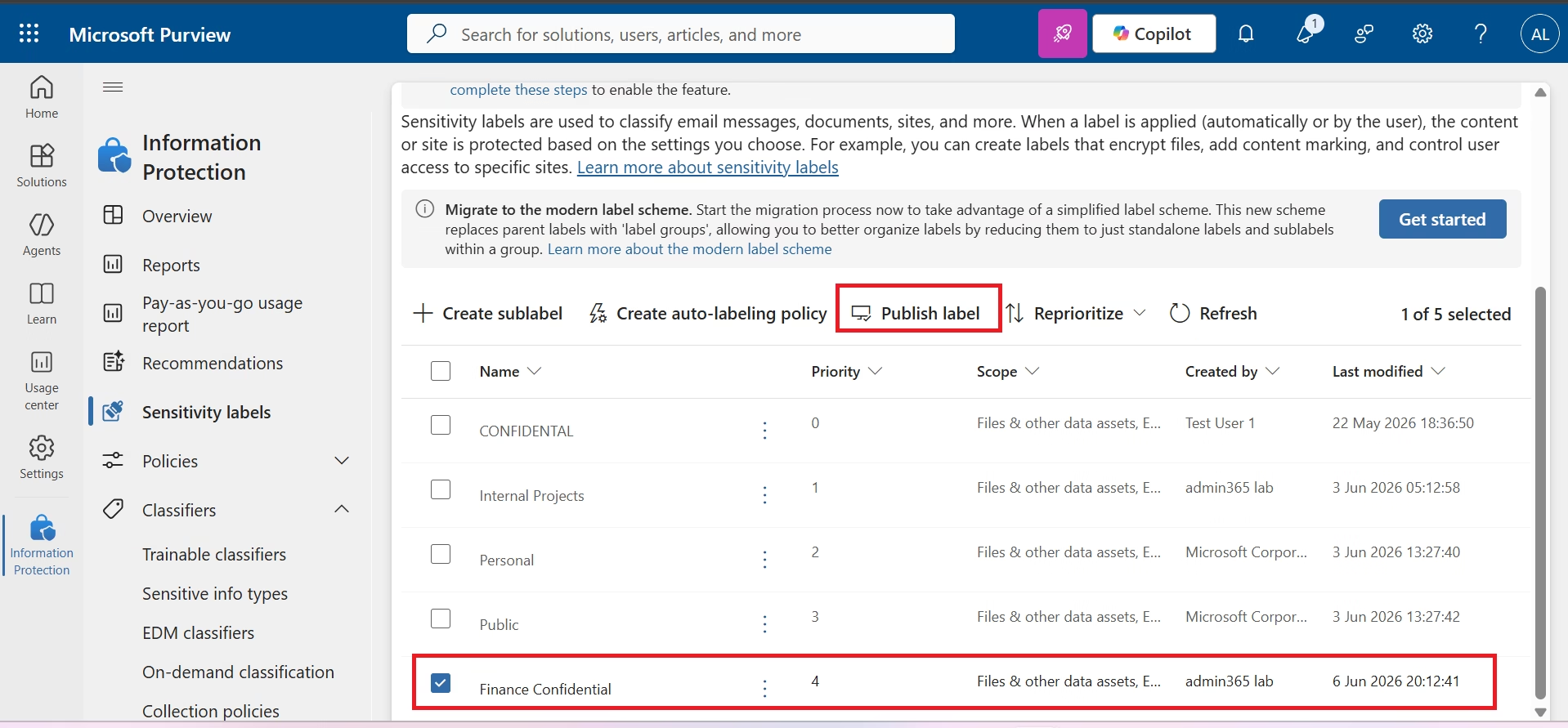
Publish Auto-label Policy
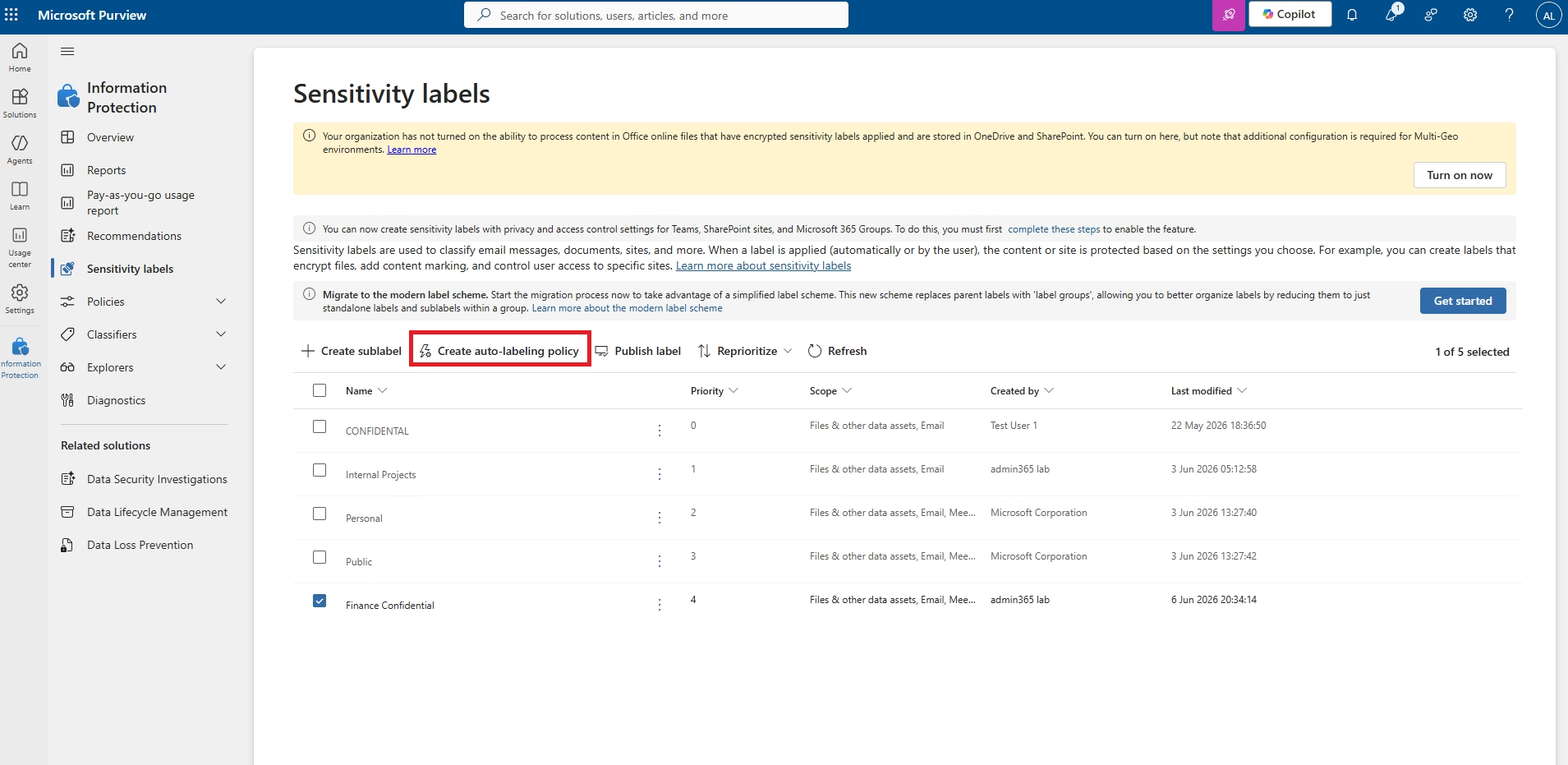
Auto-label Policy Wizard
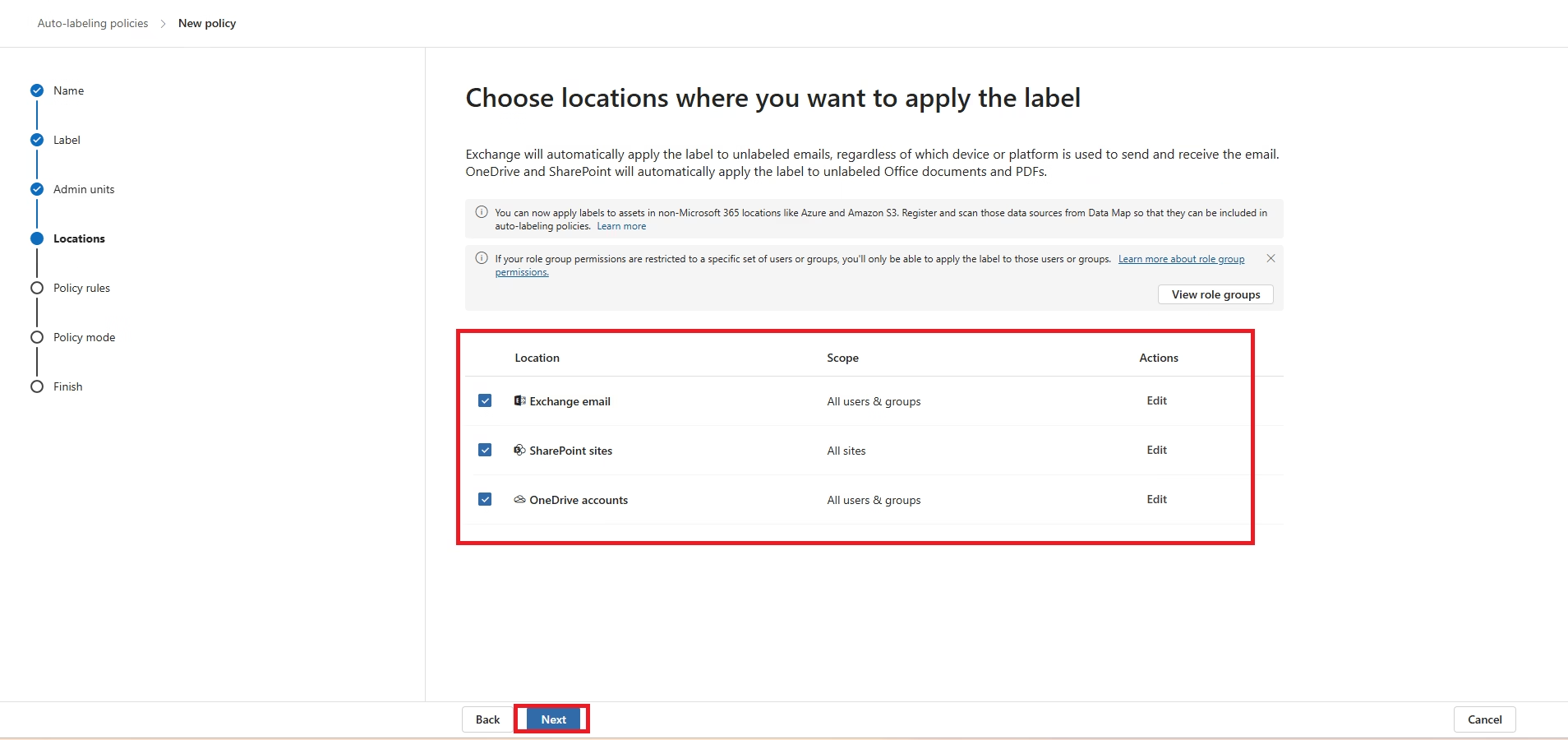
Policy Scope
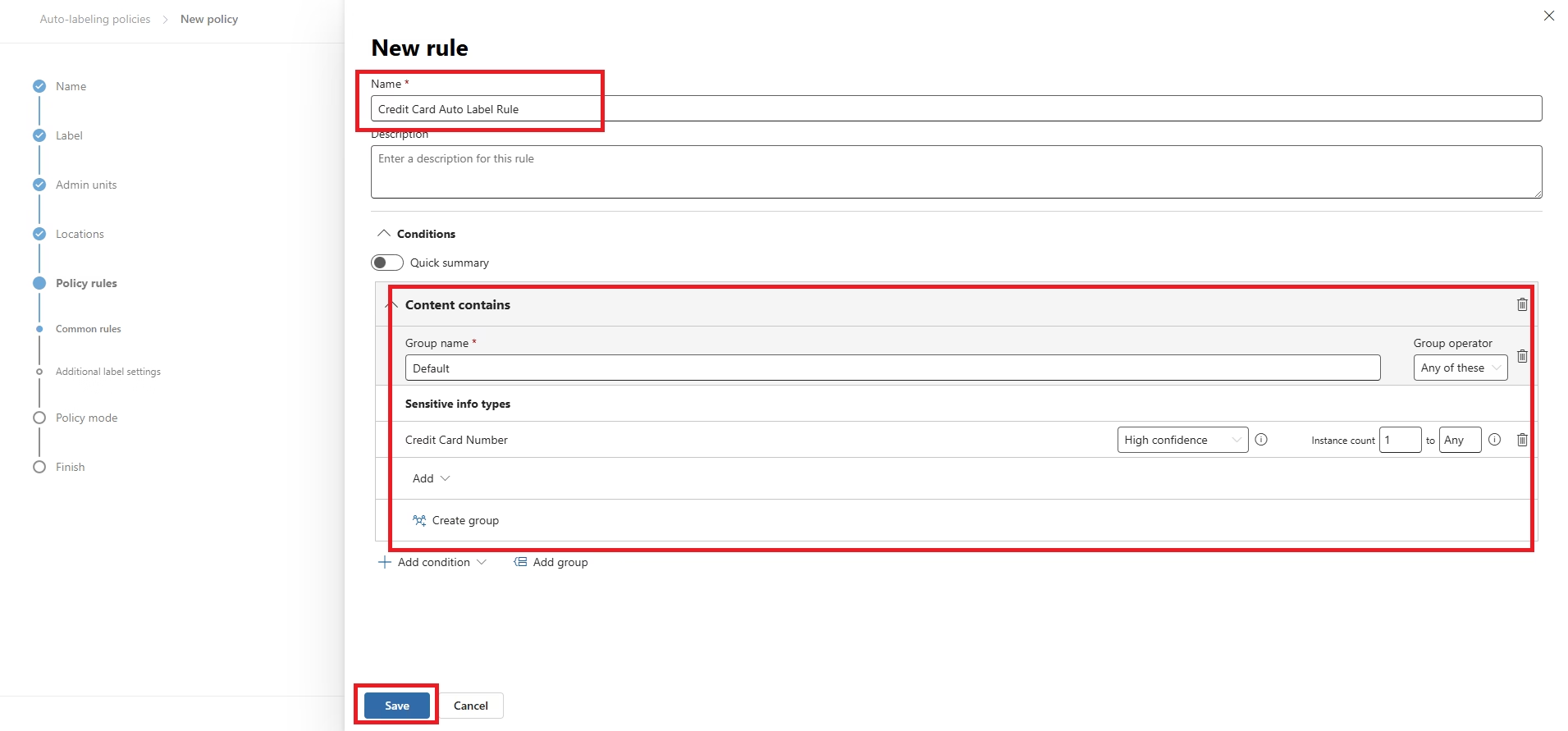
Final Policy Review
Validation Results
| Validation Item | Status |
|---|---|
| Purview Portal Accessible | Verified |
| Enterprise Sensitivity Labels Created | Completed |
| Label Policies Published | Completed |
| Manual Labeling Tested | Verified |
| Automatic Labeling Policy Configured | Verified |
| Credit Card Detection Configured | Verified |
| Encryption Settings Configured | Verified |
| Microsoft 365 Integration | Verified |
Skills Demonstrated
MS-102 Exam Objectives Covered
- Configure Microsoft Purview Information Protection.
- Create and manage Sensitivity Labels.
- Publish Label Policies.
- Configure Manual Labeling.
- Create Automatic Labeling Policies.
- Configure Sensitive Information Types.
- Apply Encryption and Access Control.
- Understand Microsoft Information Protection architecture.
Zero Trust Alignment
| Zero Trust Principle | Implementation |
|---|---|
| Verify Explicitly | Every document is classified before protection. |
| Least Privilege | Encryption limits access to authorized users. |
| Assume Breach | Protection remains attached to the file wherever it travels. |
PowerShell Automation
| Script | Purpose |
|---|---|
| New-SensitivityLabels.ps1 | Create enterprise sensitivity labels. |
| New-AutoLabelingPolicy.ps1 | Create Auto-labeling Policy. |
| Get-SensitivityLabelReport.ps1 | Generate Information Protection reports. |
Related Projects
- Microsoft Purview Data Loss Prevention
- Microsoft Purview Data Lifecycle Management
- Microsoft Purview Audit
- Microsoft Purview eDiscovery
- Microsoft Defender for Cloud Apps
Lessons Learned
- Information Protection should be implemented before Data Loss Prevention.
- Automatic Labeling significantly reduces human error.
- Encryption should be combined with enterprise classification.
- Label Policies require synchronization before appearing in Office applications.
- Sensitivity Labels become reusable conditions for DLP, Defender for Cloud Apps and Microsoft Purview compliance solutions.
Conclusion
This project demonstrates a complete Microsoft Purview Information Protection implementation using Sensitivity Labels, Label Policies, Manual Classification and Automatic Labeling. The environment establishes an enterprise-ready data classification framework supporting Microsoft 365 security, compliance and Zero Trust initiatives while providing a strong practical reference for MS-102 Microsoft 365 Administrator exam preparation.