Microsoft Defender XDR + Microsoft Sentinel
Implemented a centralized security operations platform using Microsoft Defender XDR and Microsoft Sentinel to collect, correlate, investigate and monitor Microsoft 365 security alerts within a single SIEM dashboard.
Project Overview
Organizations often deploy Microsoft Defender for Endpoint, Defender for Office 365, Defender for Identity and Microsoft Entra ID independently. While each service detects threats, security teams must switch between multiple portals to investigate incidents.
This project demonstrates how Microsoft Sentinel integrates with Microsoft Defender XDR to centralize security monitoring, incident management and alert investigation through a single cloud-native SIEM platform.
The implementation focused on enabling native Microsoft security integration rather than building custom analytics, providing a foundation for future SOC automation and threat hunting.
Business Problem
Siloed Security Data
Security alerts were spread across multiple Microsoft Defender products making investigations slower.
No Central Visibility
Security teams lacked one dashboard to monitor alerts, incidents and investigation history.
Limited Incident Correlation
Attack chains across Email, Identity and Endpoint security were difficult to correlate.
Manual Investigation
Analysts needed to manually review alerts from different Microsoft security portals.
Microsoft Technologies Used
Implementation Steps
Phase 1 — Microsoft Sentinel Workspace
Created a Log Analytics Workspace and enabled Microsoft Sentinel to establish the SIEM platform for centralized log collection.
Phase 2 — Defender XDR Connector
Installed the Microsoft Defender XDR solution from the Content Hub and connected Microsoft Defender security signals into Microsoft Sentinel.
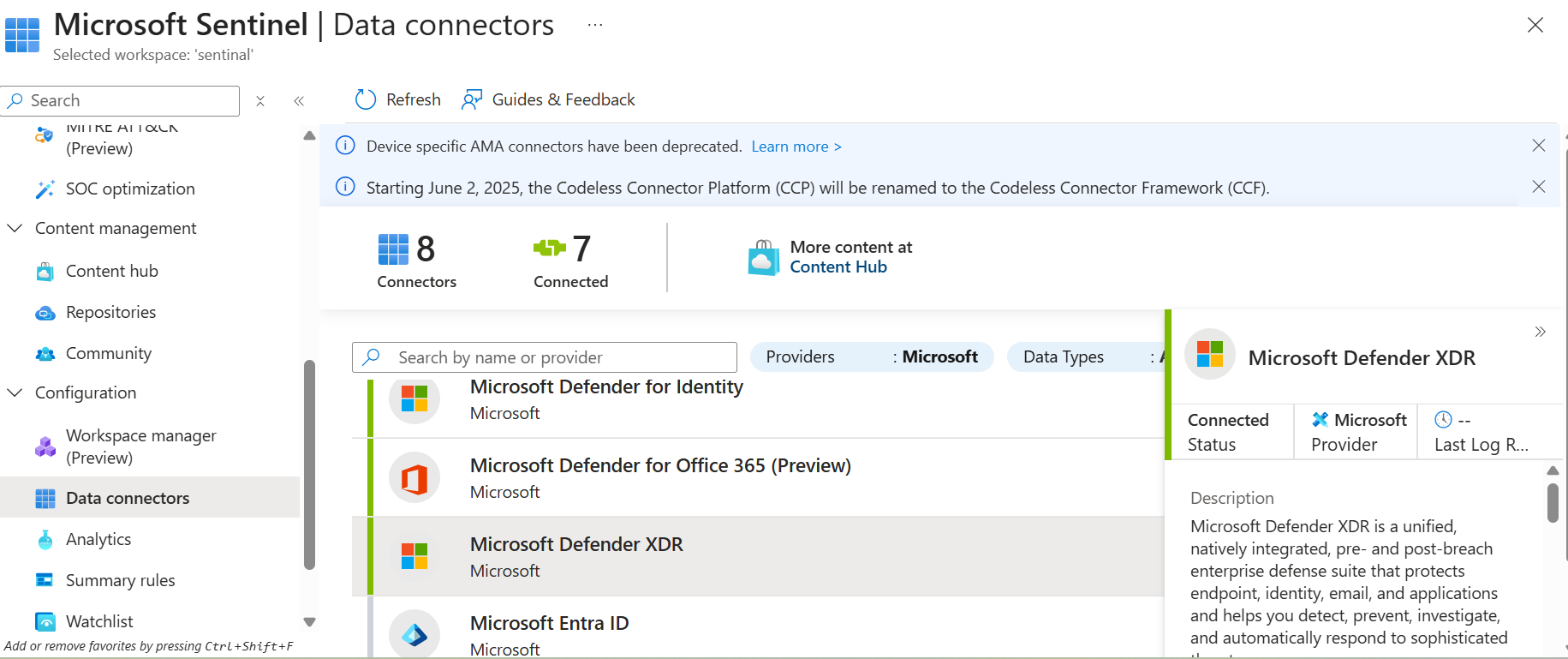 alt="Defender XDR Connector">
Phase 3 — Defender XDR Installation
Verified Microsoft Defender XDR connector installation and confirmed successful data ingestion into Sentinel.
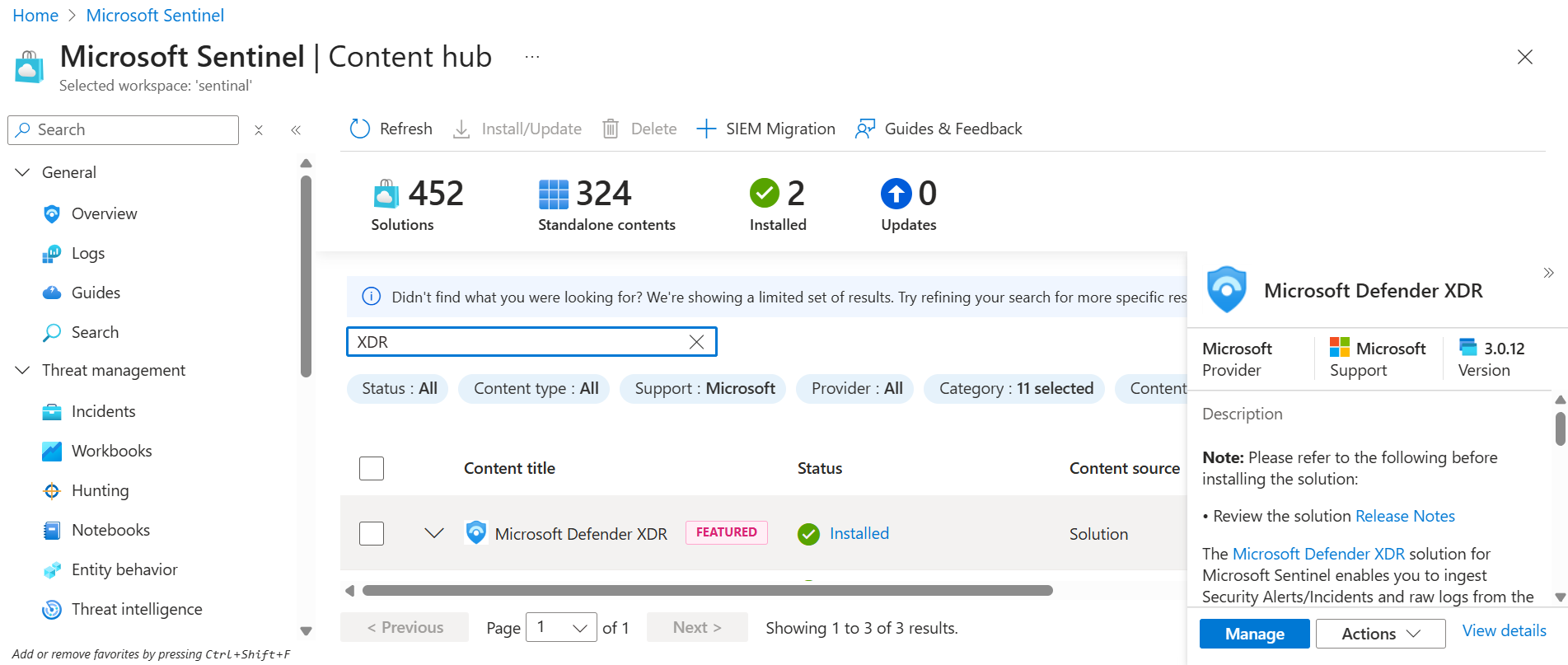 alt="Install Defender XDR">
Incident Validation & Investigation
After enabling Microsoft Defender XDR integration, Microsoft Sentinel automatically received security incidents from Microsoft Defender. The incident was investigated automatically by Microsoft Defender XDR without requiring manual analyst intervention.
Incident Status
✔ Automatically Investigated
Incident Severity
Low
MTTA
0 Minutes
MTTC
14 Minutes
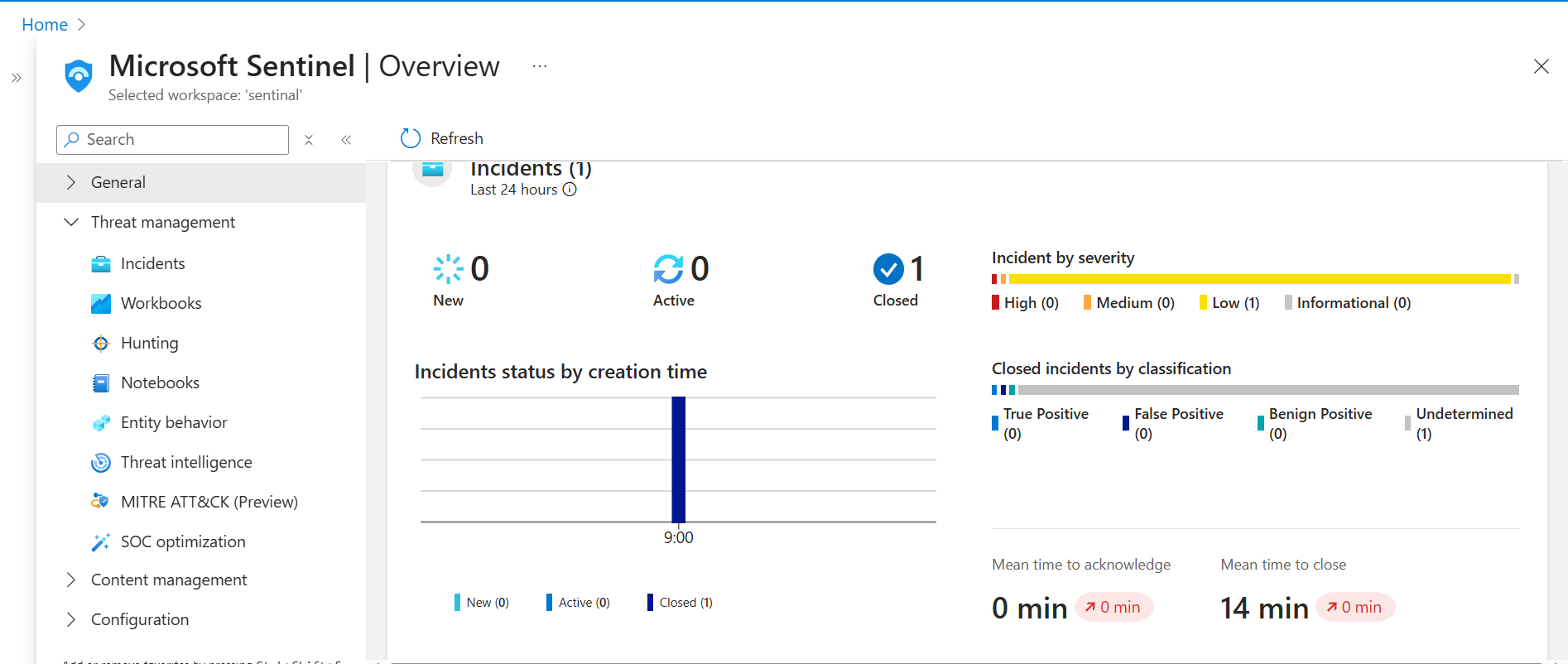 alt="Incident Closed Automatically">
Incident Investigation
The generated incident contained all related alerts, investigation timeline, evidence, affected resources and automated investigation results. Microsoft Sentinel provided a centralized interface to review incident details without navigating multiple Defender portals.
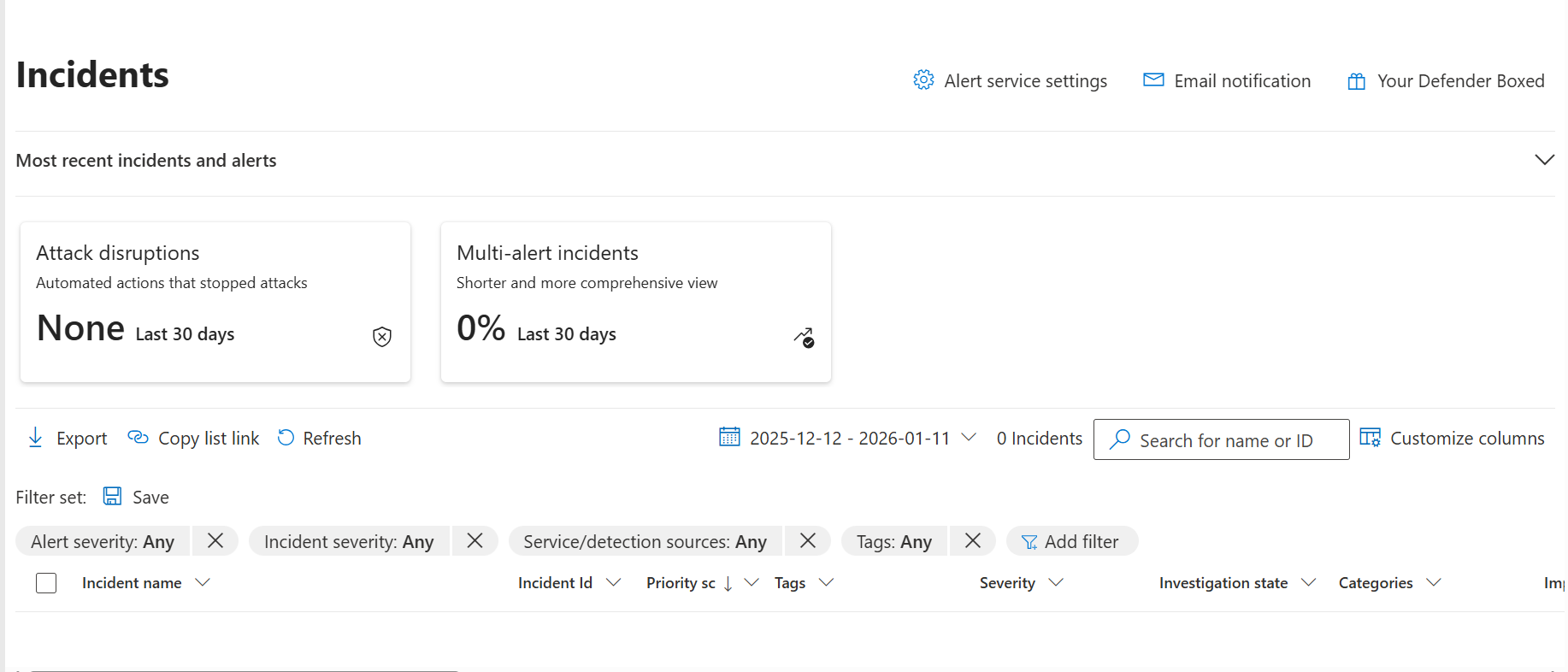 alt="Sentinel Incident Page">
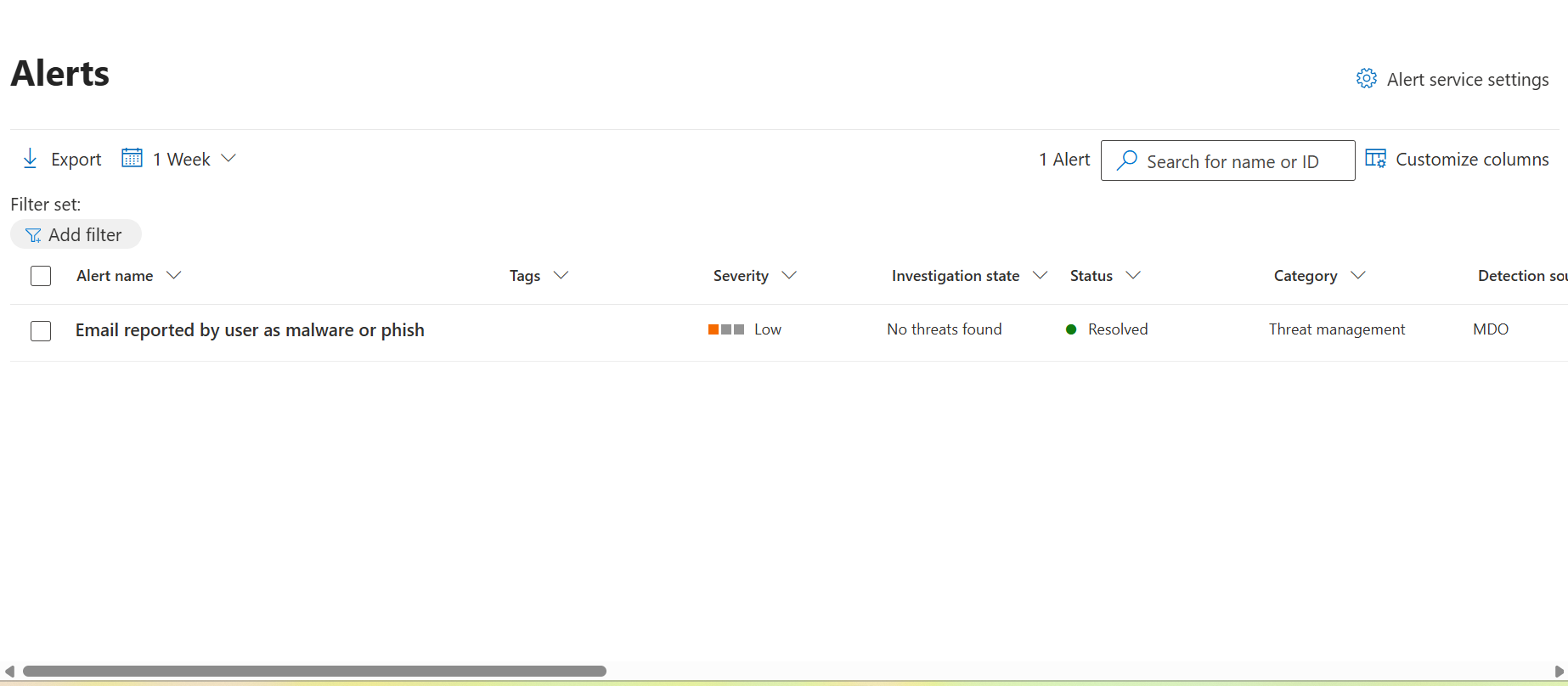
Alert Validation
The alert originated from Microsoft Defender for Office 365 after a user reported a phishing email. Microsoft Defender XDR automatically investigated the alert and determined that no malicious activity was present. The alert flowed into Microsoft Sentinel where it became part of the incident timeline for centralized SOC monitoring.
 alt="Alert Page">
Implementation Summary
| Activity | Status |
|---|---|
| Created Log Analytics Workspace | ✔ Completed |
| Enabled Microsoft Sentinel | ✔ Completed |
| Installed Defender XDR Connector | ✔ Completed |
| Connected Microsoft Defender Signals | ✔ Completed |
| Validated Incident Ingestion | ✔ Completed |
| Reviewed Incident Investigation | ✔ Completed |
| Verified Alert Correlation | ✔ Completed |
Skills Demonstrated
Lessons Learned
- Microsoft Sentinel provides a centralized SIEM platform for Microsoft security services.
- Native Defender XDR integration requires minimal configuration through Content Hub.
- Automated investigation significantly reduces manual SOC effort.
- Microsoft Defender XDR automatically correlates alerts across multiple Microsoft security products.
- Even in a small lab environment, Microsoft Sentinel demonstrates enterprise-grade incident visibility.
- Automation-first security operations help reduce Mean Time to Acknowledge (MTTA) and Mean Time to Close (MTTC).
Project Repository
This repository contains implementation documentation, architecture diagrams, screenshots, PowerShell automation scripts and validation evidence for Microsoft Defender XDR and Microsoft Sentinel.
View Project on GitHub →