Microsoft Purview Compliance Project
Microsoft Purview Data Loss Prevention
Enterprise implementation of Microsoft Purview Data Loss Prevention (DLP)
covering built-in Sensitive Information Types (SIT), Custom Sensitive
Information Types, Endpoint DLP, Microsoft Defender for Endpoint
integration, Activity Explorer, DLP Alerts, DLP Reports and
Generative AI website protection.
Project Overview
Data Loss Prevention (DLP) is one of the most critical capabilities in
Microsoft Purview for preventing accidental or intentional exposure of
sensitive organizational data.
This project demonstrates an end-to-end enterprise implementation of
Microsoft Purview Data Loss Prevention within a Microsoft 365 lab
environment. The implementation progresses through six practical phases,
starting with built-in Sensitive Information Types and extending to
custom organizational data detection, endpoint protection, monitoring,
Generative AI website controls, and policy enforcement.
Unlike theoretical demonstrations, every configuration, screenshot,
policy, alert, and validation included in this repository was implemented
inside a Microsoft 365 lab tenant and validated using real testing
scenarios.
The project follows Microsoft's Zero Trust principle that sensitive data
must always be protected regardless of where it resides—cloud services,
endpoints, browsers, or AI applications.
Key Capabilities Implemented
- ✔ Microsoft Purview Data Loss Prevention
- ✔ Built-in Sensitive Information Types (Credit Card)
- ✔ Custom Sensitive Information Types (GSM)
- ✔ Endpoint DLP
- ✔ Microsoft Defender for Endpoint Integration
- ✔ Activity Explorer
- ✔ DLP Alerts
- ✔ DLP Reports
- ✔ Generative AI Website Protection
- ✔ Simulation Mode Validation
- ✔ Enforcement Mode Deployment
Lab Environment
| Component |
Value |
| Tenant |
securem365lsb.onmicrosoft.com |
| Platform |
Microsoft Purview Compliance Portal |
| Test Device |
testing_machine (Windows 11 25H2) |
| Test User |
testuser1@securem365lsb.onmicrosoft.com |
| License |
Microsoft 365 E5 Compliance |
| Lab Period |
June 28 – July 3, 2026 |
Microsoft Technologies Used
Microsoft Purview
Microsoft Purview DLP
Sensitive Information Types
Custom SIT
Microsoft Defender for Endpoint
Endpoint DLP
Microsoft Edge
Activity Explorer
DLP Alerts
DLP Reports
Microsoft Entra ID
Microsoft 365 E5 Compliance
Business Problem
Organizations store payment information, customer records, contracts,
internal documents, and proprietary business data across Microsoft 365.
Without Data Loss Prevention, this information can easily leave the
organization through email, cloud storage, browser uploads, USB devices,
or AI applications.
Traditional security controls focus on protecting identities and devices,
but they cannot determine whether sensitive business data is leaving the
organization.
This implementation addresses those challenges by protecting sensitive
information regardless of where the data travels while maintaining
visibility through centralized monitoring and reporting.
Project Objectives
Protect Sensitive Data
Detect and protect financial information using Microsoft's built-in
Sensitive Information Types.
Create Custom Detection
Implement a custom Sensitive Information Type (GSM) for proprietary
organizational data.
Protect Endpoints
Extend Microsoft Purview protection to Windows devices using Endpoint DLP
and Defender for Endpoint.
Block AI Uploads
Prevent sensitive documents from being uploaded to Generative AI websites
using Microsoft's built-in Sensitive Service Domain Groups.
Implementation Phases
Phase 1 — Standard Sensitive Information Types
Created a Microsoft Purview DLP policy using Microsoft's built-in Credit
Card Sensitive Information Type and validated policy behavior in
Simulation mode.
Phase 2 — Custom Sensitive Information Types
Built a custom GSM Sensitive Information Type using keyword matching and
integrated it into the DLP policy.
Phase 3 — Monitoring & Investigation
Configured Activity Explorer, DLP Alerts, Incident Reports and DLP
Reports for continuous monitoring.
Phase 4 — Endpoint DLP
Integrated Microsoft Defender for Endpoint, onboarded Windows devices,
validated policy synchronization and browser restrictions.
Phase 5 — AI Website Protection
Blocked uploads to Microsoft Generative AI Website groups and validated
ChatGPT upload blocking.
Phase 6 — Enforcement
Switched the policy from Simulation Mode to Enforcement Mode after
successful validation.
Phase 1 — Standard Sensitive Information Type (Credit Card)
The first phase focused on creating an enterprise Data Loss Prevention
policy using Microsoft's built-in Credit Card Number Sensitive
Information Type.
This policy protects sensitive financial information across supported
Microsoft 365 workloads while allowing administrators to validate policy
behavior in Simulation Mode before enabling enforcement.
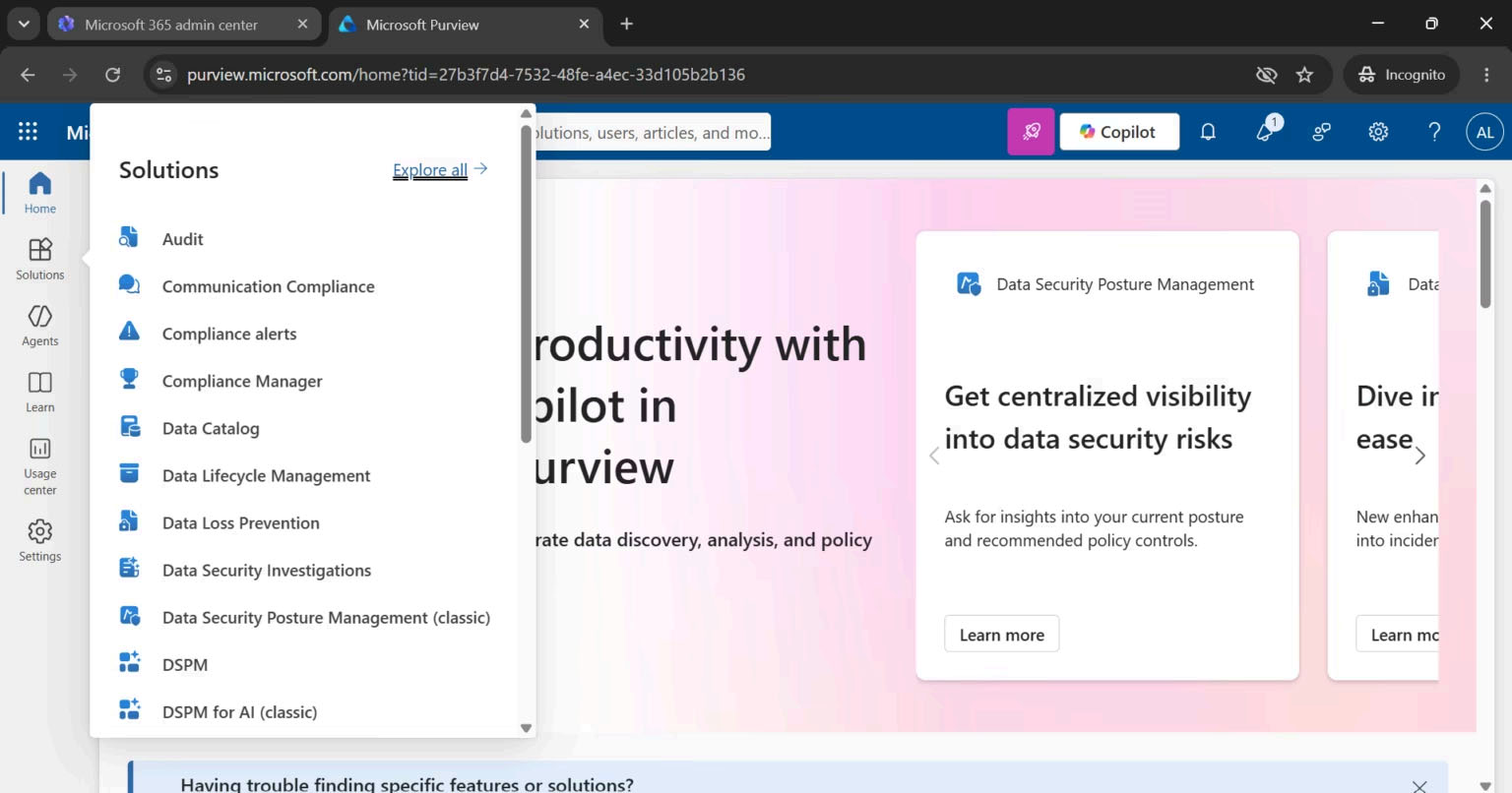
Purview Compliance Portal
Started from the Microsoft Purview portal and selected
Data Loss Prevention.
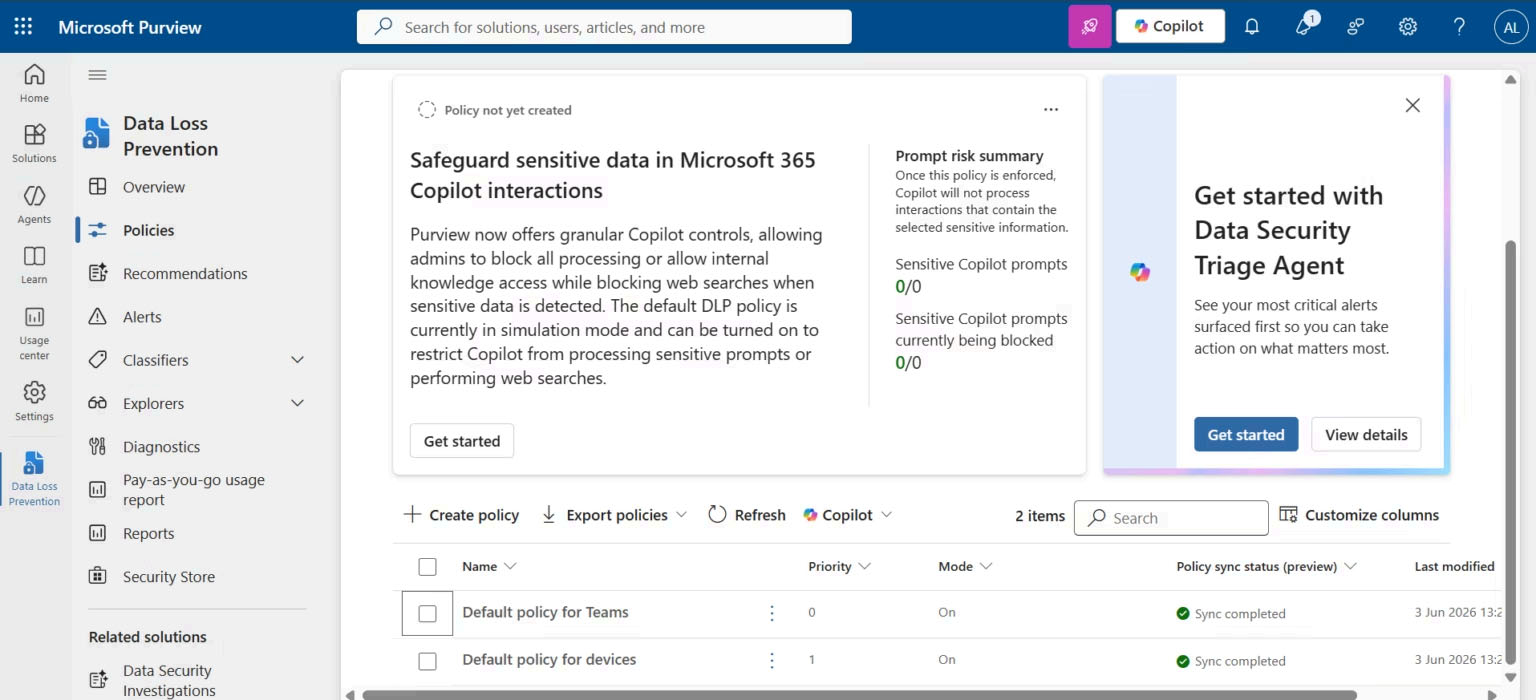
DLP Dashboard
Reviewed existing DLP policies and monitoring dashboard before creating
a new enterprise policy.
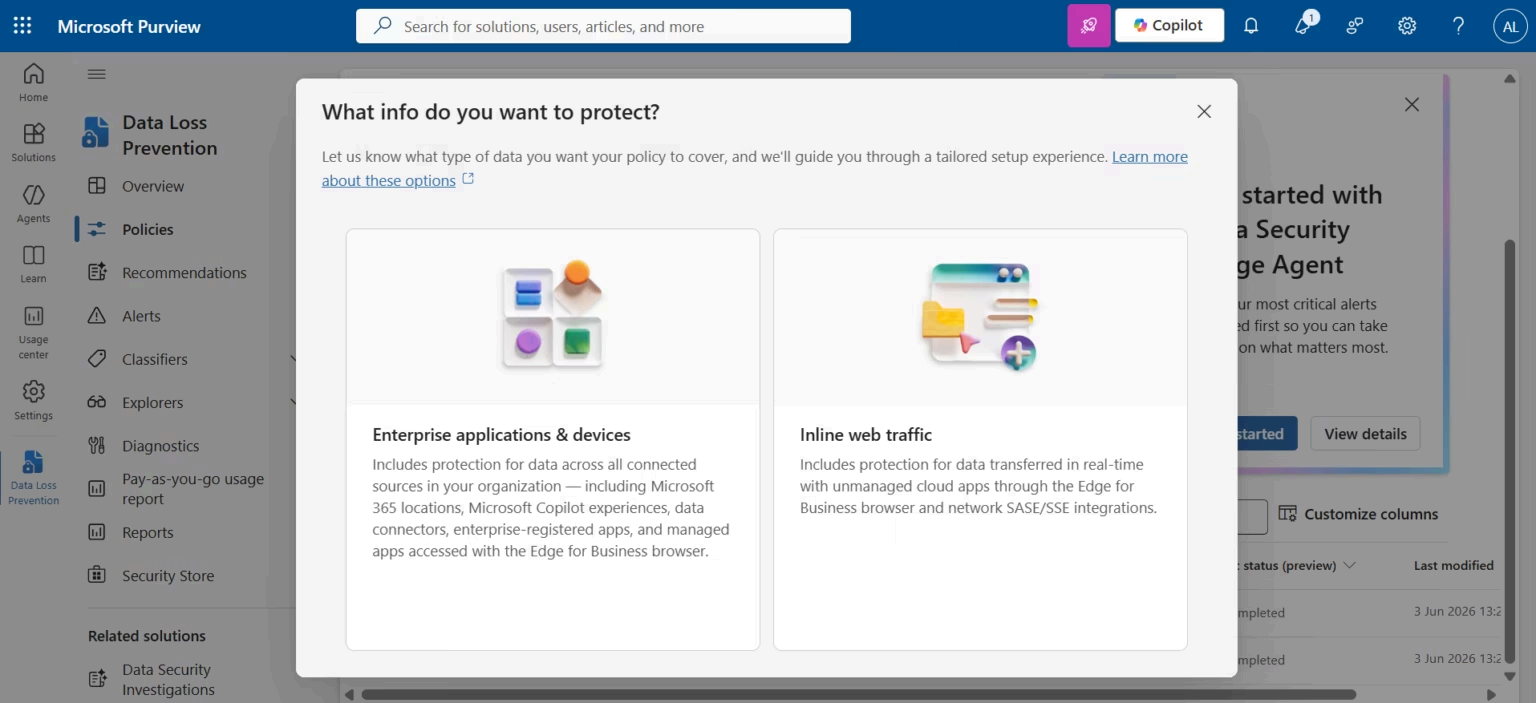
Protected Locations
Configured protection scope across Microsoft 365 workloads including
Exchange, SharePoint, OneDrive and Endpoint devices.
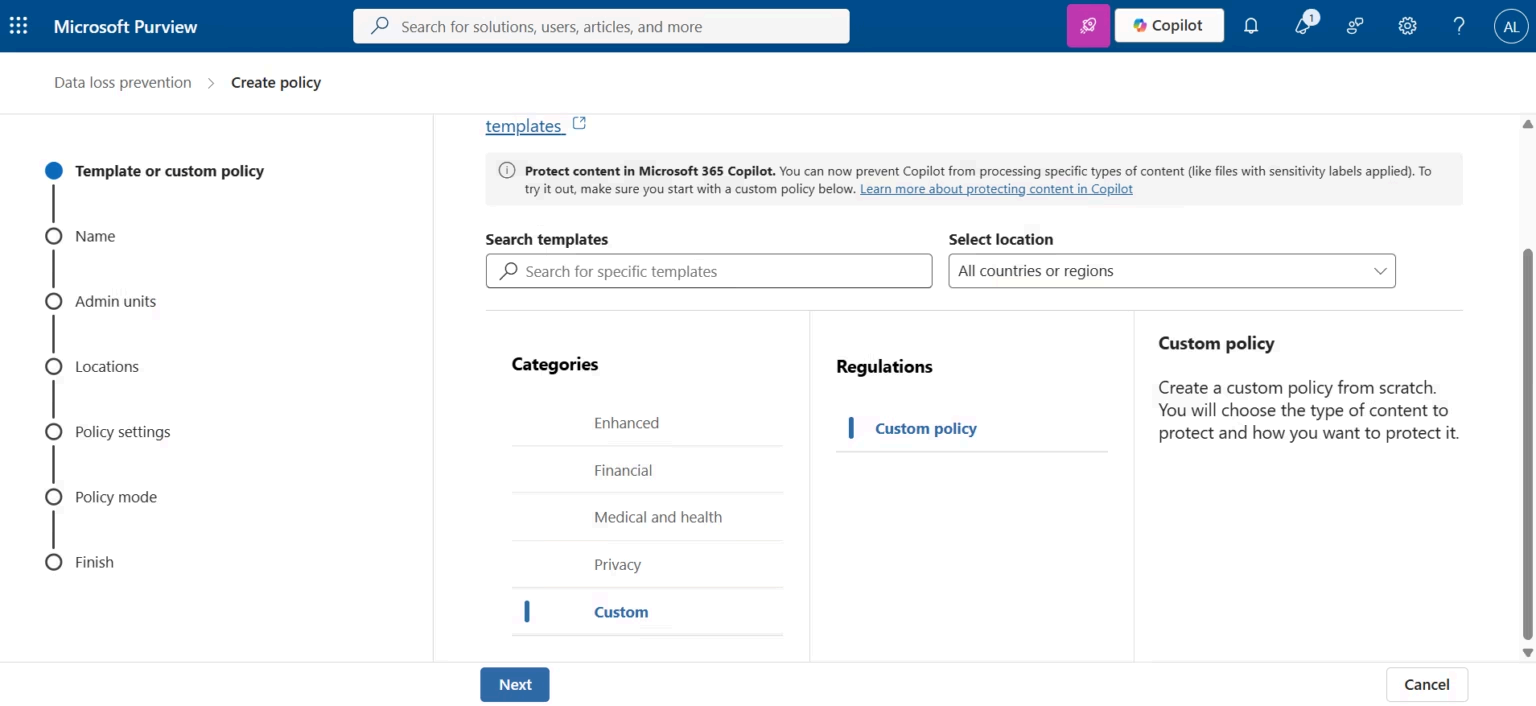
Create Custom Policy
Created a custom enterprise DLP policy instead of using predefined
templates.
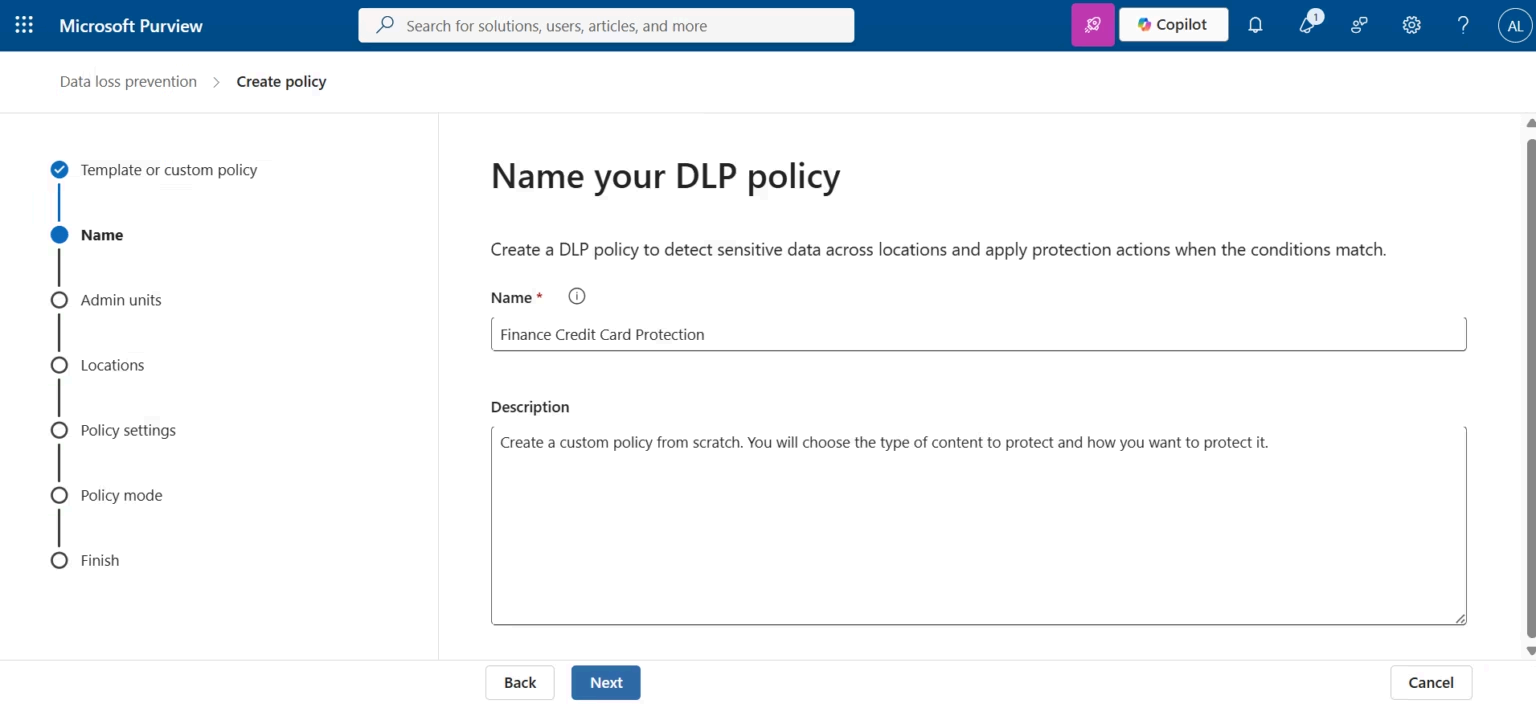
Finance Credit Card Protection
Configured the enterprise DLP policy name and business description.
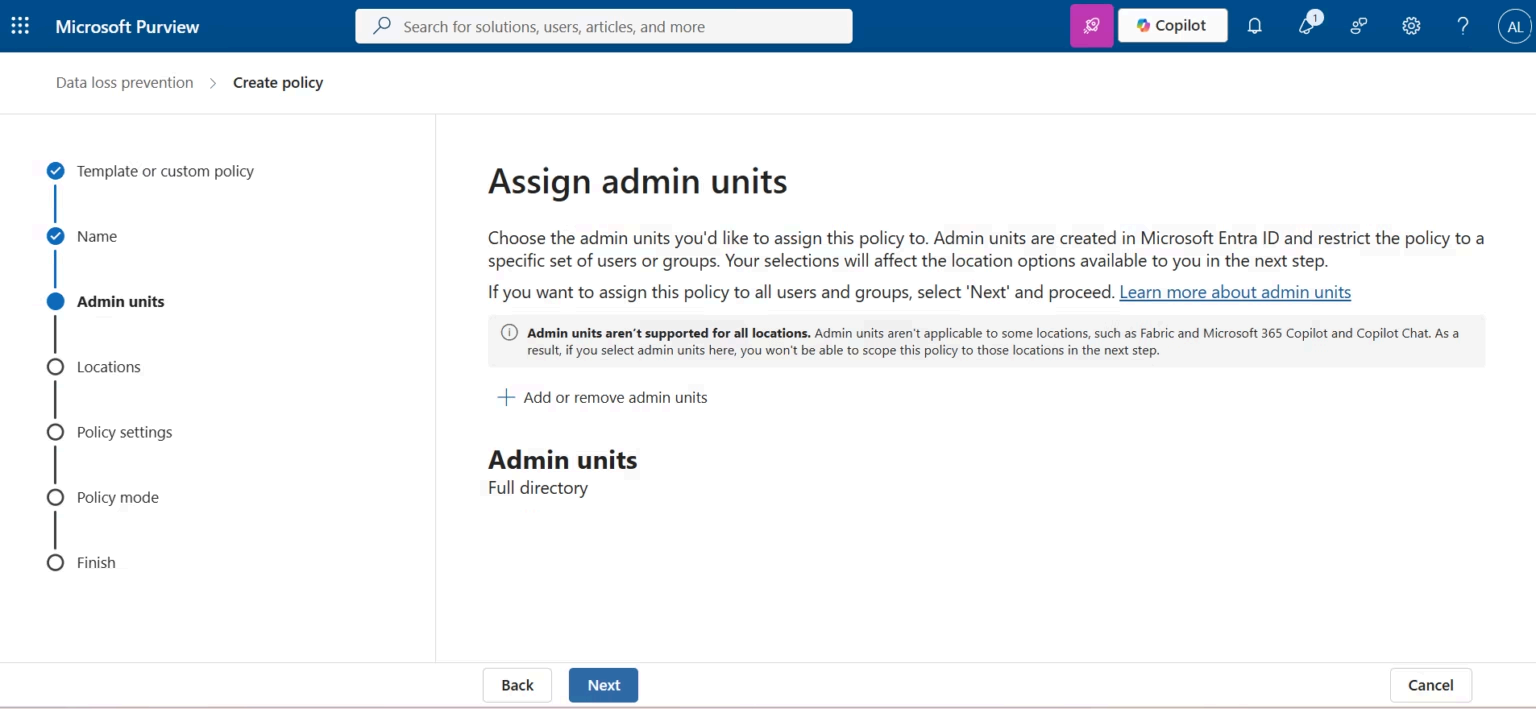
Administrative Scope
Applied the policy across the Microsoft 365 tenant.
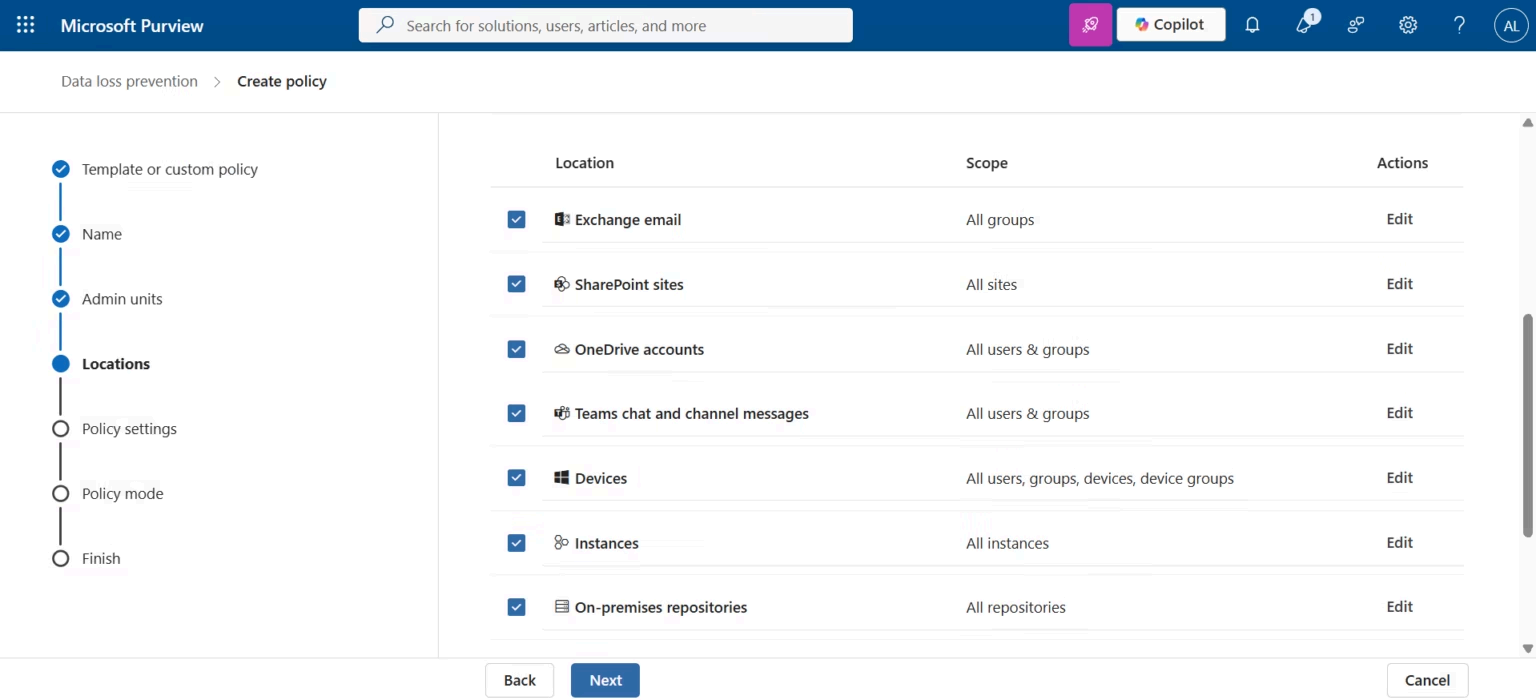
Protected Workloads
Configured Exchange Online, SharePoint Online, OneDrive,
Microsoft Teams and Endpoint Devices.
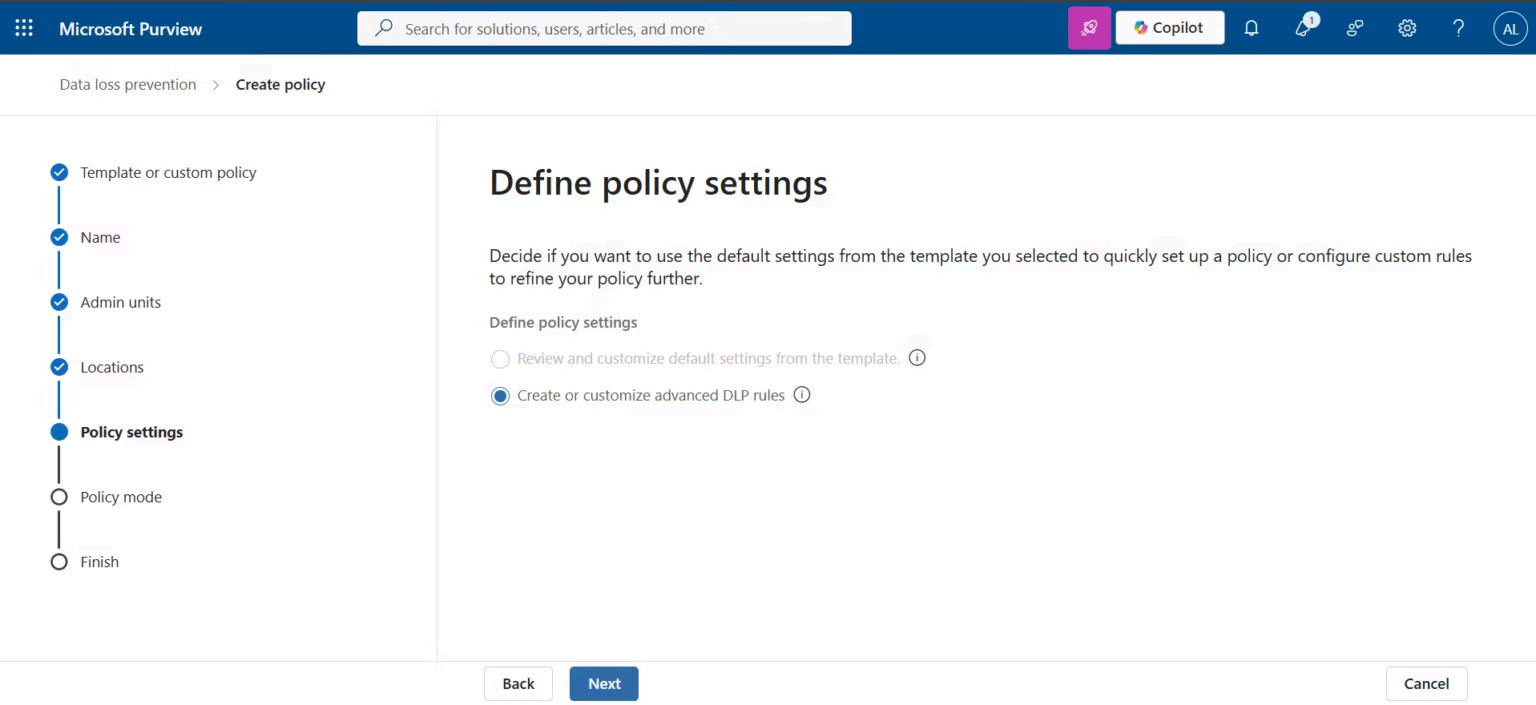
Advanced Rule Builder
Used advanced policy configuration for granular rule creation.
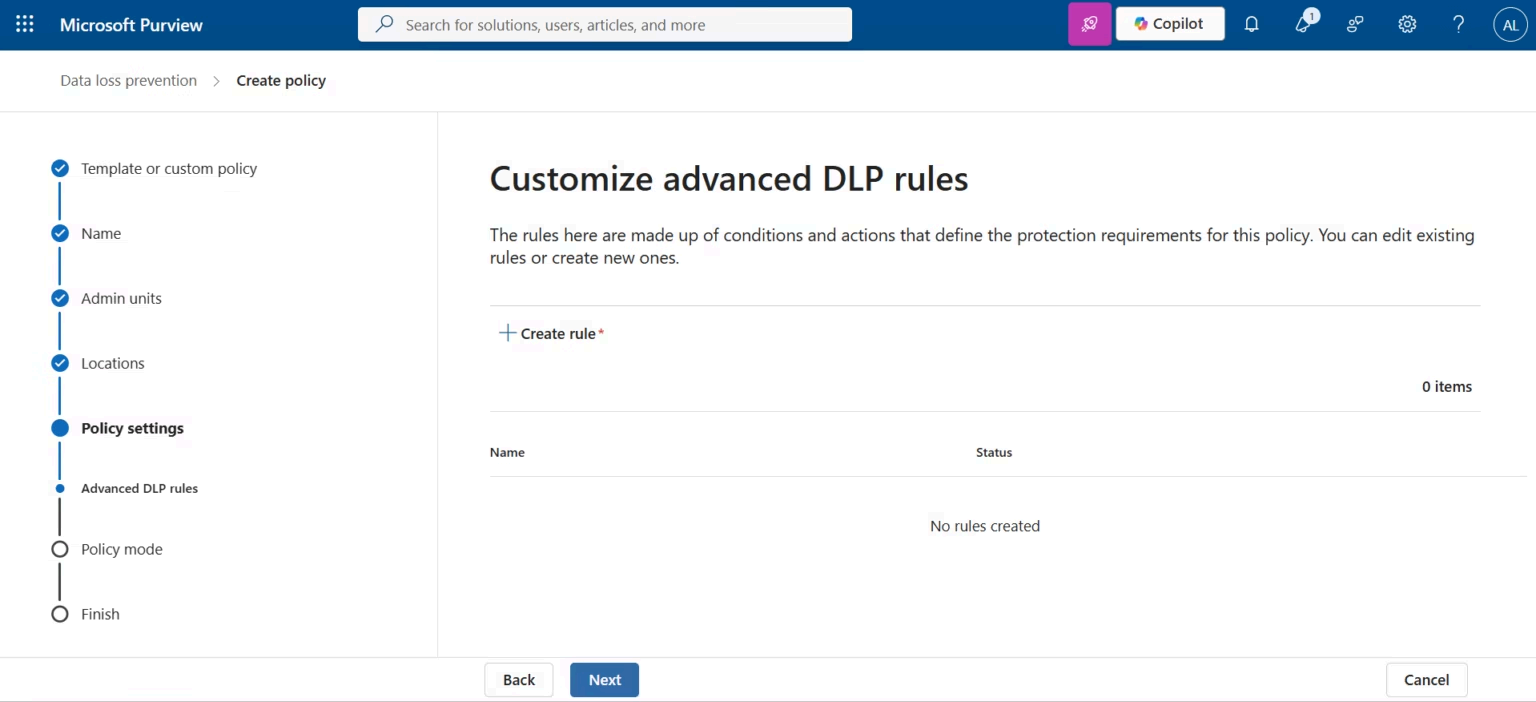
Rule Configuration
Started with an empty rule set for complete customization.
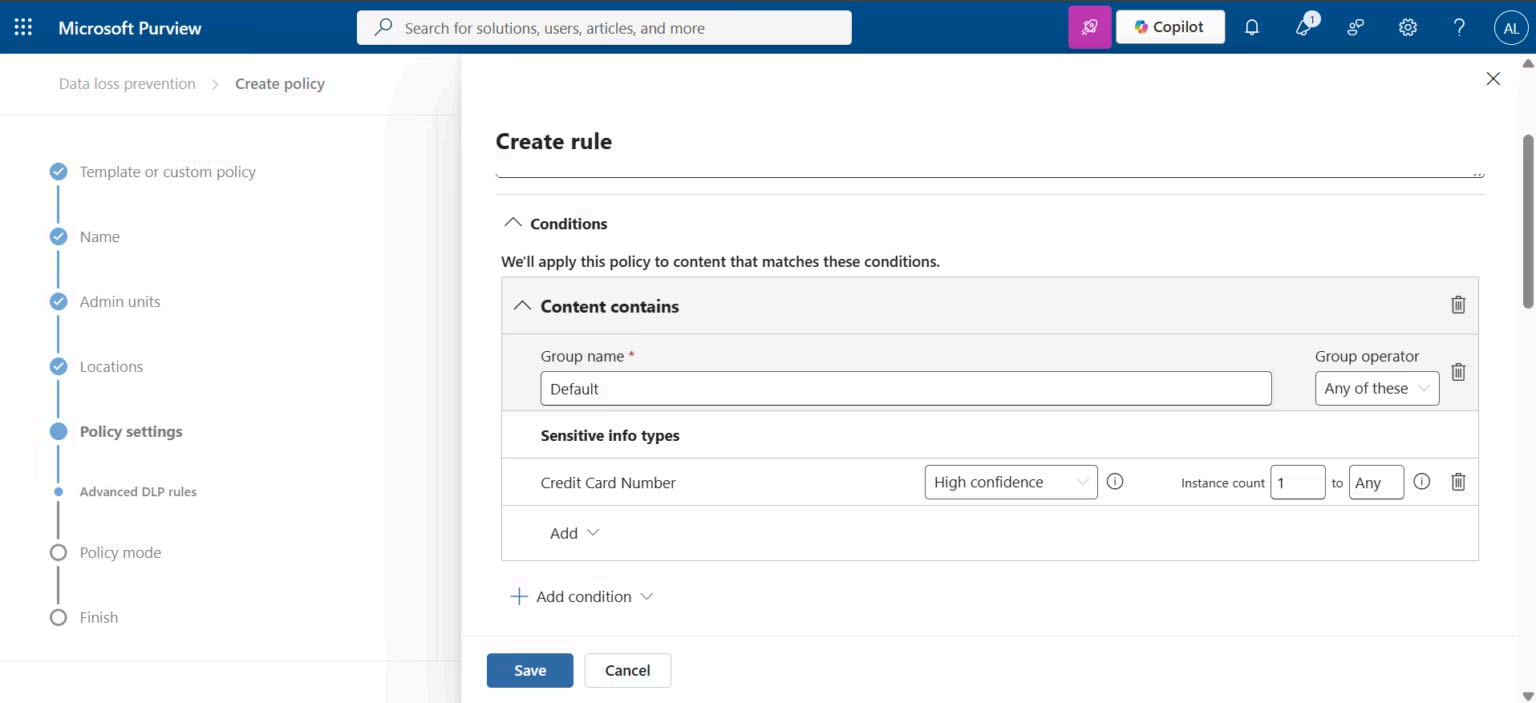
Credit Card Sensitive Information Type
Configured Microsoft's built-in Credit Card Number detection.
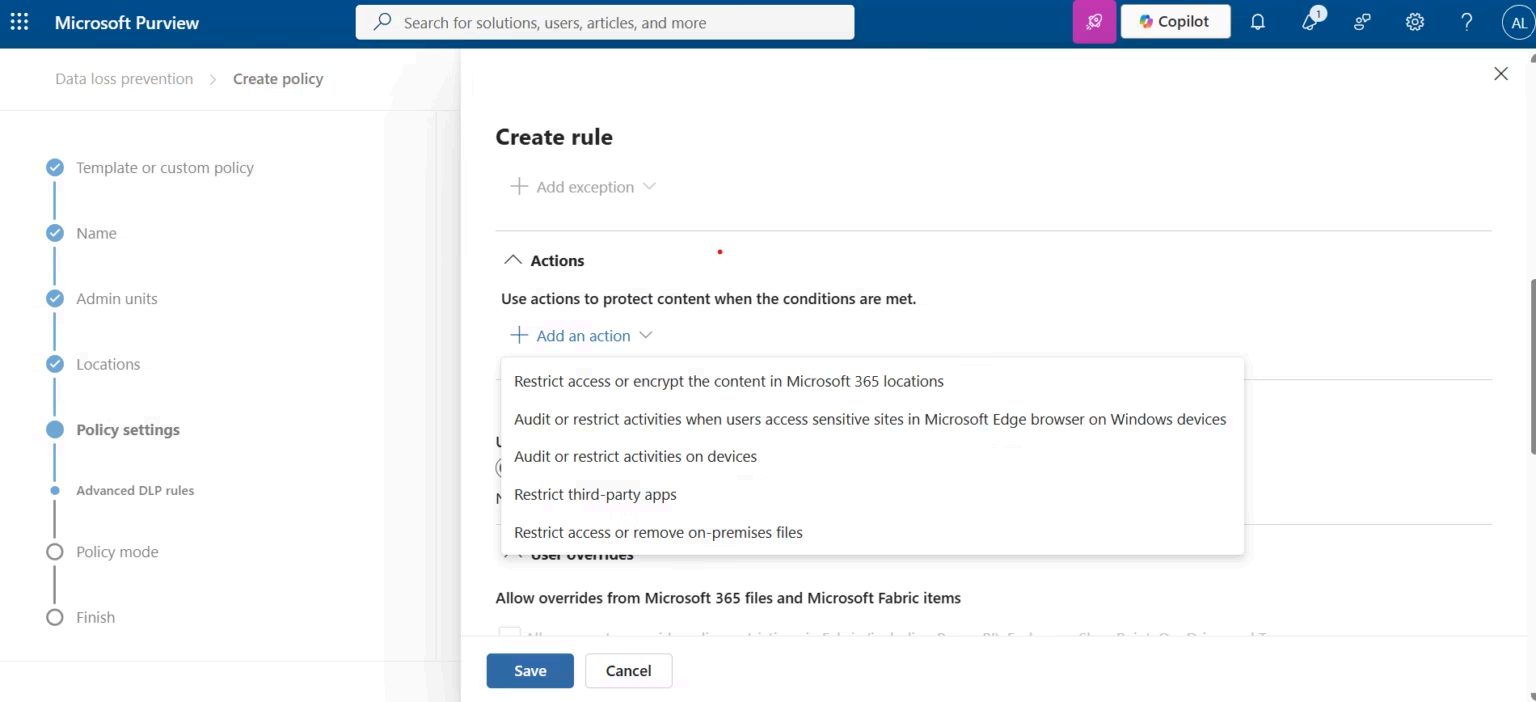
Policy Actions
Configured policy actions to restrict unauthorized sharing.
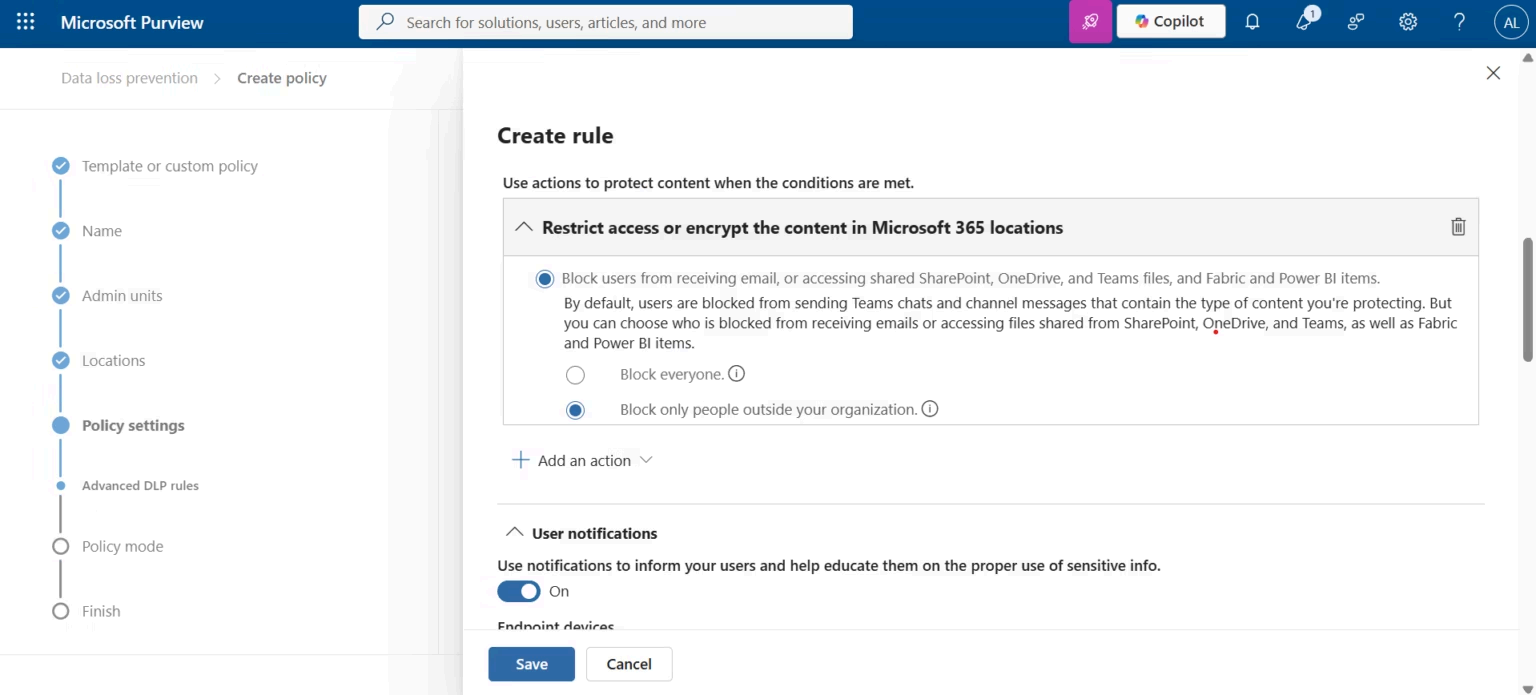
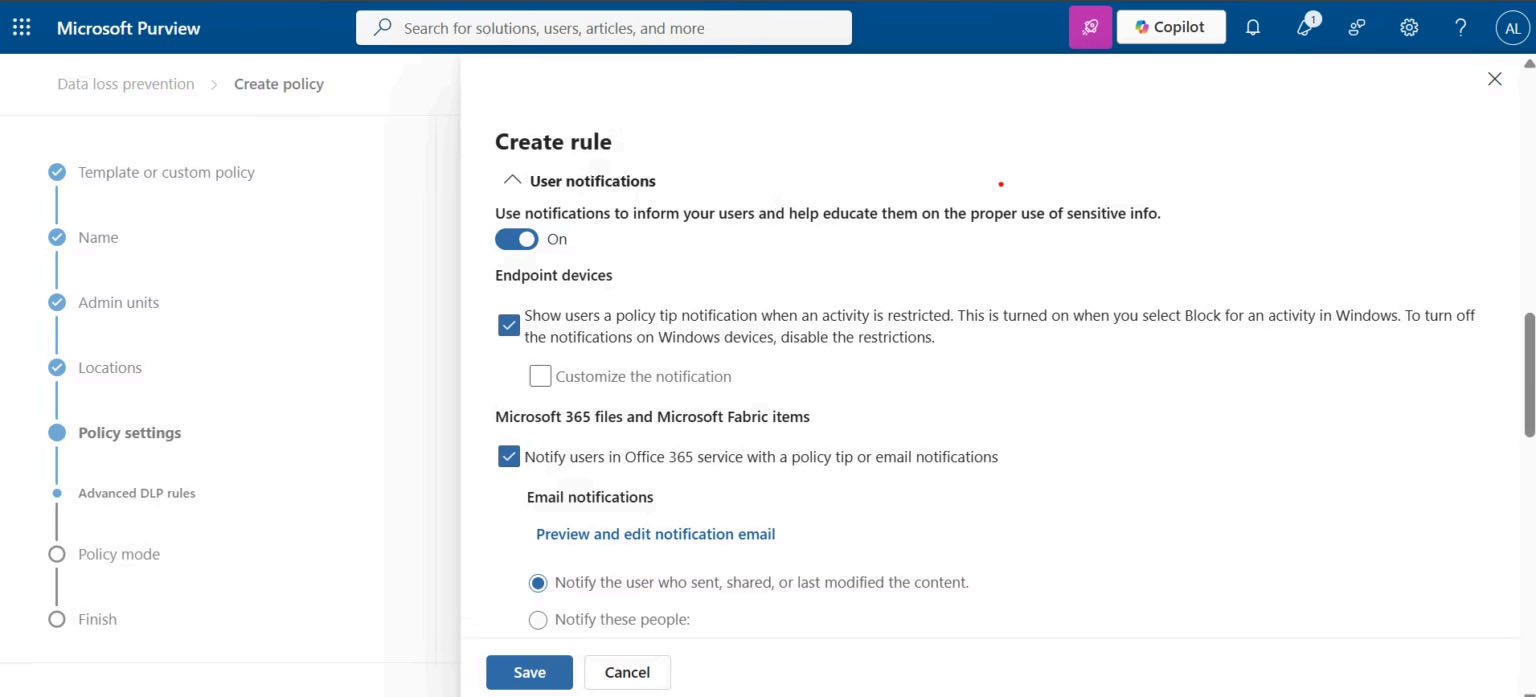
User Policy Tips
Enabled policy tips to educate users before policy enforcement.
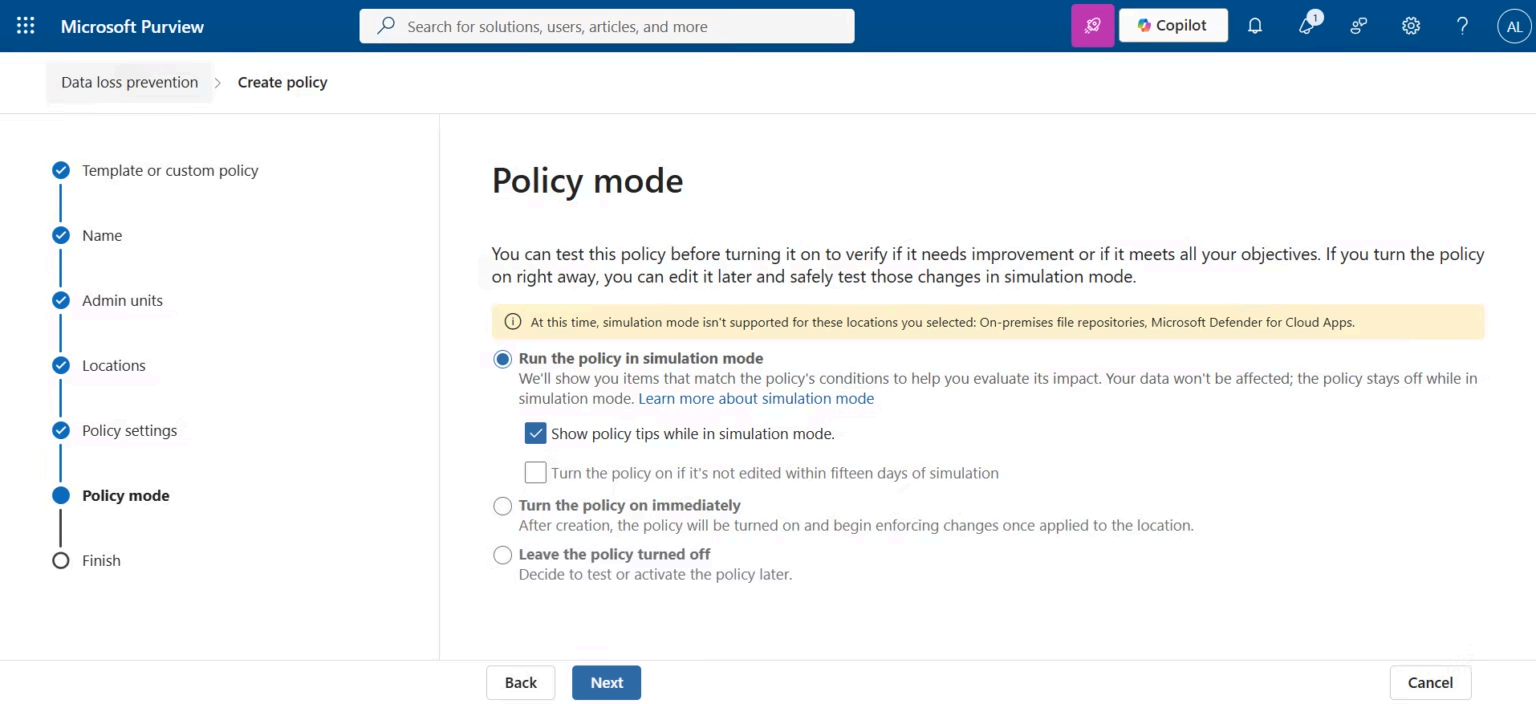
Simulation Mode
Validated the policy in Simulation Mode before production enforcement.
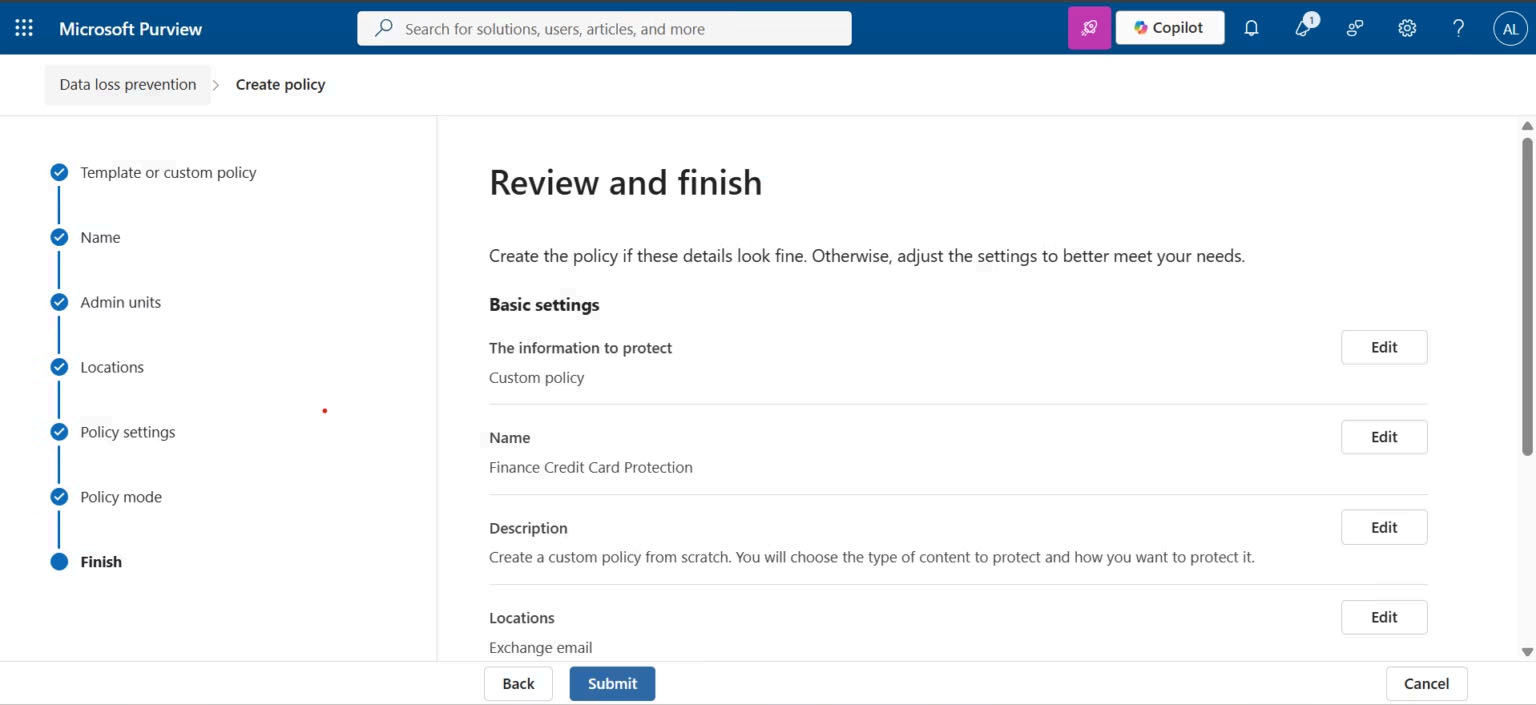
Review Configuration
Verified all DLP settings before deployment.
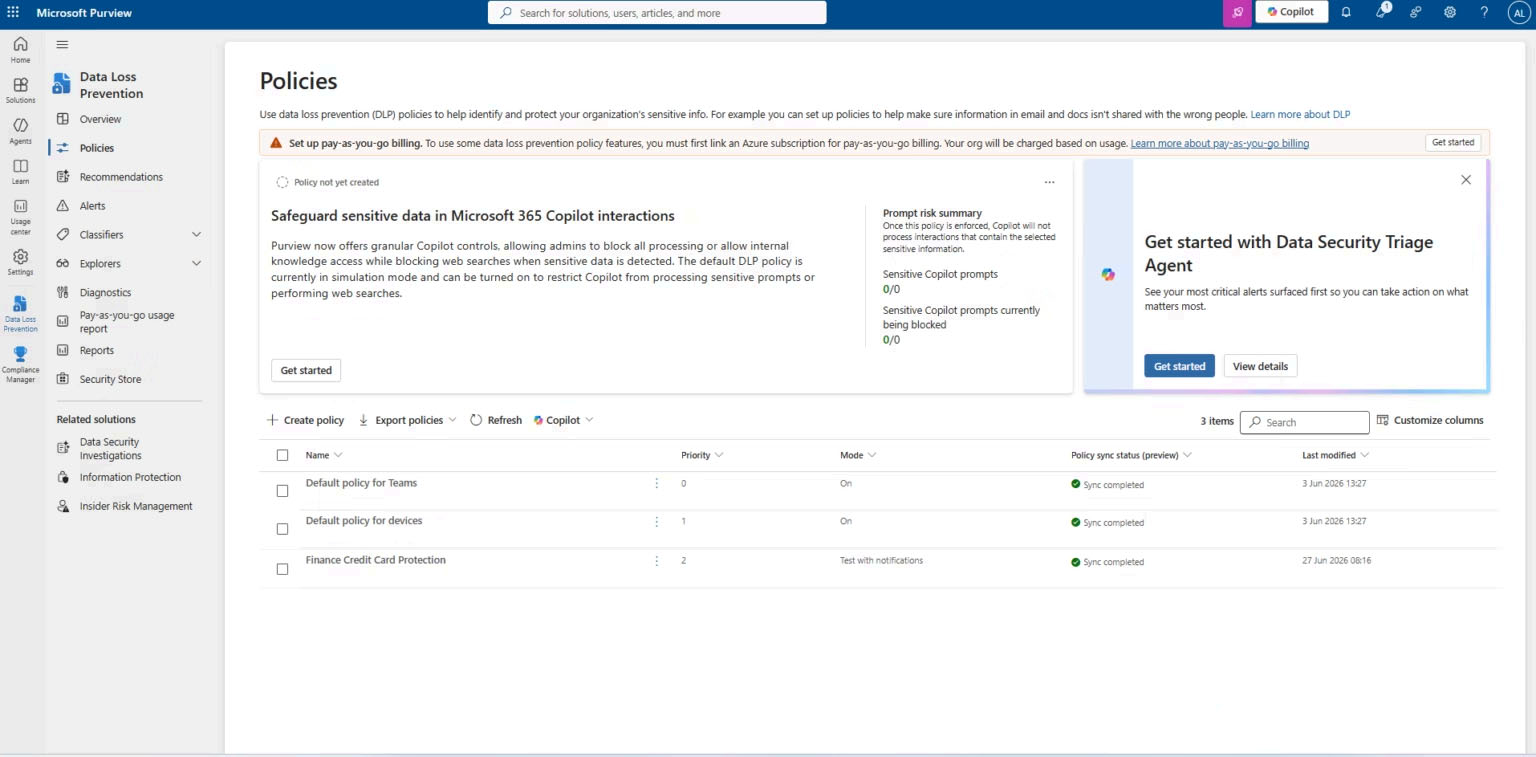
Policy Synchronization
Confirmed successful deployment and synchronization.
Synchronization Details
Verified policy deployment across Microsoft 365 workloads.
Phase 2 — Custom Sensitive Information Type (GSM)
Most organizations possess proprietary identifiers that Microsoft's
built-in Sensitive Information Types cannot detect.
To solve this limitation, a custom Sensitive Information Type (SIT)
named GSM was created using keyword-based detection and
integrated into the Finance Credit Card Protection policy.
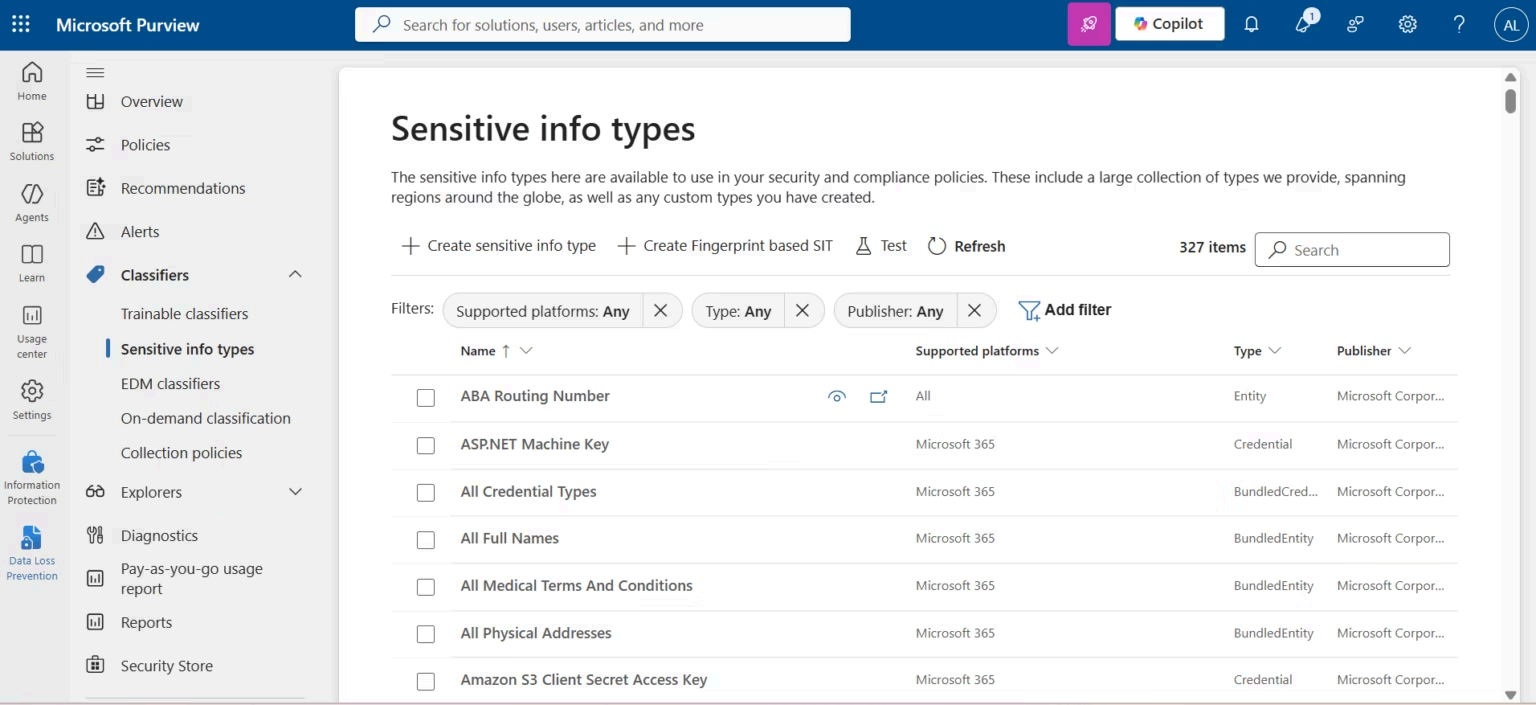
Built-in Sensitive Information Types
Reviewed Microsoft's 327 built-in Sensitive Information Types before
creating a custom enterprise SIT.
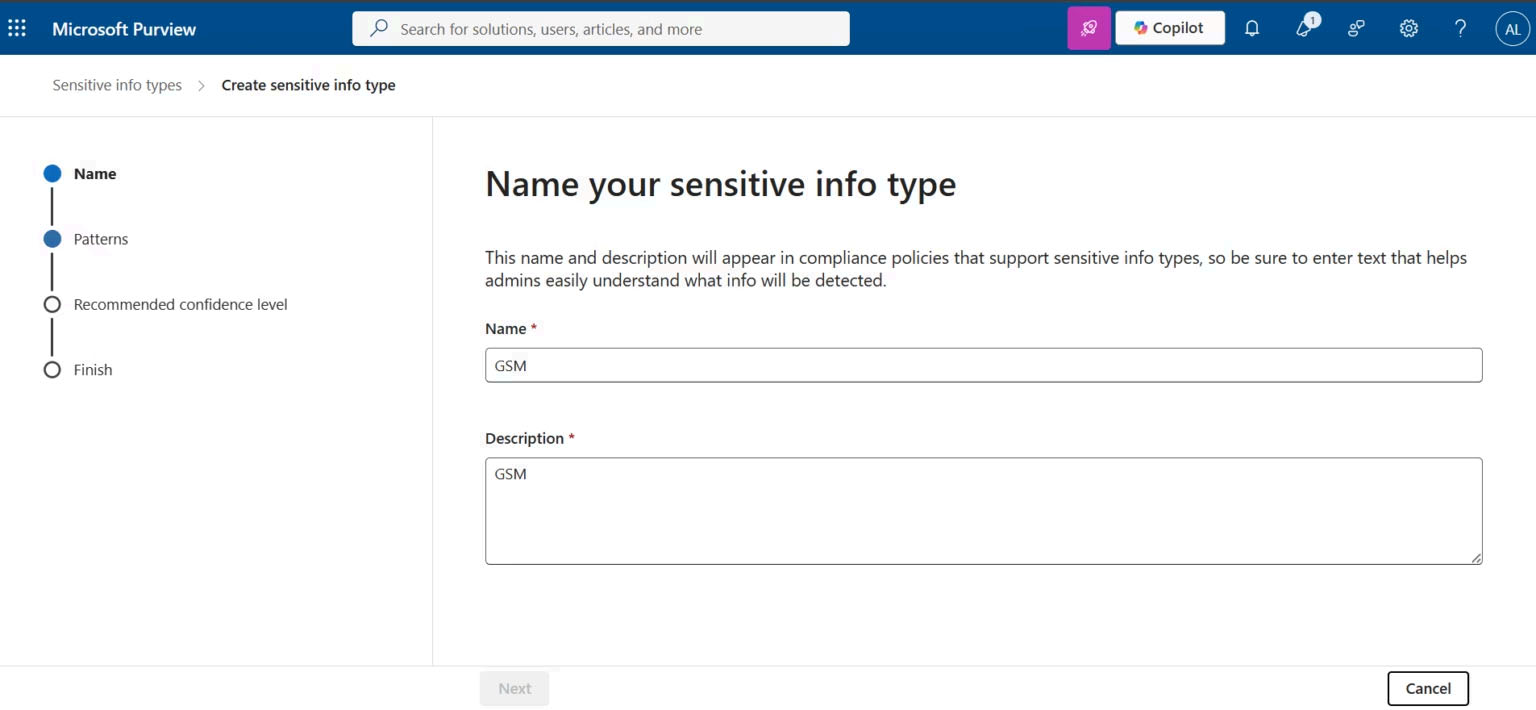
Create GSM SIT
Created a new custom Sensitive Information Type named GSM.
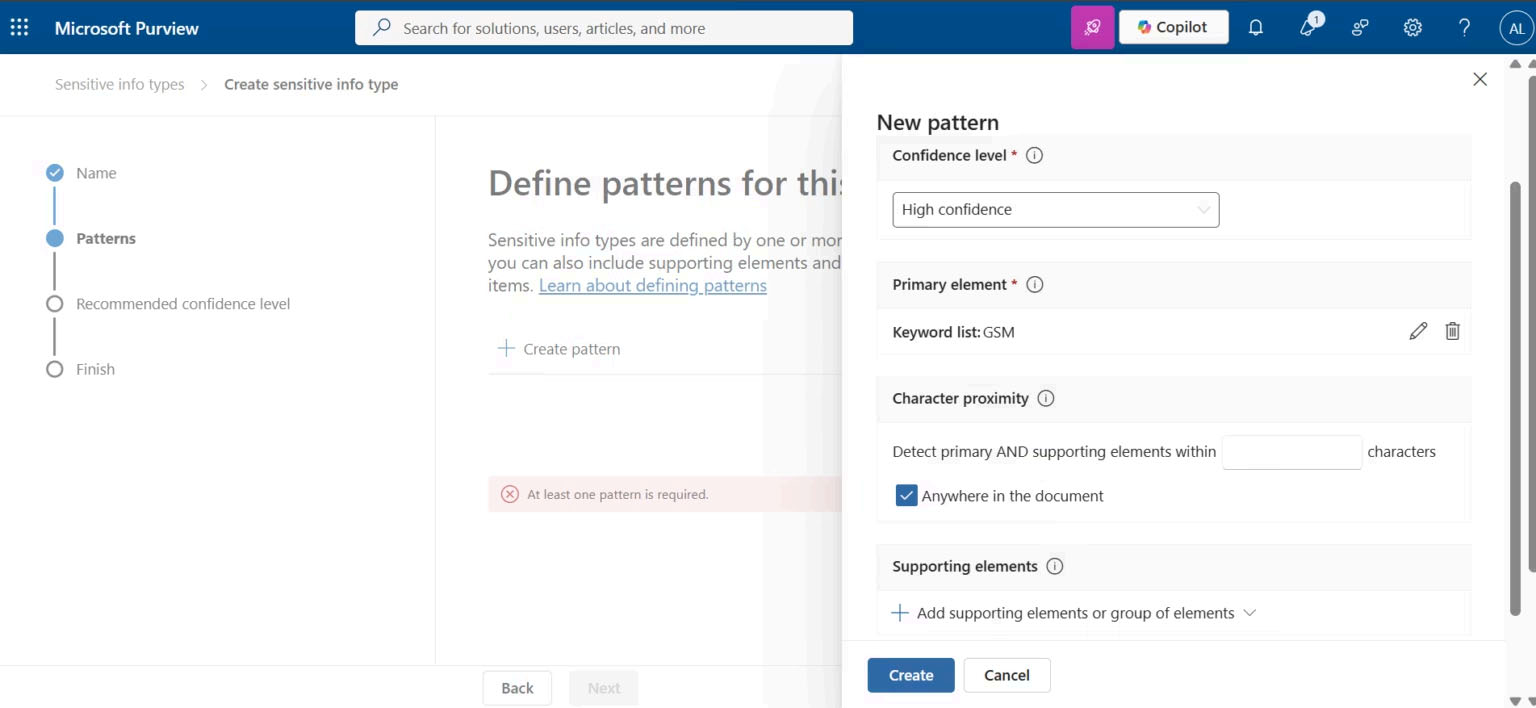
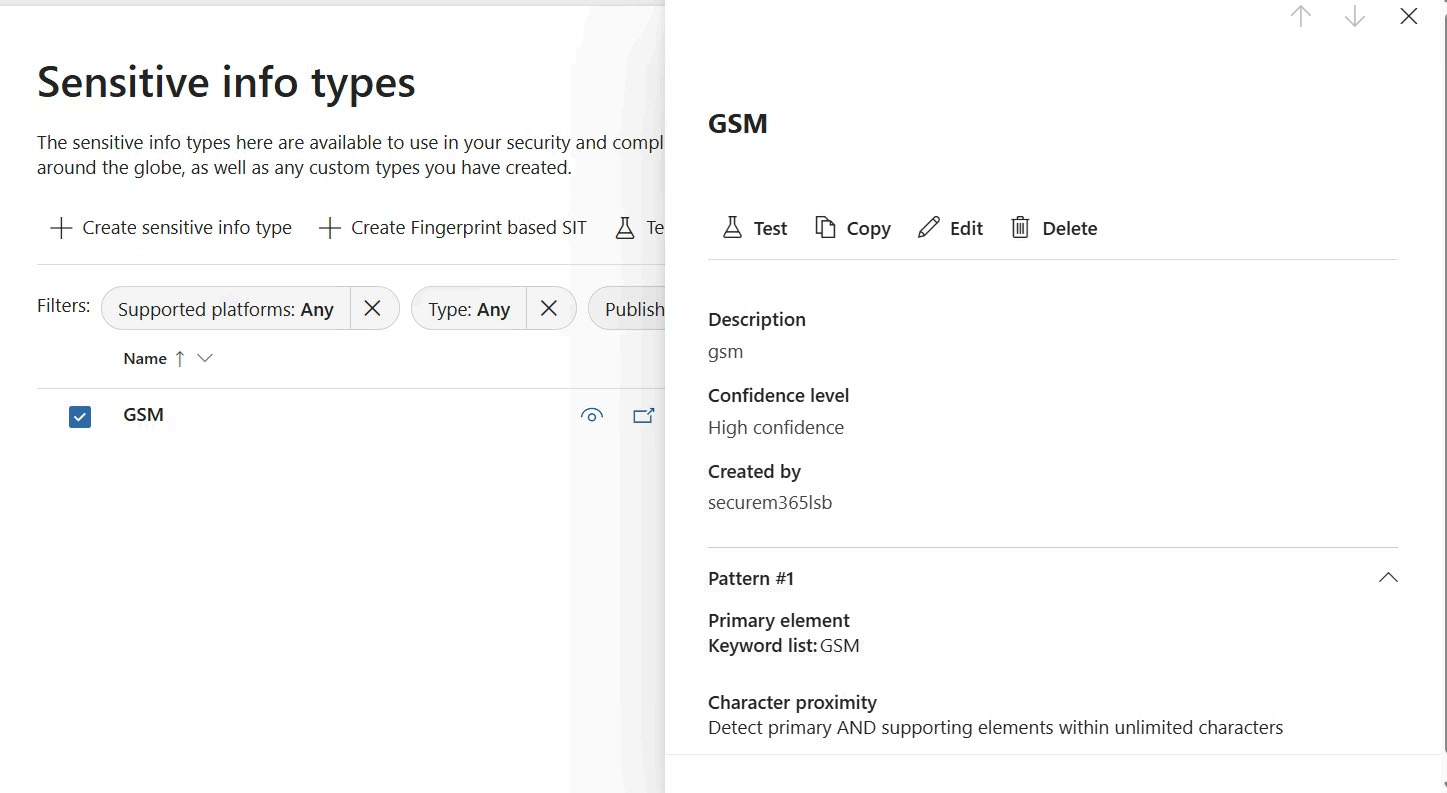
Keyword Detection Pattern
Configured keyword matching logic for proprietary organizational data.
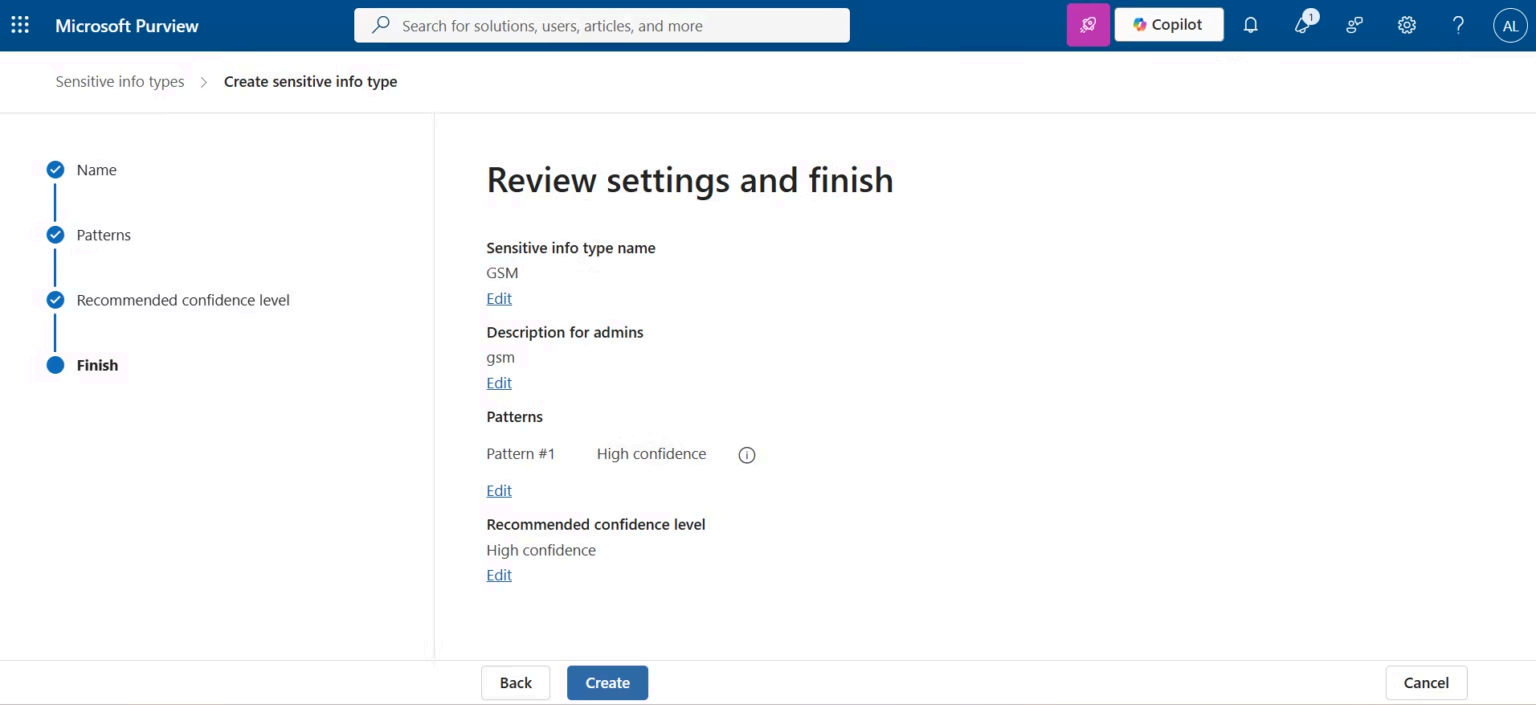
Review GSM Configuration
Validated detection logic before publishing the custom SIT.
Integrate with DLP Policy
Added the GSM Sensitive Information Type to the enterprise DLP rule
conditions.
Phase 3 — Monitoring, Activity Explorer & DLP Alerts
After deploying the Data Loss Prevention policy, Microsoft Purview
provides centralized monitoring capabilities through Activity Explorer,
DLP Alerts, Incident Reports, and Reporting dashboards.
These monitoring capabilities allow security teams to investigate policy
matches, review user activities, validate policy effectiveness, and
perform incident triage without requiring endpoint access.
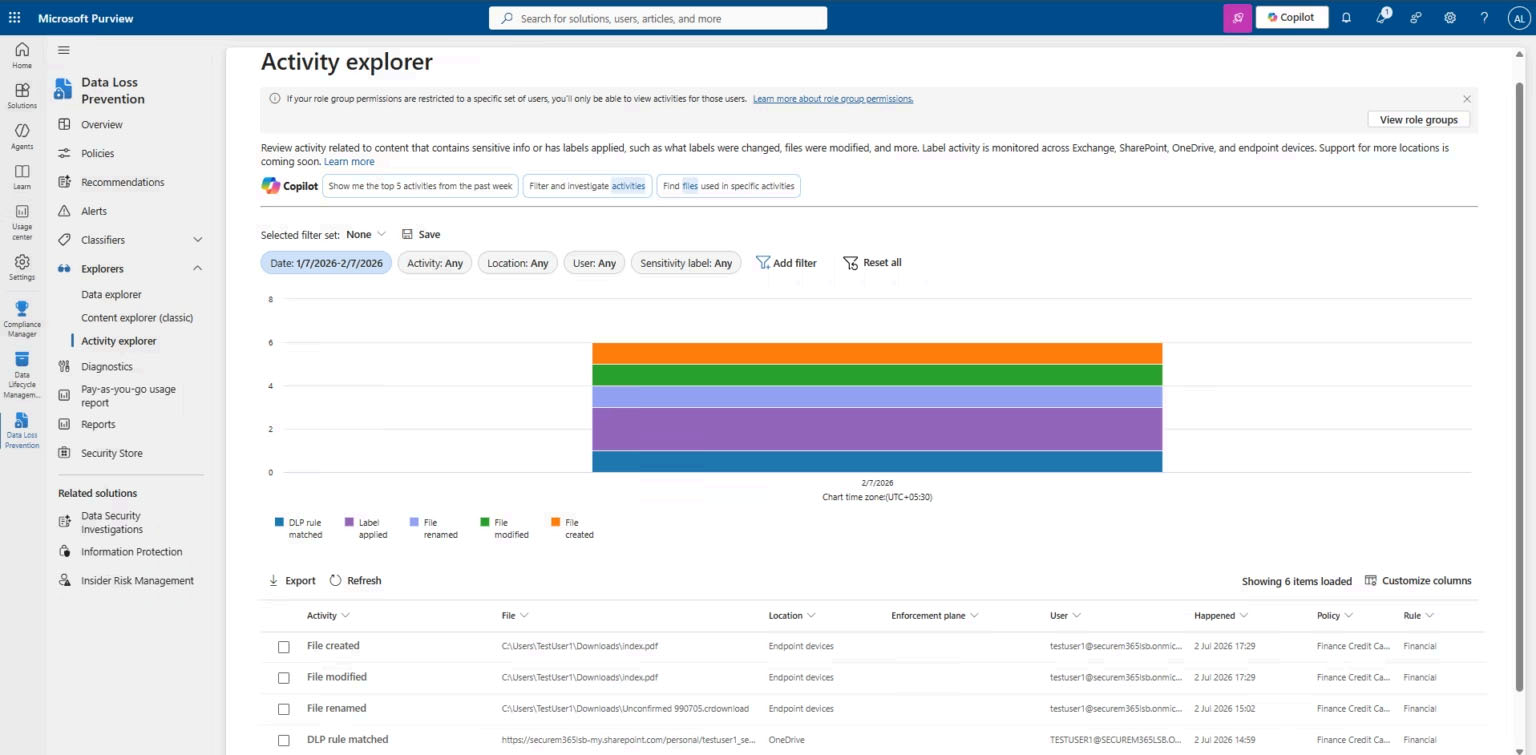
Activity Explorer
Reviewed Activity Explorer filters to investigate DLP events generated
across Microsoft 365 workloads.
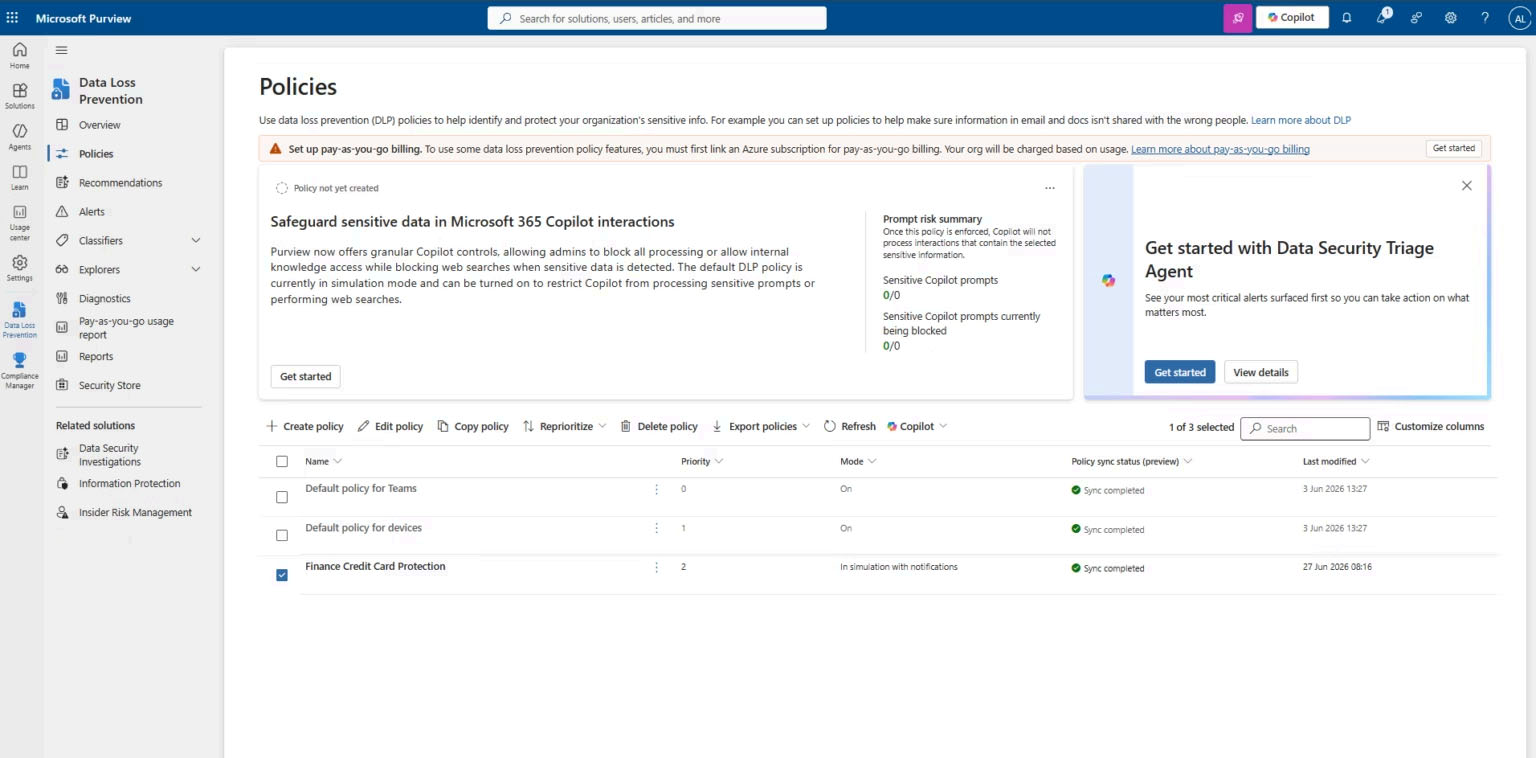
Edit Existing Policy
Opened the deployed DLP policy to review monitoring and reporting
configuration.
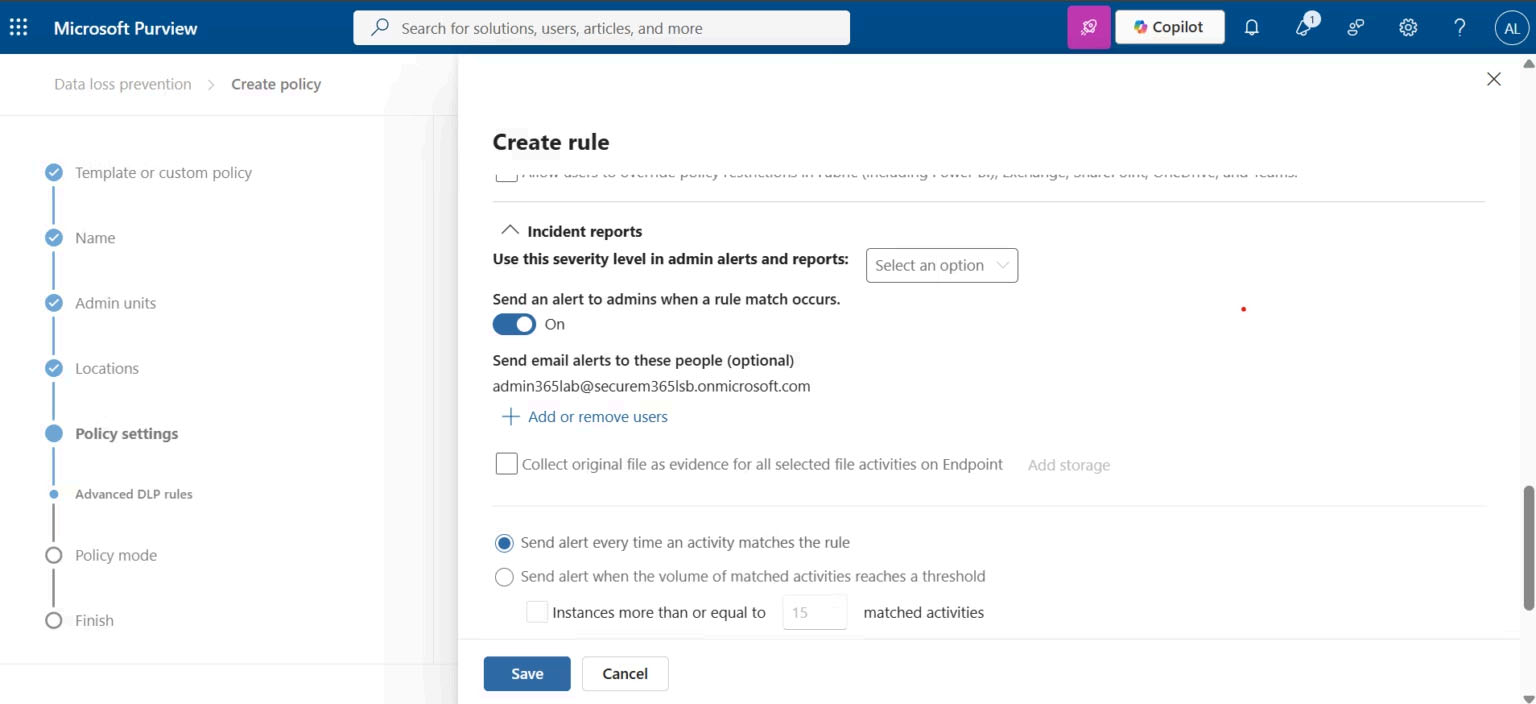
Incident Reports
Configured incident reporting and email notifications for DLP policy
matches.
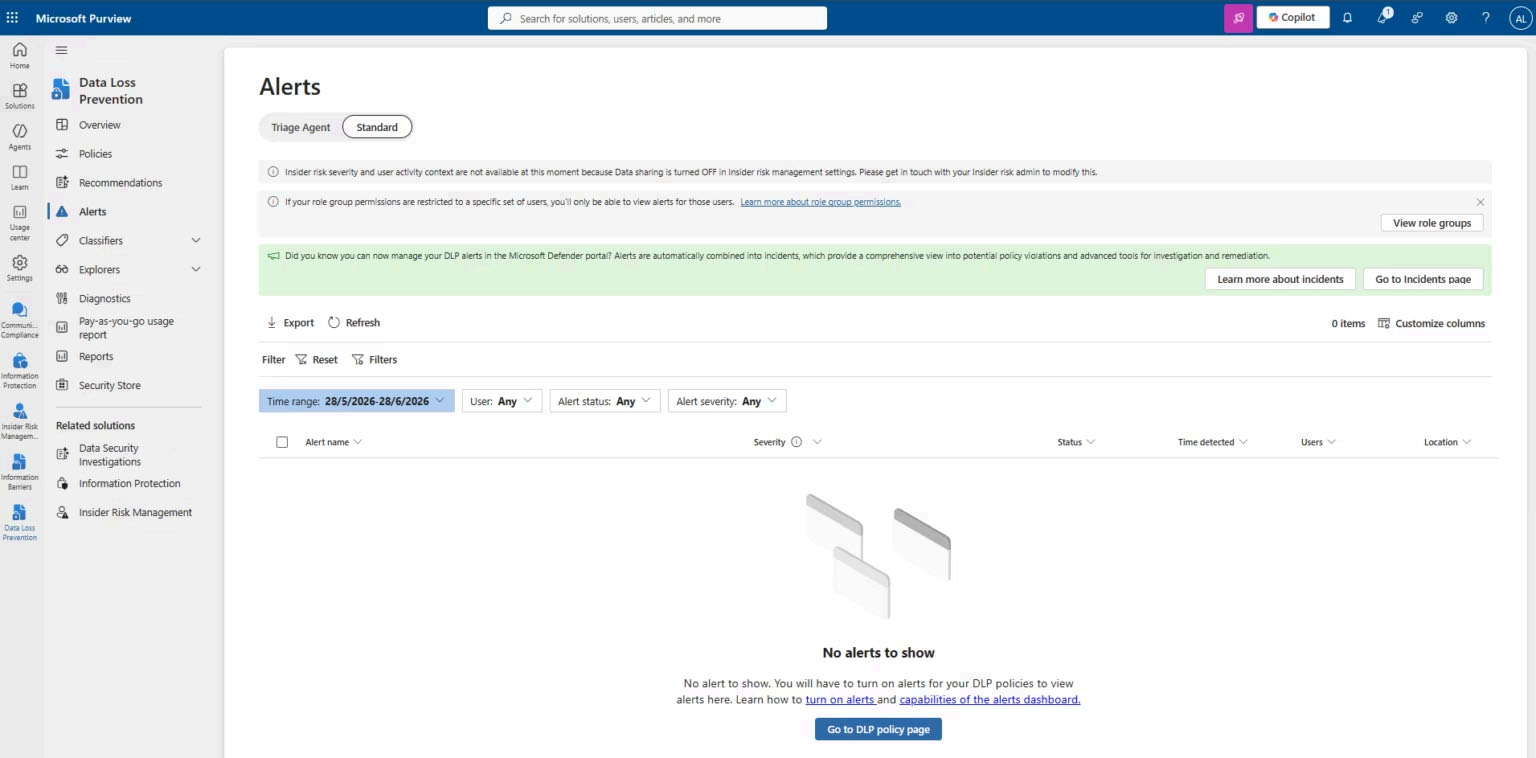
Alert Configuration
Validated alert settings to ensure administrators receive notifications
for policy violations.
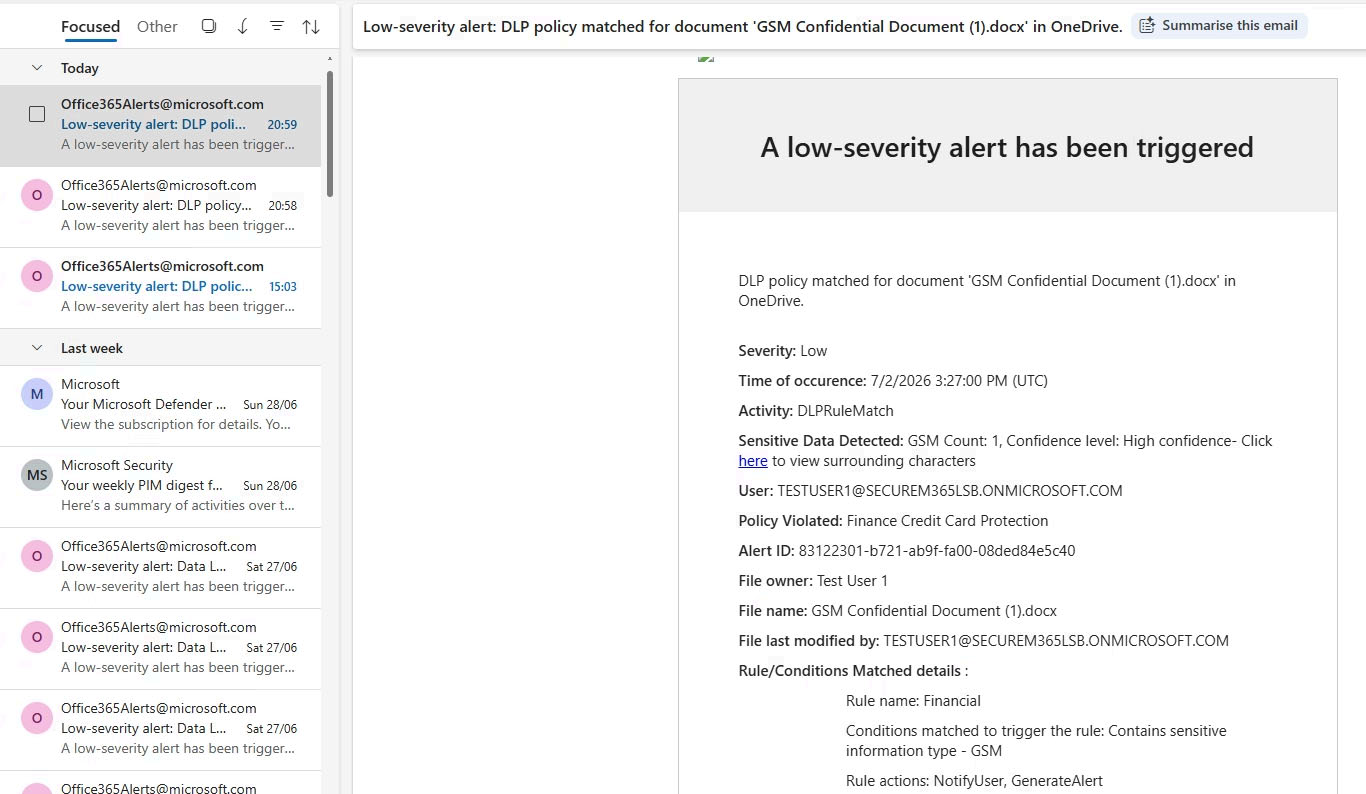
Email Alert Notification
Verified administrator email notifications generated from Microsoft
Purview DLP.
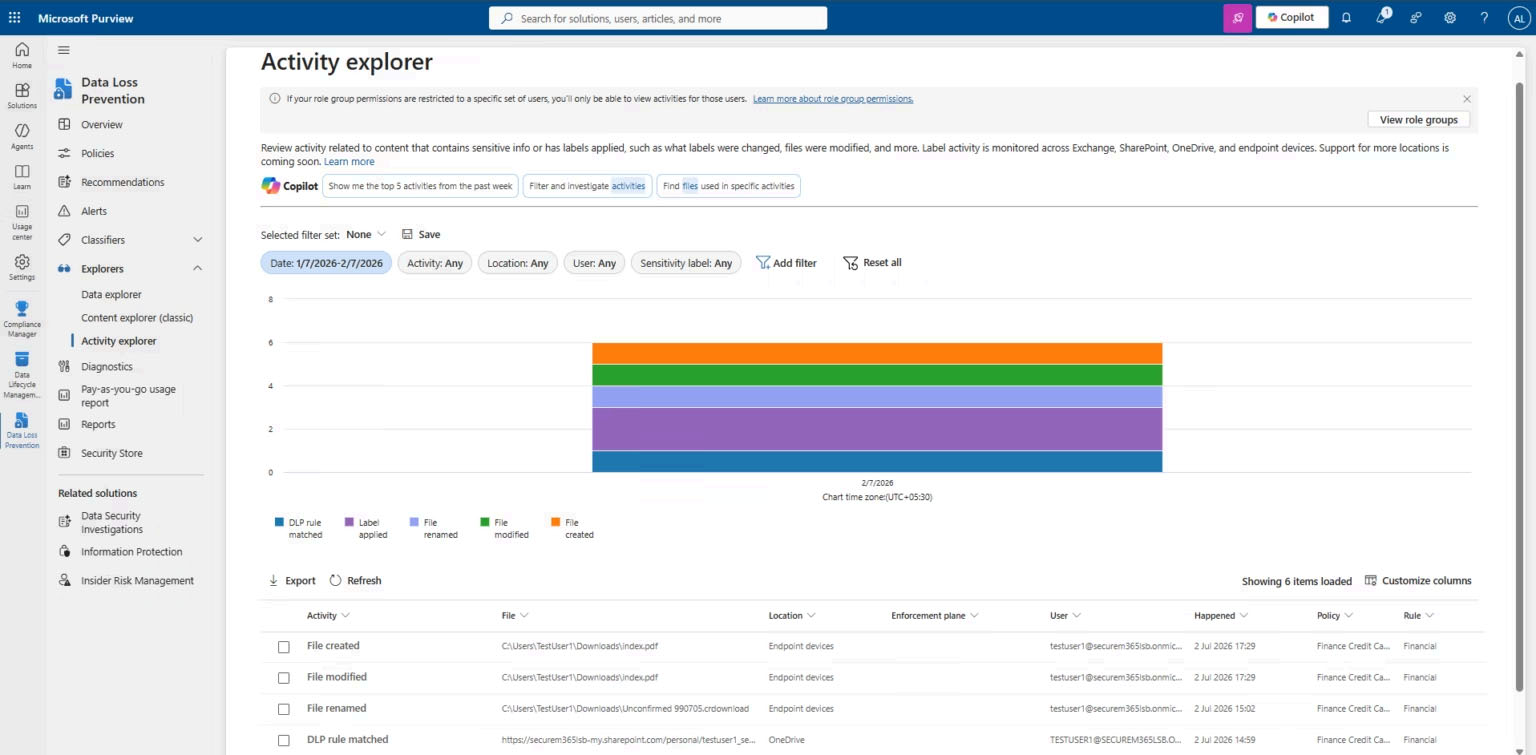
Endpoint Activity Timeline
Reviewed the complete event timeline generated from Endpoint DLP
activities.
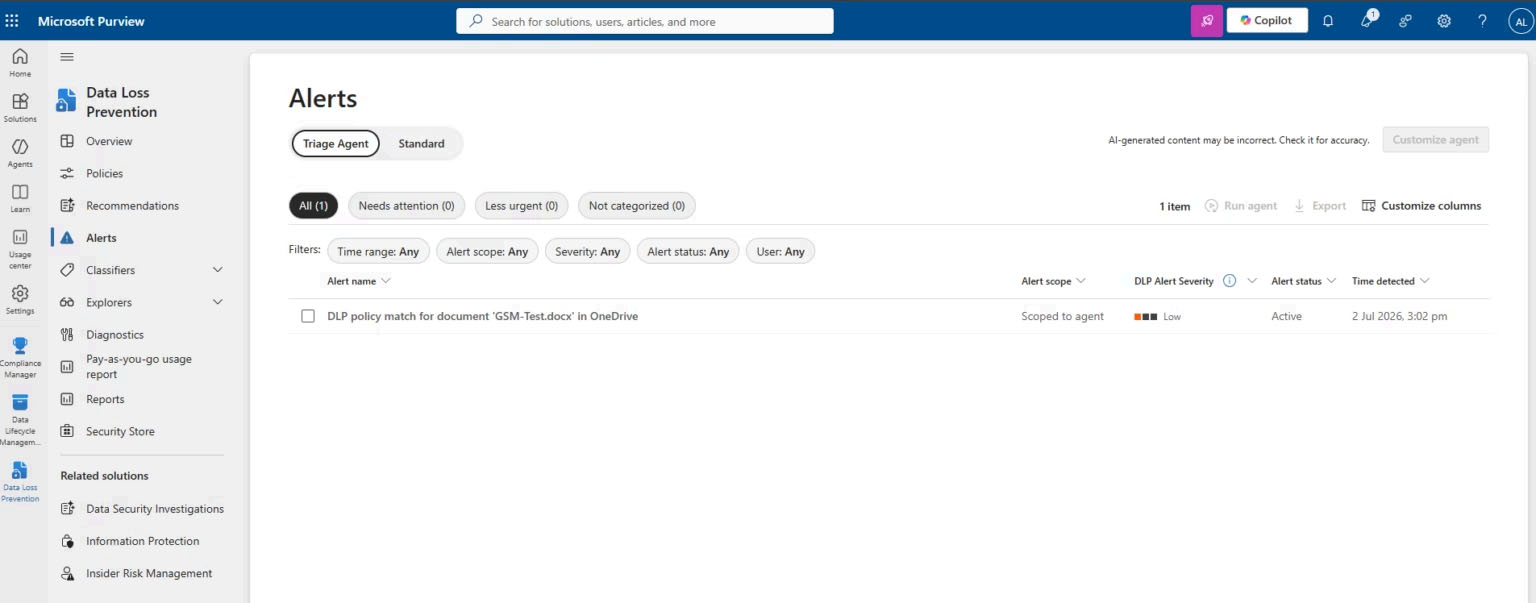
DLP Alerts Dashboard
Investigated DLP alerts and validated policy detections from the
Microsoft Purview portal.
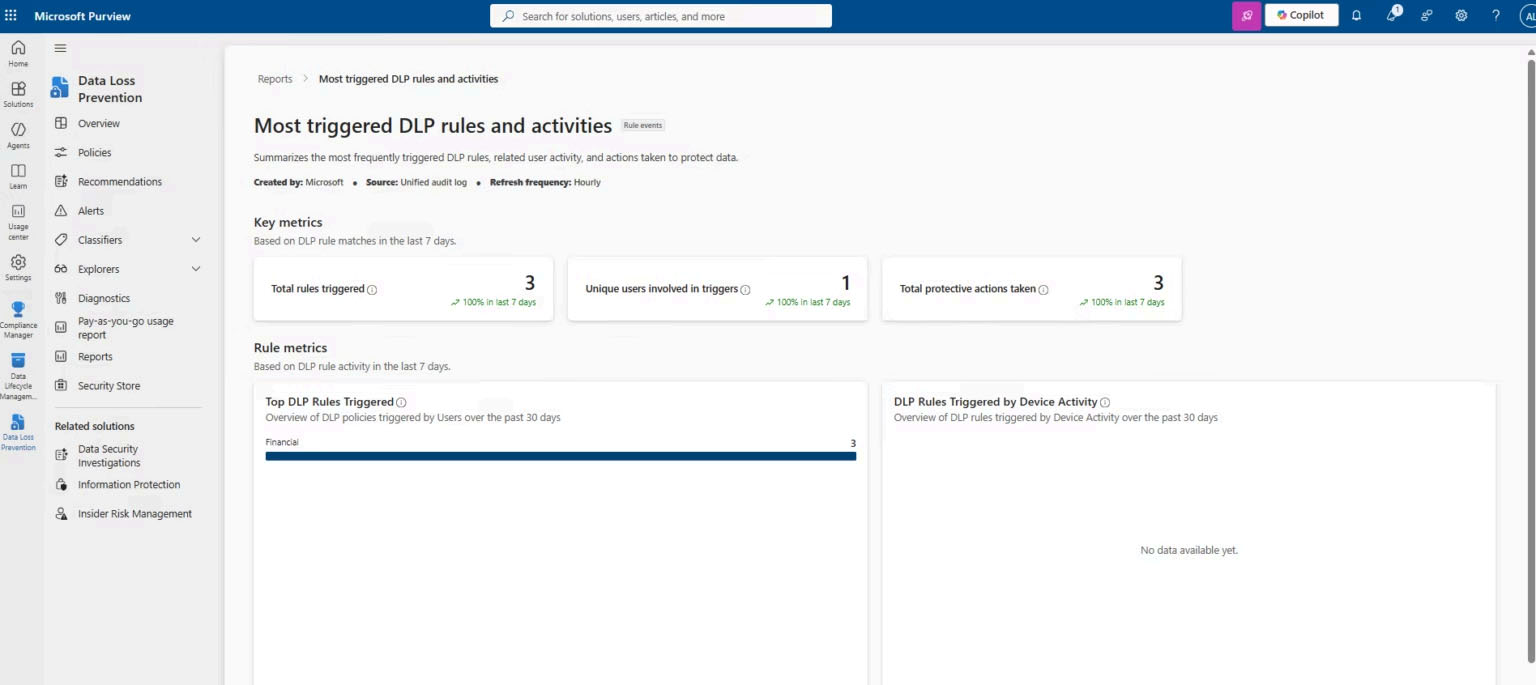
DLP Reports
Reviewed reporting dashboards to identify the most frequently triggered
DLP rules and policy effectiveness.
Phase 4 — Endpoint Data Loss Prevention
Endpoint Data Loss Prevention extends Microsoft Purview protection from
Microsoft 365 cloud services to Windows devices managed through
Microsoft Defender for Endpoint.
Unlike traditional DLP that focuses only on Exchange Online,
SharePoint, OneDrive, and Teams, Endpoint DLP monitors local file
activities, removable media, clipboard operations, browser uploads,
network shares, and cloud application interactions.
Before Endpoint DLP policies can be enforced, Microsoft Defender for
Endpoint onboarding must be enabled within Microsoft Purview settings so
that protected devices synchronize automatically.
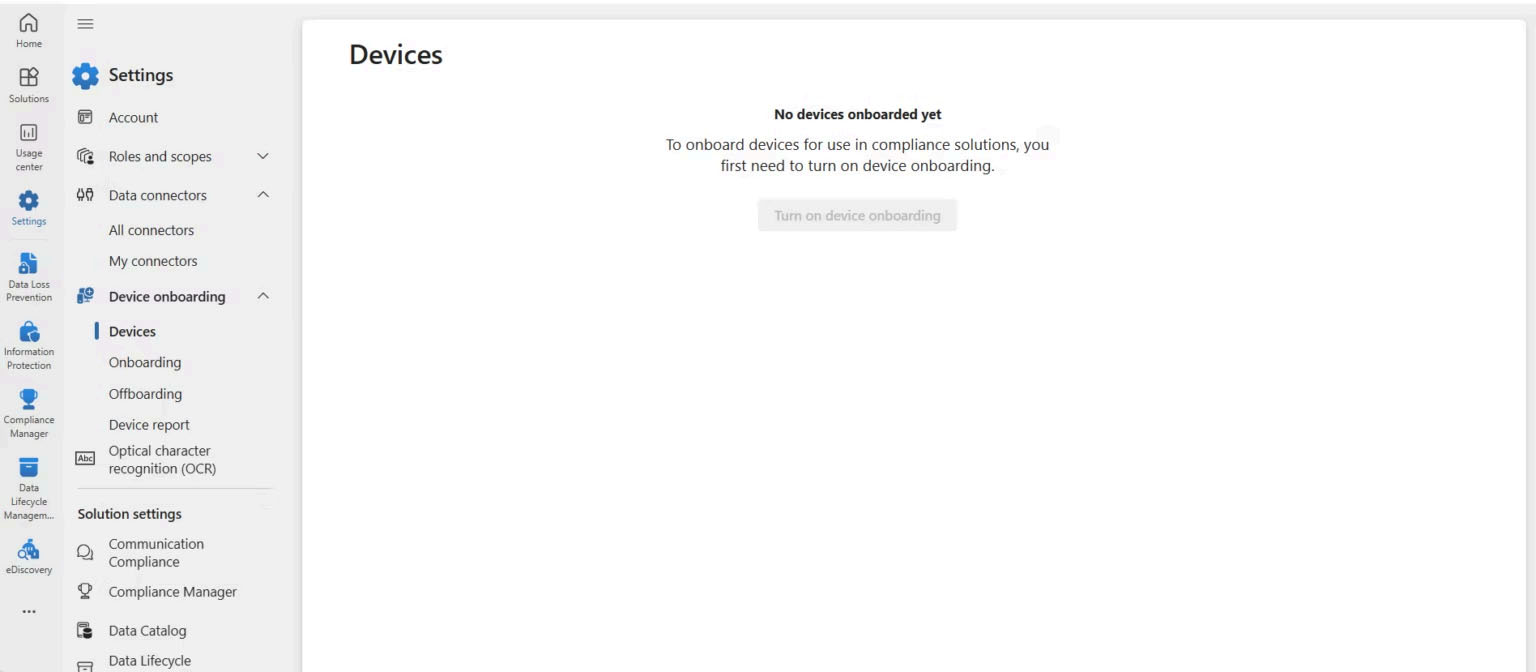
Enable Endpoint DLP
Initially no devices were available because Microsoft Defender for
Endpoint onboarding had not yet completed.
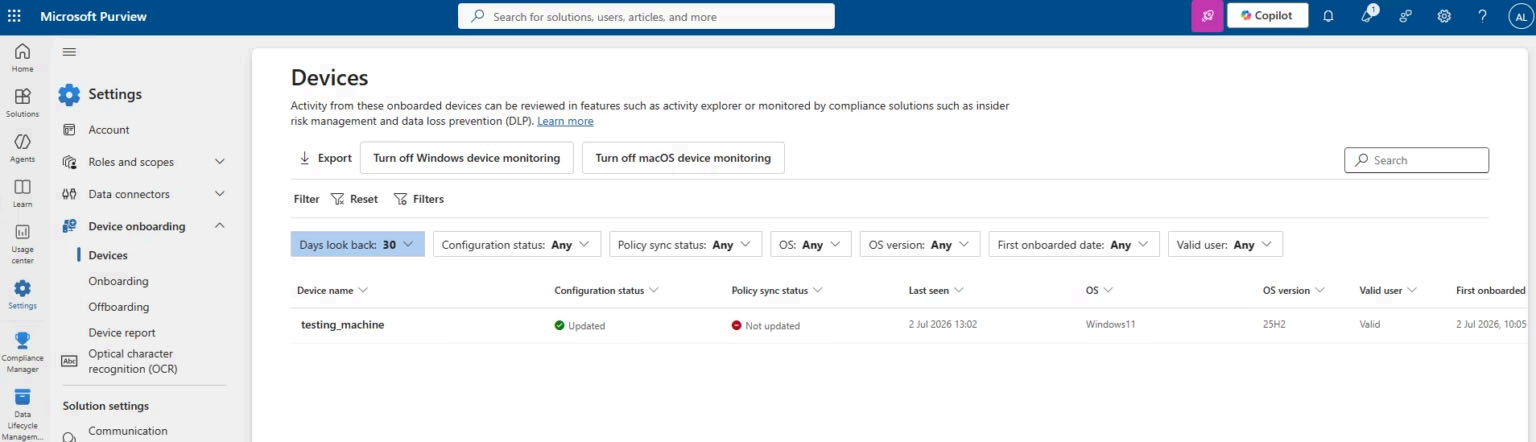
Synchronization Pending
Verified that Endpoint DLP requires synchronization with Defender for
Endpoint before managed devices appear.
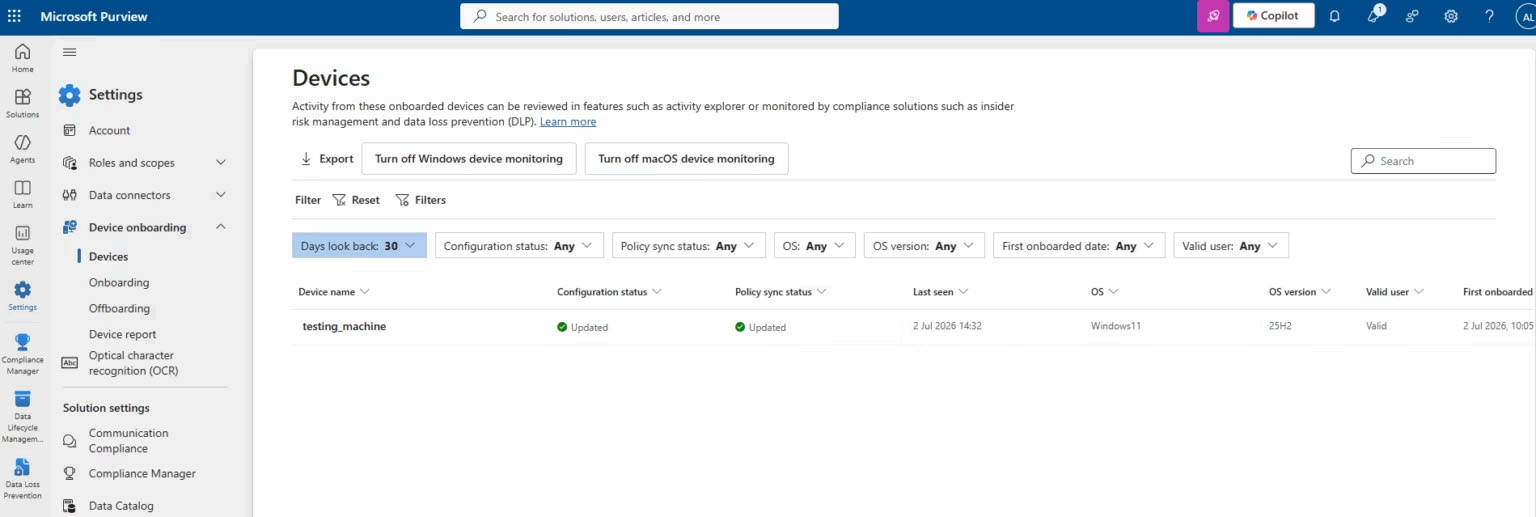
Device Successfully Onboarded
After synchronization completed, the managed Windows endpoint became
available for Endpoint DLP enforcement.
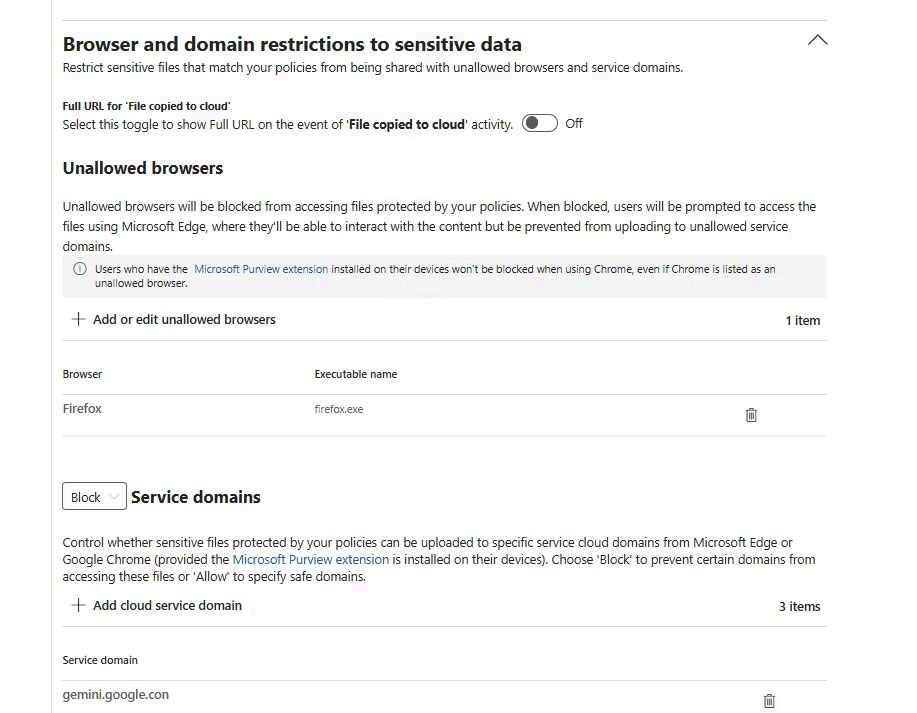
Browser Restrictions
Configured Endpoint DLP browser protection and added Mozilla Firefox as
a protected browser to prevent unauthorized uploads of sensitive data.
Endpoint DLP Integration
- Microsoft Purview integrates directly with Microsoft Defender for Endpoint.
- Managed Windows devices automatically synchronize after onboarding.
- Endpoint DLP extends protection beyond Microsoft 365 cloud workloads.
- Browser uploads, clipboard operations, removable media, and local files can all be monitored and controlled.
- This implementation validated successful Defender for Endpoint synchronization before enabling enforcement policies.
Phase 5 — AI Website Protection
One of the most valuable capabilities introduced in Microsoft Purview
Endpoint DLP is the ability to prevent users from uploading sensitive
enterprise information to Generative AI platforms.
Microsoft maintains a built-in Sensitive Service Domain Group called
Generative AI, which includes hundreds of AI services
such as ChatGPT, Copilot, Claude, Gemini and many other public AI
platforms.
By combining Endpoint DLP with this domain group, organizations can
prevent confidential files from being uploaded while still allowing
normal web browsing.
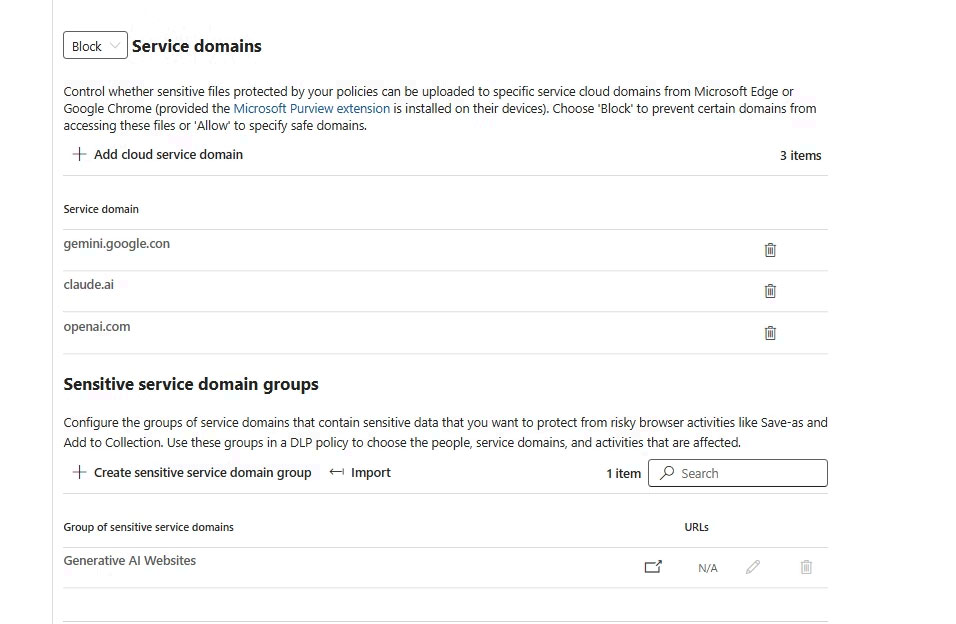
Generative AI Domain Group
Verified Microsoft's built-in Sensitive Service Domain Group containing
hundreds of AI websites supported by Endpoint DLP.
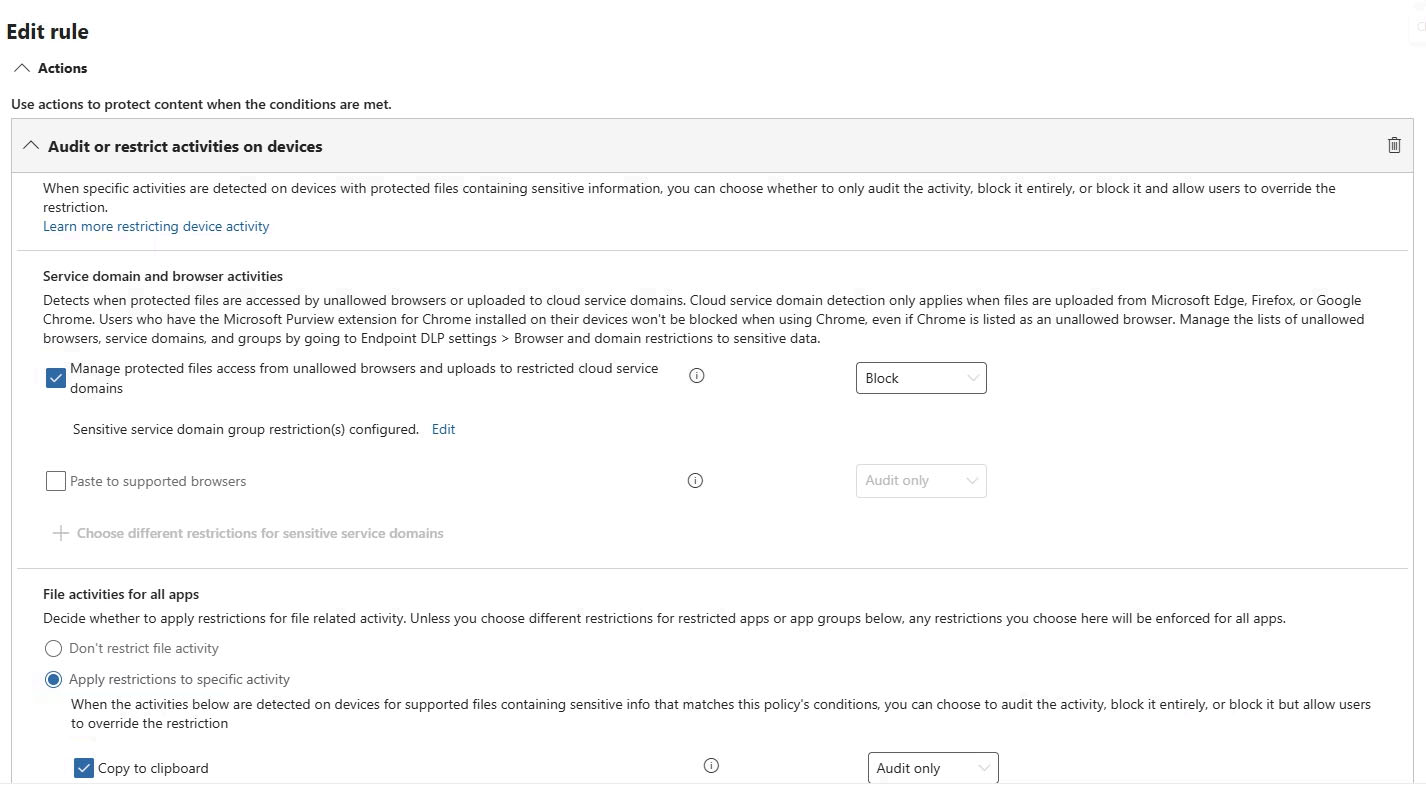
DLP Rule Configuration
Updated the Endpoint DLP rule to block uploads to Microsoft's
Generative AI domain group.
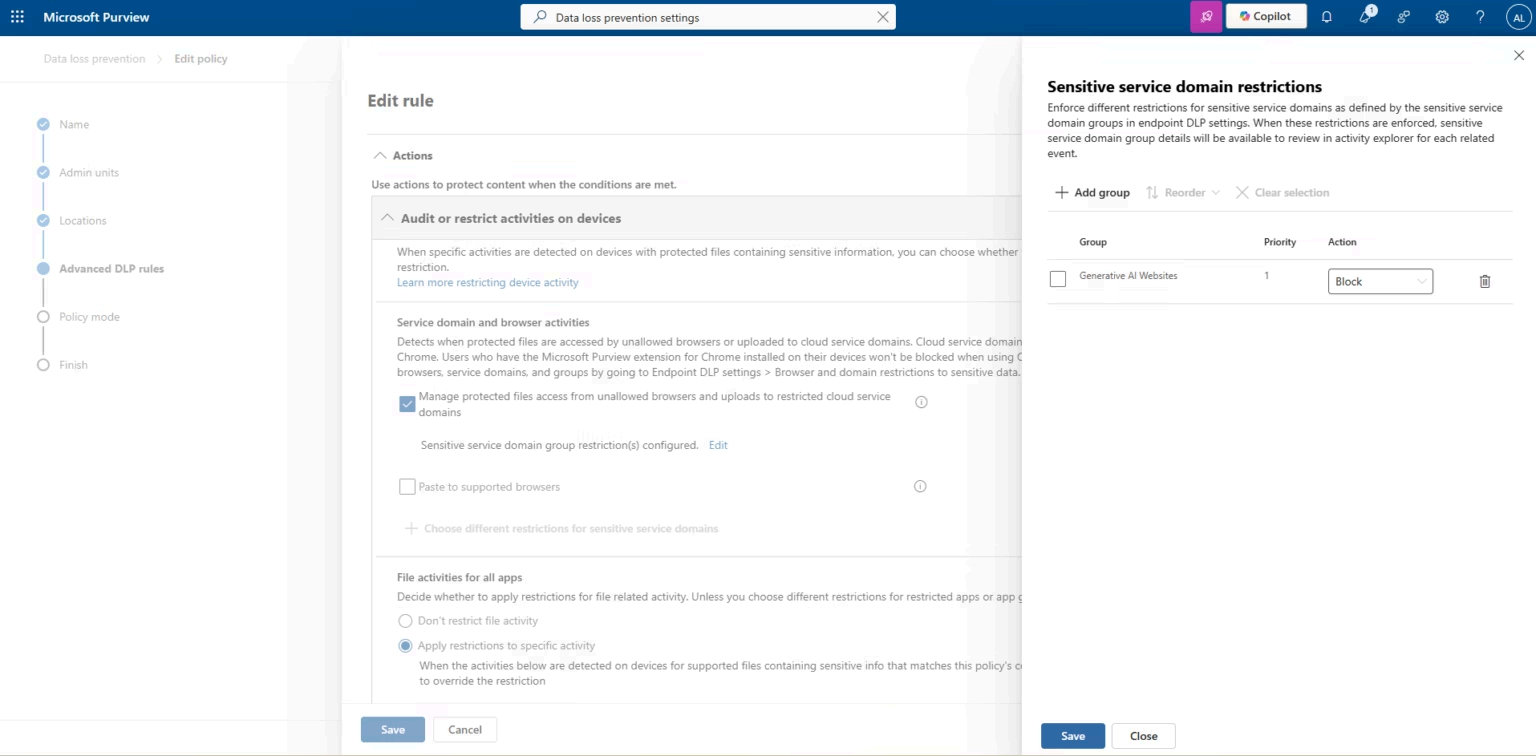
Protected AI Services
Configured browser restrictions that automatically apply to supported
Generative AI services.
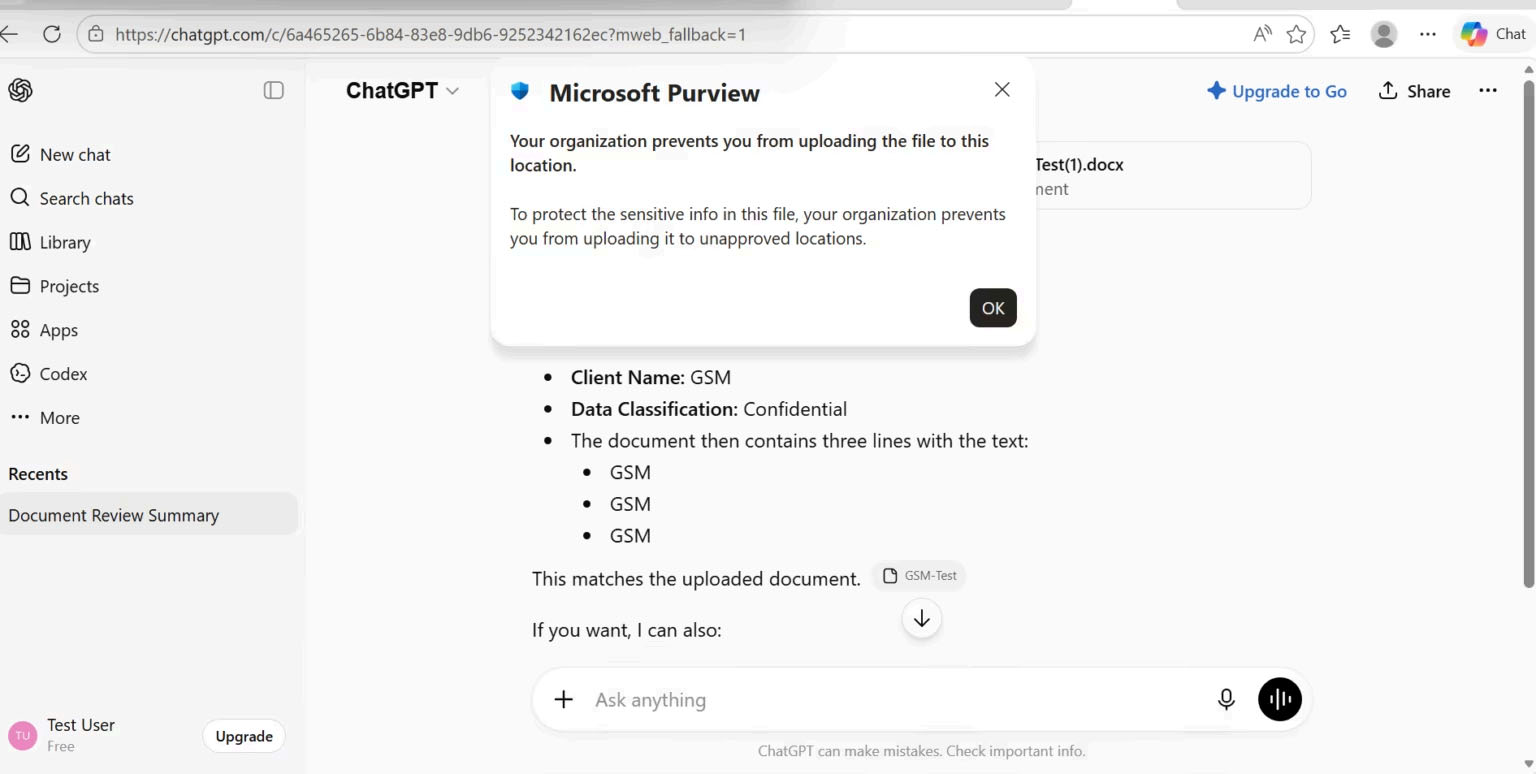
ChatGPT Validation
Validated that uploading a sensitive document containing the configured
Sensitive Information Type was successfully blocked.
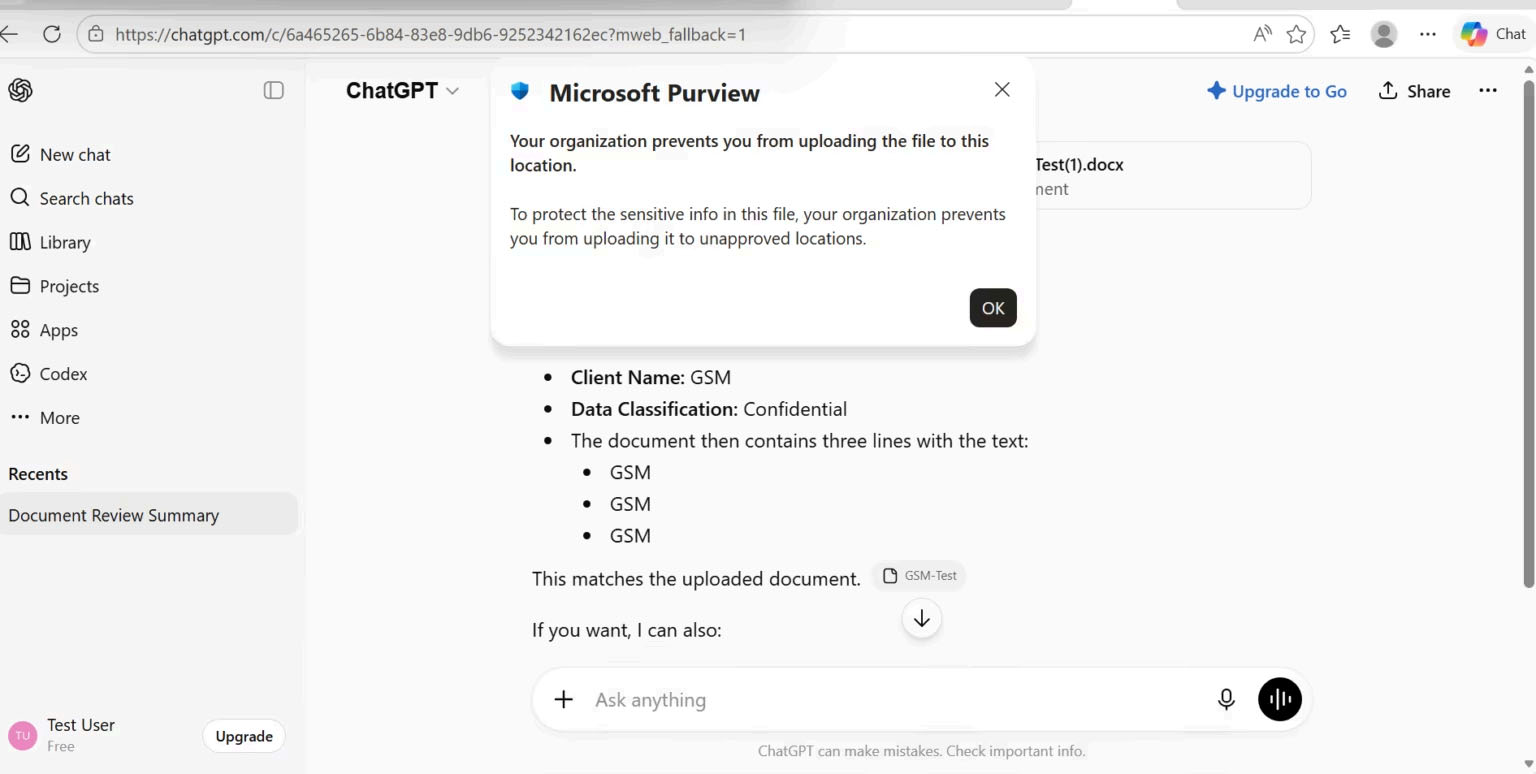
Policy Enforcement
Repeated testing confirmed consistent policy enforcement across browser
sessions.
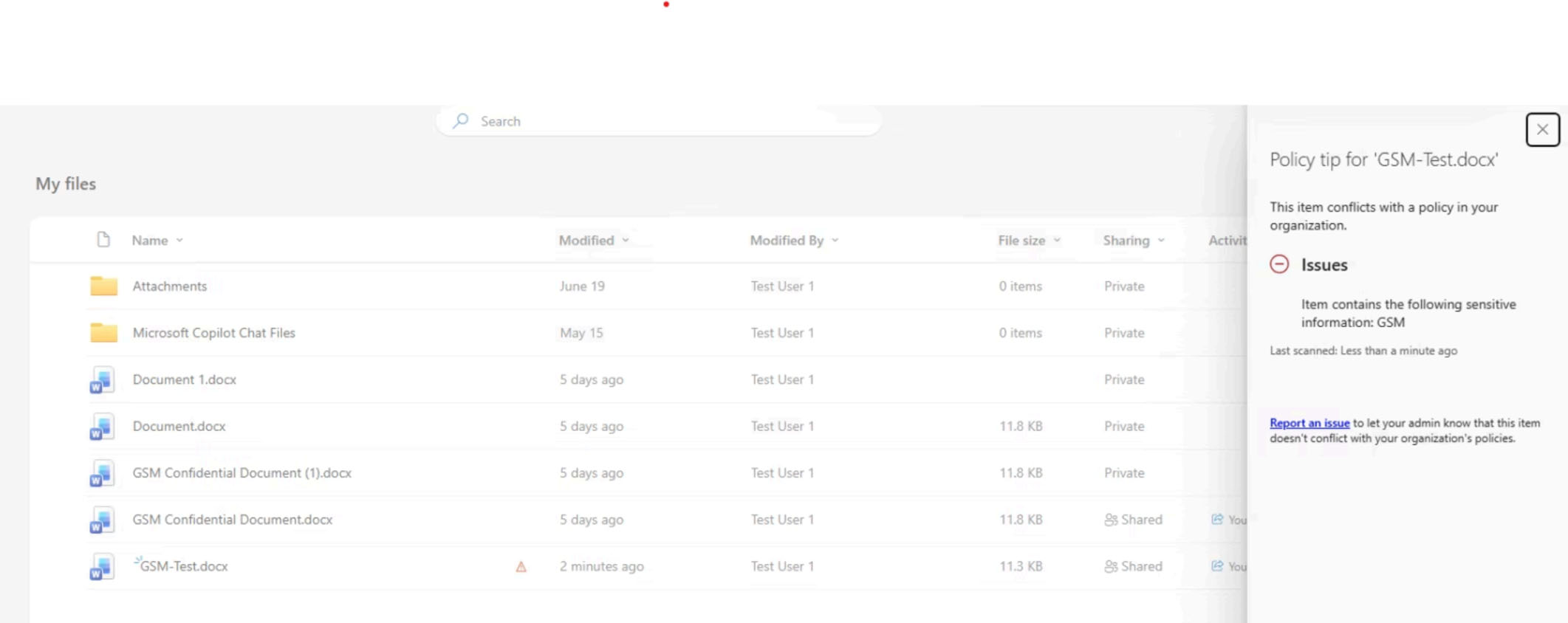
Policy Tip Validation
Verified that Microsoft Purview displayed policy tips informing users
why file sharing was blocked.
Phase 6 — Simulation to Enforcement
Microsoft recommends deploying Data Loss Prevention policies in
Simulation Mode before enabling enforcement.
Simulation mode allows administrators to validate policy behavior,
review alerts, and fine-tune conditions without affecting end users.
After validating all policy matches, the policy was switched to
Enforcement Mode.
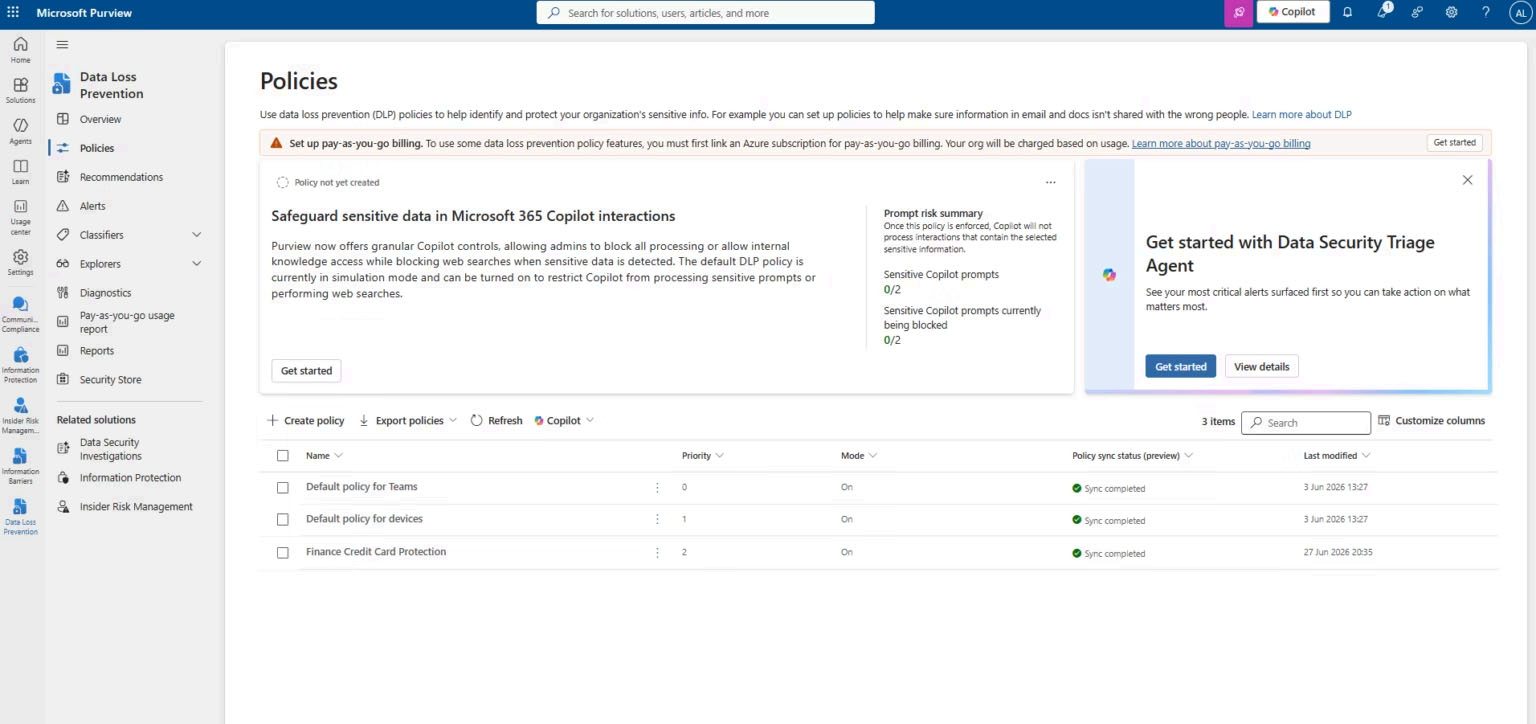
Enforcement Mode Enabled
Successfully transitioned the DLP policy from Simulation Mode to
Enforcement Mode after completing validation testing.
Security Controls Implemented
| Security Control |
Status |
| Standard Sensitive Information Types |
Implemented |
| Custom Sensitive Information Types |
Implemented |
| Endpoint Data Loss Prevention |
Implemented |
| Microsoft Defender for Endpoint Integration |
Implemented |
| Browser Restrictions |
Implemented |
| Generative AI Domain Protection |
Implemented |
| Activity Explorer Monitoring |
Implemented |
| DLP Alerts & Incident Reports |
Implemented |
| Simulation Mode Validation |
Completed |
| Enforcement Mode |
Enabled |
Validation & Testing
- Verified Standard Sensitive Information Type detection.
- Validated Custom GSM Sensitive Information Type.
- Confirmed Activity Explorer event generation.
- Verified administrator alert notifications.
- Validated Endpoint DLP synchronization with Defender for Endpoint.
- Confirmed Firefox browser protection.
- Successfully blocked uploads to Generative AI websites.
- Verified ChatGPT upload blocking using a sensitive test document.
- Confirmed policy tips displayed to end users.
- Validated policy behavior before switching to Enforcement Mode.
Key Outcomes
Enterprise DLP
Implemented Microsoft Purview Data Loss Prevention across Microsoft 365
and Windows endpoints.
Endpoint Protection
Extended DLP beyond Exchange, SharePoint, OneDrive and Teams by
protecting Windows endpoints.
AI Data Protection
Prevented sensitive enterprise information from being uploaded to
Generative AI services.
Continuous Monitoring
Validated DLP events through Activity Explorer, Alerts and Reporting
Dashboards.
Lessons Learned
- Simulation Mode should always be used before enforcing DLP policies.
- Custom Sensitive Information Types provide greater flexibility for business-specific data.
- Endpoint DLP depends on successful Microsoft Defender for Endpoint onboarding.
- Policy synchronization may require several minutes before devices appear.
- Generative AI protection provides an effective control against accidental data leakage.
- Activity Explorer is essential for validating policy behavior and investigating incidents.
Future Improvements
- Extend DLP protection to Exchange Online email.
- Validate SharePoint Online and OneDrive file protection.
- Implement Microsoft Teams DLP policies.
- Create Adaptive Protection policies using Insider Risk.
- Integrate Microsoft Purview with Microsoft Sentinel.
- Automate DLP reporting using PowerShell and Microsoft Graph.
Project Repository
View the complete implementation guide, architecture diagrams,
PowerShell scripts, documentation and all screenshots in the GitHub
repository.
View Project on GitHub →